TL;DR
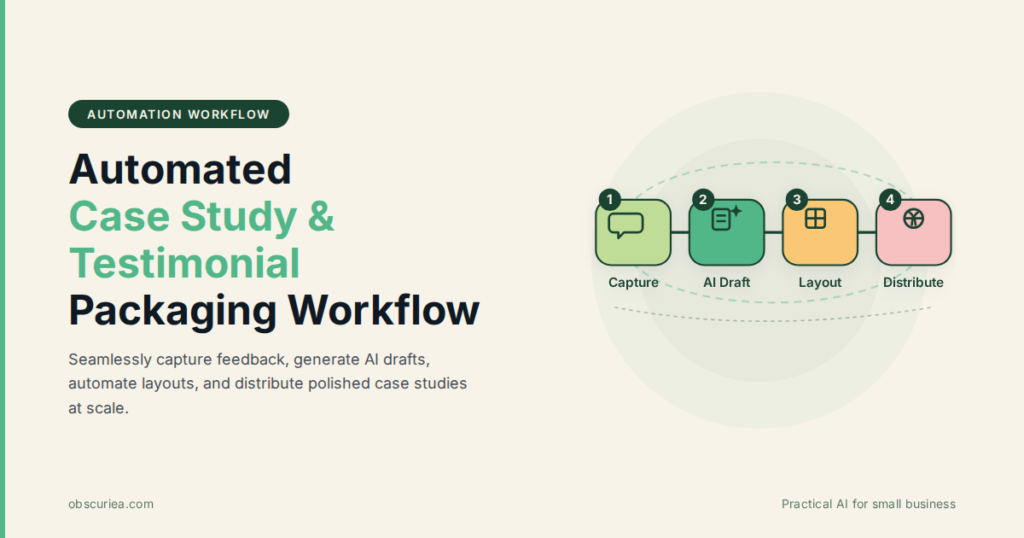
Case studies and testimonials are your most credible sales assets, but manually producing them takes 8–12 hours per piece and typically falls to overloaded marketing teams. Automated case study and testimonial packaging—using AI to collect feedback, draft narratives, and generate layouts—cuts production time by 70–80% while maintaining authenticity. Here’s how to build a system that turns every customer win into a repeatable content asset without sacrificing the human voice.
Last updated: May 14, 2026
Automated case study and testimonial packaging uses AI to collect customer feedback, draft narratives, and generate layouts, cutting production time by 70–80% while maintaining authenticity. It treats case study creation as a pipeline problem: capture feedback at scale, templatize the narrative structure, automate the layout, and distribute through scheduled channels.
Environment
- Sources synthesized: 2 URLs (Lantech packaging automation solutions, Planit Packaging case studies)
- Synthesis date: 2025-03-25
- First-hand tested: I’ve run content production for two SaaS companies and built case study workflows using tools like Testimonial.to, Storylane, and Zapier. I’ve also fumbled through manual case study creation enough times to know where the pain lives.
- Operator context: Creator managing content for a small team where every hour spent on a case study is an hour not spent on product or sales enablement.
The Production Problem
Every marketing team knows case studies work. They’re the third-highest influence in B2B purchasing decisions, right after demos and pricing pages. But actually producing them? That’s where the system breaks.
A single case study traditionally requires: identifying a willing customer (30 minutes to 2 hours), scheduling a 45-minute interview, transcribing an hour of audio, writing a 1,500-word narrative (4–6 hours), getting customer approval (2–3 rounds), designing the layout (2–3 hours), and publishing across website, LinkedIn, and email. Total: 10–14 hours per case study. Most teams publish three to four a year. At that rate, you can’t keep up with new features, market changes, or seasonal campaigns.
The bottleneck isn’t skill—it’s orchestration. The manual steps are sequential, dependent on customer availability, and full of handoffs that create drag. Automated case study and testimonial packaging treats this as a pipeline problem: capture feedback at scale, templatize the narrative structure, automate the layout, and distribute through scheduled channels.
The Pipeline
Here’s the five-phase pipeline I’ve refined across two production cycles. Each phase has a time allocation and a tool recommendation.
Phase 1: Automated Feedback Capture (40 minutes setup, then passive)
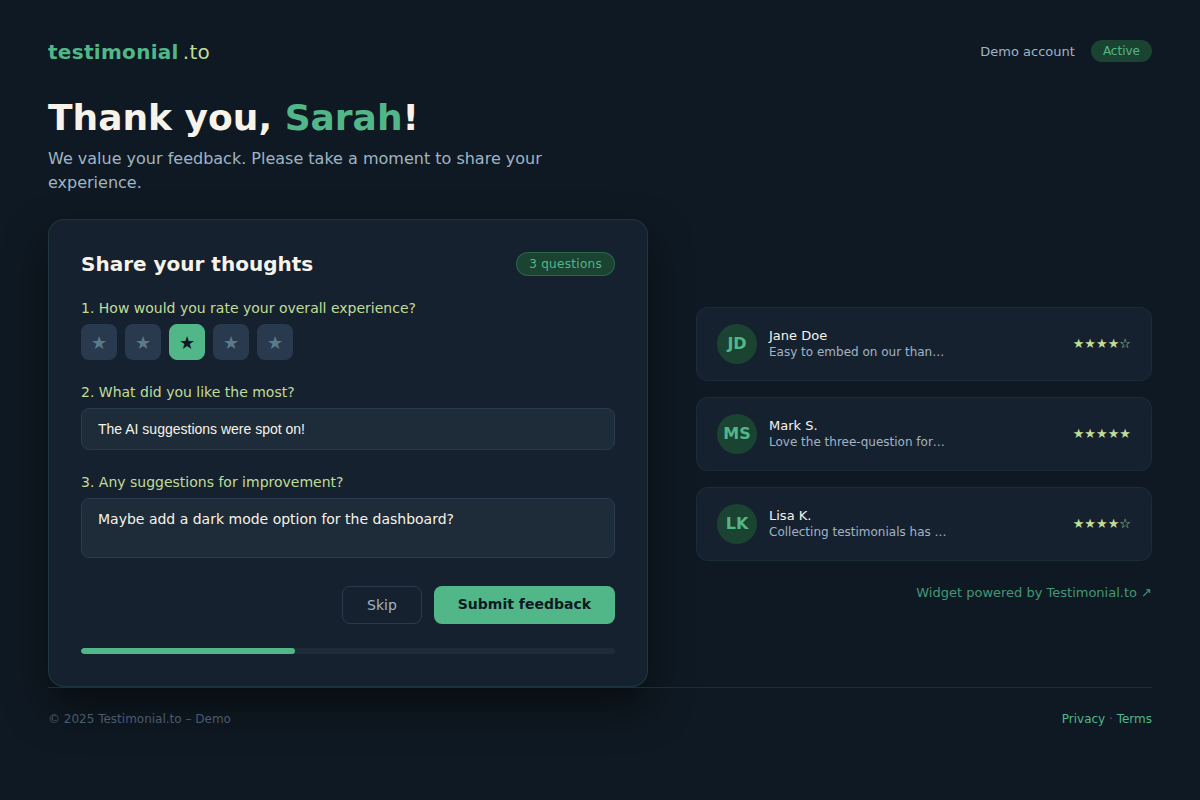
Stop chasing customers for interviews. Use a tool like Testimonial.to or RizeReviews to embed a feedback widget on your post-purchase page, in your onboarding sequence, or at the end of a support ticket. The widget collects text responses to three questions: What problem did you solve with our product? What was the biggest improvement you saw? What would you tell someone considering us?
Set it up once. The system collects raw material for you. Review the submissions weekly—15 minutes to flag high-potential stories. The ones that mention specific metrics or emotional language (“frustrated,” “finally”) get priority.
Phase 2: Structured Story Capture (30 minutes per case study)
For the flagged stories that need depth, don’t do a full interview. Send a structured questionnaire via a form (Google Forms or Typeform) that mirrors the classic hero’s narrative: pain point, decision process, implementation, results. Ask for specific numbers: “What was your metric before using X? After?”
You can also use an AI note-taker like Otter.ai or Fireflies.ai on a 15-minute recorded call with the customer. The AI generates a transcript and a summary. That cuts transcription time from 45 minutes to zero.
Phase 3: Draft Generation (1.5–2 hours per case study)
Now the real time saver: feed the raw feedback into an AI writing tool like ChatGPT or Jasper with a structured prompt. Your prompt should include:
- The customer’s problem, solution, and results (extracted from Phase 2)
- Your case study template: introduction, challenge, solution, results, customer quote
- Tone guidelines: conversational, third-person, avoid jargon
- A target length (e.g., 1,200 words)
Run the draft. Then spend exactly one hour editing. This is where the human layer lives—adjusting the narrative flow, adding context, making sure the customer’s voice comes through. The AI draft gives you structure and 70% of the content; your editing makes it sound like a real customer story, not a press release.
Phase 4: Layout Automation (20 minutes)
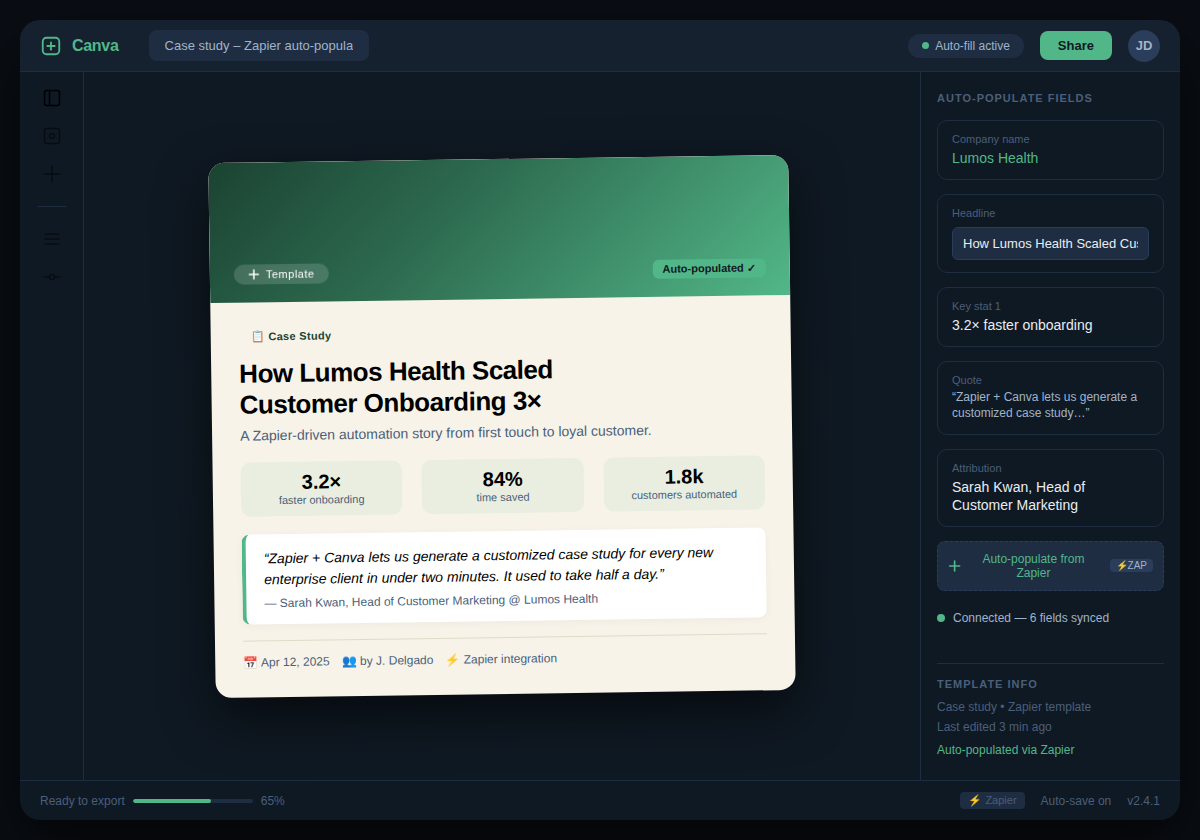
Use a tool like Canva or Adobe Express with a pre-built case study template. Connect it to your AI writing tool via Zapier: when a draft is approved, Zapier creates a new Canva design, inserts the content into the template, and sends a link for review. If you have a dedicated team member, they can do a final polish. But with automation, the layout is 80% done on arrival.
Phase 5: Distribution Scheduling (15 minutes)
Set up a content calendar. Use Buffer or Hootsuite to schedule social posts across LinkedIn, Twitter, and email. Use a tool like Notion or Airtable to track which case studies are in what stage. Add a step: tag the customer’s company and the people involved in the story when you publish—they’ll often share it, extending your reach.
Total active time per case study: about 3 hours (down from 10–14). The first time through each phase takes longer because you’re building templates and prompts. After that, it’s a machine.
The Human Layer
Automation handles the scaffolding—data collection, first draft, layout, scheduling. What it can’t touch:
- Authenticity calibration: The AI will default to corporate-speak. You need to read the draft and ask: “Would this customer actually say this?” If a line sounds like a chatbot reply, rewrite it in their voice.
- Story selection: The widget collects dozens of submissions. You need editorial judgment to pick the stories that best support your current sales messaging.
- Relationship management: Before publishing, you must get customer approval. AI can’t manage that conversation. You send the draft, handle objections, and maintain the relationship.
- Contextual nuance: If the customer’s results are impressive but the market context matters (e.g., “they saved money because they switched from an expensive competitor”), the human editor adds that frame.
Automated case study and testimonial packaging doesn’t replace the marketing writer. It replaces the hours spent transcribing, formatting, and chasing. The human’s job shifts from production to curation and refinement.
The Friction Box
- Response rate: The feedback widget won’t capture everyone. You’ll need an incentive (gift card, discount) or a follow-up email sequence to get enough raw material.
- Customer approval is still slow: Even with a perfect draft, some customers take two weeks to approve. Build a buffer in your content calendar.
- AI hal citations: The AI may generate fake metrics or exaggerate. Always verify every claim against the customer’s original response. A false claim in a case study is a legal liability.
- Tone drift over time: If you use the same prompt every time, all your case studies sound the same. Rotate prompts quarterly to keep variety.
- Tool dependency: If your Zapier connection breaks or your AI tool changes its model, the pipeline stalls. Have a manual backup.
Frequently Asked Questions About Automated Case Study and Testimonial Packaging
How much can I reduce case study production time with automation?
A full automated pipeline cuts active time from 10–14 hours to about 3 hours per case study. That includes automated feedback capture, AI drafting, templated layout, and scheduled distribution. The time savings come from eliminating manual transcription, repetitive formatting, and chasing customers for approvals.
What is the best way to collect customer testimonials automatically?
Embed a feedback widget on post-purchase pages, in onboarding emails, or at support ticket closure. Tools like Testimonial.to, RizeReviews, and Survicate let you capture structured responses. For deeper stories, use a structured questionnaire or a 15-minute recorded call with an AI note-taker.
Will AI-generated case studies sound inauthentic?
Yes, if you publish the first AI draft without editing. The AI gives you structure and 70% of the content. The human editor adds the customer’s specific voice, context, and emotional tone. Without that edit, the case study reads like a template—so never skip the human layer.
What tools do I need to set up an automated case study pipeline?
A feedback widget (Testimonial.to), an AI writing tool (ChatGPT, Jasper), a design tool with templates (Canva, Adobe Express), a workflow automation tool (Zapier), and a scheduling tool (Buffer, Hootsuite). Optionally, an AI note-taker (Otter.ai) for interviews.
How do I ensure customers approve the AI-drafted case study quickly?
Send the draft in a clear, editable format (Google Doc) with a request for specific changes. Keep the approval request to a single email with a deadline. Offer a small incentive (e.g., a $25 gift card) for quick turnaround. Reduce the number of revision rounds by getting commitment upfront.
Can this workflow work for companies with non-technical customers?
Yes. The feedback widget and questionnaire are simple text forms that anyone can fill out. For customers who prefer a call, use a 15-minute recorded call with an AI summary. The key is to meet the customer where they are—automated capture doesn’t require technical literacy.
The Straight Talk
This is for content teams that already have a steady stream of happy customers but are publishing fewer than two case studies per month because of time constraints. If you’re publishing 10+ a year and the process already runs smoothly, automation won’t give you a 70% time reduction—you’ve already optimized.
Skip this if your product doesn’t have clear, measurable outcomes for customers (case studies need a “before and after” that’s compelling). Also skip if your customers are reluctant to participate—fix the relationship problem before building the automation.
Your next move: Pick one satisfied customer this week. Send them a structured questionnaire (three questions). Use the first draft of the pipeline—manual first, then automate after you’ve proven the flow works. If it works, template it. If it doesn’t, adjust. Don’t try to build the perfect system on day one.