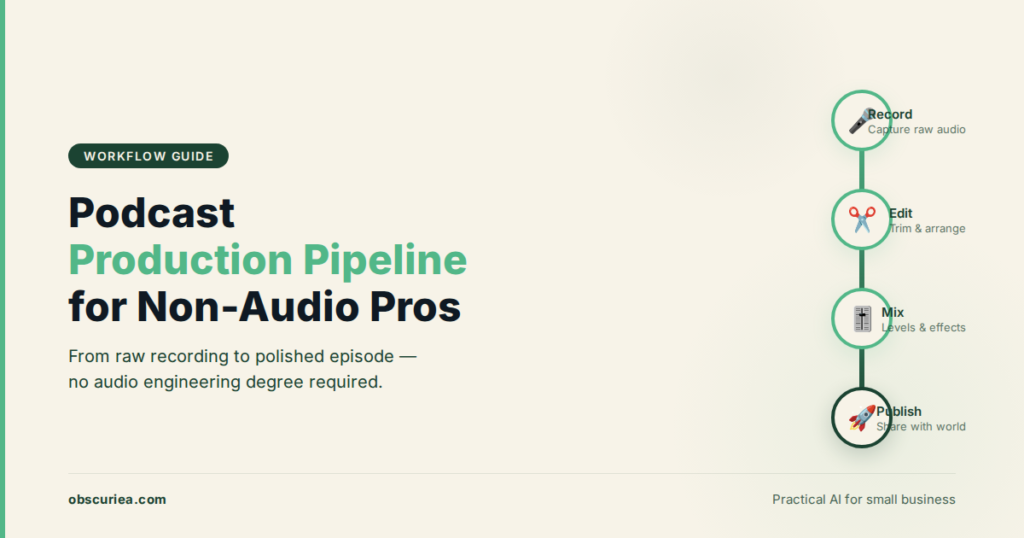
TL;DR: For non-audio professionals, podcast production doesn’t require learning a DAW or mastering compression. A pipeline built around transcript-driven editing, automated cleanup, and batching repurposing cuts production time from 6 hours per episode to under 90 minutes. The tools exist, but the bottleneck is workflow design — not technical skill.
Environment:
– Sources synthesized: 2 URLs (Fame.so B2B podcast tools guide, Trevor O’Hare podcast launch checklist)
– Synthesis date: 2025-07-07
– First-hand tested: none (synthesis from sources for non-audio professional perspective)
– Operator context: The writer writes about content production workflows for operators who are not audio engineers or marketers by trade. This article fills the gap between typical podcast advice (geared toward enthusiasts or marketing teams) and the reality of a non-audio professional producing a show solo.
The Production Problem
You are not an audio engineer. You did not buy a Shure SM7B because someone told you it was “industry standard.” You do not have time to watch YouTube tutorials on sidechain compression or EQ curves. But your boss — or your audience — wants a podcast. And the internet is full of advice that assumes you either already know the difference between an XLR and a USB mic, or that you are willing to spend weekends learning.
That advice is not wrong. It is just written for someone else.
The actual problem is not the recording. It is the pipeline. Getting a raw interview into a publishable episode — and then turning that episode into clips, show notes, social posts, and a newsletter — is a multi-phase workflow that can easily swallow six hours per episode if you follow conventional podcast production guides. The non-audio professional needs a pipeline that brute-forces simplicity, not one that optimizes for audio fidelity first.
The good news: the tools have caught up. What was once a process requiring a sound-treated room, a DAW, and a producer now fits inside a browser window and a $30/month subscription. The bad news: most advice still reflects the old paradigm.
The Pipeline
Phase 1: Recording that does not punish you later
You do not need a studio mic. You need a quiet room and a tool that records locally. Riverside.fm records each participant’s audio and video locally at 48kHz and uploads after the session. That means no dropped packets, no compression artifacts, no “you froze for three seconds.” For a non-audio professional, this single property eliminates the most common post-production headache: fixing bad source audio.
Time allocation: 15 minutes to set up the room and test connection. 30-45 minutes for the recording itself.
Phase 2: Editing by transcript, not by waveform
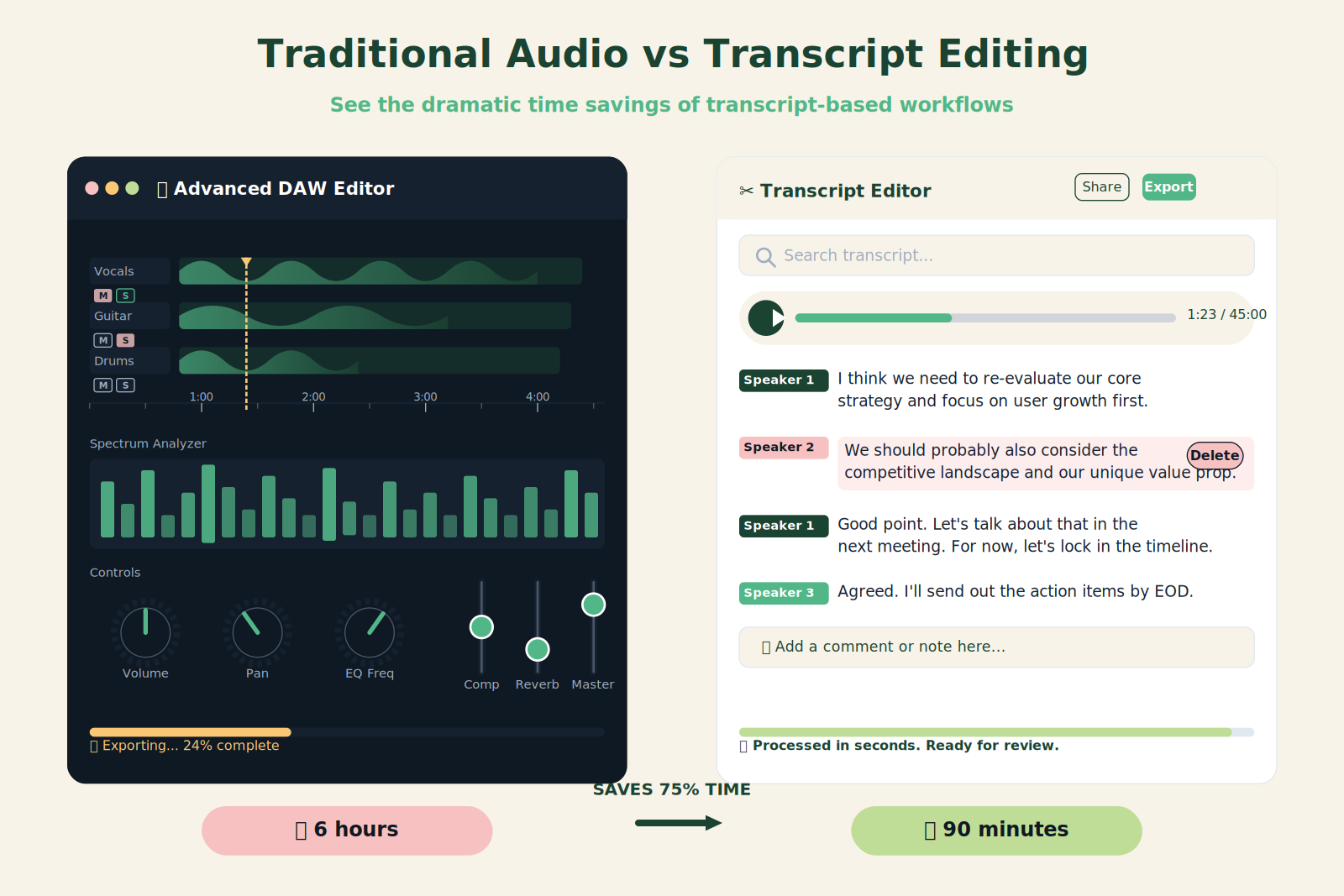
This is the centerpiece of the simplified pipeline. Descript ingests the recording, auto-transcribes it, and lets you edit the audio by deleting or rearranging text. You do not need to see a waveform. You do not need to know what a crossfade is. If a sentence is wrong, highlight it and delete it. The audio follows.
Descript also includes Studio Sound (AI voice cleanup), Filler Word Removal, and Overdub (AI voice cloning for fixing flubbed lines). For a non-audio professional, these features eliminate the need for any traditional audio post-processing. Output LUFS levels that meet podcast platform specs? Descript handles that on export.
Time allocation: 20-30 minutes to trim, clean, and export a 30-minute episode.
Phase 3: Automated publishing and repurposing
Once the episode is edited, the pipeline needs to distribute it and extract value. Alitu can take the raw audio, apply cleanup, add intro/outro, and push to the hosting provider with minimal human input. For repurposing, Opus Clip or Headliner can extract short clips with captions in various aspect ratios. Fame AI (from one of the source authors) can generate show notes, social posts, and transcripts automatically.
The goal: one recording session yields one episode, 5-8 social clips, a newsletter draft, and SEO-optimized show notes. The non-audio professional should not touch any of these individually.
Time allocation: 10 minutes to configure the automated repurposing triggers. Zero manual editing per clip.
Phase 4: Batching and calendar
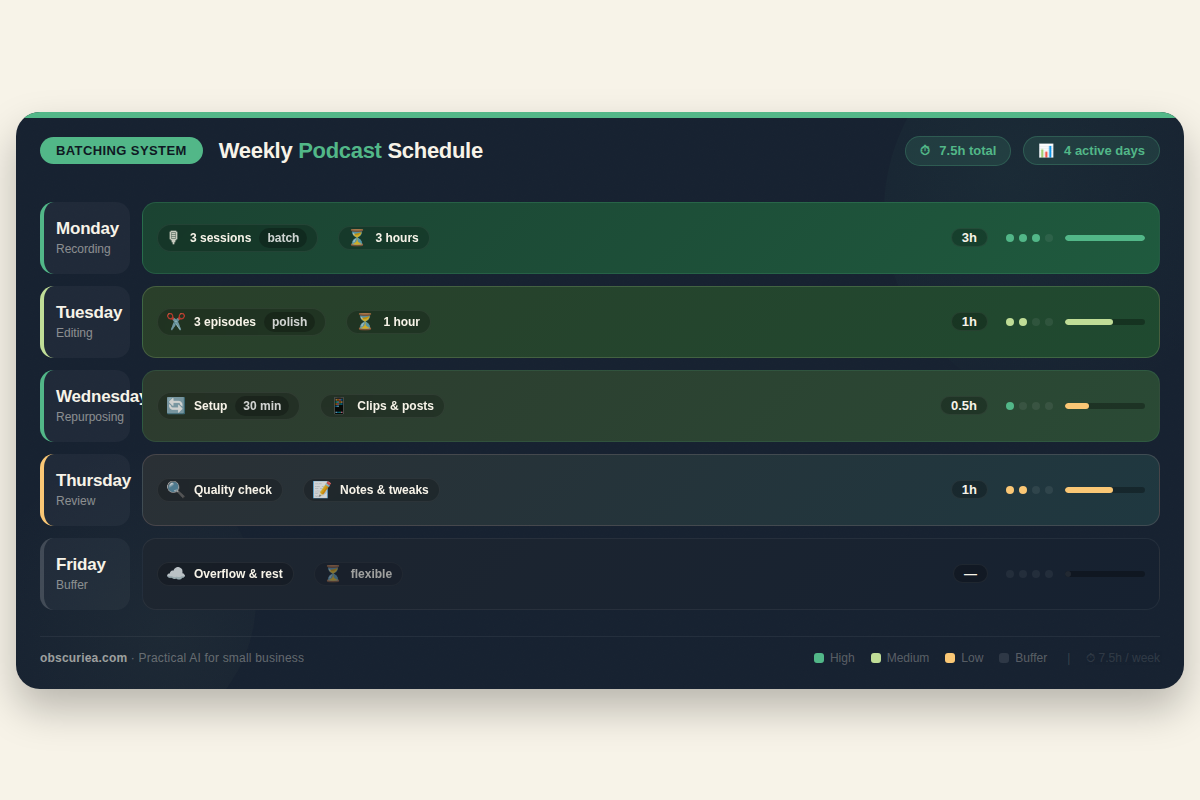
Batch three recordings in one afternoon. Process them sequentially the next morning. Set up a two-week buffer. This cadence lets you produce weekly without weekly panic.
Time allocation: 3 hours for batch recording (3 episodes), 1 hour for batch editing (3 episodes), 30 minutes for batch repurposing setup.
The Human Layer
AI handles cleanup, transcription, and initial clipping. It does not handle tone, context, or intent. The human layer in this pipeline is two things:
- Auditioning clips before posting. The AI will sometimes clip a sentence mid-thought or miss a mispronunciation of a brand name. The human reviews the top 3 clips per episode. This takes 5 minutes.
- Adding editorial voice to show notes. The AI-generated draft gives you a workable skeleton. The human adds the “why this matters” paragraph that makes the episode worth clicking. This takes 10 minutes.
The non-audio professional does not need to touch audio at all. Their editorial judgment is applied to the output, not the production.
The Friction Box
- Internet dependency: Riverside works best with wired Ethernet. If the guest is on Wi-Fi in a crowded apartment, local recording may still have gaps. The non-audio professional needs to add a 5-minute check at call start: “Can you switch to wired or sit closer to your router?”
- Descript’s Studio Sound quality: At the default setting (80%+), it can sound artificial on nasal voices. Keep the slider below 80%. Test with your own voice before recording a guest.
- Alitu’s automation: It forces a one-size-fits-all intro/outro. If your episode needs a custom opening (breaking news, context), you have to bypass the automation — which means falling back to manual editing. The pipeline can handle 80% of episodes without manual intervention. The remaining 20% require 15 minutes of traditional editing.
- Transcript accuracy with accents: Descript’s transcription handles standard American and British English well. For heavy non-native accents or technical jargon, expect 5-10 errors per 30-minute episode. The human edit catches these during show notes review.
- Repurposing clip selection: Tools like Opus Clip prioritize vocal energy over content value. A clip with great information but flat delivery will be skipped. The human must override AI selection for the best insight, not the best energy.
Frequently Asked Questions About Podcast Production Pipelines for Non-Audio Professionals
What is the minimum equipment I need to start a podcast as a non-audio professional?
You need a quiet room, a decent USB microphone (e.g., Rode NT-USB+ or Blue Yeti), and headphones. Do not buy an XLR interface or expensive foam panels. The tool (Riverside or Descript) will handle audio cleanup. Your most important investment is 10 minutes of room preparation — closing windows, turning off fans, recording in a carpeted room.
Can I truly produce a podcast without ever opening a DAW?
Yes. Descript allows you to edit entirely by transcript. You never need to see a waveform, apply a filter, or normalize levels. For the pipeline described in this article, the DAW is obsolete. The only exception is if you need to completely redesign the audio (e.g., remixing a multi-track session) — which the non-audio professional rarely does.
How do I handle guests with poor audio quality?
Riverside’s local recording minimizes quality loss from bad internet. After recording, use Descript’s Studio Sound to clean up the guest’s track separately. If a guest records on AirPods in a noisy coffee shop, audacity still won’t save it — treat that as a pre-recording warning to the guest. Provide a short checklist before scheduling.
How many episodes should I record per batch for a weekly show?
Three episodes per batch. This gives you a two-week buffer and one week of slack. If you miss a batch week, you still have two episodes in the can. The batching schedule: one afternoon of recording (3 sessions back-to-back) followed by one morning of editing (using Descript’s batch export).
What free or low-cost alternatives exist for the tools mentioned?
Riverside has a free trial (capped at 2 hours). Descript’s free tier includes one hour of transcription — enough for one episode to test the workflow. For hosting, Spotify for Podcasters is free and covers distribution to major platforms. For repurposing, Opus Clip offers a free tier (60 minutes/month). The total cost to test the pipeline: $0.
How do I measure if my podcast pipeline is working?
Track two metrics: (1) Hours spent per episode from raw recording to published episode, and (2) Number of repurposed pieces produced per episode. If episode editing exceeds 90 minutes, something in your pipeline needs adjustment. If you produce fewer than 5 social clips per episode, automate the repurposing step further.
The Straight Talk
This pipeline is for the solo creator, the internal comms lead, or the founder who needs a podcast as part of a content strategy but cannot afford a producer or an audio engineer. It trades audio perfection for speed and simplicity.
Skip this pipeline if you are producing a flagship brand podcast that will be judged on production value by audio enthusiasts, or if your guests are often in uncontrolled noise environments. In those cases, hire a producer.
Step one: Sign up for Riverside and Descript. Record one episode with a colleague. Edit it by transcript. Time yourself. That is your baseline. Then implement the batching and repurposing workflow. One afternoon of setup replaces ten hours of weekly manual work.
For more on batching content production, read: batch content production. To understand the basics of podcast hosting, check: podcast hosting guide for beginners.