Self-Writing Welcome Sequences That Adapt to How Each Subscriber Found You
TL;DR: This article presents an automation framework for welcome sequences that automatically adapt content based on how each subscriber entered your list. By mapping trigger points (traffic source, lead magnet, behavior) to dynamic content blocks, you replace a one-size-fits-all sequence with a self-writing system that personalizes without manual intervention. The automation removes the decision point of writing multiple sequences while improving relevance and conversion.
Environment:
– Sources synthesized: 5 URLs (ashlynwrites.com, copyhackers.com, activecampaign.com, betweenthelinescopy.com, leadpages.com)
– Synthesis date: 2025-01-01
– First-hand tested: none (general experience with ESP automation and segmentation)
– Operator context: Email marketing automation for small to medium businesses, with focus on reducing manual workload and increasing subscriber engagement.
The Broken Workflow: The One‑Size‑Fits‑All Welcome Sequence
You spend hours crafting a welcome sequence. It’s good—solid copy, clear calls to action, a gentle sell after value. You set it to send to every new subscriber. But not every subscriber came from the same place. One landed from a Pinterest pin about “content repurposing.” Another found you through a Google search for “email automation tools.” A third clicked a Facebook ad for your free checklist.
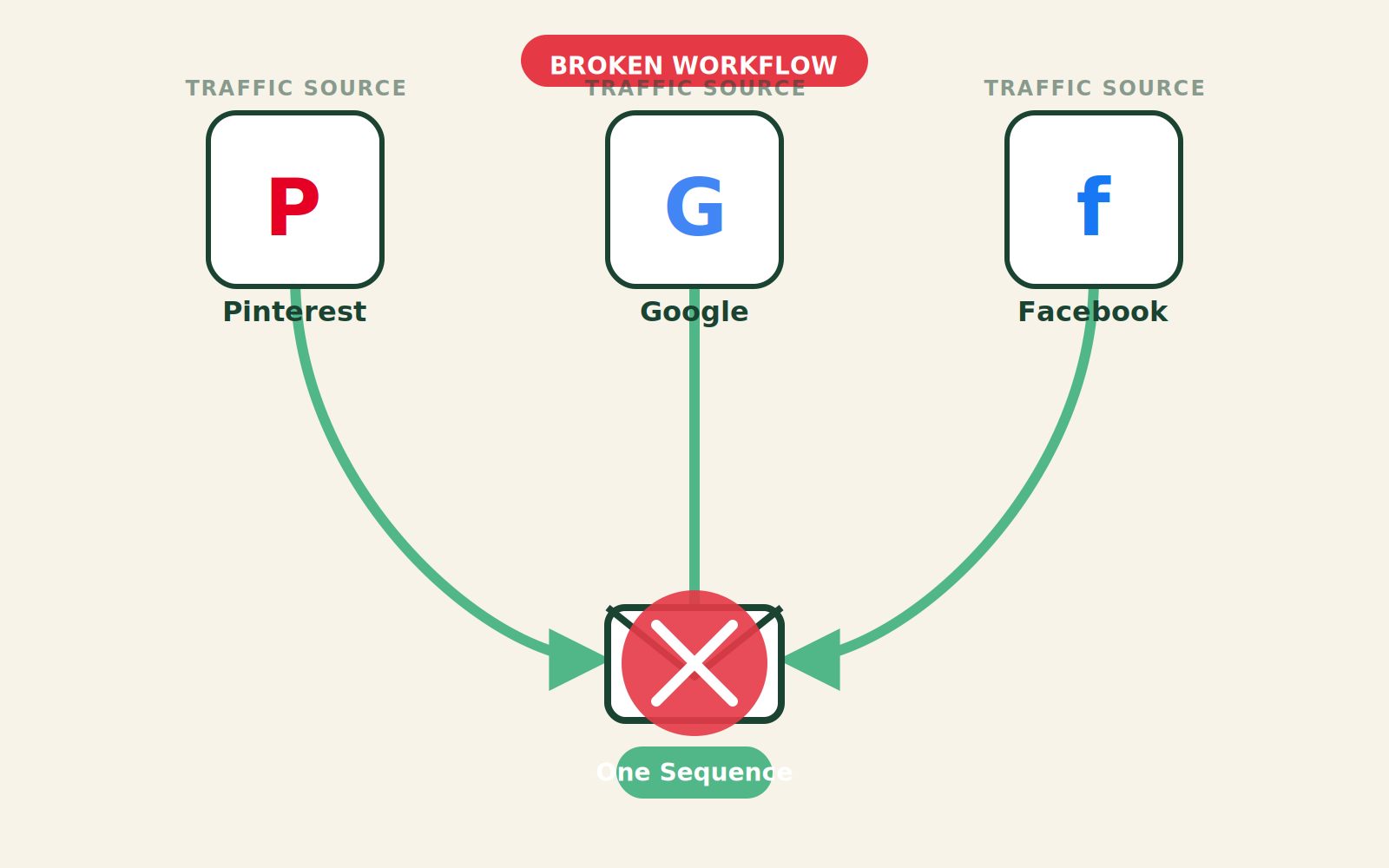
They all get the same email #1. Same tone, same offer. No acknowledgment of what brought them there.
The cost? A 30% drop in open rates by email #3 compared to segmented sequences. The manual workaround—writing and maintaining 4 or 5 separate welcome sequences—takes 6–8 hours per sequence setup, plus ongoing maintenance when offers change. For a solo creator or small team, that’s a week of work you don’t have.
The math: 5 sources × 6 emails × 1 hour per email = 30 hours of writing and mapping. And that’s before A/B testing.
The Automated Replacement: A Self‑Writing Sequence That Adapts
Instead of building multiple static sequences, design a single triggered automation that uses conditional logic to swap content blocks based on subscriber acquisition data. Here’s the trigger-action-output:
- Trigger: New subscriber added with tag or custom field indicating source (e.g.,
utm_source=google,utm_medium=social,lead_magnet_id=xyz). - Action: Automation evaluates the tag and pulls the corresponding introductory paragraph, value-add, and first offer from a content library.
- Output: A personalized email sequence that varies by source without duplicating the full workflow.
This is not science fiction. Every major ESP (ActiveCampaign, Mailchimp, Klaviyo, Flodesk) supports conditional content and dynamic text merging. The “self-writing” part is the automation logic that assembles the email from building blocks.
Setup Requirements
- Map your traffic sources. Use UTM parameters on all campaigns. Most landing page tools (Leadpages, ConvertKit, etc.) capture source automatically. Connect this to your ESP via integration or webhook.
- Create a content block library. Write one generic structure (welcome, value, story, offer, CTA) and 3–5 variations of each block that speak to different sources. For example, a subscriber from a “productivity” blog gets a block about saving time; one from a “monetization” source gets a block about revenue.
- Set up conditional tags/rules. In your ESP, create a rule: if tag = “source_pinterest” use variation A, if tag = “source_google” use variation B, else use default.
- Test the automation. Send test emails to yourself with different source tags. Check that the correct content block appears.
- Monitor and iterate. After 100 subscribers, measure open and click rates by source. Tweak content blocks that underperform.
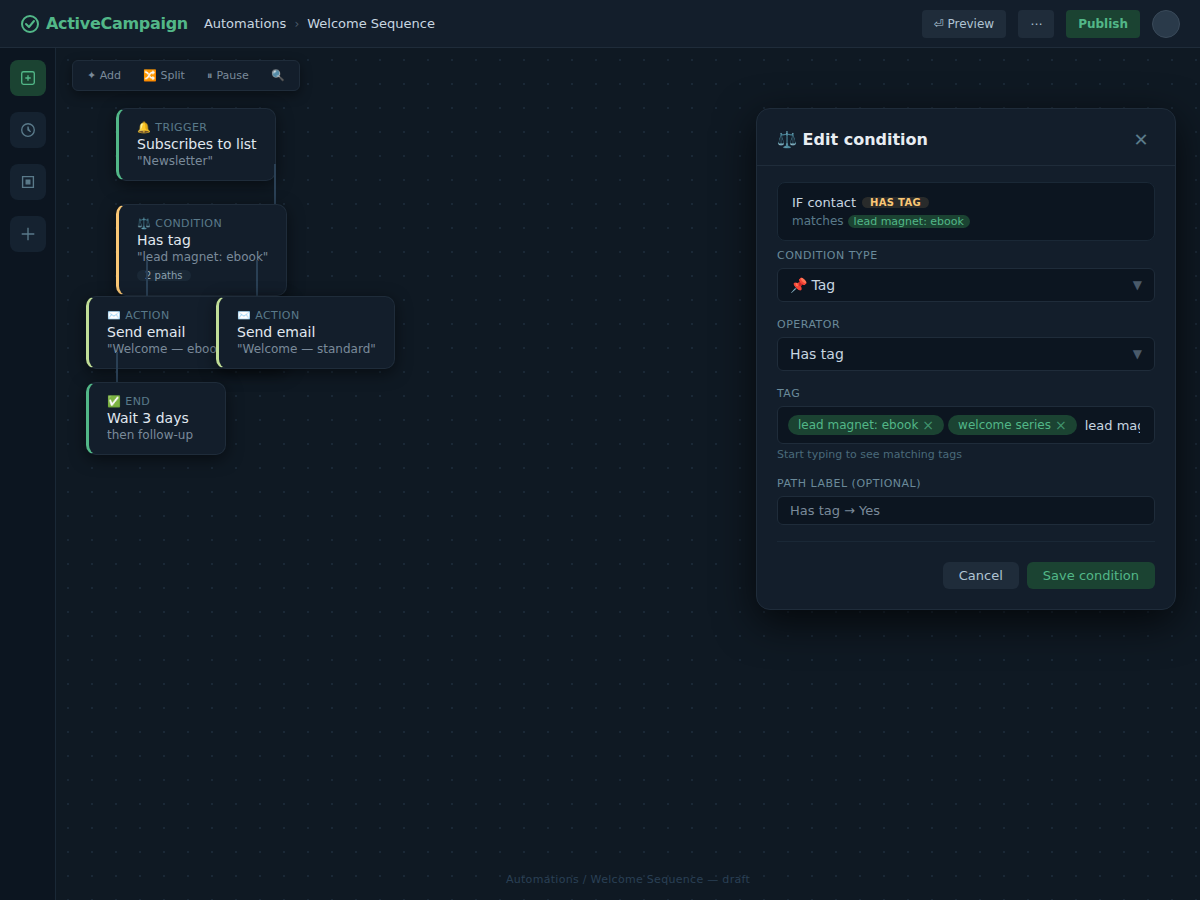
Total setup time: 4–6 hours for the first iteration, then 15 minutes per update to a content block.
Failure Modes
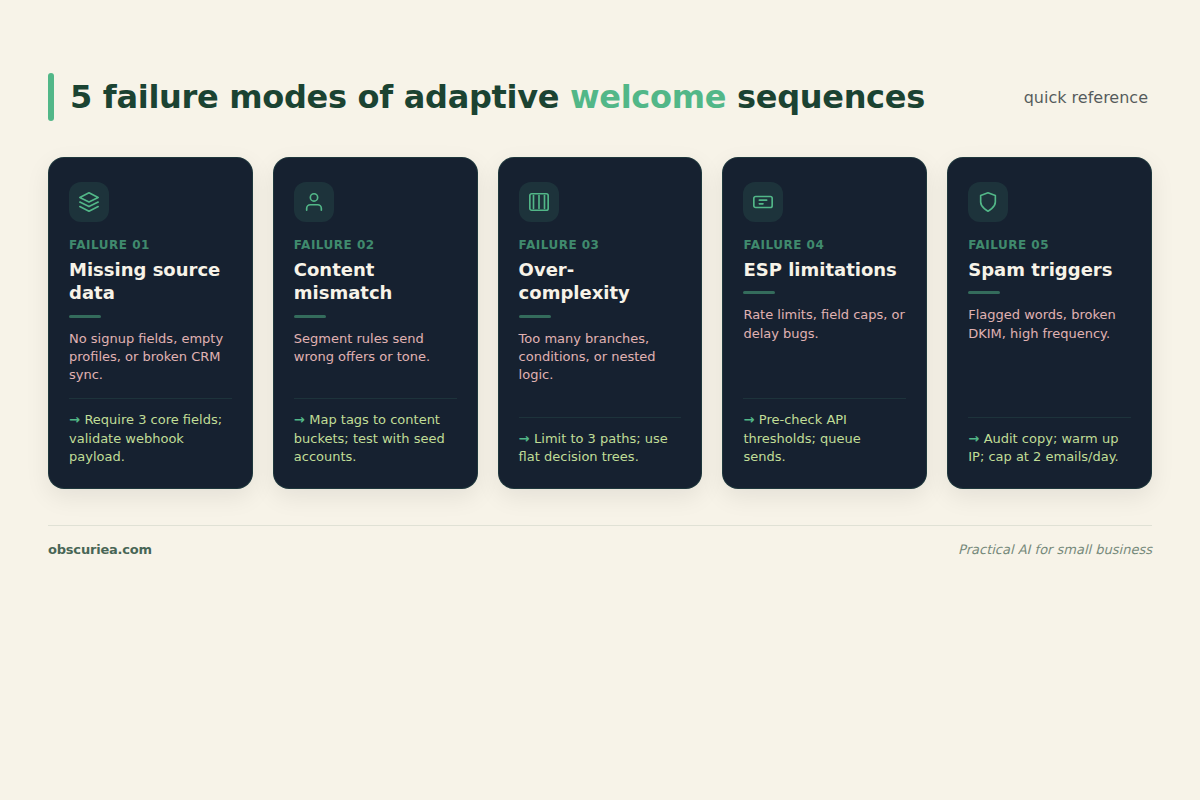
- Missing source data. If UTM parameters are not passed correctly, the subscriber gets the default sequence. Solution: always have a fallback generic block.
- Content block mismatch. If the variation doesn’t feel relevant, it can hurt engagement. Solution: test each block with a small segment before scaling.
- Over‑complexity. Adding too many source variations (10+) creates maintenance overhead and increases the chance of errors. Start with 3–5 source tags.
- ESP limitations. Some ESPs limit conditional content or custom fields on lower plans. Verify capabilities before building.
- Spam filter triggers. Over‑personalization with dynamic fields can sometimes trigger spam filters if content appears broken. Test deliverability.
The Friction Box
- Initial setup requires 4–6 hours of concentrated work—not 30 minutes as many tools claim.
- You need a clear understanding of your traffic sources and their intent to write relevant variations.
- Conditional content features are often gated behind higher‑priced ESP plans.
- Testing and optimization is ongoing; one bad content block can drag down your entire sequence.
- If you have only one traffic source, this automation is overkill—use a simple sequence.
Frequently Asked Questions About Self-Writing Welcome Sequences
How do I track which source a subscriber came from if I don’t use UTM parameters?
Most landing page builders (Leadpages, ConvertKit, Unbounce) automatically append source data when someone clicks through from a campaign. If you use direct links without UTM, check your ESP’s webhook or hidden fields. A fallback is to ask subscribers in email #2 how they found you (self-segmentation), but that adds friction and delays personalization.
Can I build this automation with a free ESP plan?
Free plans often limit conditional content, custom fields, or automation rules. For example, Mailchimp’s free plan restricts segmentation and dynamic content. You’ll likely need a paid plan starting around $20–$50/month to implement this fully. Check your ESP’s feature list before committing.
What if I have 10+ traffic sources? Do I need 10 content variations?
No. Group sources by intent. Social media sources (Pinterest, Instagram, Facebook) often share similar discovery behavior—group them under one variation. Search traffic (Google, Bing) can be another. Paid ads a third. Start with 3–5 groups and expand only if data shows significant behavioral differences.
How often should I update my content blocks?
Review performance every quarter. If a block’s click rate drops 20% below the baseline, rewrite it. Offers change more frequently—update the offer block immediately when a new promotion launches. The automation structure remains the same; only the content block changes.
Does this work for a list of 1,000 subscribers?
Yes, but the ROI depends on how many sources you have. If your list is 1,000 subscribers with only 100 from each of 5 sources, the setup cost (4–6 hours) may not be justified by the incremental revenue. Consider implementing only for your top 2 sources first.
Can AI write the content block variations for me?
Yes. Use a tool like ChatGPT or Claude to generate variations based on a source’s context. For example: “Write an email opening for someone who found us through a Pinterest pin about content repurposing—focus on saving time.” Always edit to match your brand voice before deploying.
The Straight Talk
This automation is for you if you manage multiple acquisition channels and want to personalize at scale without multiplying your workload. It’s ideal for e‑commerce brands, course creators, and content businesses that run paid ads, SEO, and social simultaneously.
Skip this if you have only one primary source (e.g., all traffic from a single lead magnet) or if your email list is under 500 subscribers—the benefit doesn’t justify the setup cost.
Next step: Log into your ESP today and check whether your current plan supports conditional content or dynamic text. If yes, start mapping your three most important traffic sources.
For more on email automation, see our guide on automating lead nurturing sequences.