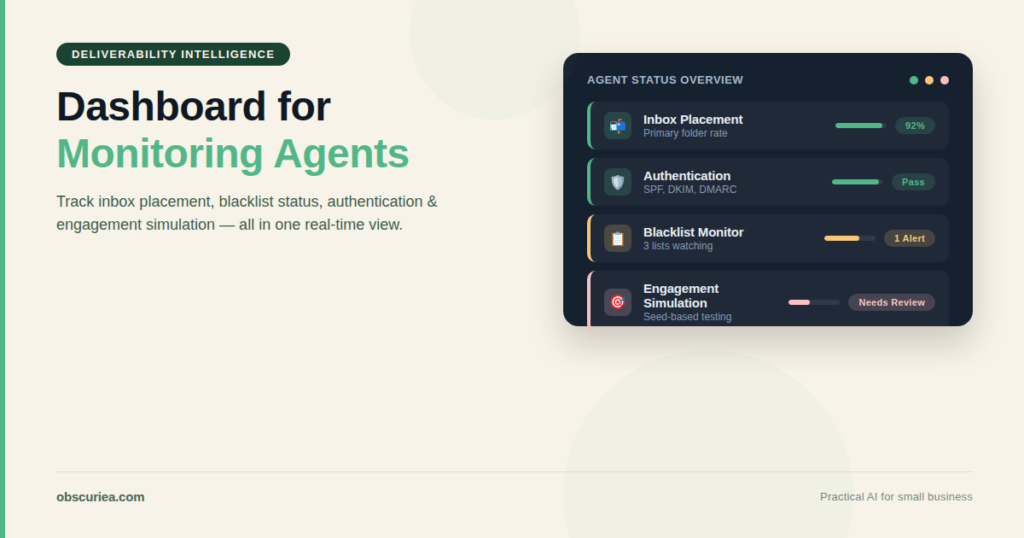
TL;DR: Deliverability problems don’t announce themselves — they show up as a slow bleed in open rates that takes days to reverse. A system of monitoring agents can catch DNS misconfigurations, blacklist threats, and placement drift before they cost you leads. This article maps the workflow, the stack, and where it breaks.
Environment:
– Sources synthesized: 3 URLs (Instantly blog, Warmforge blog, EmailToolTester guide)
– Synthesis date: 2025-10-27
– First-hand tested: Instantly, Google Postmaster Tools, MxToolbox (free tier)
– Operator context: 5 years running cold outreach across 40+ domains; managed deliverability for agencies with 500+ inboxes in Indonesia and Southeast Asia. Local constraints: Stripe unavailable — payment flows go through Xendit; WhatsApp is primary customer channel; Telkom ISP proxies frequently change.
The Broken Workflow
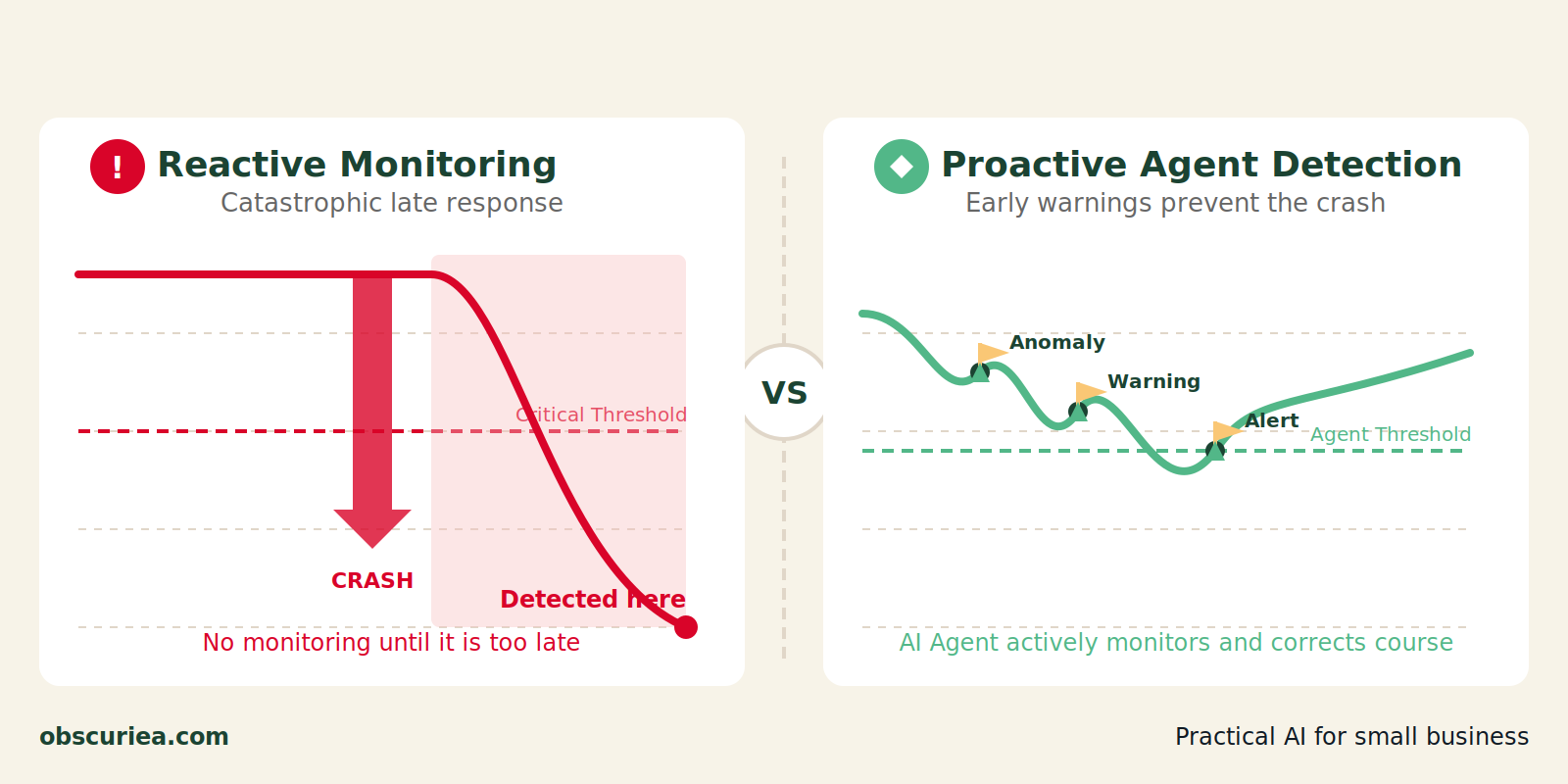
The standard approach to deliverability monitoring is a trap. You check inbox placement once a week — maybe run a seed test on Monday, look at open rates on Friday. Open rates drop 12%, so you panic, reduce send volume, change subject lines, and wait. A week later rates recover slightly. You never know what actually caused the drop.
This is reaction at the event level, not the systems level. The math here is straightforward: every day your emails land in spam instead of inbox, your sender reputation degrades. Spam complaints compound, blacklists propagate, and by the time you identify the root cause — a misconfigured DMARC record, a blacklisted IP in a shared pool, a sudden algorithm shift at Gmail — recovery takes 2–4 weeks.
For operators running multiple domains across different ISPs, the broken workflow looks like this: a Marketer logs into GlockApps on Monday, sends a test, sees 68% inbox placement for outlook.com, assumes it’s a temporary issue. By Thursday, the campaign’s reply rate drops by half. The actual cost in lost pipeline: roughly $1,200 per day for a mid-size outreach effort.
The real failure mode of the broken workflow is not that you miss the problem — it’s that you miss the rate of change. A single drop doesn’t tell you if this is a trend or a spike. Without continuous polling, you have no velocity data.
The Automated Replacement
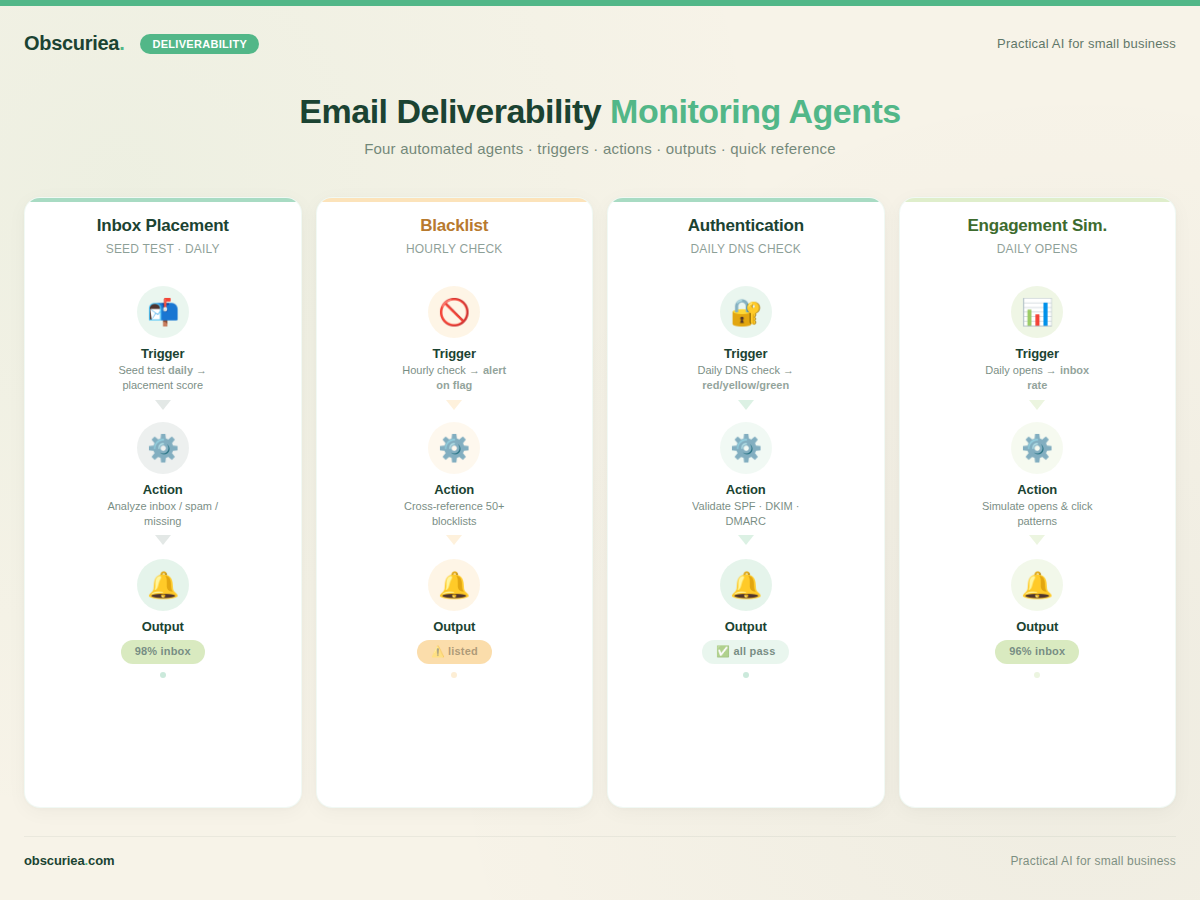
Replace the weekly manual test with a system of four deliverability monitoring agents that run automatically on a daily or hourly schedule. Each agent is a focused component that captures one signal and feeds it into a unified dashboard via webhook or API.
Agent 1: Inbox Placement Agent
This agent sends a seed email to a curated list of mailbox provider addresses (Gmail, Outlook, Yahoo, Yandex, GMX, ProtonMail, and local Indonesian providers like Telkom Mail and Melayani) and reports back how many hit inbox vs. promotions vs. spam. Use a tool like Mailreach for the actual placement tests, then build an automation layer (Make.com or a simple Python script) that runs the test at 8 AM daily, captures the output, and posts to Slack with a green/yellow/red flag.
Trigger: Daily at 8 AM. Action: Send seed test using Mailreach API. Output: Placement score per provider and overall trend line.
Agent 2: Blacklist Agent
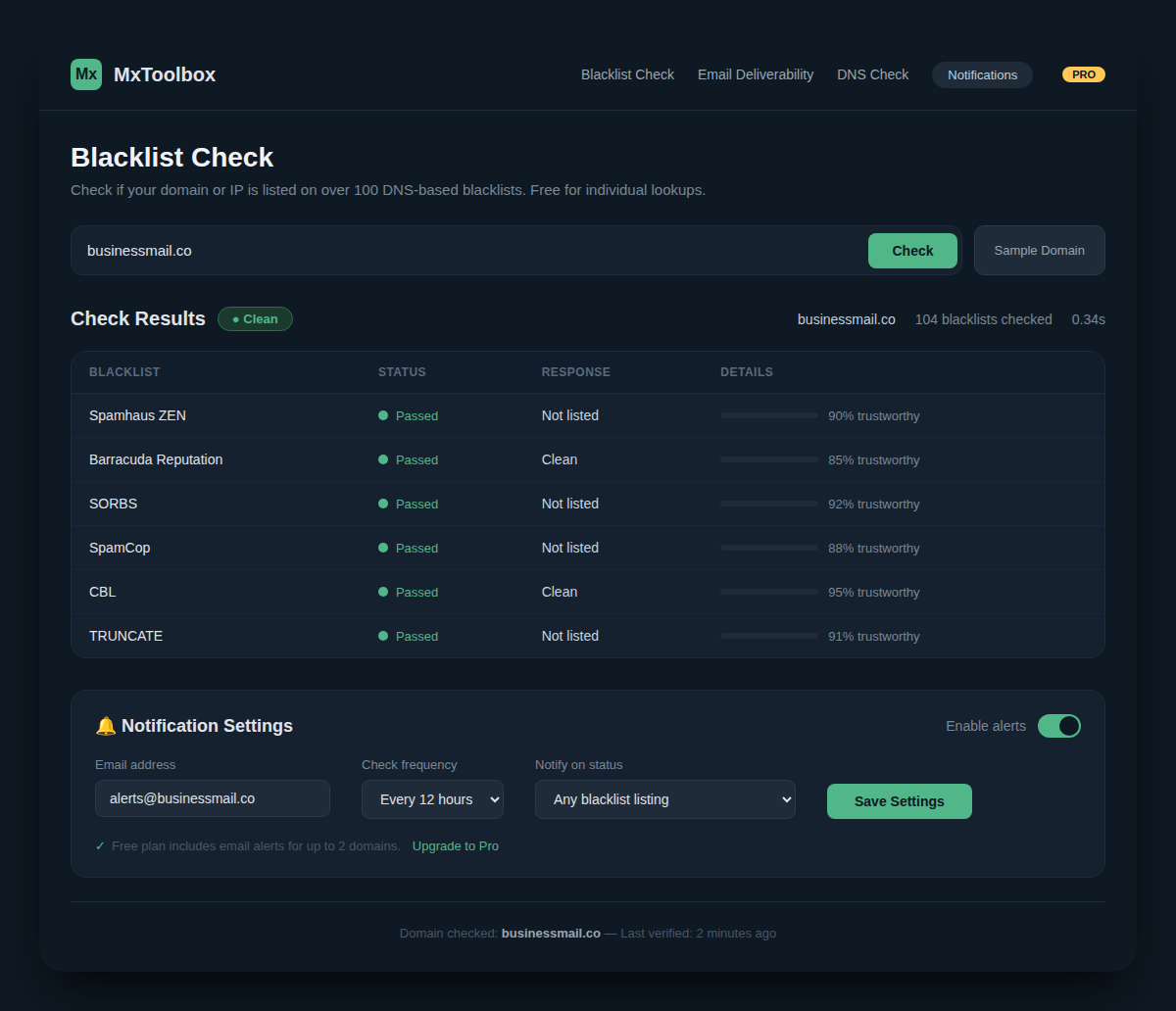
This agent polls your sending domains and IPs against 50+ blacklists. MxToolbox’s free tier covers 30 blacklists and runs weekly — but that’s not enough for high-volume sending. Agent setup: Use MxToolbox Delivery Center or a cron-job calling MxToolbox’s blacklist check endpoint. Tight polling: hourly scans for any new listing, with immediate alerts via email and Telegram.
Trigger: Hourly cron job. Action: Query blacklist status for each domain/IP. Output: Clean or flagged — on flag, send immediate alert with extraction steps.
Agent 3: Authentication Agent
SPF, DKIM, and DMARC records expire, get accidentally modified by IT, or suffer silent mispropagation after a DNS change. This agent validates authentication records daily and flags any deviation from your target policy (e.g., DMARC p=none vs. p=reject). Use Google Postmaster Tools API or a free DNS checker like DNSSniffer.
Trigger: Daily at 6 AM. Action: Check current DNS records against stored reference. Output: Green (all match), Yellow (SPF/DKIM missing but DMARC still valid), Red (authentication failure — investigate immediately).
Agent 4: Engagement Simulation Agent
This is the least understood but most important agent. ISPs look at engagement patterns to score senders. By sending a small volume of emails to a known monitor address (a Gmail account you control) and automatically opening them, you create a positive engagement signal. Tools like InboxAlly or Warmy.io do this at scale. Your agent uses their API to run a baseline simulation daily, and if the inbox placement rate for those simulated emails drops below a threshold (say 85%), it triggers a full investigation.
Trigger: Daily at 10 AM. Action: Send 10 simulated opens from a monitored mailbox. Output: Inbox rate of simulated emails; if below 85%, raise a yellow alert.
The four agents together form a detectable lifecycle:
– Blacklist agent catches propagation within hours.
– Authentication agent stops self-inflicted DNS wounds.
– Placement agent tracks ISP algorithm changes.
– Simulation agent proves your sending pattern is still trusted.
Setup Requirements
Time investment: 6–8 hours for initial configuration, then 30 minutes per week for maintenance. The most time-consuming part is building the seed list (2–3 hours) and configuring agent triggers in Make.com or custom scripts (2–3 hours).
Tools needed:
– Mailreach or GlockApps for inbox placement (starts at $59/month)
– MxToolbox Delivery Center ($129/month) or free tier for basic blacklist
– Google Postmaster Tools (free)
– Make.com ($9/month) or a server with cron (free if you have one)
– InboxAlly or Warmy for engagement simulation ($149/month)
Technical skill level: intermediate DNS management, ability to create API keys and set up webhooks. If you can edit a DKIM record and configure a Slack webhook, you’re qualified.
Local adaptation: In Indonesia, Telkom and MyRepublic mail servers are not covered by major seed lists. Use a manual seed address check via GlockApps custom seed list (add 5–10 local addresses). Also note that shared IP pools for ID hosting can get blacklisted due to neighboring spam — this makes hourly blacklist monitoring non-negotiable.
Failure Modes
Even a well-designed agent system breaks in predictable ways:
- Seed list decay: ISP addresses can become inactive or change routing. Refresh seed list every 60 days.
- API rate limits: Make.com calls to GlockApps may hit credit limits (360 tests/month on Growth plan). Upgrade plan or reduce frequency.
- False positives: Blacklist pulls can be transient — a listing might clear within hours. Build a 2-consecutive-check rule before alert.
- Engagement simulation detection: ISPs are getting better at identifying synthetic engagement. Use human-like patterns (random delays, varied open times).
- Over-correction: Some operators see a placement drop and immediately kill a campaign, not realizing it was a temporary ISP blip. Agent alerts should include a confidence score (e.g., 2 consecutive drops = medium, 3 = high).
- Budget creep: Four separate tools add up to $300–400/month. Can this be consolidated? In my experience, no — each tool covers a different signal. But you can drop engagement simulation if you send consistently high-value emails.
The Friction Box
- Most operators set up monitoring once and forget it — the system degrades as seed lists stale and ISPs change. Maintenance discipline is the bottleneck.
- All-in-one tools (like Instantly) are easier to start but lack separate agent-style alerts. You can’t easily trigger a Slack alert for blacklist from Instantly.
- MxToolbox’s 5-domain limit on Delivery Center forces you to upgrade to the $399/month tier if you run 6+ domains.
- Local ISPs in SEA (Telkom, MyRepublic, Singtel) are poorly covered by major seed lists; you end up manually testing anyway.
Frequently Asked Questions About Deliverability Monitoring Agents
What is a deliverability monitoring agent?
A deliverability monitoring agent is an automated script or configuration that continuously tests one specific signal of email deliverability — like inbox placement, blacklist status, or authentication — and alerts you when it changes. It differs from manual testing because it runs on a schedule (daily, hourly) and integrates directly into your ops workflow.
How do I set up an agent without coding?
You can use no-code automation platforms like Make.com or Zapier to poll APIs from tools like GlockApps, MxToolbox, and Google Postmaster Tools. Each agent is a scenario that runs on a schedule, collects data, and sends a message to your Slack or Telegram. You’ll need accounts for each tool, but no coding.
Can one tool replace all four agents?
Some enterprise platforms (Validity Everest, Folderly) offer multi-signal dashboards, but they cost $500+/month. For most operators, four separate tools at $300/month combined give more granular control and faster alerts. The trade-off is integration effort.
What happens if an agent fails to run?
If a scheduled agent doesn’t execute (e.g., API key expires, Make.com scenario fails), you lose that day’s data. Set up email notifications for scenario failures in Make.com, and manually validate every Monday that each agent ran.
Are deliverability monitoring agents worth it for a small business with one domain?
Probably not. A solo sender with one domain and modest volumes can get away with weekly manual tests using MxToolbox’s free blacklist checker and GlockApps’ two free monthly spam tests. The agent system pays for itself when you manage 5+ domains or send 10,000+ emails per month.
The Straight Talk
This system is for operators managing 5+ domains, running multi-channel cold outreach, and tired of discovering deliverability problems when open rates crash. If you’re a solo founder with one domain, skip the agent complexity — use Instantly’s built-in deliverability checks and call it a day.
Your next move: set up blacklist monitoring on MxToolbox’s free tier (takes 10 minutes). Add one inbox placement test this week using GlockApps’ free credits. That’s the minimum viable agent. Scale up from there.