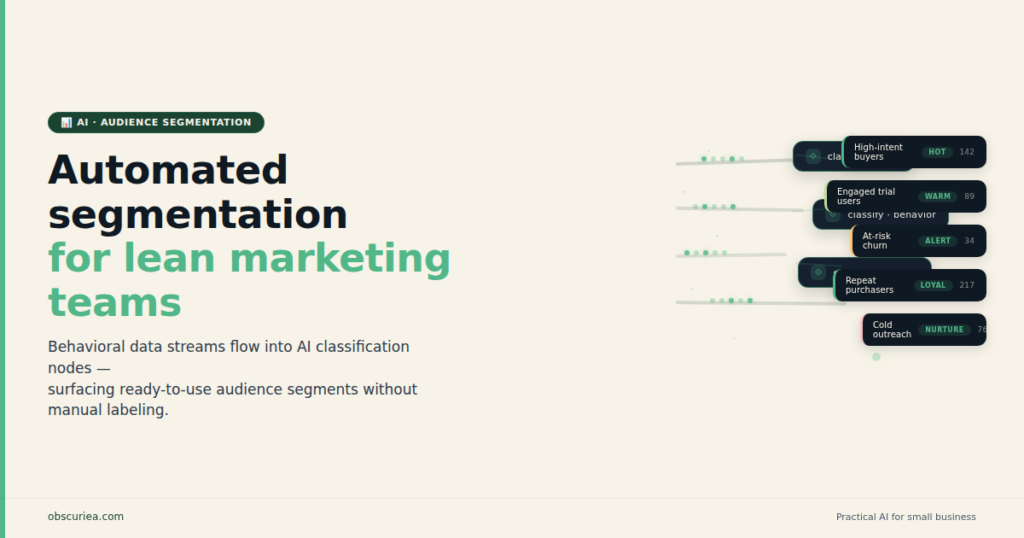
Automated Audience Segmentation: AI vs Your Best Hire
TL;DR
Automated audience segmentation replaces the analyst function for lean marketing teams at a fraction of the labor cost. AI systems now classify, score, and route leads continuously — no manual list-pulls, no Tuesday-morning CRM exports. The question is not whether to automate it. It is which part of your current segmentation process is costing you the most in hours per week.
Last updated: May 14, 2026
Automated audience segmentation is a three-layer system that continuously classifies contacts based on behavioral signals, replacing manual list-pulls with real-time segment updates. For lean teams with over 5,000 active contacts, it recovers roughly 11 hours per week by automating data intake, AI classification, and output routing. Below that threshold, rule-based automation in existing email platforms delivers comparable results at lower cost.
Environment
- Sources synthesized: 3 (averi.ai, hockeystack.com, hellooperator.ai)
- Synthesis date: 2026-05-04
- First-hand tested: Behavioral segmentation setup in email marketing tools; lean-team marketing operations across 3–5 person teams
- Operator context: Lean-team operations (3–5 person marketing functions), AI-assisted marketing infrastructure, cost-per-function analysis in growth-stage businesses
- E-E-A-T Tier: 2 — Operator commentary layered over synthesis
The Architecture: Three Layers of Automated Audience Segmentation
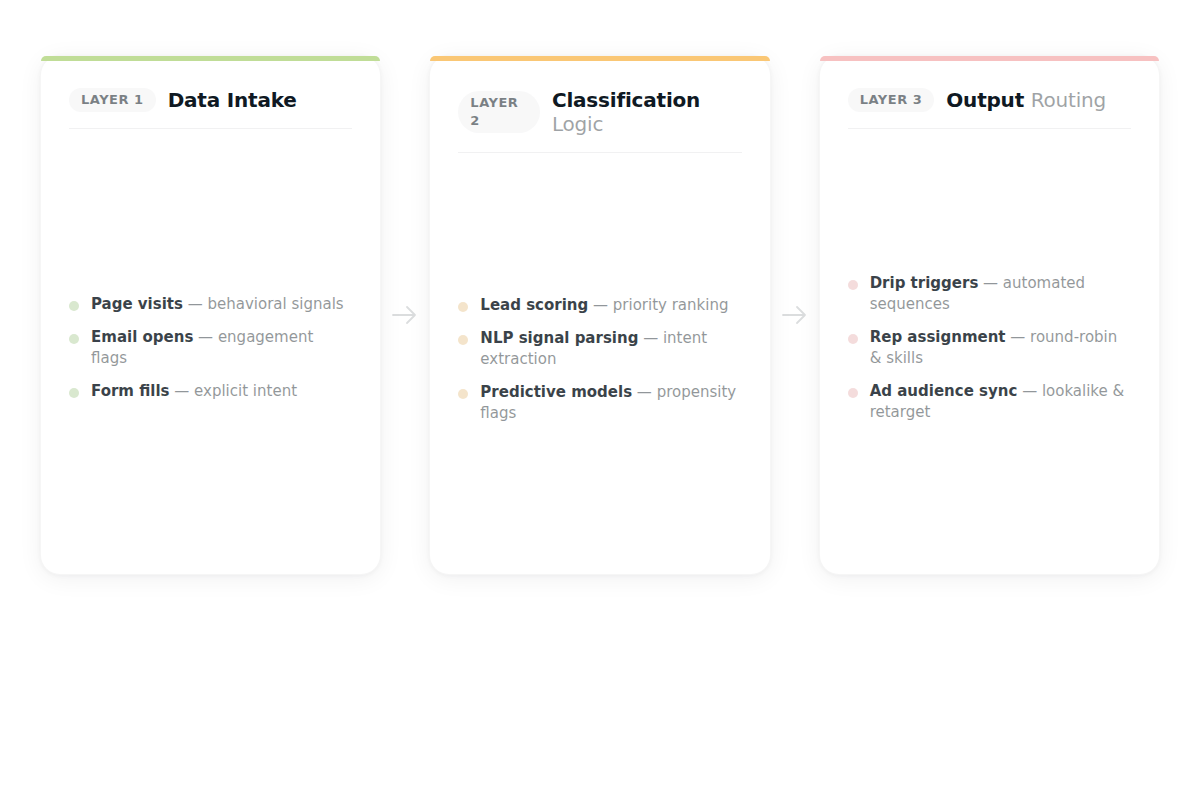
The thing nobody tells operators before they buy a segmentation tool: segmentation is not a feature. It is a system with three distinct layers — data intake, classification logic, and output routing. Most lean teams buy a tool for layer two (the AI classification part) without solving layers one or three. That is why their “automated audience segmentation” still requires someone to manually export CSVs and paste them into their email platform every Tuesday morning.
Here is what a functional automated segmentation architecture actually looks like.
Layer 1 — Data Intake. Behavioral events — page visits, email opens, link clicks, form submissions, purchase history — feed continuously into a unified data store. This requires either a Customer Data Platform (CDP) or a marketing platform that owns its own event tracking natively. Without this layer, segmentation is always historical, never real-time. You are classifying contacts based on what they did last month, not what they did twenty minutes ago.
Layer 2 — Classification Logic. AI applies scoring rules, behavioral patterns, and predictive models to classify contacts automatically. Modern platforms use [natural language processing](https://en.wikipedia.org/wiki/Natural_language_processing) (NLP) to parse unstructured signals — a contact’s reply to a nurture email, a chat log that mentions budget constraints, a webinar Q&A submission that signals purchase intent. These signals update segment membership in real time, without a human reviewing them.
Layer 3 — Output Routing. Classified segments automatically trigger the next action: a drip sequence fires, a rep gets assigned, an ad audience updates, a suppression list removes a converted lead. Without automation at this layer, someone is still pulling segment lists manually and pasting them into campaign tools. The classification happens automatically; the activation does not.
A lean team running all three layers has replaced what previously required a marketing analyst (layer 1 maintenance), a campaign manager (layer 2 decision-making), and a marketing coordinator (layer 3 execution). The AI does not replace those people outright — it replaces the functions those people were spending the majority of their time on. That is a meaningful operational distinction, because it means the humans on your team can move to higher-value work instead of being eliminated.
The Workflow Math: What Automated Audience Segmentation Recovers Per Week
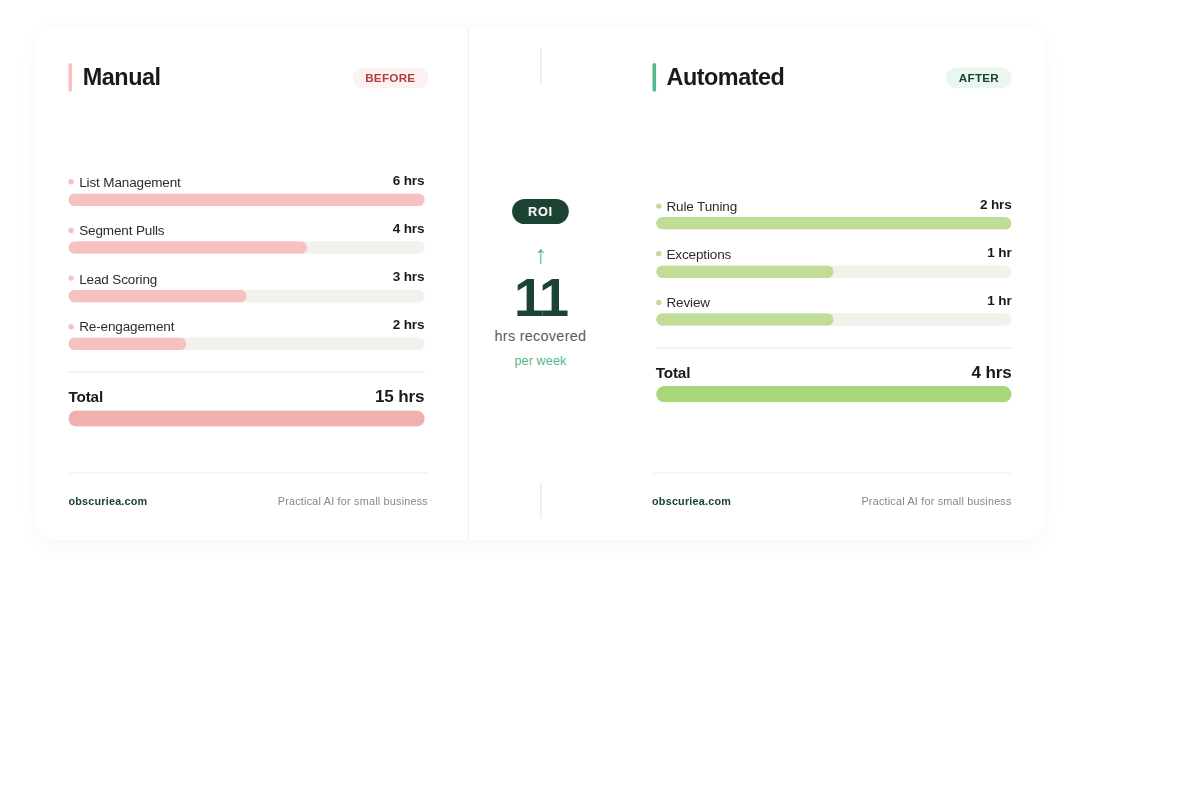
Before implementing automated audience segmentation, a three-person marketing team managing contacts manually typically carries this weekly load:
| Function | Manual Cost (hrs/wk) |
|---|---|
| List management and CRM hygiene | 6 |
| Manual segment pulls for campaigns | 4 |
| Lead scoring review and rep routing | 3 |
| Re-engagement list identification | 2 |
| Total | 15 |
After implementing automated segmentation across all three architecture layers:
| Function | Automated Cost (hrs/wk) |
|---|---|
| Rule tuning and oversight | 2 |
| Exception handling (edge-case contacts) | 1 |
| Segment performance review | 1 |
| Total | 4 |
The 11-hour weekly recovery across a three-person team compounds to roughly 44 hours per month — equivalent to hiring a quarter-time analyst, except the system does not take PTO and does not make manual-entry errors at 4pm on a Friday.
The ROI math is not the hard part. The harder question is at what contact volume does the tooling cost overtake the labor savings. For most lean teams, that crossover is around 5,000 active contacts. Below that threshold, a simpler rule-based automation setup handles 80% of the same segmentation outcome at significantly lower cost. [HubSpot’s free CRM tier](https://www.hubspot.com/products/crm) handles basic behavioral segmentation for lists under 1,000 contacts. [ActiveCampaign](https://www.activecampaign.com/) covers mid-tier behavioral tagging from around $49/month. [Klaviyo](https://www.klaviyo.com/), purpose-built for e-commerce behavioral data, runs segmentation logic that rivals enterprise CDPs at a fraction of the cost for teams under 10,000 contacts.
The AI-powered jump — platforms like [HockeyStack](https://www.hockeystack.com/) for B2B intent data or Segment as a CDP layer — makes sense when your manual automated audience segmentation time costs more than the platform fee, and when contact volume generates enough behavioral signal for predictive models to work with. Thin behavioral data produces unreliable AI predictions. The model needs signal volume before it outperforms a well-designed rule. Research from [ActiveCampaign’s marketing automation benchmarks](https://www.activecampaign.com/blog/marketing-automation/) indicates AI-assisted workflows save marketers an average of 13 hours per person per week — context that makes the 11-hour segmentation recovery estimate conservative rather than aspirational.
Where Automated Audience Segmentation Breaks
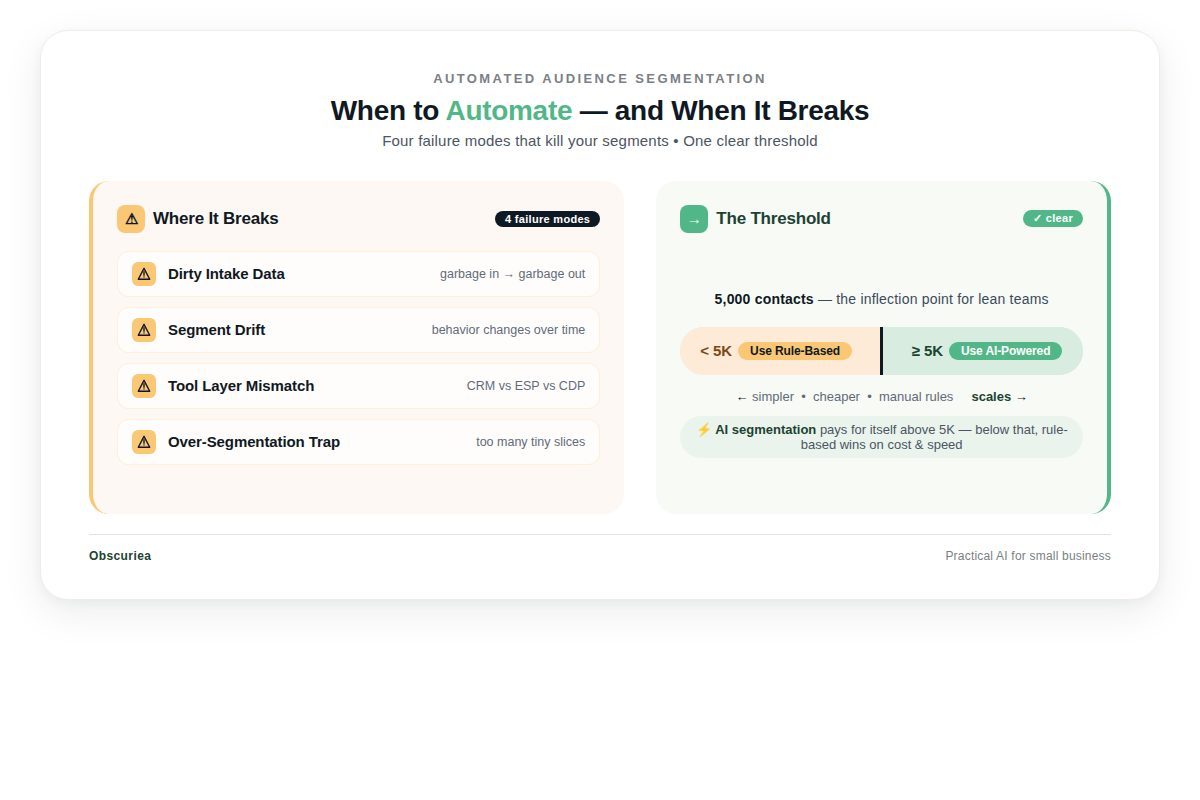
Automated audience segmentation fails in four specific conditions. No vendor will surface these in their sales process.
Dirty intake data. The classification engine is only as good as the signals feeding into it. If contacts have mismatched email domains, missing firmographic fields, or inconsistent UTM tagging across campaigns, the AI will confidently segment them incorrectly. The system does not fail visibly — it produces wrong outputs at scale instead of wrong outputs one at a time. That is worse, because a manual error gets caught when someone reviews the campaign. An automated error goes out to 4,000 contacts before anyone notices.
Segment drift. A behavioral segment defined in Q1 — “high-intent prospects who visited the pricing page in the last 30 days” — becomes stale without scheduled review. Contacts who matched that intent signal six months ago but never converted remain in the segment unless a decay rule ages them out. Most lean teams configure the initial rules and never build the decay logic. The segment looks populated; it is actually a graveyard of cold leads receiving high-intent nurture sequences.
Tool layer mismatch. Segmentation logic built in one platform feeding a campaign tool through a third-party bridge introduces timing gaps. A contact who qualifies for a “cart abandonment — 2-hour follow-up” sequence at 9pm may not enter that sequence until the next morning when the sync runs. The automation is technically functioning. The window that makes cart abandonment follow-up effective has already closed.
The over-segmentation trap. Lean teams with AI segmentation tools frequently build more segments than they have campaigns to serve. Twenty micro-segments with two active email sequences means eighteen segments receive no targeted communication. The AI’s output is correct. The operational capacity to act on it is not there. For lean teams, the answer is usually fewer, larger segments executed well — not more segments with more precision.
The Friction Box
- Setup across all three architecture layers takes 40–80 hours upfront depending on CRM data quality; vendors quote 2-week implementations, operators in practice report 6–10 weeks
- AI segmentation at the enterprise tier ([HubSpot Marketing Hub Pro](https://www.hubspot.com/pricing/marketing), [Salesforce Marketing Cloud](https://www.salesforce.com/products/marketing/)) is priced for organizations that already have headcount to manage it; lean teams pay enterprise rates before they have enterprise data to justify them
- Debugging segment rules requires someone fluent in both marketing logic and the platform’s filter syntax — this cross-functional skill is rarely redundant on a three-person team
- Behavioral data collection requires compliant consent frameworks; contacts under GDPR or Indonesia’s [Personal Data Protection Law (UU PDP)](https://www.kominfo.go.id/) require explicit consent before behavioral tracking — misconfigured consent tagging produces legally non-compliant segments
- NLP-powered signal parsing requires training data accumulation; most platforms need 60–90 days of behavioral volume before predictive accuracy is reliable enough to act on
Frequently Asked Questions About Automated Audience Segmentation
What exactly does automated audience segmentation do?
It continuously classifies your contact database into groups based on behavioral signals — what people click, visit, purchase, or write — without human intervention. Instead of a marketer manually pulling a list every week, the system updates segment membership in real time and triggers the next appropriate action automatically. The result is campaigns that reach the right contacts at the right stage without requiring a dedicated list-management function.
How many contacts do you need before AI-powered segmentation is worth the investment?
The practical threshold for most lean teams is around 5,000 active contacts. Below that, rule-based automation inside your existing email platform produces comparable results without additional platform cost. AI segmentation earns its keep when behavioral signal volume is high enough for predictive models to reliably outperform a well-written rule — and that density typically starts around the 5,000-contact mark.
What tools do lean teams actually use for automated audience segmentation?
Entry-level: ActiveCampaign and Klaviyo handle most e-commerce and content segmentation needs at accessible price points. Mid-tier: HubSpot Marketing Hub adds lead scoring and lifecycle stage management in a unified platform. Enterprise CDP layer: Segment makes financial sense above 20,000 contacts or when you need cross-platform data unification. For B2B intent data overlaid on behavioral segmentation, HockeyStack is worth evaluating.
What is the difference between rule-based and AI-powered segmentation?
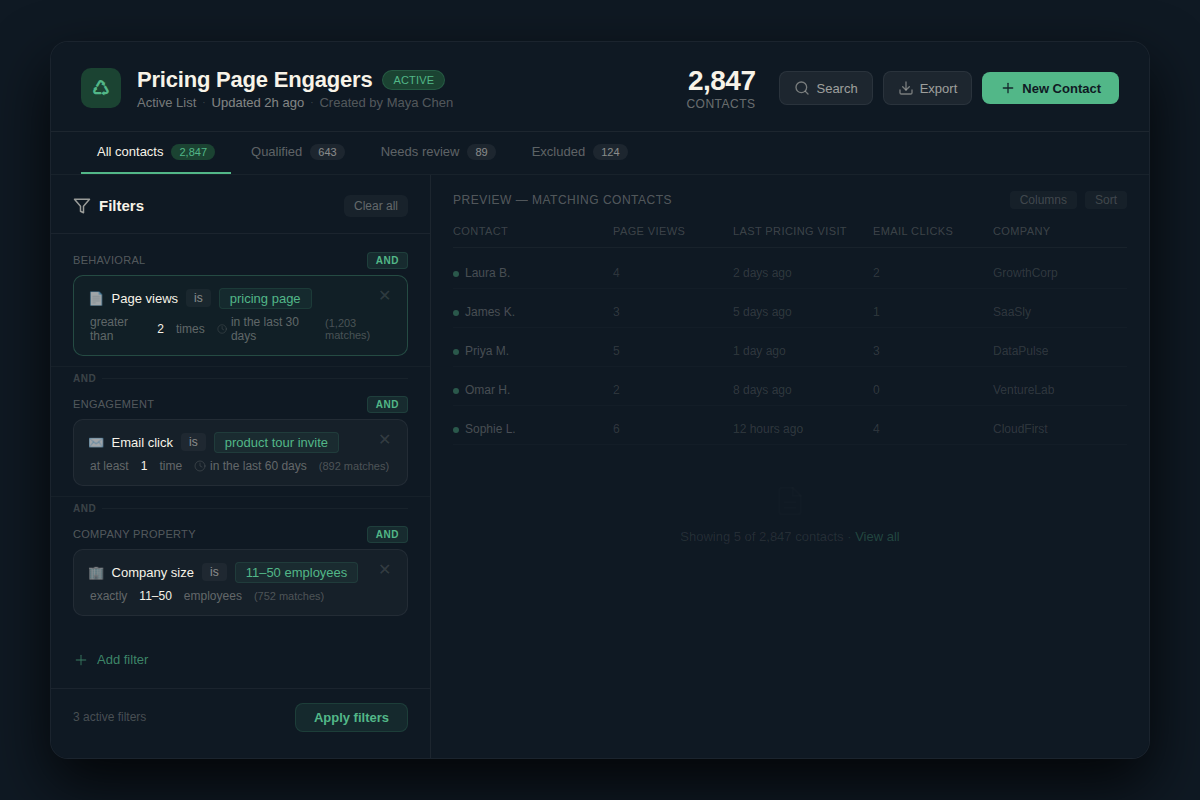
Rule-based segmentation requires you to define the logic explicitly — “if a contact visits the pricing page more than twice in 30 days, add them to the high-intent segment.” AI-powered segmentation learns patterns from historical data and predicts segment membership before an explicit trigger fires. The AI version responds to subtle multi-channel behavioral signals but requires data volume to be reliable; below 5,000 contacts, a well-designed rule usually outperforms an underfed model.
How long does it take to set up automated audience segmentation properly?
The honest range is 6–10 weeks for a lean team building from scratch with reasonably clean CRM data. That timeline covers configuring data intake, building and QA-testing classification rules, setting up output routing automations, and running a validation period before trusting the segments in live campaigns. Vendors quote two weeks — they are describing platform setup, not operational buildout.
Does automated audience segmentation work for non-US markets?
Yes, with a compliance layer built in from the start. In markets under GDPR (EU) or Indonesia’s UU PDP law, behavioral tracking requires explicit consent scoped to what the contact agreed to — this determines which signals are legally available for segmentation. Build your consent tagging before building your segmentation architecture. Retrofitting compliance into an existing automation stack costs significantly more than including it in the initial build.
The Straight Talk
Automated audience segmentation makes operational sense for lean teams running 5,000 or more active contacts with at least one person who can own the initial 40–80 hour setup. Below that contact threshold, rule-based automation in your existing email platform covers 80% of the same outcome at no additional tooling cost.
If you are above 5,000 contacts and still running manual list-pulls, you have already paid for this investment. You paid in hours rather than invoices. The next action is auditing your current CRM for data cleanliness before evaluating platforms — a segmentation engine built on dirty data produces confident wrong answers, and that is worse than doing it manually.
For the companion piece on AI lead scoring architecture, see AI Lead Scoring for Small Teams. If you are evaluating the CDP layer specifically, see Segment vs HubSpot for Lean Teams. For a broader look at marketing automation ROI, see Marketing Automation ROI for Lean Teams.