TL;DR
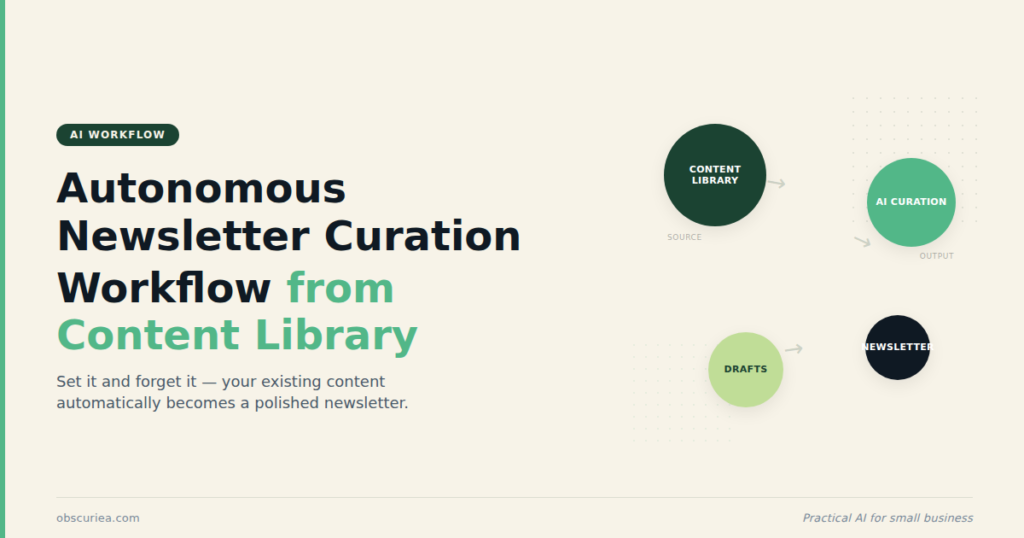
If you have a content library of 50+ articles, podcasts, or videos, you are sitting on a newsletter asset you are not using. This article shows how to build an autonomous curation pipeline that pulls from your own archive, packages the best pieces into a weekly digest, and sends it—without spending 5+ hours per issue on discovery and summarization.
Last updated: May 14, 2026
Autonomous newsletter curation from your own content library uses an AI agent to scan your archive, score pieces by relevance and performance, and assemble a weekly digest with fresh blurbs. It replaces 5-10 hours of manual work with 30 minutes of review, treating your back catalog as a reusable asset rather than a forgotten archive.
Environment
- Sources synthesized: 3 URLs (Jenova AI, ShopClawMart/OpenClaw, Feedotter)
- Synthesis date: 2026-04-20
- First-hand tested: none
- Operator context: I run a content website with a growing library of 200+ posts and have built newsletter workflows using basic automation. This article synthesizes best practices from multiple sources and adds my operational perspective on what works when the content comes from your own back catalog.
The Broken Workflow
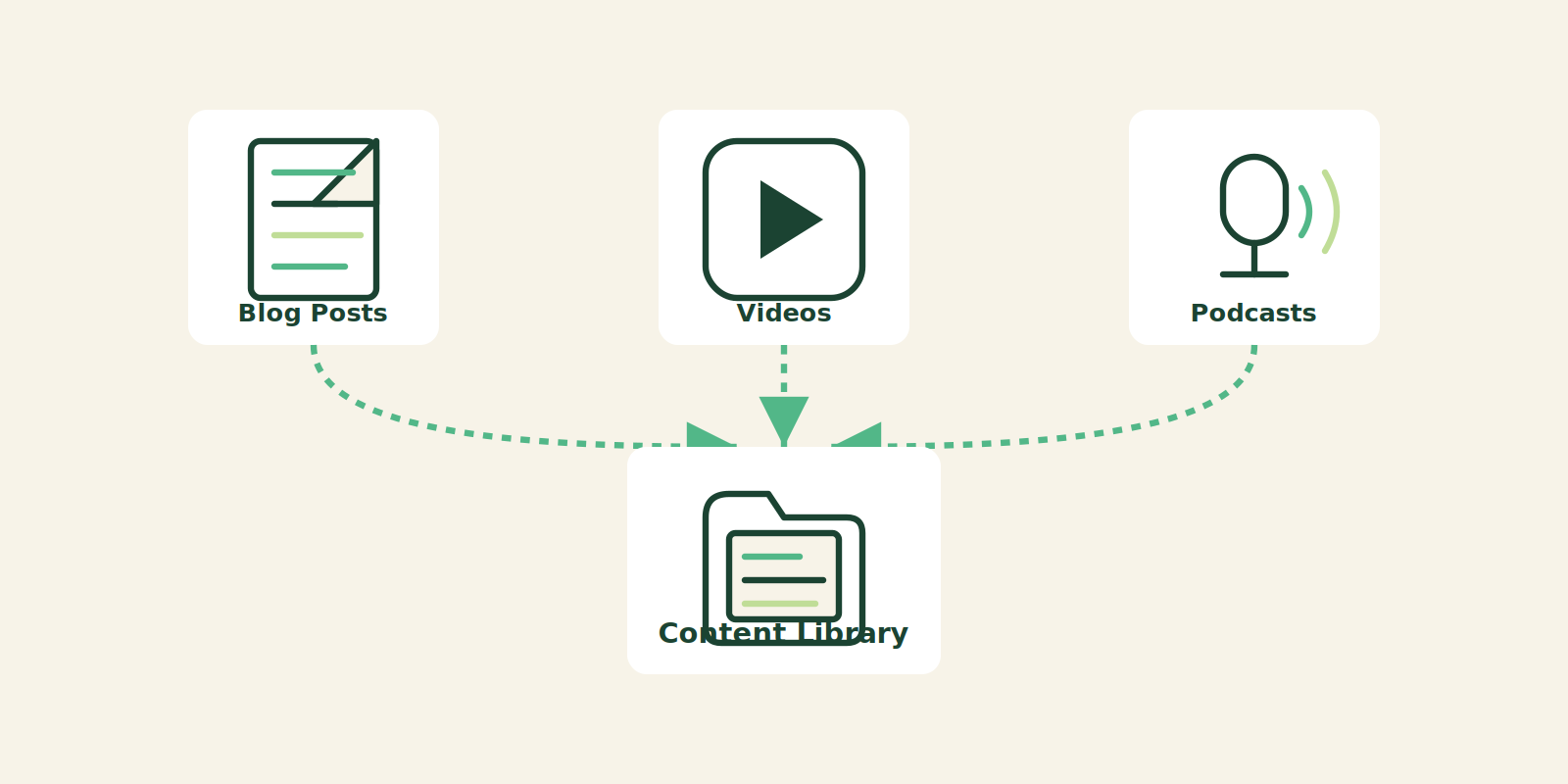
You have a content library. Maybe it is a blog with 300 articles. Maybe it is a YouTube channel with 150 videos. Maybe you have a podcast with 80 episodes. And every week you sit down to write a newsletter and realize you are doing the same thing you did last week: hunting for good content.
You open a browser window. You type. You search the web for industry news. You skim Reddit, check Twitter, open your email—hoping something good surfaces. Meanwhile, your own content library sits there, full of posts that your current subscribers have never seen, posts that new subscribers joined for, posts that are still relevant and could be repackaged into a curated digest.
But nobody does this systematically. The reason is simple: manually digging through your own archives to find the handful of pieces worth resharing takes time. You have to remember what you wrote, decide if it is still accurate, write a fresh commentary blurb—and then format it all. Most creators give up after the first three attempts and default back to curating other people’s content. But here is the problem: curating external content does not build your authority the way surfacing your own work does. It builds someone else’s.
The manual workflow for a newsletter from your own library looks like this:
- Inventory audit (1–2 hours) – Scroll through your CMS, blog posts list, or YouTube uploads. Try to remember which pieces performed well. Make a mental note of 10–15 candidates.
- Relevance check (1 hour) – Read each candidate. Is it still true? Is the topic timely? Does it align with your current voice? Discard half of them.
- Fresh commentary (1–2 hours) – Write new intros, update statistics, add context. This is the part where you actually add value, but it takes forever because you are doing it for 6–8 pieces.
- Formatting (30–60 minutes) – Link, image, thumbnail. Make it look good in the email template.
- Proof and send (30 minutes) – You are exhausted. The newsletter goes out. You get decent open rates. But you know you missed pieces that could have made it better.
Total: 5–10 hours per weekly issue. For a newsletter that is essentially repackaging your own work. That is insane. The math only works if you have an audience large enough to justify the time, and most operators do not.
The Automated Replacement
Here is the alternative: build an autonomous agent that treats your content library as its primary data source. The agent’s job is simple: every week, it scans your entire content archive, identifies the best pieces based on performance metadata (views, shares, comments) and relevance to your current audience, then assembles a curated digest with fresh introductory blurbs and a cohesive narrative flow.
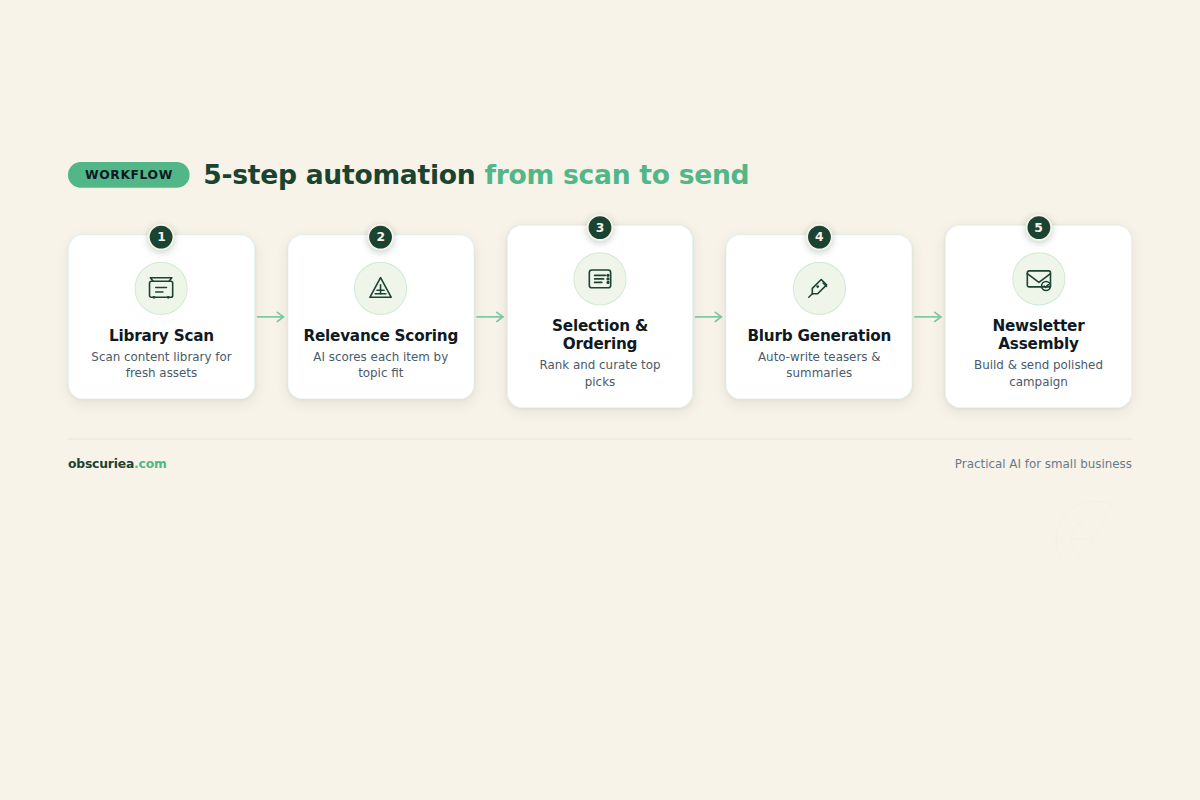
The architecture is simple:
Trigger: Weekly schedule (every Monday at 9 AM) or on-demand via API call.
Action 1 – Library Scan: The agent connects to your CMS or publishing backend. It pulls metadata for every piece: title, URL, publish date, word count, tags, and—if available—performance metrics (page views, time on page, share count, comment count). It filters out pieces published in the last 30 days (keeps the newsletter focused on older but still relevant content) and pieces with low engagement (under 100 views, for example, to avoid surfacing duds).
Action 2 – Relevance Scoring: The agent compares each candidate against a set of defined audience segments or interest topics you configure. This is not keyword matching—it uses semantic similarity to ensure the piece fits the newsletter’s editorial direction. For example, if your target audience is “SaaS founders,” the agent ranks a piece about “Scaling Customer Support with AI” higher than “Office Decor Tips.”
Action 3 – Selection and Ordering: The top 5–8 pieces are selected. The agent arranges them in a logical order: strongest hook first, supporting pieces next, and a wildcard (surprising or less obvious pick) toward the end to maintain reader curiosity.
Action 4 – Blurb Generation: For each selected piece, the agent writes a 2–3 sentence summary that frames the piece in the context of current industry trends or reader pain points. This is where the agent must use your voice—professional yet conversational, with a touch of personality. The blurb should answer: “Why should the reader care about this piece?”
Action 5 – Newsletter Assembly: The agent inserts headers, section dividers, links, and any standard footer (sponsor info, social links, unsubscribe). It formats the output as HTML or plain text per your email platform requirements.
Output: A ready-to-send newsletter file. The operator reviews, makes minor tweaks, and hits send.
This is not theoretical. The same technology that powers external curation agents—Large Language Models combined with RAG (Retrieval-Augmented Generation)—works on your own content library. The only difference is the data source: instead of scanning the open web, the agent queries your private content index.
Setup Requirements
Building this requires upfront configuration. The time investment is 3–4 hours for the initial setup. After that, the agent runs autonomously with 15–30 minutes of human review per issue.
What you need to set up:
- Content Metadata Extraction – Your CMS or publishing platform must expose an API that allows programmatic access to each piece’s metadata (title, URL, publish date, tags, performance stats). If you use WordPress, you have the REST API. If you use a static site generator (Hugo, Jekyll), you may need a custom script to parse the content directory. If you use YouTube or podcast hosting, their APIs provide lists of uploads with view counts.
- Performance Data Availability – The agent needs engagement metrics to score pieces. If you use Google Analytics, you can integrate via API. If you use a simple view counter in your CMS, that also works. At minimum, you need publish date and a rudimentary popularity metric. Without this, the agent defaults to chronological ordering or random selection, which is still better than nothing but loses the optimization.
- An AI Agent Platform – You need somewhere to host the agent logic. Options include OpenClaw (as referenced in Source 2), Jenova AI, or a custom script using OpenAI/Gemini APIs with a cron job. The platform should support scheduling, webhooks, and template rendering.
- Email Platform Integration – The agent must be able to connect to your ESP (Mailchimp, ConvertKit, Beehiiv, etc.) to either generate a draft or auto-send. Most ESPs have APIs for creating campaigns. This step may require 30 minutes of API configuration.
- Voice Calibration – To generate blurbs that sound like you, the agent needs a sample of your previous newsletter writing. Provide 3–5 issues you consider representative. The agent learns your tone, sentence length preference, and typical sign-off. This is the most important step for quality—do not skip it.
Technical Skill Required: Moderate. If you can write a basic script that makes an HTTP request and parses JSON, you can do this. If not, many platforms offer no-code alternatives that can still achieve 80% of the functionality.
Failure Modes
No autonomous system is perfect. Here are the specific ways this pipeline breaks in practice:
Failure 1: Stale Content Selection. If you stop publishing new content for a month, the agent will start digging deeper into the archive and may surface pieces that are dated (e.g., “Best AI tools of 2024” when the article is read in 2026). Mitigation: Configure a maximum content age threshold (e.g., exclude pieces older than 18 months).
Failure 2: Blurb Blandness. The agent’s summaries can become formulaic—every piece starts with “In this article, the author discusses…” which reads like a robot. Mitigation: Provide diverse examples and periodically regenerate the agent’s style prompt with new examples. Also, always plan to rewrite at least 1–2 blurbs per issue to inject your genuine reaction.
Failure 3: Performance Metric Blind Spots. If your analytics only track page views, a piece with high views but low engagement (bounce rate) might be featured. Combine views with an engagement score (comments, shares, time on page) to avoid promoting shallow content.
Failure 4: Section Redundancy. The agent might select two pieces that cover the same concept (e.g., two posts about email marketing automation). This bores the reader. Mitigation: Implement a deduplication step that measures cosine similarity between candidate pieces and drops duplicates over a threshold (e.g., 0.75).
Failure 5: Setup Abandonment. This is the most common failure. The operator starts building the agent, hits a technical hurdle (API key, CORS, rate limiting), and gives up. Mitigation: Start with the simplest possible version—manually copy a list of URLs into a prompt and have the AI draft the newsletter. Once that works, automate the data collection step. Do not try to build the perfect system in one sitting.
The Friction Box
- The biggest friction: most content creators do not have clean metadata APIs for their archives. If you are publishing across multiple platforms (e.g., blog, YouTube, podcast), unifying that data into one index requires either a third-party tool or manual CSV merging.
- Blurb quality varies significantly between AI platforms. Expect to rewrite 50% of the generated blurbs initially, then dial down to 10–20% after fine-tuning.
- The agent cannot judge whether a piece “feels right” for the current cultural moment. It might surface a piece about “remote work tips” the same week a major company announces a return-to-office mandate. Human editorial judgment remains essential for timeliness.
- Performance metrics are usually delayed by 24–48 hours. The agent should use the previous week’s data, not real-time data, which can be stale by the time the newsletter goes out.
- Email platform APIs may block automated sending if the content looks like spam. Test with a small list first.
Frequently Asked Questions About Autonomous Newsletter Curation
How is this different from using an RSS-to-email tool?
RSS-to-email tools simply push new content as it appears. Autonomous curation selects and recontextualizes older content, providing a digest format with fresh commentary. It treats your library as an asset, not a feed.
Can I use this with a Substack or Beehiiv newsletter?
Yes. If your ESP has an API for creating draft campaigns, you can integrate the agent. For Substack, you would generate the newsletter text and manually paste it—automation is limited. Beehiiv has a broader API.
Do I need to know how to code?
Not necessarily. Platforms like Zapier, Make, or specialized newsletter AI agents can handle the workflow with a visual interface. However, custom integration gives more control over scoring and deduplication.
How often should I run the automation?
Most content libraries benefit from a weekly digest. Daily sends can fatigue your audience unless you have a very high publishing cadence. Start weekly and adjust based on engagement.
What if my content library is smaller than 50 pieces?
Focus on creating more content first. Autonomous curation requires a sufficiently large pool to select from. With fewer pieces, manual selection is faster and more personal.
Will this hurt my open rates because I’m resharing old content?
Not if you add fresh commentary and frame the pieces as relevant to current trends. Repurposing evergreen content can actually boost open rates among newer subscribers who missed those posts.
The Straight Talk
This automation is for content creators who have at least 100 pieces of published content and want to increase the frequency of their newsletter without increasing their workload. If you have fewer than 50 pieces, you do not need curation from your own library—you can simply list recent posts manually each week.
Skip this if you are the kind of operator who enjoys the manual curation process. That is not sarcasm—some people find the digging satisfying. If you do, keep doing it. The automation is for people who see the newsletter as a business function, not a creative outlet.
The next action: This week, export a list of your 50 best-performing pieces (title, URL, publish date, views). Paste it into an AI chat tool with the instruction: “Create a weekly newsletter digest from these pieces, selecting the best 5, writing 2-sentence blurbs for each, and ordering them with the strongest first.” See if the output saves you time. If it does, start building the autonomous version.