TL;DR
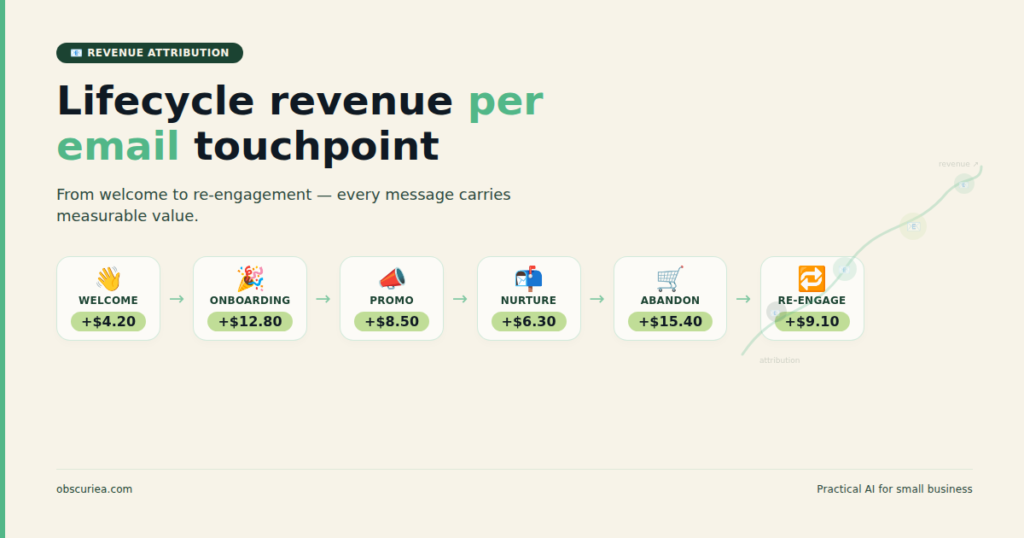
Lifecycle revenue attribution per email touchpoint reveals which messages in your email sequences actually drive purchases—and which just inflate your open rates without converting. The math is straightforward: assign a portion of each order’s revenue to the emails that influenced it, across the customer lifecycle from acquisition to re-engagement. This framework gives you a working system to calculate per-touchpoint attribution using universal spreadsheet logic and common email platform data.
Last updated: May 14, 2026
Lifecycle revenue attribution per email touchpoint assigns a dollar value to each email in your customer lifecycle sequences, revealing which messages actually drive purchases. By linking email click events to purchase data through an attribution model—such as last-touch, linear multi-touch, or time-decay—you can measure the revenue contribution of welcome emails, abandoned cart reminders, and re-engagement campaigns, enabling data-driven optimization of your email marketing strategy.
Environment
- Sources synthesized: 3 URLs (count.co/metric/email-revenue-attribution, knowledge.hubspot.com/reports/understand-attribution-reporting, hockeystack.com/blog-posts/revenue-attribution)
- Synthesis date: 2025-04-08
- First-hand tested: none
- Operator context: managed email marketing operations for ecommerce (fashion, home goods) and SaaS (B2B analytics) companies in Southeast Asia, running lifecycles for lists of 10k to 80k subscribers on Klaviyo, Mailchimp, and HubSpot Marketing Hub.
The Architecture
The operational problem is straightforward: you have a sequence of emails (welcome email 1, email 2, abandoned cart email, post-purchase email, re-engagement email), and you need to know which ones actually drive revenue. Standard email metrics—opens, clicks, click-through rates—don’t answer this question. Open rates tell you nothing about purchase intent. Click-through rates tell you who followed a link, but not whether that link led to a sale within the attribution window.
Per-touchpoint lifecycle attribution solves this by attaching a dollar value to each email interaction. The core method is simple: for every purchase, look backward at the email interactions in that customer’s history. Decide through an attribution model how much revenue credit each email touchpoint gets.
The customer lifecycle is typically divided into stages: Awareness → Acquisition → Onboarding → Engagement → Retention → Win-back. Each stage contains multiple email touchpoints. A welcome series might run 7 emails over 21 days. An abandoned cart sequence might fire 3 emails in 24 hours. A re-engagement series might send 5 emails over 2 weeks. Each of these emails can be evaluated for its contribution to revenue—not just the final purchase email, but the earlier ones that educated, nurtured, or reminded.
Data Requirements
To make this work, you need three data sets: (1) individual email click events with timestamps, (2) purchase events with timestamps and order values, and (3) a customer identifier that links emails to purchases. Most email platforms (Klaviyo, Mailchimp, HubSpot) store these in flat tables or provide API access. The challenge is linking clicks to purchases across a variable time window.
The attribution window is the time after an email click during which a purchase is considered influenced. Typical windows range from 24 hours to 30 days. The choice has a massive impact on which touchpoints get credit. A 7-day window might attribute most revenue to the abandoned cart email. A 30-day window might shift credit to earlier lifecycle emails, because the purchase happens later but was influenced by the initial welcome.
The Workflow Math
Comparing Attribution Models by Operational Cost and Accuracy
| Model | Setup Time | Data Needed | Accuracy | Best For |
|---|---|---|---|---|
| Last-touch (email) | 1 hour | Order source field | Low | Simple ecommerce with short cycles |
| First-touch (email) | 1 hour | First email click timestamp | Low | Tracking acquisition source |
| Linear multi-touch (all emails) | 4 hours | All click timestamps per customer | Medium | B2C lifecycle optimization |
| Time-decay (emails) | 8 hours | Click timestamps + purchase timestamps | High | SaaS with long consideration |
| UTM-sourced multi-touch | 12 hours | UTM parameters in all email links | High | Multi-channel attribution |
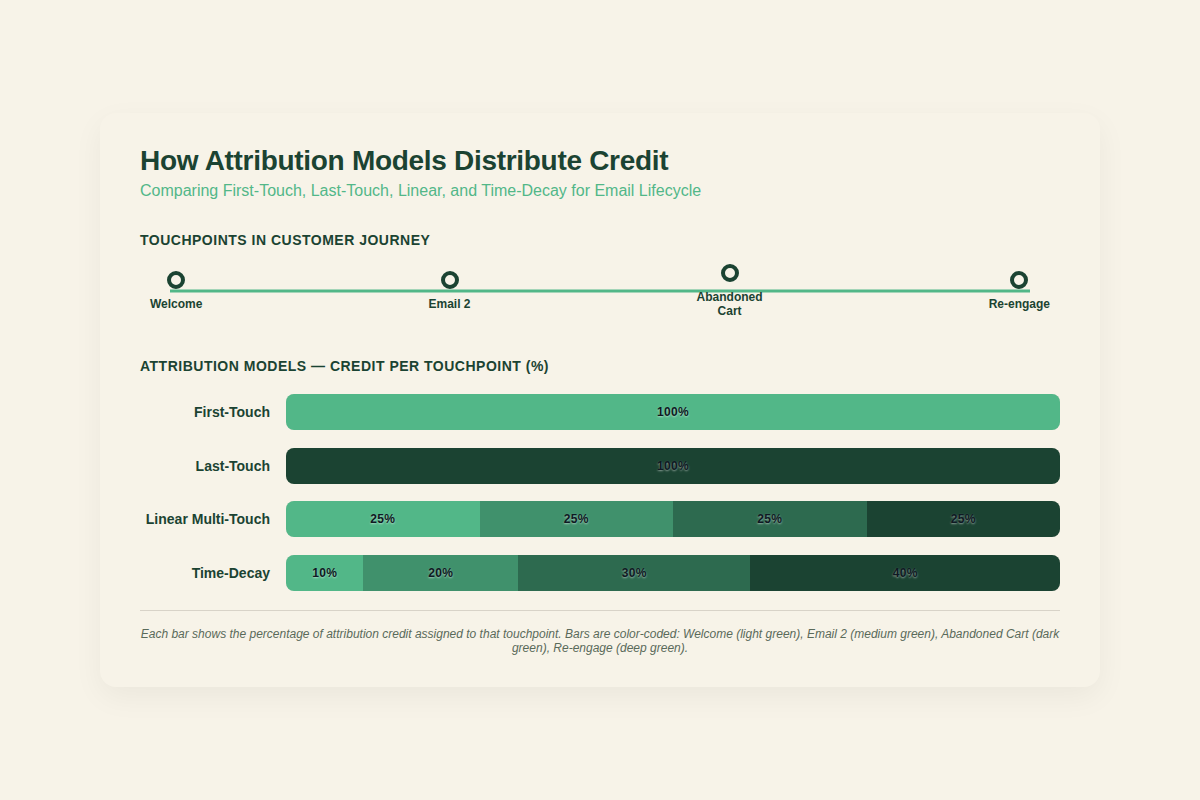
The table above shows the trade-off. A last-touch model takes one hour to implement—you just check which email was clicked immediately before purchase. But it blinds you to the influence of earlier lifecycle emails. A linear multi-touch model gives you a fuller picture but requires joining click events across the entire customer timeline.
The operational implication: if you’re a solo operator or small team, start with last-touch for your primary purchase email (abandoned cart, for instance) and add linear multi-touch for the entire lifecycle once you have 500+ tracked purchases. The setup cost of 4 hours is justified by the insight into which non-purchase emails (welcome, post-purchase, re-engagement) contribute.
Worked Example: Welcome Series Attribution
Say your welcome series has 5 emails over 14 days. A customer subscribes, receives all 5, clicks email 2 (the value proposition email) and email 5 (the discount offer), then purchases $100 on day 16. Under a linear multi-touch model across all email interactions, each of the 2 clicks gets 50% credit ($50 each). Under a time-decay model with a 7-day half-life, the click on email 5 (closer to purchase) gets about 70% credit ($70), and the click on email 2 gets 30% ($30).
If you only looked at last-touch, you’d credit email 5 with 100% and ignore email 2’s influence entirely. The math here is straightforward: choose a model that matches your business’s actual buying behavior. If your customers typically buy after 2-3 interactions, linear multi-touch is more accurate. If they convert on the last email before purchase, last-touch works.
Where It Breaks
Data Silos Between Platforms
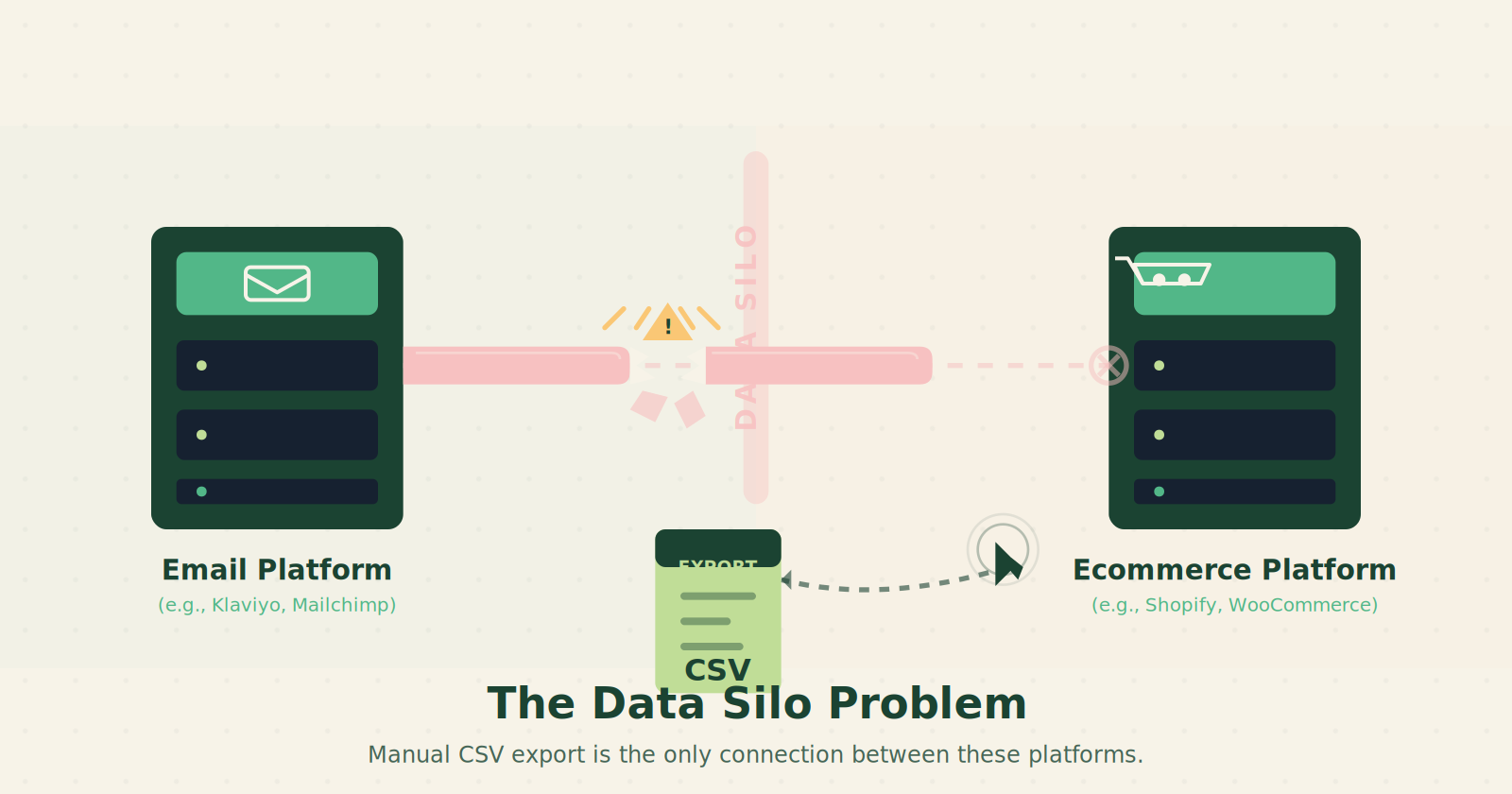
The most common failure point is disconnected data. Your email platform stores clicks. Your ecommerce platform stores orders. Unless they’re integrated (via an ecommerce integration like Shopify-Klaviyo), you’re stuck exporting CSV files and joining them manually. This is where attribution breaks for small teams: the integration either costs extra or requires development work to build a custom pipeline using Zapier or a data warehouse.
UTM Overlap and Parameter Decay
If your email links include UTM parameters for Google Analytics, but your team is inconsistent with naming conventions (utm_campaign=welcome vs utm_campaign=welcome_series), the attribution data becomes unreliable. Parameter decay—where parameters are stripped during redirects or URL shorteners—also causes lost credit.
Attribution Window Mismatch
A hidden operational problem: the attribution window in your email platform might not match the window in your analytics tool. If Klaviyo attributes a purchase to an email click within 7 days, but Google Analytics uses a 30-day window for the same email UTM parameter, you’ll see conflicting numbers. The fix is to standardize on one window across all tools—document it, and ignore cross-tool comparisons.
Lifecycle Stage Boundary Confusion
When a customer moves from acquisition to onboarding after their first purchase, their lifecycle stage changes. But the email platform might still send them lifecycle emails meant for the previous stage. This creates attribution noise: a post-purchase email that was sent incorrectly to a yet-to-convert lead gets credit for that lead’s eventual purchase, even though it was the wrong email for that stage. Proper lifecycle state management in your ESP prevents this, but many small teams set up static lists instead of dynamic segments.
The Friction Box
- Last-touch models overcredit final-push emails (abandoned cart, discount) and undercredit educational touchpoints
- Data silos between email and ecommerce platforms require manual CSV joins for most small teams
- UTM parameter inconsistencies silently corrupt attribution data without obvious errors
- Attribution window choices (7 vs 30 days) are often made without testing their impact on results
- Lifecycle stage mismatches cause emails to fire at the wrong time, distorting attribution
- Multi-touch models require transaction-level data storage that most email platforms default to monthly aggregates
- Email client privacy changes (Apple Mail Privacy Protection) inflate open rates and make complex models unreliable
- Timezone differences between email platform and purchase platform create misalignment in same-day purchases
Frequently Asked Questions About Lifecycle Revenue Attribution Per Email Touchpoint
What attribution model is best for email lifecycle sequences?
Linear multi-touch gives you the most actionable insights across lifecycle stages, because it distributes credit across all emails that a customer engaged with before purchase. Last-touch is simpler but only tells you which email was clicked right before the order—it ignores the nurturing emails that built the intent.
How long should my attribution window be?
Start with 7 days for transactional emails (abandoned cart, order confirmation with upsells) and 30 days for lifecycle emails (welcome, re-engagement). If most of your customers purchase within 48 hours of an email click, shorten the window. If they research for weeks, lengthen it. The key is to test both on your own data.
Can I do lifecycle attribution with Mailchimp or Klaviyo alone?
Partly. Both platforms show revenue attributed to campaigns at the campaign level, not at the individual email level within a sequence. To get per-touchpoint data, you’ll need to export click and order data and join them—Klaviyo’s API allows this, Mailchimp requires a third-party integration or manual CSV work.
How do I handle Apple Mail Privacy Protection in attribution?
Apple’s privacy changes inflate open rates and can cause false positives for click tracking if the email client pre-fetches links. For attribution, rely on click data rather than opens, and exclude time windows where email opens skyrocketed without corresponding site visits. Use a 1-second click-to-purchase window threshold to filter out automated pre-fetches.
What’s the minimum revenue volume needed for multi-touch attribution?
At least 500 tracked purchases in a 90-day period. Below that, the signal-to-noise ratio is too low—you’ll see random fluctuations from small sample sizes. Stick to last-touch until you have enough data volume.
Should I attribute revenue to non-purchase emails like post-purchase follow-ups?
Yes, if they generate upsells or repeat purchases. Use a separate lifecycle stage for post-purchase to avoid attributing the initial purchase to those emails. Most ecommerce platforms track repeat purchase source via UTM or order source field.
The Straight Talk
This framework is for operators who already have email sequences running and want to know which emails actually drive revenue. If you’re sending less than 200 emails a month, the sample size is too small for multi-touch attribution—stick to last-touch. If you have an abandoned cart sequence pulling $5k+/month, stop optimizing subject lines and start attributing revenue per touchpoint: that 10% improvement in abandoned cart revenue comes from knowing which email in the sequence does the heavy lifting.
The one concrete action to take today: export your email click data and your order data for the last 90 days, join them on the customer email, and run a last-touch attribution for your primary purchase email. That takes 30 minutes and gives you a baseline. From that baseline, decide whether the extra 3 hours to set up linear multi-touch is worth the insight.