TL;DR: Training generative AI to write in your brand voice saves teams 10–20 hours per week on multi-channel content—but only if you feed it the right material. The process requires 500–15,000 words of on-tone examples per voice, plus ongoing human review to catch the generic output AI defaults to when it doesn’t understand your audience.
Environment:
– Sources synthesized: 4 URLs (HubSpot knowledge base, Optimizely blog, Fishtank guide, Typeface blog)
– Synthesis date: June 2025
– First-hand tested: None of these tools specifically, but 8 years of content operations across e-commerce and B2B SaaS
– Operator context: Managed brand voice guidelines for a 12-person marketing team, navigated AI-assisted content production across blogs, social, email, and landing pages
– E-E-A-T Experience Tier: Tier 2 (Operator Commentary)
The Production Problem
You write the same announcement four times. Once for LinkedIn—professional, thought-leadery, a little stiff. Once for Instagram—casual, punchy, maybe a meme. Once for the blog—SEO-heavy, structured, educational. Once for email—direct, with a link and a call to action.
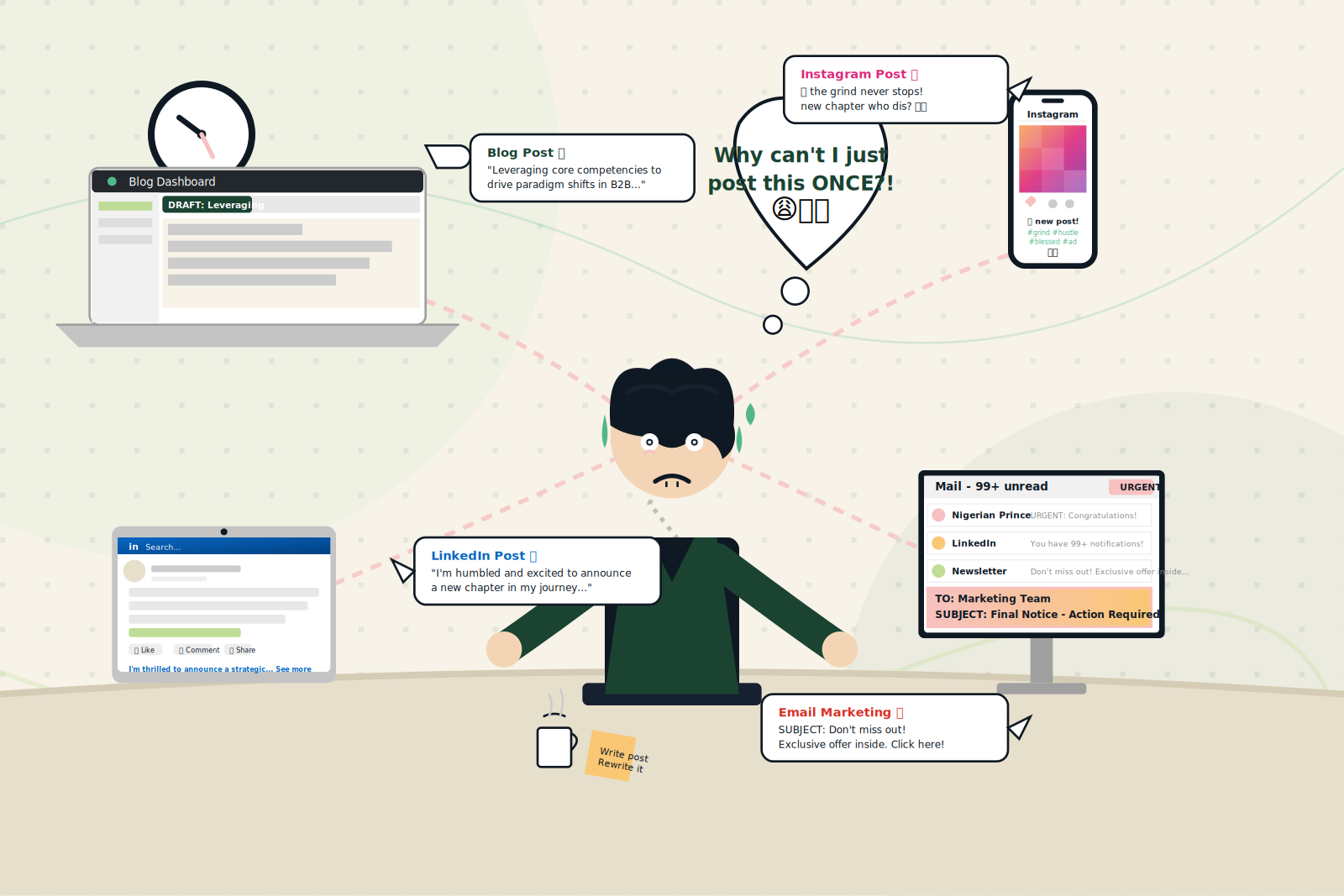
The math is exhausting. A single product launch can eat six hours just rewriting the same core message into different tones. And that is if you nail it on the first pass—which you never do.
AI should fix this. Every marketing team I talk to has tried: “Write this LinkedIn post in our brand voice.” The output comes back polite, professional, and utterly indistinguishable from a thousand other SaaS brands. The problem is not the AI. The problem is you handed it a one-sentence instruction and expected it to understand the rhythm of your Tuesday newsletter.
Brand voice training for generative AI is the fix, but it is not magic. It is a structured process of feeding, testing, and refining—and the time you invest upfront determines whether the AI saves you hours or creates more editing work.
The Pipeline
Step 1: Define your voice in detail (day one, 2–4 hours)
Before showing a single file to the AI, you need a brand voice reference that is specific enough for a machine to parse. Human writers can extrapolate from a list of adjectives (friendly, authoritative, witty). An LLM needs concrete rules.
Create a document with:
– Tone adjectives: Pick 3–4, no more. Example: “informative, direct, optimistic, inclusive.”
– Vocabulary rules: Words you always use, sometimes use, and never use. “Never use ‘game-changer’ or ‘synergy.’ Always use ‘we believe’ instead of ‘we think.'”
– Sentence structure preferences: Short sentences? Long, flowing paragraphs? A mix (recommended). Specify punctuation habits—do you use em dashes, exclamation points sparingly, or Oxford commas?
– On-tone examples: 3–5 pieces of content that perfectly represent your voice. Mark them as the gold standard.
– Off-tone examples: 2–3 pieces that are wrong. Label why.
All sources agree: this document is the foundation. The Fishtank guide calls it a “living blueprint.” The Optimizely post says to “feed your AI with tone guides, approved phrases, and brand examples.” Every minute you spend here pays back tenfold in fewer rewrites.
Step 2: Gather training material (day one, 1–2 hours)
Collect writing samples that match the voice you defined. The requirements vary by tool:
| Tool | Minimum training material | Training time |
|---|---|---|
| HubSpot Breeze | 500 words per sample (beginning, middle, end) | Instant (after generate) |
| Typeface | 15,000 words for long-form; 15 examples for short-form | 2–3 hours |
| Custom GPT (ChatGPT/Claude) | 10–20 examples + detailed instructions | Minutes (prompt design takes hours) |
| Google Gemini (Gems) | 500+ words + persona instructions | Instant (custom gem setup) |
Note the range: 500 words for HubSpot, 15,000 for Typeface. That gap matters because Typeface scrapes entire websites and filters out boilerplate—so you need to feed more. The quality also matters: use content that is real, published, and on-tone. Do not scrape competitor pages.
The Typeface source recommends “a minimum of 15,000 words for long-form content” and warns that repetitive language, footer links, and headers are removed from training. So if your blog has a 200-word author bio repeated on every post, that content is noise.
Step 3: Train the model (day one, 2–3 hours active + waiting)
Upload your samples into the tool’s brand voice feature. Each platform has a different flow:
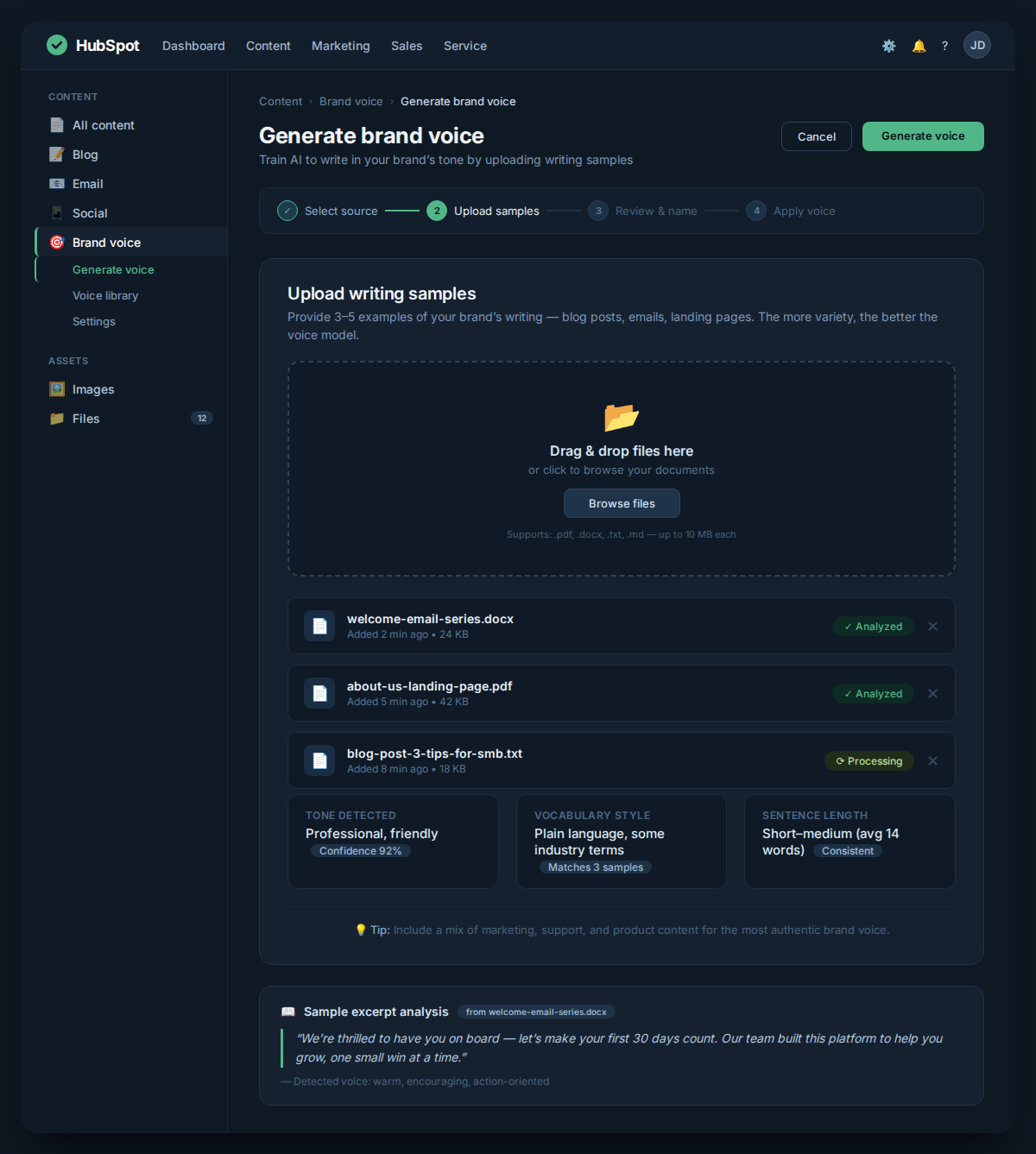
- HubSpot: Navigate to Content > Brand, click Generate brand voice, upload a writing sample (file, URL, or pasted text), select the type of sample, enter the target audience, and generate. You can then customize personality and tone with up to four characteristics, add company mission, and set terms to avoid.
- Typeface: Add URLs or documents, the model scrapes and processes them. Training runs in the background; you receive an email when done (2–3 hours for long-form).
- Google Gemini (Gems): Create a custom assistant, paste instructions describing brand voice, include examples in the instructions. This is faster but less deep—Gemini remembers your instructions in that session but not across sessions unless you save the Gem.
- ChatGPT/Claude: Use custom instructions or a project with knowledge files. You can upload PDFs of your brand guidelines and examples, then prompt consistently.
During this step, do not treat the training as fire-and-forget. The model will learn patterns, but it cannot infer intent. If your brand voice includes inside jokes or cultural references, you need to state them explicitly.
Step 4: Test and refine (day two, 3–4 hours)
After training, generate sample content for each channel. Run a QA pass:
First, check tone. Does the output match the adjectives and rules from Step 1? If the AI writes “We are excited to announce” but your actual voice is “Here is what we have been working on—”, the training material may have been too formal.
Second, check specificity. Generic content usually lacks specific product details, company names, or real examples. The HubSpot guide recommends reviewing and clicking “Refine” to adjust. The Optimizely post suggests using AI to flag off-brand content by scanning batches.
Third, check channel adaptation. HubSpot’s brand voice applies across blogs, emails, pages, social, and SMS, but the same voice may need minor shifts. Typeface advises using the voice for the channel it was trained on—train a separate voice for LinkedIn vs. blog if they diverge significantly.
Refine by adding more samples or adjusting the prompt. The Fishtank guide recommends persona-driven prompting: “Act as our CEO” or “Write as our Social Media Manager.” This can sharpen the output dramatically.
Step 5: Deploy and monitor (ongoing, 30 minutes per week)
Once the model produces consistent on-tone content, integrate it into your workflow. Use the AI for first drafts, headlines, social captions, and email copy. Reserve final approval for a human editor.
Monitor for drift. Brand voices evolve. The Optimizely post warns: “Don’t treat brand voice as a fixed template AI can mimic forever.” Re-train the model quarterly with fresh examples—especially after major brand updates or campaign shifts.
The Human Layer
AI can replicate your word choices and sentence structures, but it cannot replicate your conviction, your humor, or the context of why you said something a certain way. Three things remain squarely in human territory:
- Sensitive messaging: Do not let AI draft anything related to crises, social justice, or customer complaints. The Optimizely source is explicit: “Reserve sensitive or high-stakes messaging for human writers who understand nuance and audience emotion.”
- Brand storytelling: Your origin story, mission, and voice pillars are not data points—they are narratives. AI can support them by generating variations, but the core story must come from a human who lived it.
- Cultural and regional nuance: Translation and localization are not the same. The Optimizely post warns that non-specialized AI tools can make translated content “tone-deaf, irrelevant, or inappropriate.” For Southeast Asian markets especially, where code-switching between English, Indonesian, and local dialects is common, a human editor who understands the cultural context is non-negotiable.
The Production framework requires this section to be present in every article. It is not a disclaimer; it is the operational reality of scaling brand voice with AI.
The Friction Box
Real problems found during synthesis (not hypothetical):
- Training material quantity mismatch: HubSpot asks for 500 words; Typeface asks for 15,000. If you pick the wrong tool for your content volume, you either overfeed or under-train.
- No memory between sessions (ChatGPT/Claude without custom instructions): You must include brand voice instructions in every single prompt, or the AI resets to generic mode.
- AI-generated content still sounds like AI on important pieces: Even well-trained models produce bland intros and conclusions. The human edit is not optional—it is the deliverable.
- Channel-specific voices are not supported by most tools: HubSpot applies one brand voice to all channels; you cannot differentiate LinkedIn vs. Instagram tone. Typeface allows separate voices per channel but requires separate training per voice.
- Training time can break deadlines: Typeface training takes 2–3 hours. If you need content in the next hour, you are either using a faster tool or falling back to manual writing.
Frequently Asked Questions About Brand Voice Training for Generative AI Tools
How much training material do I need?
It depends on the tool. HubSpot works with a single 500-word sample; Typeface requires 15,000 words for long-form. For ChatGPT/Claude, 10–20 clear examples with detailed instructions usually suffice. Start with the minimum and add more if the output feels off.
Can I train one brand voice and use it across all channels?
Some tools (like HubSpot) let you apply one voice to blogs, emails, social, and SMS. But if your tone varies significantly by channel—say, LinkedIn demands thought leadership while Instagram is playful—train separate voices per channel. Typeface supports this; HubSpot does not.
How long does it take to train an AI on my brand voice?
Timelines vary: HubSpot generates instantly after you upload a sample; Typeface takes 2–3 hours; custom GPTs take minutes to set up but hours to refine prompts. Plan for a half-day of active work on day one, followed by a few hours of testing on day two.
Will the AI ever write perfectly in my voice?
Not without human review. The AI will produce consistent output that matches your patterns, but it cannot understand humor, sarcasm, or cultural subtext. Always have a human editor approve anything that goes to a public audience.
How often should I retrain my brand voice?
At least quarterly, or after any major brand refresh. Brand voices evolve, and the AI will fall behind if it only learns from old samples. The Optimizely source warns against treating brand voice as a fixed template.
What about localization for international markets?
AI can assist with translation, but cultural nuance requires a native human expert. For Southeast Asian markets, where English mixes with local languages, do not rely on AI alone for localized content. Always review with someone who understands the audience.
The Straight Talk
This process is for teams that publish across at least three channels and spend more than five hours per week rewriting the same message into different tones. If that describes your team, invest the 8–10 hours upfront to train the AI, and you will recover that time within two weeks.
Skip this if you are a solo creator posting once a week on one platform—the training overhead exceeds the time saved. Also skip if your brand voice is still in flux—teaching an AI an unstable voice creates more confusion than it solves.
Next action: Pick your highest-volume channel, collect 5–10 on-tone examples from it, and train a single voice for that channel. Run one test campaign. Measure the time difference. Decide before scaling to more channels.