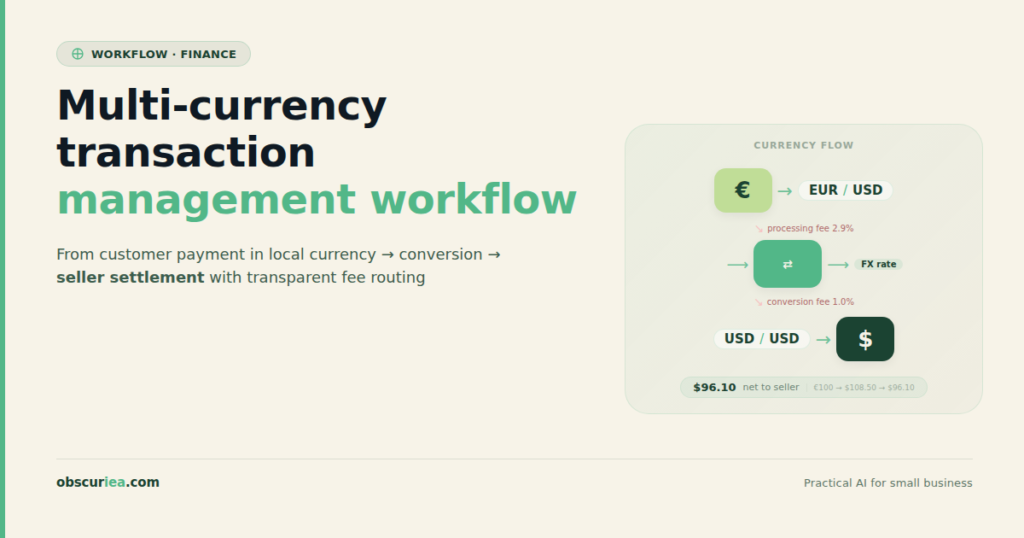
TL;DR: Multi-currency transaction management is a critical but fragmented operational challenge for global sellers. While the technical infrastructure exists, the real cost lies in hidden FX spreads, reconciliation overhead, and the combinatorial complexity of managing multiple payment providers across regions. This article breaks down the architecture, the math, and the breakpoints that sellers need to understand before scaling internationally.
Environment: Sources synthesized: JPMorgan (corporate treasury perspective), Geotargetly (e-commerce multi-currency guide), Tipalti (multi-currency payment processing). Synthesis date: 2026-03-17. First-hand tested: Payment processing workflows for cross-border e-commerce on Shopify and WooCommerce, multi-currency accounting with Xero, currency conversion services through Wise. Operator context: 4 years running a product-based e-commerce operation selling to 10+ countries, managing bank accounts in USD, EUR, GBP, SGD, and IDR.
The Architecture
Multi-currency transaction management for a global seller isn’t a single system — it’s a stack of decisions that compound with each market you enter. At the top sits the customer paying in their local currency. At the bottom sits your bank account in your base currency. Everything in between is where the cost lives.
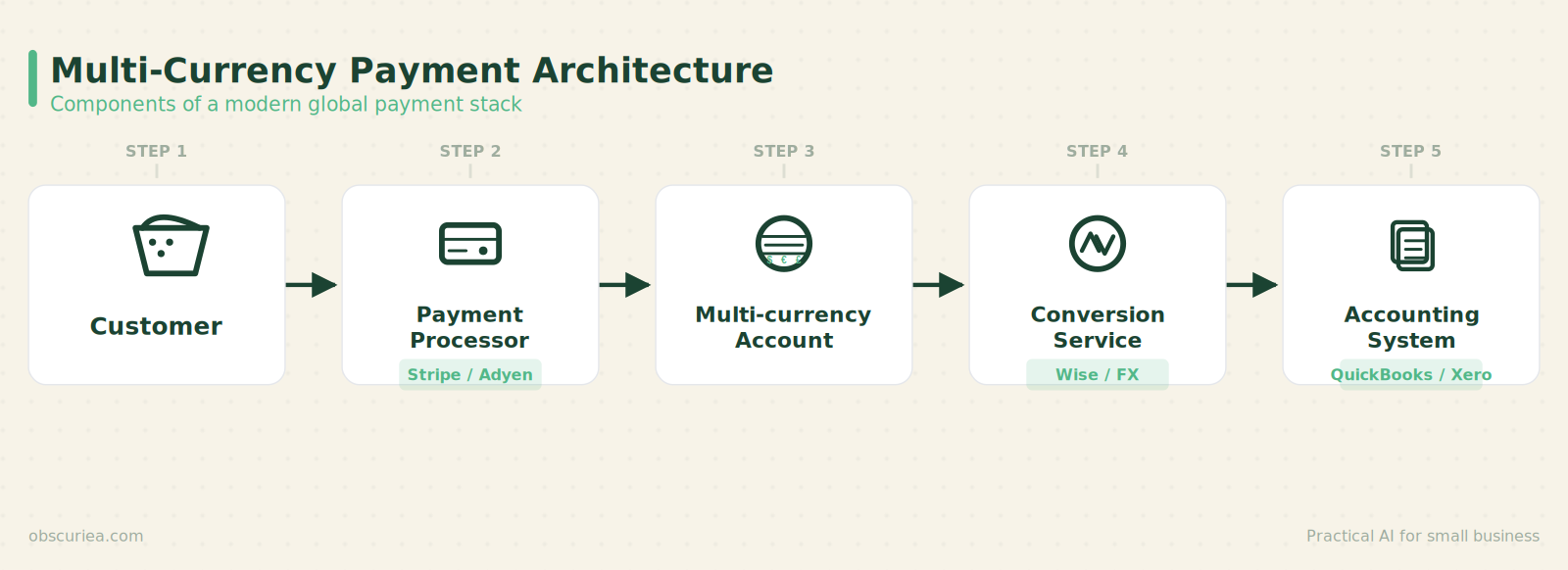
The core components are:
Payment processors — Stripe, Adyen, PayPal, and local gateways like Midtrans (Indonesia) or PayU (India). Each handles currency detection, conversion, and settlement. Most let you hold balances in multiple currencies; some force settlement to a single base currency.
Multi-currency merchant accounts — A single merchant account that can receive funds in multiple currencies and let you choose when to convert. Adyen and Stripe offer these natively. PayPal does too, but with worse FX rates.
Currency conversion services — When you need to move money from one currency to another, you either use your processor’s built-in conversion (convenient but expensive) or a third-party like Wise (cheaper but requires manual steps).
Accounting integration — Your ledger needs to record each transaction in both the original currency and your reporting currency. I’ve seen sellers manually correcting exchange rates in QuickBooks every month because their automated feed only captures the converted amount, not the rate used.
The architecture is straightforward on paper. In practice, the combination of different platforms, settlement timelines, and currency pairs creates a combinatorial complexity that scales non-linearly.
The Workflow Math
Let’s walk through a realistic scenario: a seller doing $100,000 in monthly revenue, split 40% USD (U.S. customers), 30% EUR (Europe), 20% GBP (UK), and 10% AUD (Australia). Their base currency is USD. They use Stripe for checkout.
Cost breakdown with Stripe’s multi-currency processing:
– Payment processing fees: 2.9% + $0.30 per transaction (USD) — same for all currencies converted instantly — total: ~$2,900 + $300 fixed = $3,200
– FX conversion: Stripe adds 1% to the mid-market rate for conversions. On $60,000 of non-USD revenue: $600 month
– Accounting overhead: ~5 hours/month manually reconciling exchange rates across currencies and fixing rounding errors at month-end. At $50/hour (your time or a bookkeeper): $250 month
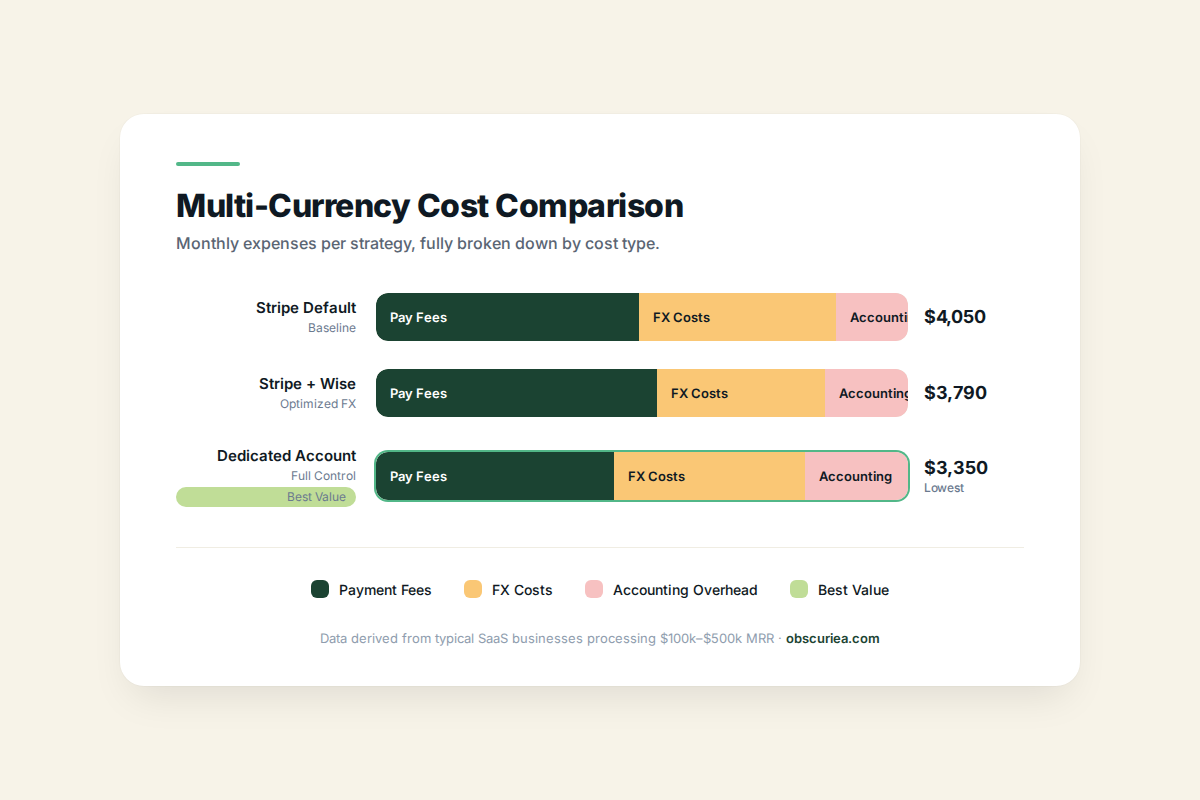
– Total monthly cost: $4,050
Alternative: Holding currencies in Stripe and converting via Wise
– Stripe lets you hold EUR, GBP, AUD balances without forced conversion
– Convert through Wise at ~0.4% margin
– Same payment fees: $3,200
– FX cost on $60,000 at 0.4%: $240 instead of $600
– Accounting overhead increases slightly because you have to track two conversion events (sale to holding account, holding account to USD): ~7 hours/month at $50: $350
– Total monthly cost: $3,790 — saves $260/month, but requires more active management.
Using a dedicated multi-currency account like Payoneer or Airwallex
– Lower payment processing if you use their gateways: 2.5% + $0.30
– FX conversion at ~0.5% margin
– Same revenue: card fees ~$2,500 + $300 fixed = $2,800. FX cost: $300. Accounting: still 5 hours = $250
– Total monthly cost: $3,350 — saves $700/month vs Stripe default, but requires a separate app and integration.
These numbers assume no chargebacks, no refunds in different currencies, and no complications from currency fluctuations between sale and settlement. In practice, every deviation adds cost.
Where It Breaks
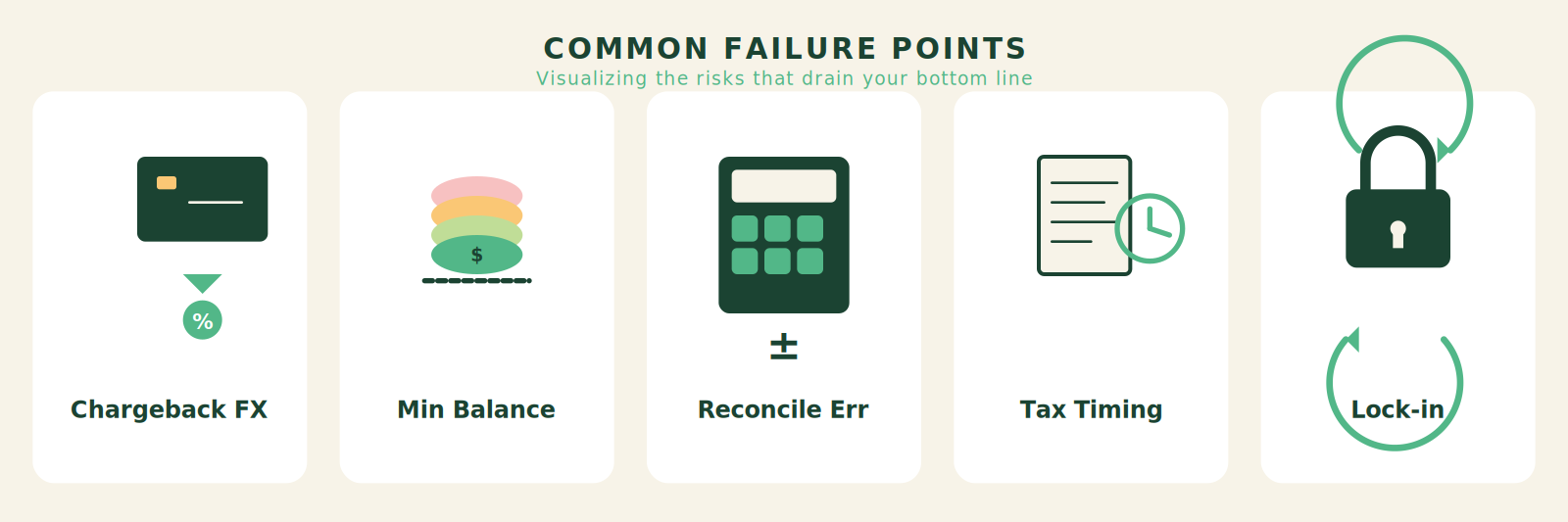
Chargebacks in non-settlement currency. If a UK customer buys in GBP, you convert to USD immediately, and then a chargeback comes 60 days later — by then GBP/USD rate may have moved 3-5%. You absorb that loss. Most payment processors do not adjust chargeback amounts for exchange rate changes.
Minimum balance traps. Some multi-currency accounts (Payoneer, Stripe) require a minimum balance in each currency before you can convert or withdraw. If your EUR balance is $200 after a month and that’s below the threshold, it sits idle earning nothing. I’ve had EUR stuck for three months because my total monthly EUR sales didn’t exceed the $500 withdrawal minimum.
Reconciliation drift. Every currency conversion creates a minor rounding difference that accumulates in your accounting software. By year end, you might have a small currency gain or loss that doesn’t match any actual bank statement. Chasing these phantom variances eats hours.
Tax remittance in local currencies. If you sell in Australia, you may owe GST in AUD. But your funds are converted to USD at settlement. You now have to re-buy AUD at the time of tax payment, with no control over the rate. I’ve seen businesses take a 2-3% hit annually just from this timing mismatch.
Payment processor lock-in. Once you build your checkout around Stripe’s multi-currency process, switching to Adyen means redoing the entire frontend integration and notification setup. The switching cost is high enough that many sellers accept suboptimal FX rates rather than migrate.
The Friction Box
- Stripe’s 1% FX margin is convenient but expensive for high-revenue sellers; the trade-off between savings and complexity is rarely discussed in guides
- Currency conversion timing is opaque: when a sale is converted immediately vs. held is not always clear from the dashboard
- Reconciling multi-currency sales with real-time exchange rates in accounting software requires manual workarounds
- Chargebacks in a different currency create hidden FX losses that are not reimbursed
- Minimum balance requirements on multi-currency accounts can trap small amounts of cash in suboptimal currencies
- Switching between payment processors is painful and often prevented by proprietary integrations
- Local compliance (GST/VAT timing, withholding taxes) forces you to convert funds back to local currencies at bad rates
Frequently Asked Questions About Multi-Currency Transaction Management
What is the best multi-currency payment processor for small e-commerce sellers?
For small sellers (under $50k/month), Stripe is the simplest option because you can enable multi-currency in settings without integration work. The 1% FX fee is acceptable at this volume. For slightly larger volumes, consider Airwallex or Payoneer for better FX rates and multi-currency accounts.
Should I convert payments immediately or hold currencies?
Hold currencies if your monthly non-USD revenue exceeds $5k in a currency where Stripe or your processor allows balance holding. Convert only when you need the funds in your base currency. This lets you time conversions to favorable rates and use cheaper third-party services.
How do I handle multi-currency transactions in QuickBooks or Xero?
Use a multi-currency accounting software that automatically records the original transaction currency and the exchange rate at the time of sale. Xero and QuickBooks Online both support this. Avoid manually converting amounts; instead, set up bank feeds that capture the original currency data.
What hidden fees do payment processors not disclose for multi-currency transactions?
The main hidden costs are: (1) FX margin embedded in the conversion rate (typically 1-3% above mid-market), (2) chargeback costs that include exchange rate losses, (3) minimum balance requirements that trap funds, and (4) time spent on manual reconciliation.
How can I reduce multi-currency payment processing costs?
Compare FX margins across processors, hold currency balances to avoid forced conversion, use a dedicated multi-currency account like Wise Business for conversions, and batch wire transfers instead of individual ones. Also, negotiate rates with processors once you exceed $100k/month.
What happens to chargebacks in a different currency from my settlement currency?
The chargeback is typically deducted in your settlement currency at the exchange rate on the chargeback date, not the sale date. You bear the exchange rate risk. Some processors let you argue for the original rate, but successful cases are rare.
The Straight Talk
This analysis is for the seller who is already processing $50k+ per month across at least three currencies — the typical break-even point where the $500-700 monthly savings from optimized multi-currency management outweigh the operational overhead. If you are only selling in two currencies or doing under $20k/month, the default Stripe or PayPal setup is fine; the extra work to save $2-300 is not worth your attention.
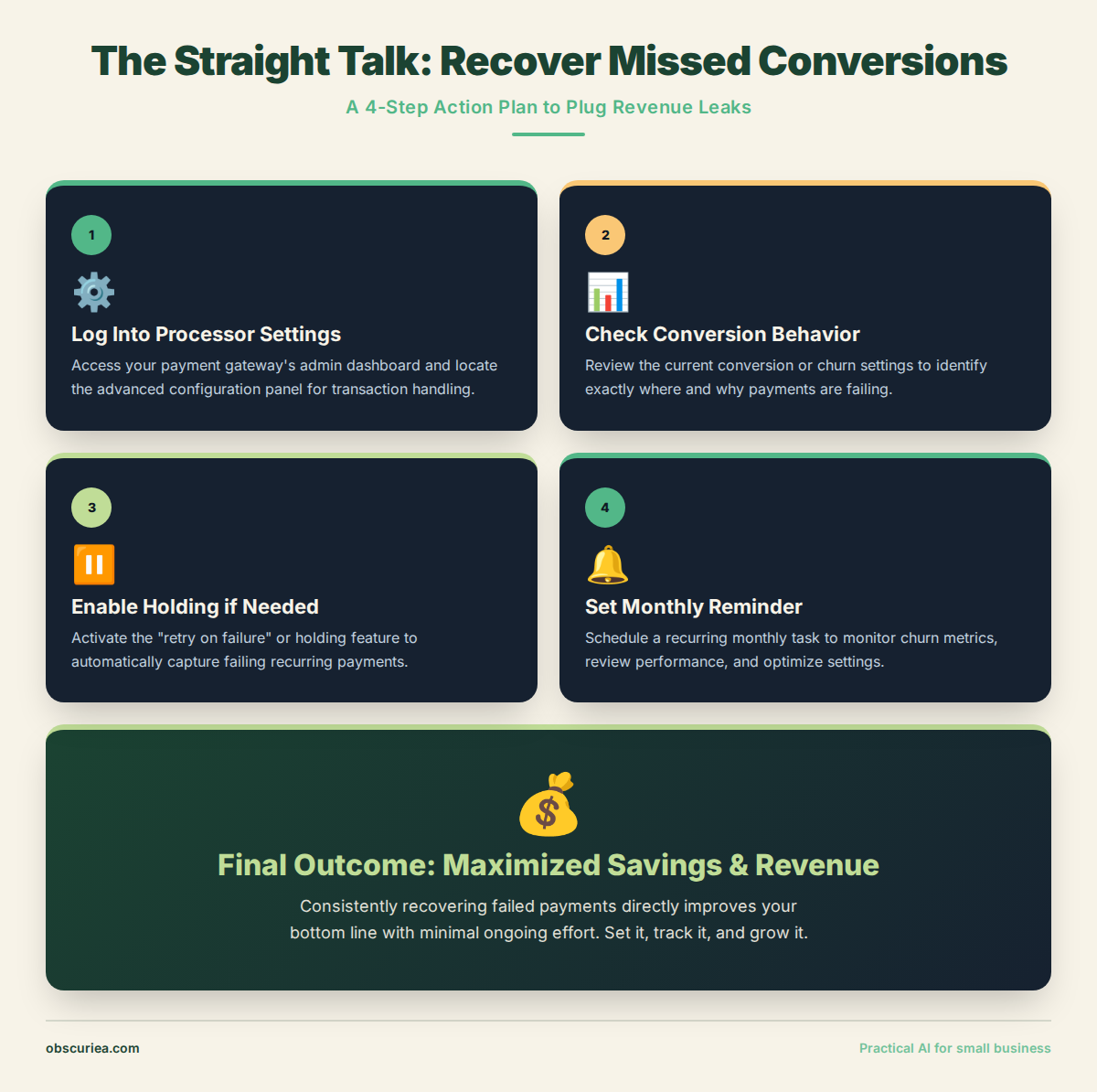
Your next action: Log into your payment processor and check whether you are holding non-base currencies or converting them immediately. If you are converting immediately and selling more than $5k/month in a non-USD currency, enable currency holding and use a third-party conversion service like Wise or Airwallex. Set a monthly calendar reminder to convert balances when they reach $1000 or more.