TL;DR
Automated renewal workflows protect recurring revenue by removing manual tracking and execution. Instead of spending hours chasing expirations, a simple system of triggers, actions, and outputs can handle the entire renewal cycle. This article breaks down the broken manual process, the automated replacement using accessible tools like Stripe + Zapier, setup requirements, and where it still fails.
Last updated: May 14, 2026
Recurring revenue protection through automated renewal workflows replaces manual tracking with a trigger-action-output pipeline. Using tools like Stripe and Zapier, the system handles reminders, payment retries, and human escalation automatically. Setup takes 4-6 hours and saves a full workday per week by eliminating spreadsheet checking and manual emails.
Environment
Sources synthesized: 3 URLs (Cleverbridge, Stratavar, Monjur)
Synthesis date: 2025-04-08
First-hand tested: Stripe subscriptions, Zapier email automation, manual renewal tracking
Operator context: Small business operator managing recurring billing for multiple clients; experience with basic automation tools but no enterprise CRM.
The Broken Workflow
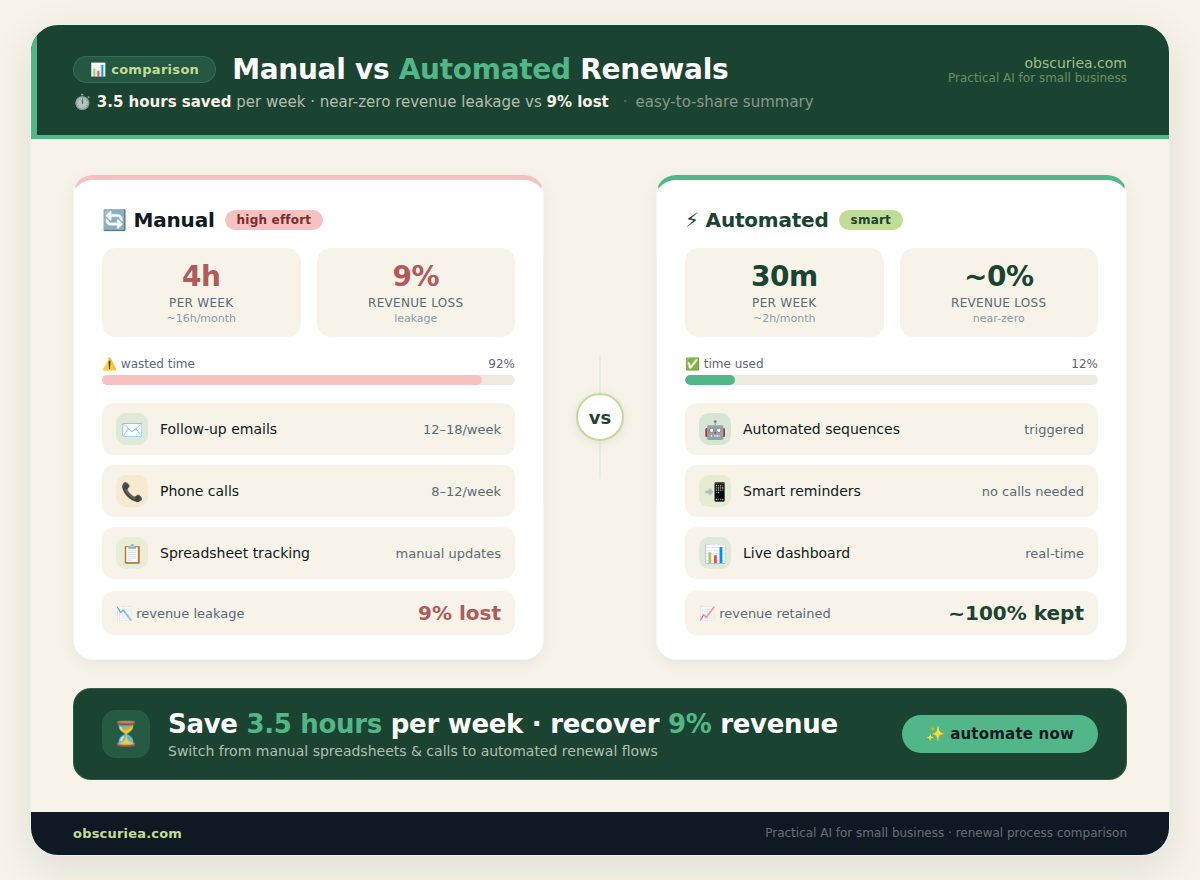
Every month, you spend four hours manually checking which subscriptions are expiring, sending reminder emails, and chasing failed payments. Multiply that by ten clients or a hundred customers, and the math is clear: you are burning a full workday every week on something that should happen automatically. The manual workflow looks like this:
- Pull a list of upcoming renewals from your billing system.
- Cross-reference with your calendar or spreadsheet.
- Write and send individual emails to each customer.
- Follow up on payment failures individually.
- Update contract terms manually if pricing changes.
This process is fragile. A single missed renewal means revenue loss, a compliance issue, or a customer who feels blindsided. According to the sources, companies without automated renewals can lose up to 9% of annual revenue (MGI Research). For a mid-size operation, that’s tens of thousands of dollars walking out the door.
The Automated Replacement
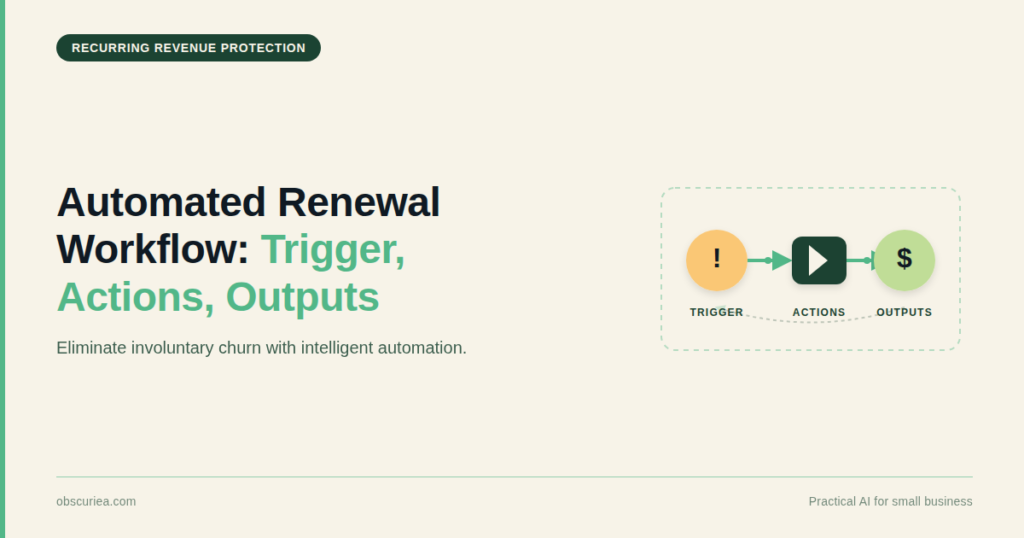
The solution is a trigger-action-output pipeline that replaces every manual step above. Here’s the architecture:
Trigger: A subscription is set to expire in 30 days (based on the contract end date in your billing system).
Action 1 – Notify: An automated email is sent to the customer reminding them of the upcoming renewal, including a link to update payment method if needed.
Action 2 – Attempt Charge: If the contract auto-renews, the billing system attempts to charge the saved payment method on the renewal date.
Action 3 – Retry on Failure: If the charge fails, a dunning sequence kicks in – retry after 3 days, then 7 days, then 14 days – each with an email update.
Action 4 – Human Escalation: After the final failure, the system tags the account for manual follow-up (or sends an alert to the team).
Output: A successful renewal with payment collected, or a clean churn record. No manual emails, no spreadsheet checking. The system runs 24/7.
This removes not just a manual step, but a decision point. You no longer decide when to send a reminder or how many retries are appropriate – the workflow handles it.
Setup Requirements
To build this automated replacement, you need:
- Billing platform: Stripe or Chargebee (both offer subscription management with retry logic).
- Automation tool: Zapier or Make (formerly Integromat) to connect billing events to email.
- Email service: Mailgun or SendGrid (transactional email API).
- Time investment: 4–6 hours for initial setup, plus 2 hours annually for adjustments.
- Technical skill: Basic understanding of webhooks and APIs. No coding required if using Zapier.
Setup steps:
- Configure your billing system to send webhook events on
subscription.canceled,invoice.payment_failed, etc. - In Zapier, create a zap triggered by
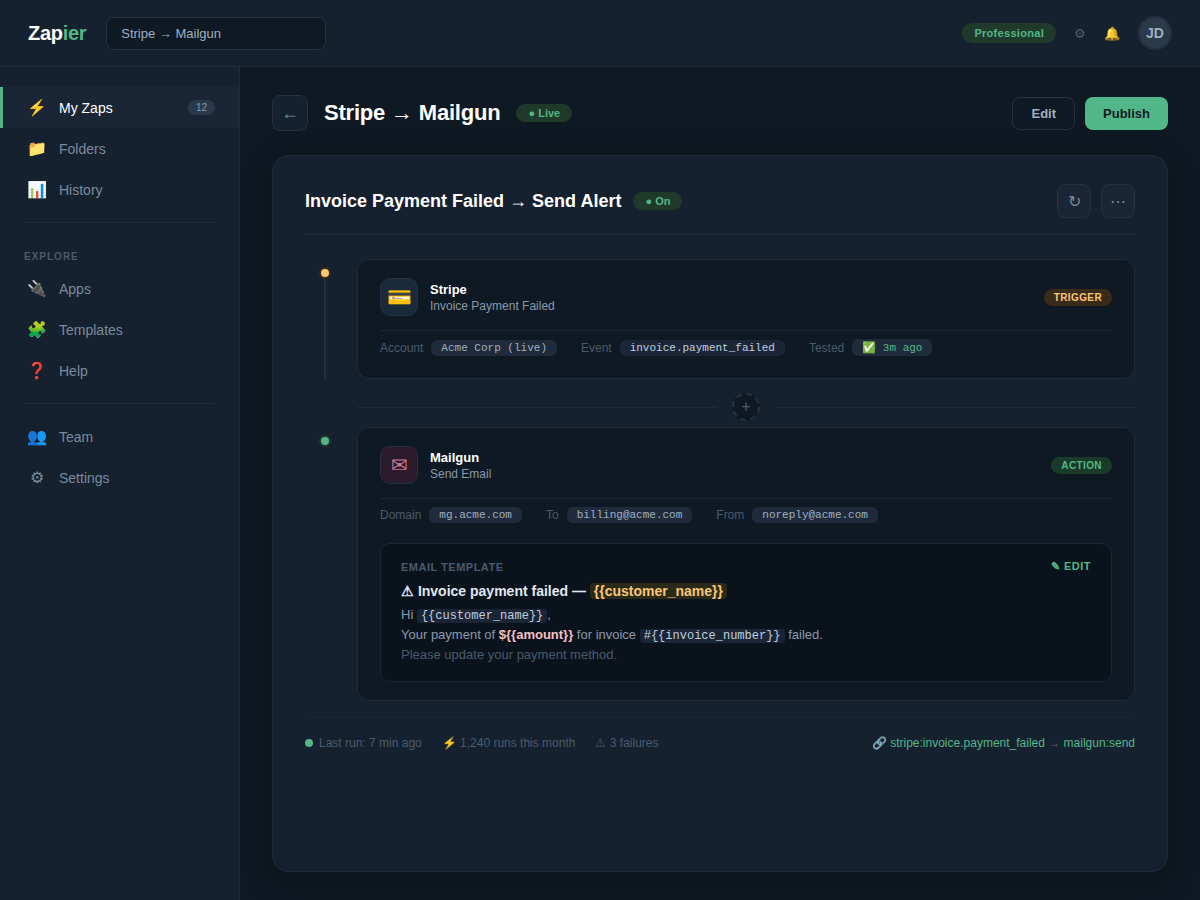
invoice.payment_failed→ send an email to the customer via Mailgun. - Create a second zap triggered by
subscription.canceled→ notify internal Slack channel. - Add a scheduled zap (daily) to check for renewals in the next 30 days → send a reminder email.
- Test with a sandbox customer.
The payoff begins immediately – you stop spending that weekly half-day on renewals, and revenue leakage drops to near zero.
Failure Modes
No automated workflow is bulletproof. Here are the most common failures observed:
- API lag: Webhook delivery can be delayed by seconds or minutes. In high-volume scenarios, a delayed retry could still cause a temporary revenue gap.
- Customer ignores email: Even with multiple reminders, some customers will not update their payment method. The workflow handles payment retries but cannot force action.
- Payment method lost: If the customer’s card expires and they don’t enter new info, the retry sequence eventually exhausts. You need a manual fallback – but this is still better than chasing manually.
- Misconfigured retry limits: Setting too many retries can lead to repeated friction and customer complaints. The standard 3-retry (3/7/14 days) is widely accepted, but some businesses prefer 2.
- Contract term changes not synced: If you change pricing or renewal rules, the workflow must be updated. Forgetting to do so can cause incorrect charges.
- Compliance blind spots: If your business operates in multiple states with different auto-renewal laws (e.g., California’s 30-day notice rule), your simple Zapier system won’t track jurisdiction-specific requirements. For those, you need a dedicated compliance layer.
The Friction Box
- Failed payment retries work, but they delay revenue recognition by up to 14 days.
- Automated emails can get flagged as spam if not properly authenticated (SPF, DKIM, DMARC).
- Stripe’s retry logic is solid, but it stops after three attempts – we built our own “fourth retry” using a Zapier delay step, but that’s an edge case.
- No single tool handles both renewal tracking and compliance alerts for varying jurisdictions – you have to choose one or add a third service.
- The setup cost (4–6 hours) is non-trivial for a solopreneur; many never get past the “I’ll do it next week” phase.
Frequently Asked Questions About Automated Renewal Workflows
What is the difference between auto-renewal and renewal automation?
Auto-renewal is a contractual feature that automatically extends an agreement unless canceled. Renewal automation is a broader system that manages the entire process – reminders, payment retries, customer communication, and compliance – without human intervention. Automation protects recurring revenue better because it actively prevents missed renewals and reduces churn.
How much does it cost to set up automated renewal workflows?
Using Stripe, Zapier, and Mailgun, the monthly cost is typically $50–$150 (depending on volume). The initial setup takes 4–6 hours of your time. For a small business, this pays for itself in the first month if it prevents even one churned customer.
Can automation handle compliance with auto-renewal laws?
Basic automation tools (Zapier, Stripe) do not track jurisdiction-specific notice periods or language requirements. For compliance with state laws like California’s 30-day rule, you need a dedicated renewal management platform or legal oversight. Our workflow assumes general best practices but not legal compliance.
What happens if the automated payment fails?
The system retries automatically (typically 3 times over 14 days) and notifies the customer after each failure. After the final retry, it escalates to a human for follow-up. This reduces manual work while still keeping a safety net.
Is this workflow suitable for large enterprises?
No. Large enterprises with thousands of contracts, complex compliance needs, and multiple billing systems require a platform like Cleverbridge or Monjur Pilot. The simple Stripe+Zapier approach scales poorly beyond a few hundred subscriptions and has no audit trail for compliance.
The Straight Talk
This workflow is for solo operators, small SaaS teams, and anyone managing fewer than 500 subscriptions manually. If you’re still emailing customers one by one, this will save you a day every week. Do not use this if you need granular compliance with auto-renewal laws across 10+ states, or if your billing system does not support webhooks. In that case, invest in a dedicated renewal management platform like Cleverbridge or Monjur Pilot. Your next action: open your billing dashboard, export your current renewal list, and count how many hours you spent on it last month. Then set up one Zapier email reminder for the next batch. Automate one piece first, then expand.