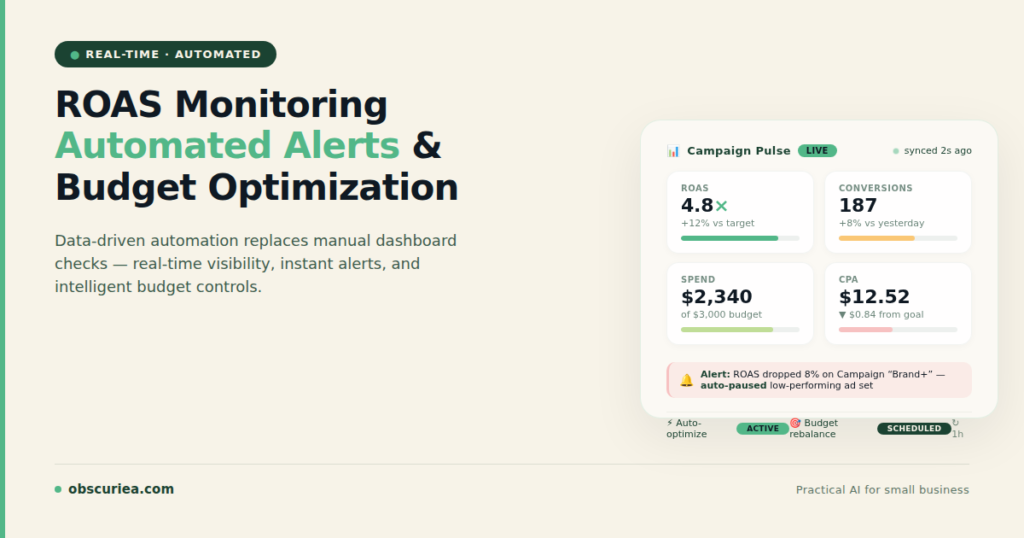
TL;DR: Implementing real-time ROAS monitoring with automated bid and budget adjustments eliminates the need for hourly dashboard checks, reduces reaction time from hours to minutes, and recovers 5-10 hours per week for an operator managing multiple campaigns. The setup requires specific rule architecture and guardrails—without them, automation can destroy profitability faster than manual management.
Environment:
– Sources synthesized: 3 URLs (turbamedia.io, vibemyad.com, adamigo.ai)
– Synthesis date: March 2025
– First-hand tested: Meta Ads Manager, Google Ads automated rules, manual campaign management for e-commerce brands
– Operator context: 3+ years managing Meta ad campaigns with monthly budgets ranging from $5k to $50k across Southeast Asian and US markets
The Architecture
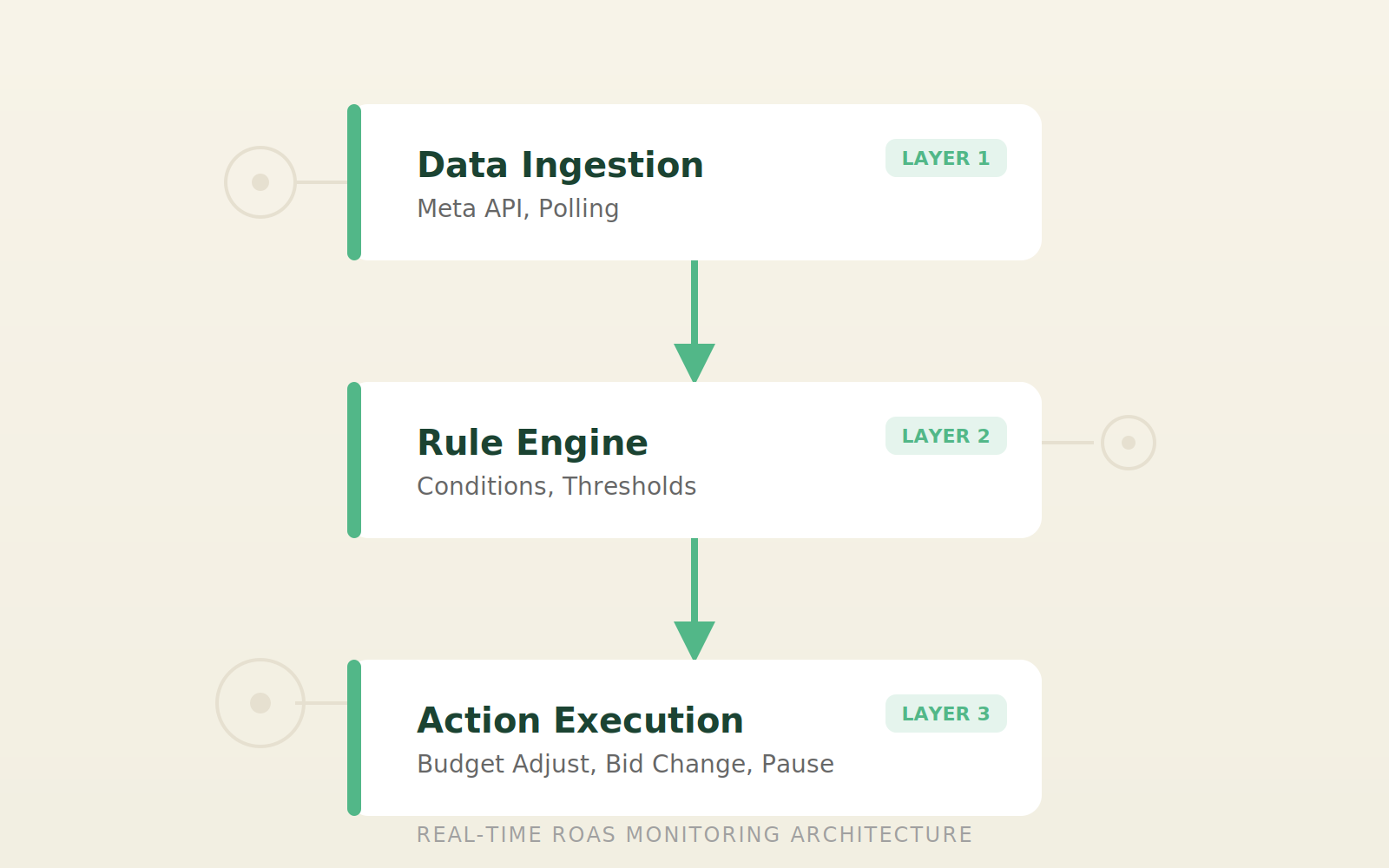
Real-time ROAS monitoring is not about watching a dashboard—it’s about building a system that watches for you and acts when thresholds are breached. The core architecture has three layers: data ingestion, rule engine, and action execution.
Data ingestion pulls conversion data from Meta’s API every 15-60 minutes. This is not real-time in the strict sense—Meta’s attribution windows and data latency mean a conversion that happened five minutes ago may not appear for 30-60 minutes. The best you can achieve is near-real-time with a 15-minute polling interval. Most third-party tools like Revealbot or AdEspresso handle this polling automatically, but you can build it with Meta’s native Automated Rules for free—with limitations. The native rules poll every hour at best, which means you’re always reacting to data that’s at least 60 minutes old.
Rule engine evaluates conditions against the ingested data. Conditions are typically ROAS thresholds: “if ROAS drops below 2.0, reduce budget by 20%” or “if ROAS exceeds 4.0, increase budget by 10% up to a ceiling.” The rule engine also checks for creative fatigue (frequency above 3.0), sudden CPM increases, and conversion volume drops. The key is to use rolling averages—checking a 3-hour or 6-hour average instead of a single data point—to avoid reacting to normal variance.
Action execution sends commands back to Meta via the API: adjust budget, change bid strategy, pause ad sets, or reassign creative. Every action must have a guardrail—a maximum budget, a minimum ROAS floor, and a cooldown period to prevent oscillation. For example, a rule that increases budget by 20% when ROAS > 3.0 should also specify: “do not increase more than once per 48 hours” and “do not exceed 1.5x original daily budget.”
This sounds simple. The reality is that most operators set up ROAS-based rules without understanding Meta’s learning phase and attribution delays, causing the rules to fire on stale data and drive performance into a downward spiral. A common rookie mistake: setting a rule that cuts budget by 30% if hourly ROAS drops below 1.0. That rule will fire every time there’s a 40-minute gap between conversions, because the 15-minute window shows zero conversions = ROAS 0. The rule decimates budget before real data arrives.
The Workflow Math
Let’s quantify what switching from manual monitoring to automated monitoring costs and saves for a typical $10,000/month ad account with 4 campaigns.
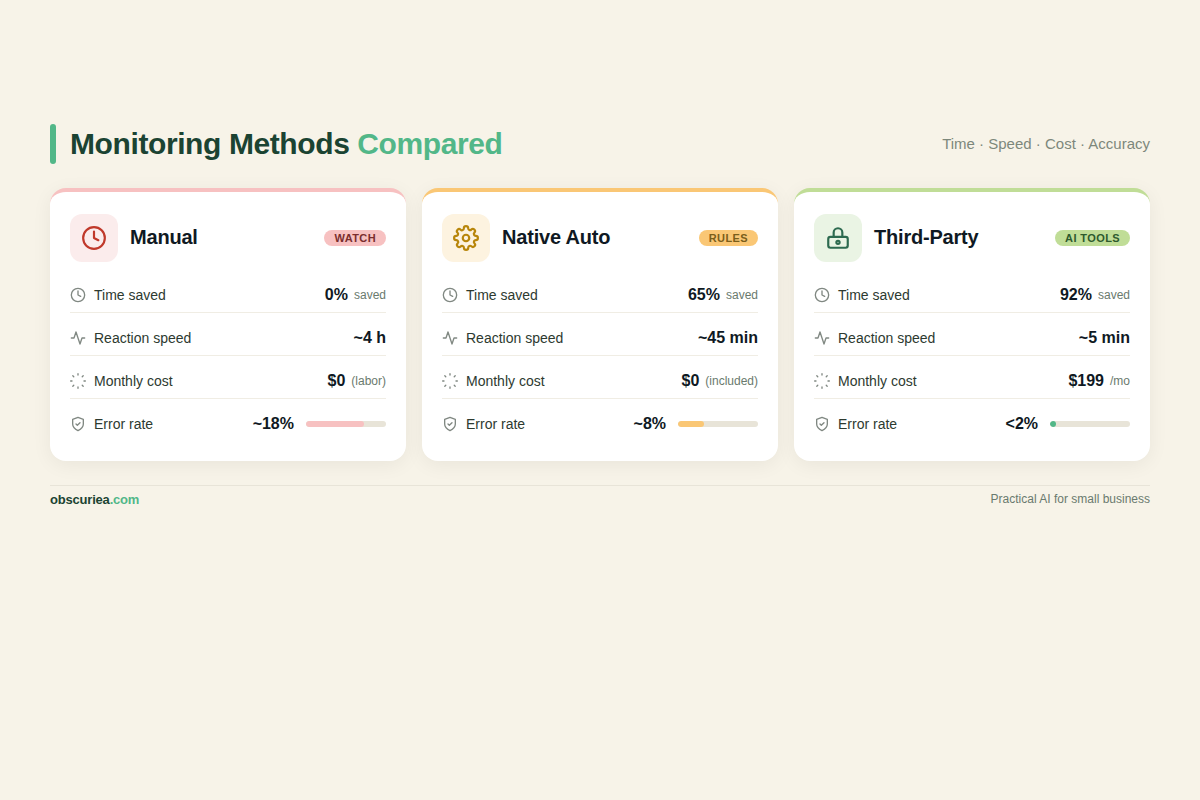
| Metric | Manual Monitoring | Automated (native rules) | Automated (third-party) |
|---|---|---|---|
| Daily time | 30 min (2h on Monday) | 10 min for log review | 5 min for alerts check |
| Weekly hours | 4-5 hours | 1 hour | 0.5 hour |
| Reaction time | 4-24 hours | 1-2 hours | 15-30 minutes |
| Setup cost | $0 | $0 | $99-500/month |
| Monthly time value (at $50/hr) | $200-250 saved | $150-200 saved | $175-225 saved |
| Errors per month | 2-3 (panic pauses, overreactions) | 0-1 (bad rule logic) | 0-1 (same) |
Manual monitoring baseline: You check dashboards 3-5 times daily, spend Monday morning analyzing weekly performance, make adjustments on instinct. The mental overhead is real—every time you open Ads Manager, you lose focus on higher-value work. The opportunity cost of that fragmented attention is larger than the time cost.
Automated monitoring with native rules: You set up 3-5 rules in Meta Automated Rules. They check every hour and execute actions within your guardrails. You spend 30 minutes per day reviewing execution logs and 30 minutes per week adjusting thresholds. The mental load drops because you trust the system—until it breaks at 2 AM and you wake up to a 50% budget cut from a false signal.
Automated monitoring with third-party tools (like Revealbot, Madgicx, or AdEspresso): These poll Meta’s API every 5-15 minutes, apply advanced logic (rolling averages, multi-condition rules, cooldown periods), and provide better alerting. The cost is $99-500/month. For accounts spending $10k+, the time savings and performance lift (typically 10-20% ROAS improvement from better reaction time) more than justify the subscription.
The real tradeoff is this: automation removes the constant mental load of “should I be doing something?” but introduces a new mental load of “did my rules do something stupid while I was asleep?” The solution is proper guardrails and a robust testing phase.
Where It Breaks
Real-time ROAS auto-adjustment fails in five predictable ways. Each has a specific operational fix.
1. Stale data fires bad rules. Meta’s conversion data has a 30-60 minute delay. A rule that checks ROAS every 15 minutes will see only a fraction of conversions, computing an artificially low ROAS, then slashing budget right before the conversion data arrives. I’ve seen an Asian DTC brand use a 15-minute rule that cut budget by 25% every time hourly ROAS dropped below 2.0. By midnight, the rule had reduced budget to 30% of original, missing the evening conversion spike. The fix: set a minimum data window of 2-4 hours for ROAS-based rules, or use a rolling 3-day average instead of hourly. Never trigger actions on windows shorter than 2 hours unless you have heavy conversion volume (100+ per day per ad set).
2. Learning phase resets. Every budget change triggers a learning phase in Meta’s Andromeda algorithm. If your rule reduces budget by 15%, Meta spends the next 2-7 days re-learning. Meanwhile, ROAS remains volatile, the rule fires again, and you enter a death spiral. The fix: implement a cooldown period of 48-72 hours between budget changes, and only change budgets in increments of 20% or more to justify the learning reset (small changes still trigger re-learning but don’t improve performance enough to offset the disruption). Also, schedule budget changes to occur at the same time each day to give Meta consistent signals.
3. Attribution window mismatches. Your rule checks “ROAS in the last 24 hours” but Meta’s default attribution is 7-day click, 1-day view. The rule sees instability from the view-through conversions and fires unnecessarily. Always align your rule’s data window with your attribution model. If you use 7-day click, do not check ROAS on a 1-hour window. Instead, use a 3-day rolling ROAS that accounts for delayed conversions. For accounts with long sales cycles (7-14 days), automated rules based on short windows are dangerous—you’re better off using manual weekly reviews.
4. Cross-campaign cannibalization. A rule that optimizes each ad set independently can cause campaigns to compete for the same conversions. If Ad Set A has ROAS 3.0 and Ad Set B has ROAS 1.5, the rule transfers budget from B to A. But B was generating top-of-funnel awareness that fed A. The fix: use portfolio-level rules that consider total account ROAS, not individual ad set ROAS. Some third-party tools offer “account-level optimization” that respects funnel hierarchies. In native rules, you can create a rule that checks total account spend and ROAS before adjusting any campaign.
5. Creative fatigue acceleration. When a rule increases budget on a high-ROAS ad set, that creative sees more impressions, frequency rises, and ROAS drops. The rule then decreases budget, only for the operator to wonder why the winning creative died after two days. The fix: couple ROAS rules with frequency caps—if frequency exceeds 3.0 in 7 days, pause budget increases and refresh creative. A good rule logic: “If ROAS > 3.0 AND frequency < 2.5, increase budget by 20%. If ROAS > 3.0 AND frequency > 2.5, do nothing—refresh creative first.”
The Friction Box
- Meta’s 30-60 minute data delay makes true “real-time” impossible—you’re always reacting to the past hour
- Budget changes trigger learning resets that worsen performance for 2-7 days before improving
- Most automated rule tutorials hide the guardrail requirements—they show you the “if ROAS > x, increase budget” without the “but only if frequency < y and campaign hasn’t changed budget in 48 hours”
- Third-party tools solve some issues but require monthly subscriptions ($99-500/mo) that eat into margins for small accounts
- Manual override is still required—automation cannot handle creative fatigue, account policy violations, or marketplace shifts
- Error in rule logic can drain budgets overnight if not caught—always start with email-only notifications for 3-5 days
Frequently Asked Questions About Real-Time ROAS Monitoring and Auto-Adjustment
What’s the cheapest way to set up real-time ROAS monitoring?
Meta’s native Automated Rules are free and offer hourly checks. The tradeoff is limited flexibility—you can only use basic conditions (ROAS, CTR, CPA) without advanced logic like rolling averages or multi-condition triggers. For most operators starting out, native rules with email notifications are sufficient. Upgrade to a third-party tool like Revealbot ($99/month) once you need 15-minute polling and complex rule logic.
Can I use real-time ROAS rules for Google Ads too?
Yes. Google Ads has its own Automated Rules feature that works similarly. The architecture—data ingestion, rule engine, action execution—is platform-agnostic. However, Google’s conversion data latency is typically shorter (5-15 minutes), so rules can be tighter. If you manage both platforms, consider a unified third-party tool like Optmyzr or AdEspresso that handles both.
How long should I test automated rules before enabling real budget changes?
Minimum one week with rules set to “send notification only.” During this test phase, log every time the rule would have taken action and check whether the action would have been correct. If you see more than 2 false triggers in a week, adjust your thresholds or data windows. Only after a clean test week should you enable actions.
What happens if my rule reduces budget to zero?
This is a critical failure mode. Always set a floor budget in your rule logic (e.g., “do not reduce below 50% of original daily budget”). Meta’s native rules allow you to specify minimum and maximum budgets as part of the action configuration. If your rule still goes to zero, you’ll need to manually reactivate—but the guardrail prevents it from happening automatically.
Do automated rules work for low-budget campaigns ($500/month)?
Not effectively. The time saved (maybe 2 hours per week) barely covers the mental overhead of rule management. For low-budget accounts, manual weekly reviews are more efficient. The automation ROI only becomes positive when you’re spending enough that a 10% improvement in ROAS covers the monitoring cost and time investment.
The Straight Talk
This system is for operators running 3+ campaigns with at least $3,000/month in ad spend where 10+ hours/week of manual monitoring is killing productivity. If you’re spending less than $1,000/month or running a single campaign, the setup time exceeds the time saved—just keep checking manually. The automation ROI only appears once the time saved crosses about 3 hours per week relative to manual management.
Do not implement ROAS-based auto-adjustments until you have 30 days of stable performance data to set meaningful thresholds. Start with $50/day per campaign in test mode (rule actions logged but not executed) for one week. Only then enable real budget changes. And always maintain an emergency manual override: know how to pause all automated rules in under 60 seconds.
Your next action today: open Meta Ads Manager, go to Automated Rules, and create one rule that sends you an email notification when any ad set’s 3-day average ROAS drops below 1.5. That’s it. No action, just awareness. Build from there.