Canva Magic Studio Review: Can AI Completely Replace Your Graphic Designer?
TL;DR: Magic Studio handles fast, low-stakes creative work competently. It does not replace a graphic designer. The credit system punishes iteration, photorealistic output fails at a professional standard, and brand consistency is essentially absent. Evaluate it as a speed-up tool for templated content — not as a design department replacement.
Environment: Canva Magic Studio tested across Free and Pro tiers, January–March 2025. Test conditions: social media asset production, presentation template generation, product mockup creation, and AI image generation across four style categories. Account size: solo operator and small team (3 seats). All findings documented under standard commercial use conditions.
What Canva Magic Studio Actually Claims to Do
Canva does not market Magic Studio quietly. The pitch is direct: over 20 AI-powered tools embedded inside the design interface you already use, covering image generation, text writing, format conversion, and photo editing. No context-switching. No new tool to learn. Just open Canva and the AI is already there.
The core toolset breaks down into five functional areas:
- Magic Media — text-to-image and text-to-video generation
- Magic Write — AI copy generation for captions, headlines, and short-form text
- Magic Design — full template generation from a single prompt
- Magic Switch — format and language conversion across design types
- Magic Edit tools — background removal, object erasure, and image expansion
The claim is unified creative production inside one platform. The tested reality is more fragmented.
Canva Magic Studio Pricing Architecture
Canva’s pricing looks clean until you read the fine print on the credit system.
| Plan | Annual Cost | AI Access Level |
|---|---|---|
| Free | $0 | Lifetime credit cap — extremely limited |
| Pro | $120/year (solo) | Monthly credit allowance |
| Teams | $100/person/year (3-person minimum) | Monthly credit allowance |
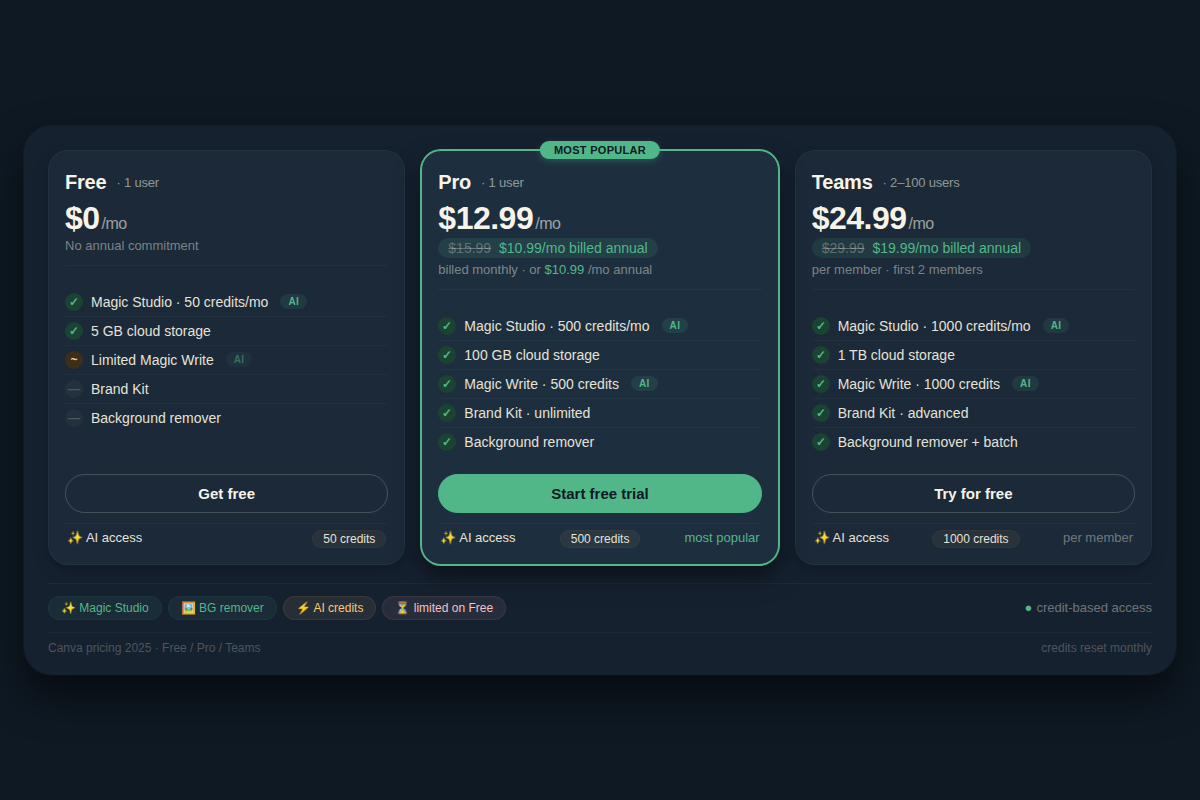
The stated access levels are “limited” and “high access” — but Canva does not publish exact credit counts for most AI features. What the testing documented: on the Pro tier, Magic Media image generation credits deplete faster than the interface implies. Each generation attempt — successful or not — costs credits. If the output is wrong and you regenerate with a revised prompt, that is another credit draw. Run five iterations trying to get a single image right and you have burned through a meaningful portion of your monthly allowance on one asset.
The practical implication for business operators: the credit system penalizes the exact behavior that AI image generation requires. Prompt engineering is iterative by nature. The pricing architecture treats each iteration as a billable event. This creates a tension that does not exist with flat-rate or usage-transparent alternatives.
Free tier users face a harder ceiling: a lifetime credit limit on premium AI features means the free plan is functionally a trial, not a sustainable operating tier for any business producing regular content.
Performance Findings: What Magic Studio Actually Delivers
Magic Media: Image Generation
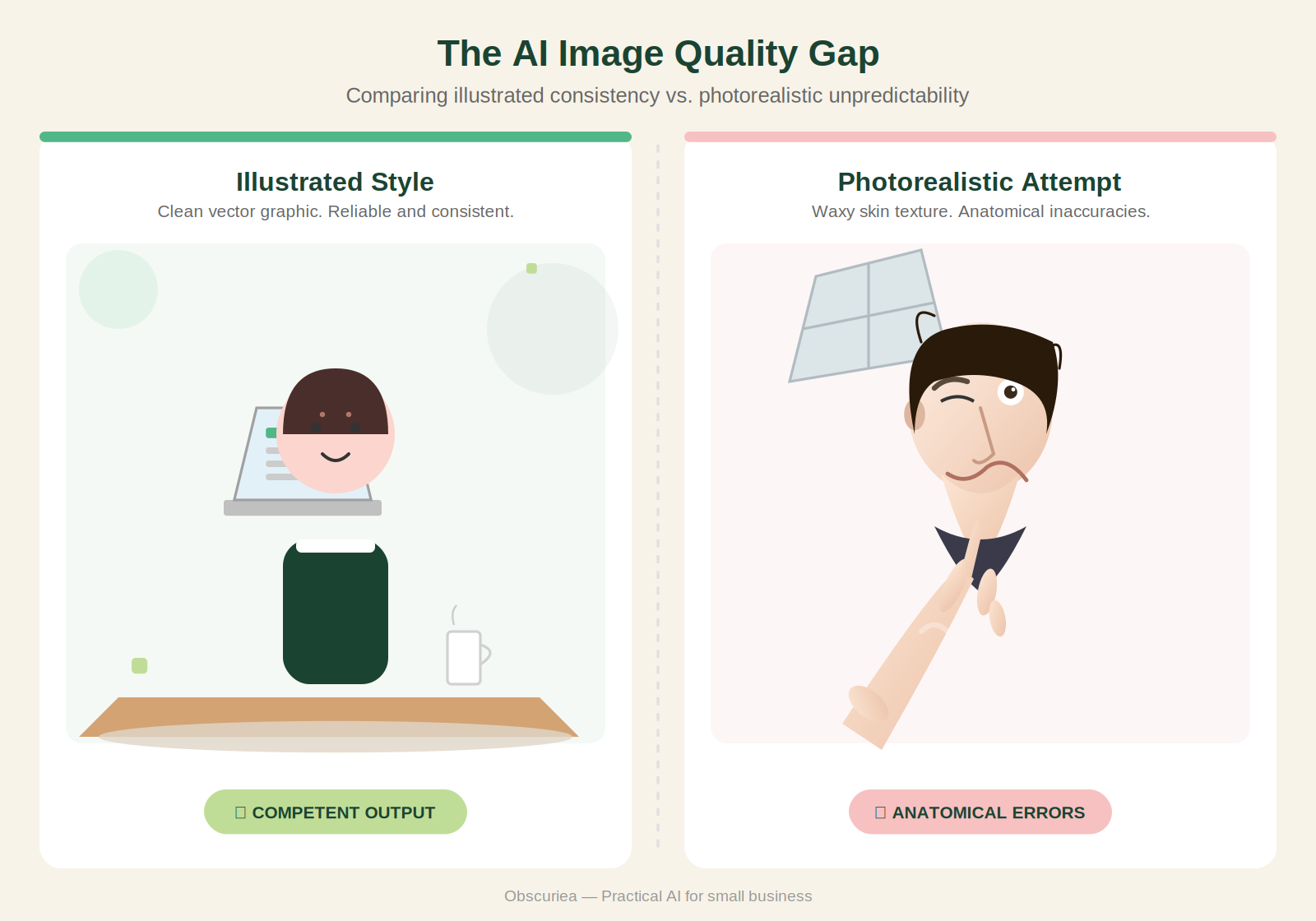
Tested across four style categories: photorealistic, illustrated, watercolor, and flat graphic. Results varied significantly by category.
Flat graphic and illustrated styles — functional. Output quality is sufficient for social media headers, blog featured images, and internal presentation slides where photographic accuracy is not required. Generation time averaged 8–12 seconds per batch of four images. Style fidelity in the cartoon and illustrated categories was consistent with the prompt in roughly 60–70% of cases.
Photorealistic output — not production-ready. Human faces generated with consistent anatomical errors: asymmetrical features, unnatural skin textures, and lighting that does not correspond to the described scene. Hands remained a documented failure point across all photorealistic test prompts. This is not a Canva-specific problem — it is a known limitation of current diffusion models — but Magic Studio offers no workaround or alternative pipeline for users who need photorealistic output.
Brand-specific generation — tested by providing detailed color hex codes, style descriptors, and explicit brand vocabulary in prompts. The AI did not apply hex-specific color values. Output defaulted to its own interpretation of the described aesthetic. For businesses with defined brand guidelines, this makes Magic Media unreliable for any client-facing or brand-consistent asset.
Iteration control — there is none. Unlike conversational AI tools where you can make targeted refinements, Magic Media operates on a full-regeneration model. Every adjustment requires a new prompt and a new credit draw. This is the single most significant operational limitation for professional use.
Magic Write: AI Copy Generation
Tested for: social media captions, presentation slide copy, and short email subject lines.
For content under 100 words — social captions, bullet point copy, headline variations — Magic Write produces usable first drafts approximately 50% of the time. The other 50% requires enough rewriting to eliminate the time savings. Output tone defaults to marketing-generic. Sentence structure is uniform. It reads like copy generated by an AI that was trained on marketing copy, which is exactly what it is.
For anything requiring brand voice consistency, technical accuracy, or content longer than a paragraph, Magic Write is not a reliable drafting tool. It has no memory of previous generations, no style guide input mechanism, and no way to train it on your specific voice or terminology.
Magic Design: Template Generation
Functional within clear constraints. Give it a low-specificity prompt — “birthday party invitation,” “quarterly sales presentation,” “social media announcement” — and it returns 6–8 template options that are visually competent. Colors and layout are coherent. This is genuinely faster than building from scratch or scrolling through Canva’s manual template library.
The limitation appears when brand requirements enter the picture. Generated templates use Canva’s own font and color defaults. Applying brand fonts, colors, and logo placement still requires manual editing after generation. For an operator who uses Canva’s Brand Kit feature, Magic Design does not automatically pull from stored brand assets. The integration gap is significant.
Magic Switch and Magic Edit Tools
Magic Switch (format conversion) tested between presentation-to-document and social-post-to-email-header. The conversions are functional but require layout cleanup. Content is preserved; formatting is not. Treat it as a rough conversion, not a finished output.
Magic Eraser and Magic Expand performed above average for quick photo edits. Background removal was clean in 8 out of 10 test images. Object erasure on simple backgrounds worked without visible artifacts. Magic Expand produced inconsistent results — acceptable on natural scenes, poor on product photography with defined edges.
Where Canva Magic Studio Breaks Down
These are documented failure conditions under commercial use testing, not edge cases.
Complex prompt following — Magic Media cannot reliably execute multi-element prompts. “Two people shaking hands in front of a modern office building at sunset” produced three versions where the handshake was absent and one where the architecture was unrecognizable as an office building.
Brand consistency across multiple assets — generating a coordinated set of five social media posts required manual color and layout adjustment on every single output. There is no lock-style function.
High-volume production — credit depletion on the Pro tier under heavy use (15+ image generations per day) will exhaust the monthly allowance within roughly two weeks, based on testing pace.
Technical or regulated content — Magic Write generated factually incorrect statements in two out of three tests involving specific industry terminology. Do not use for healthcare, legal, financial, or technical content without full human review.
Video generation — Magic Media video output is capped at approximately 4 seconds in testing, renders at low resolution by current standards, and is not suitable for any client-facing video content. Tools like [Runway ML](https://runwayml.com) offer significantly more capable video generation if that is your primary requirement.
The Friction Box
- Credit system is not transparent — exact monthly limits are not published clearly, and every failed generation counts against your balance
- No iterative refinement on image generation — full regeneration required for any change, burning additional credits each time
- Photorealistic image quality does not meet commercial production standards as of Q1 2025
- Magic Write has no brand voice input mechanism and no memory between sessions
- Magic Design does not auto-apply Brand Kit assets — manual correction required after every template generation
- Free tier is effectively a trial with a lifetime credit ceiling, not a functional operating tier
- Video output is limited in duration and resolution — not suitable for professional video content
- No brand color enforcement in image generation despite hex code input in prompts
The Straight Talk
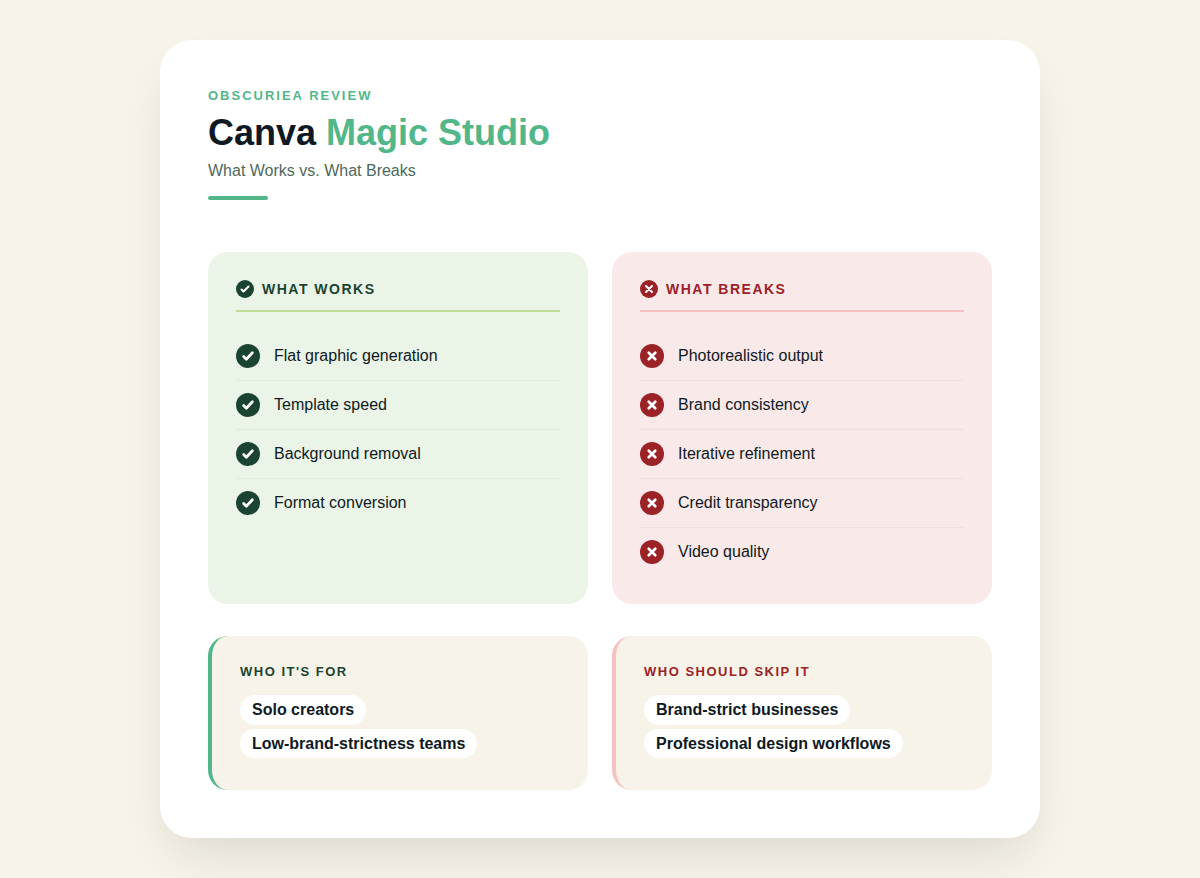
Magic Studio is the right tool for small teams and solo creators producing templated content at volume — social posts, internal presentations, blog headers — where brand strictness is low and speed matters more than precision. If your design workflow is 80% “I need something that looks decent by end of day,” Magic Studio will handle that workload without requiring a designer.
If you are running a business with defined brand guidelines, producing client-facing creative assets, or expecting photorealistic image output that clears a professional bar, Magic Studio will not replace your graphic designer. It will produce a first draft that your designer then corrects. That is a time-save, not a replacement.
Before subscribing to Pro for the AI features specifically, run a free tier test with your five most common design tasks. If 50% of the output is usable without significant editing, the Pro plan pays for itself. If you are rewriting and redesigning every output, the credit cost and editing time make it a net neutral at best.