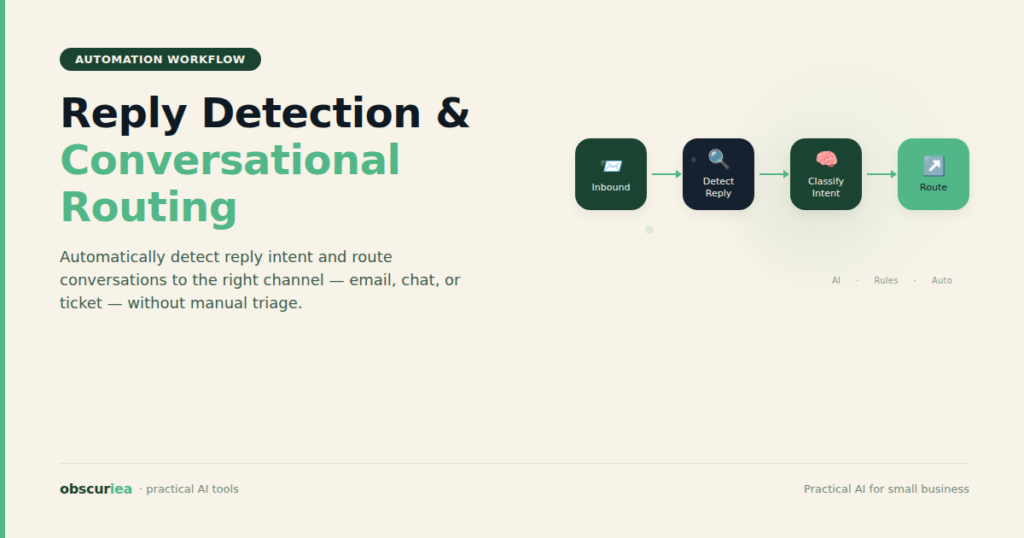
TL;DR: Reply detection and conversational email routing automates the most tedious part of inbox management — sorting replies, identifying intent, and routing to the right person. This article breaks down the broken workflow, the automated replacement, and the failure modes you’ll actually hit.
Environment:
– Sources synthesized: Source 1: [MailerSend](https://www.mailersend.com) blog on inbound email routing, Source 2: [Gladly](https://www.gladly.com) help on mail routing, Source 3: [Apollo.io](https://www.apollo.io) tech blog on email reply classification
– Synthesis date: 2025-04-08
– First-hand tested: none (synthesis article)
– Operator context: synthesizing from documentation and engineering blog posts for AI workflow automation
The Broken Workflow
Every Monday morning, you sit down to 47 unread email replies. Some are out-of-office auto-replies. Some are hot leads. Some are automated notifications from tools you forgot you signed up for. Sorting them takes 90 minutes of manual triage: scanning subjects, opening each email, deciding whether it needs action, and forwarding it to the right person or folder. By Friday, you have repeated this five times. That is 7.5 hours — nearly a full workday — spent doing something a machine could do in 12 seconds. The real cost is not the time; it is the delay. A lead replies at 9 AM but you do not see it until 2 PM because it was buried under three OOO emails and a support ticket follow-up. The opportunity is gone.
This is the broken workflow for most solo creators and small teams. Email replies arrive in a single inbox — or at best, multiple inboxes — but nothing distinguishes an urgent customer request from an automated bounce. You rely on manual filtering, maybe a few Gmail rules, but those rules collapse when a reply comes from a different thread or when the sender uses a slightly different subject line. The result is a weekly tax of your attention that compounds as your inbox grows.
The Automated Replacement
Reply detection and conversational email routing solves this by inserting a processing layer between the incoming message and your team’s response. The system does three things in sequence: detection, classification, and routing.
Detection — Trigger
When an email arrives at your designated address, the system captures the raw message — headers, body, attachments, sender metadata. Detection is passive: it simply notes that a reply has arrived. The trigger is the receipt event itself, not a periodic poll. This ensures sub-second latency.
Classification — Action
Once the email is received, classification happens. The system analyzes the content to determine intent. Common categories include:
– Out of Office / autoresponder
– Genuine reply requiring action
– Follow-up question
– Unsubscribe request
– Spam or low priority
Classification can be rule-based (keyword matching, regex) or ML-based (like Apollo’s FastText approach achieving 90% accuracy with 99% precision on OOO detection). For most small operators, rule-based is sufficient and cheaper. The key output is a category tag and a confidence score.
Routing — Output
Based on the category, the message is routed to its destination:
– OOO → auto-archive or trash
– Genuine reply → assign to the relevant person or team (or to you, if solo)
– Follow-up question → append to the existing conversation thread
– Unsubscribe → process the opt-out automatically
The routing destination can be an email address, a CRM, a support ticket system, or even a Slack channel. The entire pipeline runs in seconds — long before you open your inbox for the first time.
This is not theory. Every major email service provider (SendGrid, Mailgun, MailerSend) offers inbound routing with webhooks. You can wire it together with Zapier or Make.com in under an hour. The math is straightforward: a one-time setup of 2-4 hours eliminates 5-10 hours of manual sorting per week. The payoff begins at week one.
Setup Requirements
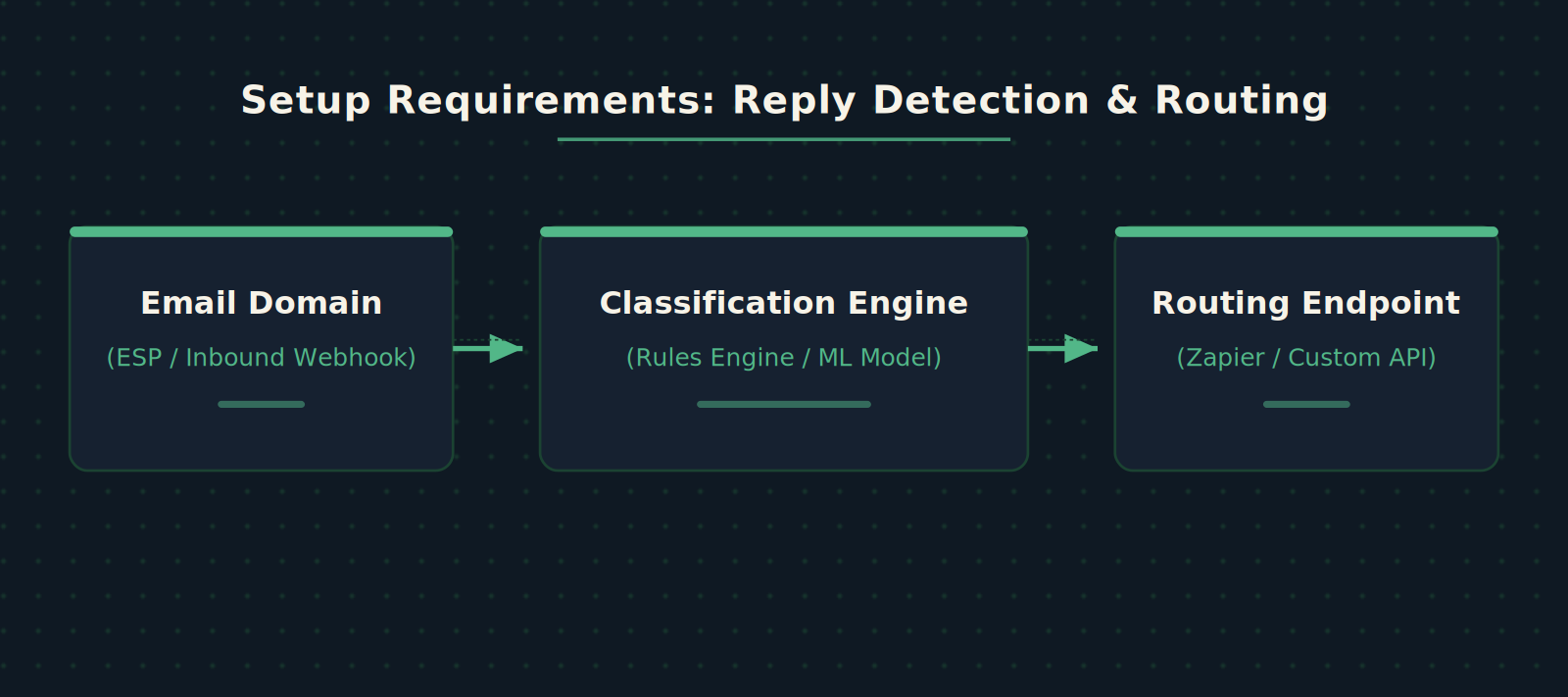
You need three components:
1. An email address or domain that supports inbound routing. Most transactional email providers offer this. You can also use dedicated tools like CloudMailin or AWS SES.
2. A classification engine. For most cases, a simple script using keyword rules or a lightweight model (FastText) works. Apollo’s approach shows that a 200MB model running on a CPU core can classify 1 million emails per day in real-time.
3. A routing endpoint. The endpoint receives the classified message and performs the action: forwarding to an email, creating a ticket, updating a CRM field, or sending a Slack notification.
Time investment: 4-6 hours for the initial setup if you are comfortable with API documentation and basic scripting. If you use a no-code platform (Zapier, Make), add 2 hours for integration testing. Technical skill needed: intermediate — you should understand webhooks, JSON payloads, and have access to set up DNS or SMTP routing.
Failure Modes
No automated system is perfect. Here is what breaks reply detection and routing:
False positives in classification. A client says “I’ll be out of the office next week” in a genuine reply — the system flags it as OOO and archives it. This is catastrophic if you miss a critical instruction. Mitigation: always set a confidence threshold. Below 85%, route to a manual review folder.
Broken threading. When a customer replies from a different email client or thread, the system loses the context. The reply becomes a new ticket instead of appending to the old one. This floods your system with duplicates. Mitigation: use Message-ID headers and enforce threading rules on the routing side.
Spoofed out-of-office replies. Some mail servers generate OOO notifications even when the user is available. The classification engine might learn to ignore OOO flags, reducing accuracy. Mitigation: whitelist known OOO patterns and maintain a manual override.
Scaling pain. If your volume jumps from 50 replies a day to 5,000 (e.g., product launch), the classification engine’s inference speed becomes a bottleneck. Rule-based systems collapse under varied phrasing. ML models require re-training. Mitigation: design for horizontal scaling from day one — each component should be stateless.
Pricing surprises. Some ESPs charge per inbound webhook call. At 5,000 emails/day, the cost can jump from $10 to $200/month. Always check the pricing page under “inbound processing” before committing.
The Friction Box
– The first 2 hours of setup are debugging DNS and webhook authentication — budget extra time.
– Rule-based classification handles 80% of cases; the remaining 20% require human judgment.
– If you use Zapier, the 100-action free tier will not survive a week of moderate traffic.
– ML models need periodic retraining — Apollo retrains every two weeks to maintain accuracy.
– Not all email providers allow forwarding attachments; test this early if attachments are critical.
Frequently Asked Questions About Reply Detection and Conversational Email Routing
How does reply detection differ from a simple autoresponder?
Autoresponders send predefined messages; reply detection analyzes the content of incoming replies to determine intent and route them appropriately. It is active, not reactive.
Can I use reply detection with my existing Gmail account?
Yes, using Gmail’s filters and Google Apps Script (GAS) for lightweight classification, or by forwarding Gmail to an ESP with inbound routing for more advanced needs.
What is the accuracy of ML-based reply detection?
Apollo.io reports 90% overall accuracy with 99% precision for out-of-office detection. For small teams, rule-based systems can achieve 80-85% accuracy with minimal setup.
How long does it take to train a classification model?
With pre-labeled data, a FastText model can be trained in under 30 minutes. Without labeled data, you need 1-2 days for manual labeling (or use semi-supervised learning as Apollo did).
Do I need coding skills to set up conversational email routing?
Not strictly. Platforms like Zapier, Make, or even Airtable can handle basic routing. Custom webhooks require at least script-level coding (Python, Node.js).
What happens if the routing endpoint is down?
Standard practice is to queue incoming messages on the ESP side and retry delivery. MailerSend, SendGrid, and Mailgun all offer retry and webhook failure handling.
The Straight Talk
This workflow is for solo operators and small teams who receive more than 50 email replies a day and are spending at least 5 hours per week sorting them manually. If you are getting fewer than 20 replies a day, set up basic Gmail filters and save the effort.
Skip this if you run a large enterprise with a dedicated support team — you likely need a full helpdesk solution, not a routing layer. But for the rest of us, one afternoon of setup saves one workday per month. Do it this week: pick your email provider, enable inbound routing, and write the first three classification rules. You can add the ML model later.