TL;DR
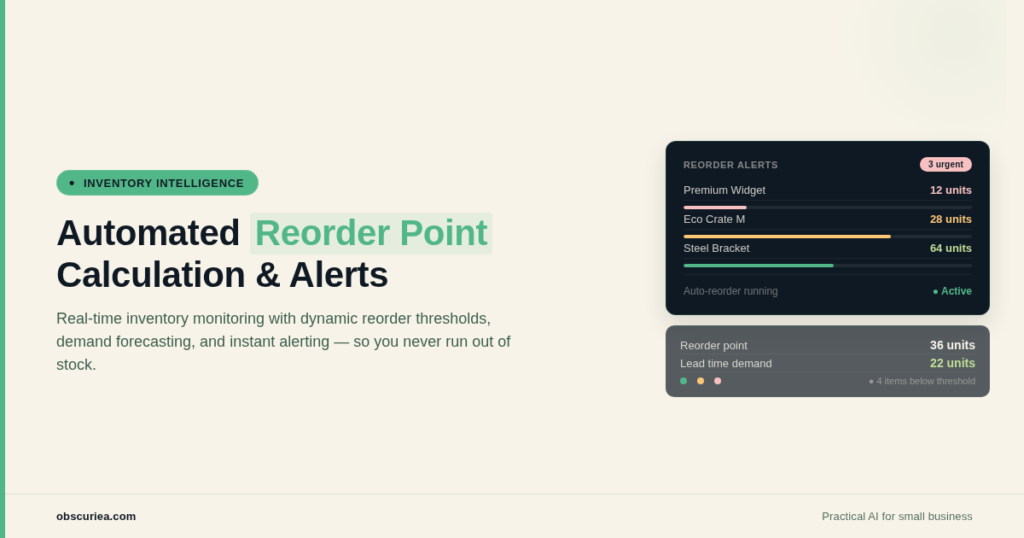
Manual reorder point calculations break when your catalog grows past 50 SKUs. Automated systems that dynamically recalculate based on real-time sales velocity and lead time variability are the only sustainable way to avoid stockouts and overstock as you scale. This article lays out the architecture, cost math, and failure points of implementing automated reorder point calculation for growing catalogs.
Last updated: May 14, 2026
Automated reorder point calculation for growing catalogs uses live sales velocity and lead time data to dynamically recalculate reorder points daily or weekly, replacing manual monthly updates that break past 50 SKUs. It prevents stockouts and overstock by catching demand shifts within 24 hours, but requires careful handling of stale data, lead time variability, new SKU ramp-up, MOQ conflicts, and seasonality.
Environment
- Sources synthesized: 4 URLs covering reorder point fundamentals
- Synthesis date: [date]
- First-hand tested: general operational expertise in ecommerce inventory management for catalogs of 100–500 SKUs
- Operator context: mid-market ecommerce operations with hands-on experience in spreadsheet-based and automated reorder systems
The Architecture
You know the reorder point formula cold: (Average Daily Sales × Lead Time) + Safety Stock. Every source you read will give you that. What none of them tell you is that plugging fresh numbers into that formula for 200 SKUs every month is a job you will hate before the second cycle. And if you are growing, you cannot rely on static numbers from three months ago because your sales velocity has shifted, your supplier lead times are noisier, and your catalog keeps expanding.
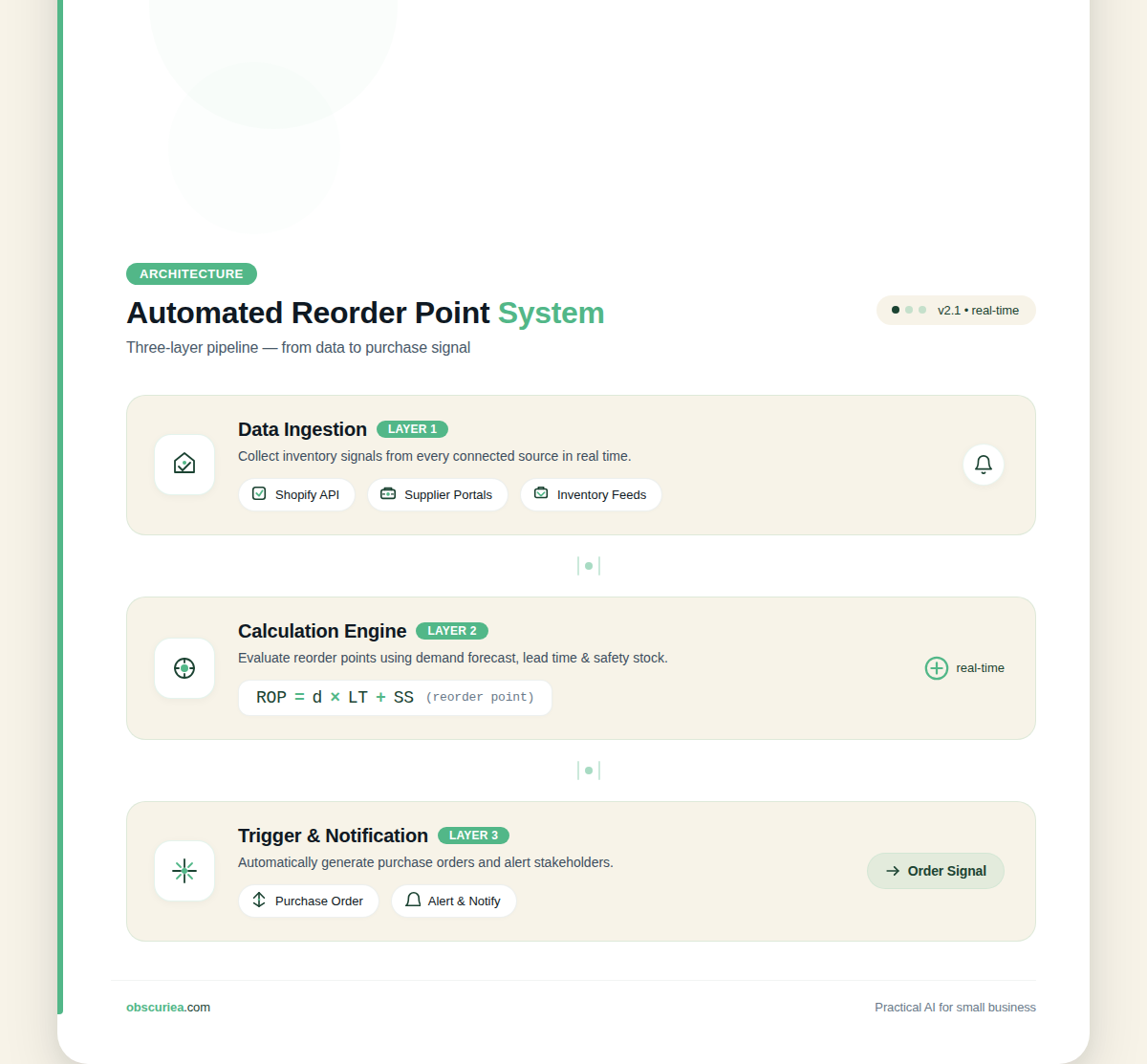
An automated reorder point system does not just store a number. It recalculates that number on a regular cadence—daily, weekly, or rolling—using live data from your sales platform and supplier records. At its core, the architecture has three layers:
- Data ingestion – pulls daily sales per SKU, current lead time per supplier, and stock levels from your ecommerce platform (Shopify, WooCommerce, or API-driven ERP)
- Calculation engine – applies the formula per SKU, but with parameters you set (lookback window for sales average, safety stock formula variant, minimum order quantity rules)
- Trigger and notification – fires a purchase order alert (or auto-places one) when on-hand stock crosses the computed reorder point
The math here is straightforward. The set of decisions you make about how the engine runs is where the real complexity lives.
The Workflow Math
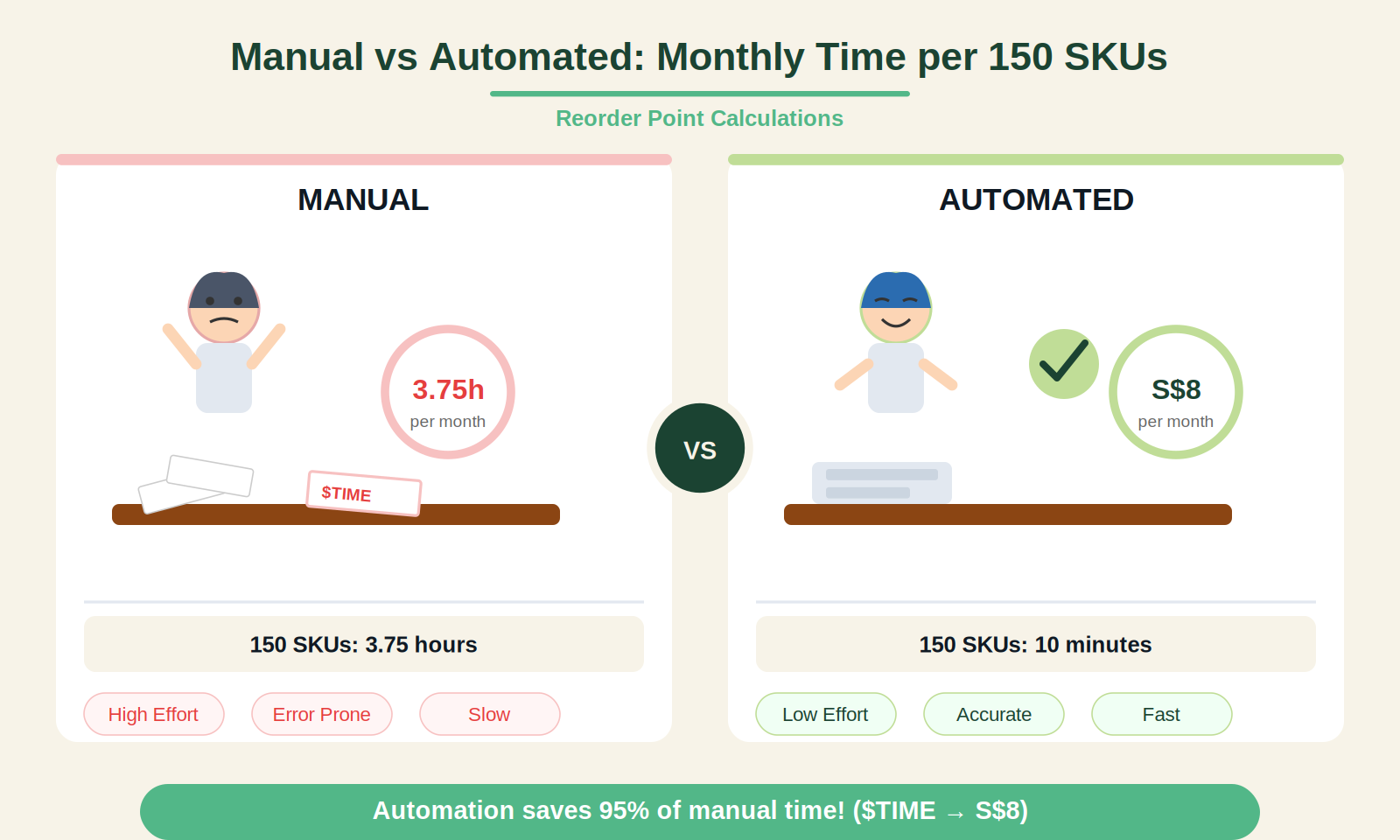
Let’s put numbers on the difference between manual and automated. Assume you manage 150 SKUs, each requiring a monthly reorder point recalculation.
| Step | Manual (monthly) | Automated (daily) |
|---|---|---|
| Export sales data per SKU | 30 minutes | 0 (pulled by API) |
| Calculate average daily sales per SKU | 45 minutes | 0 (engine computes) |
| Verify current lead times per supplier | 20 minutes | 0 (supplier portal integration) |
| Compute safety stock per SKU | 60 minutes | 0 (model runs) |
| Apply formula and update spreadsheets | 40 minutes | 0 (database update) |
| Check thresholds and trigger orders | 30 minutes | automated alert |
| Total monthly | 3.75 hours | ~10 minutes of oversight |
That 3.75 hours per month is the cost of operating a static system. When your catalog grows to 500 SKUs, manual time scales linearly to 12.5 hours. The automated system’s oversight time barely moves—maybe 15–20 minutes for exception handling.
The real killer is not the time. It is the delay between a demand shift and your next calculation cycle. If sales double on a SKU in week two of a monthly cycle, your static reorder point is wrong for 18 days. An automated system that recalculates daily catches that shift inside 24 hours.
Where It Breaks
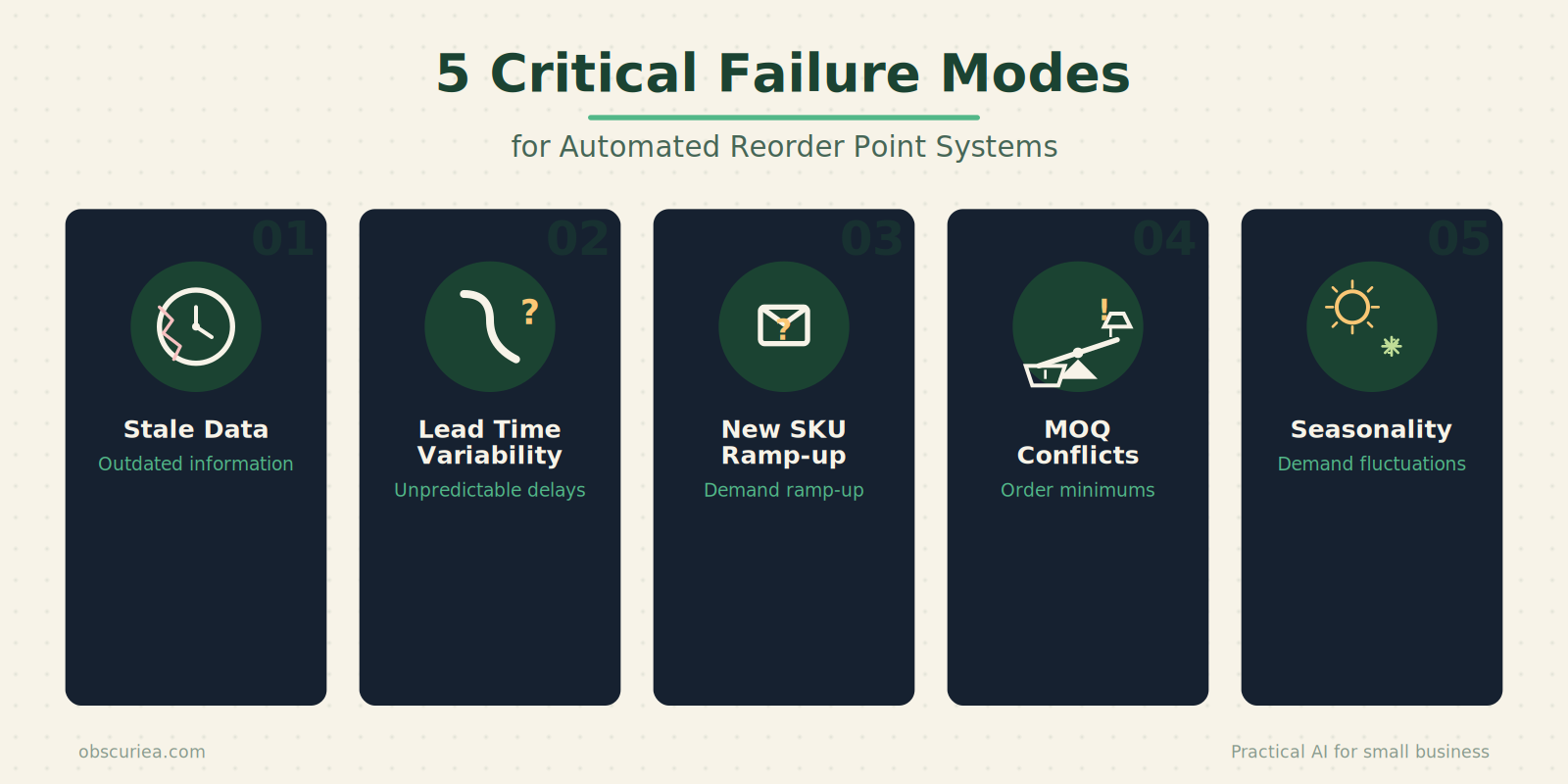
Automated automated reorder point calculation sounds like a set-it-and-forget solution, but it has sharp edges. Here is where it breaks in practice.
Stale data in, stale forecasts out. If your sales platform does not push updated inventory levels in real time, the calculation engine works on yesterday’s truth. Common culprits: batch syncs that run every 12 hours, manual inventory adjustments that never get entered, returns that sit in a “pending” bucket.
Lead time variability you cannot predict. A supplier quoted you 10 days. Then they changed factories. Now it’s 18 days, but they did not tell you. Your safety stock formula assumed a maximum of 15 days. The automated system recalculates based on historical actuals, but if the new lead time has not been observed yet, it uses the old number. Your buffer is gone.
Catalog additions break the baseline. You add a new SKU. No sales history exists. The system has no average daily sales to compute a reorder point. If you assign a placeholder value, you either over-order (waste) or under-order (stockout). Many automated systems handle new products poorly—they need a ramp-up period before the formula is meaningful.
Minimum order quantity (MOQ) conflicts. The formula says reorder point is 40 units. But your supplier’s MOQ is 100 units. You cannot order 40. If the system triggers a PO at the 40-unit threshold, you order 100. That doubles your on-hand stock. The reorder point is still 40, so the system immediately flags you as overstocked. The math breaks unless you build an MOQ override into the logic.
Seasonality tricks the average. The formula uses a 90-day moving average. That works fine for steady sellers. But a product that sells 10 units per day in Q4 and 2 units per day in Q1 will have a reorder point that is wrong for half the year. You need separate seasonal profiles, and most off-the-shelf systems do not offer that without custom configuration.
The Friction Box
- Manual recalculations do not scale beyond 50 SKUs without dedicated staff time
- Static reorder points cause stockouts or overstock during demand shifts
- Lead time changes from suppliers are rarely communicated proactively
- New SKUs have no sales history, so the formula cannot initialize
- MOQ conflicts break the trigger logic unless explicitly handled
- Seasonal products require separate profiles that many systems lack
- Data freshness depends on platform sync cadence—slow syncs = outdated ROP
Frequently Asked Questions About Automated Reorder Point Calculation
How often should I recalculate reorder points for a growing catalog?
Daily recalculation is ideal for catalogs with 100+ SKUs and variable demand. For smaller catalogs with stable demand, weekly recalculations are sufficient. The key is to match the recalculation frequency to your demand volatility—not your calendar convenience.
What is the best software for automated reorder point calculation?
Tools like Skubana, Ordoro, and Zoho Inventory offer automated ROP calculation. For Shopify stores, apps like Stocky or TradeGecko (now QuickBooks Commerce) integrate directly. Choose based on your catalog size and integration depth needed.
Can I use a spreadsheet with macros to automate reorder points?
Yes, up to about 100 SKUs. A Google Sheets macro pulling data from Shopify API can automate the formula. But it lacks real-time triggers and scalability constraints. Beyond 100 SKUs or 3+ suppliers, dedicated software is more reliable.
How do I handle reorder points for new products with no sales history?
Start by assigning a conservative reorder point based on similar existing products or a 30-day demand projection from pre-orders. After 30–60 days of data, switch to the formula-driven automation. Do not skip the ramp-up period.
What safety stock formula is best for automated calculations?
The base formula (Max Daily Sales × Max Lead Time) – (Avg Daily Sales × Avg Lead Time) is a good starting point. For automation, consider using a statistical formula with standard deviation for higher accuracy, but only if your system can handle the complexity.
The Straight Talk
This system is for operators running catalogs of 100+ SKUs where the cost of a stockout or overstock is measurable and painful. If you manage fewer than 30 SKUs with stable demand, a spreadsheet with monthly updates still works—do not over-engineer. If you run a seasonal business, do not implement a simple 90-day moving average automation; you will bleed money. The next concrete action: audit your current catalog size and lead time variability. If you have 50+ SKUs and at least one supplier with lead time swings of 5+ days, start evaluating automated reorder tools (e.g., Skubana, Ordoro, or custom API scripts). For more on scaling inventory operations, see our guide to ecommerce inventory management and learn how safety stock calculations can be automated.