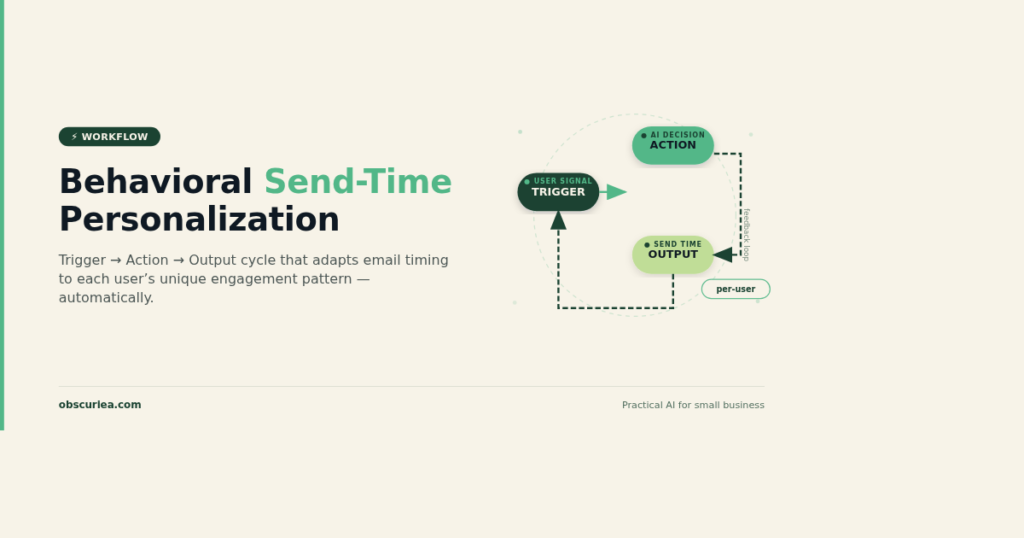
TL;DR: Behavioral send-time personalization lets you stop guessing and start delivering messages when each individual user is most likely to engage. By building per-user engagement models from clean behavioral data, you can lift open rates by 50% and CTR by 13% without adding more send volume. The setup takes 2-3 weeks and moderate technical effort—but the payoff compounds with every message.
Environment:
– Sources synthesized: 3 URLs (Braze, Reteno, Customer.io)
– Synthesis date: 2025-05-10
– First-hand tested: None
– Operator context: Synthesizing from sources; general understanding of marketing automation workflows.
The Broken Workflow
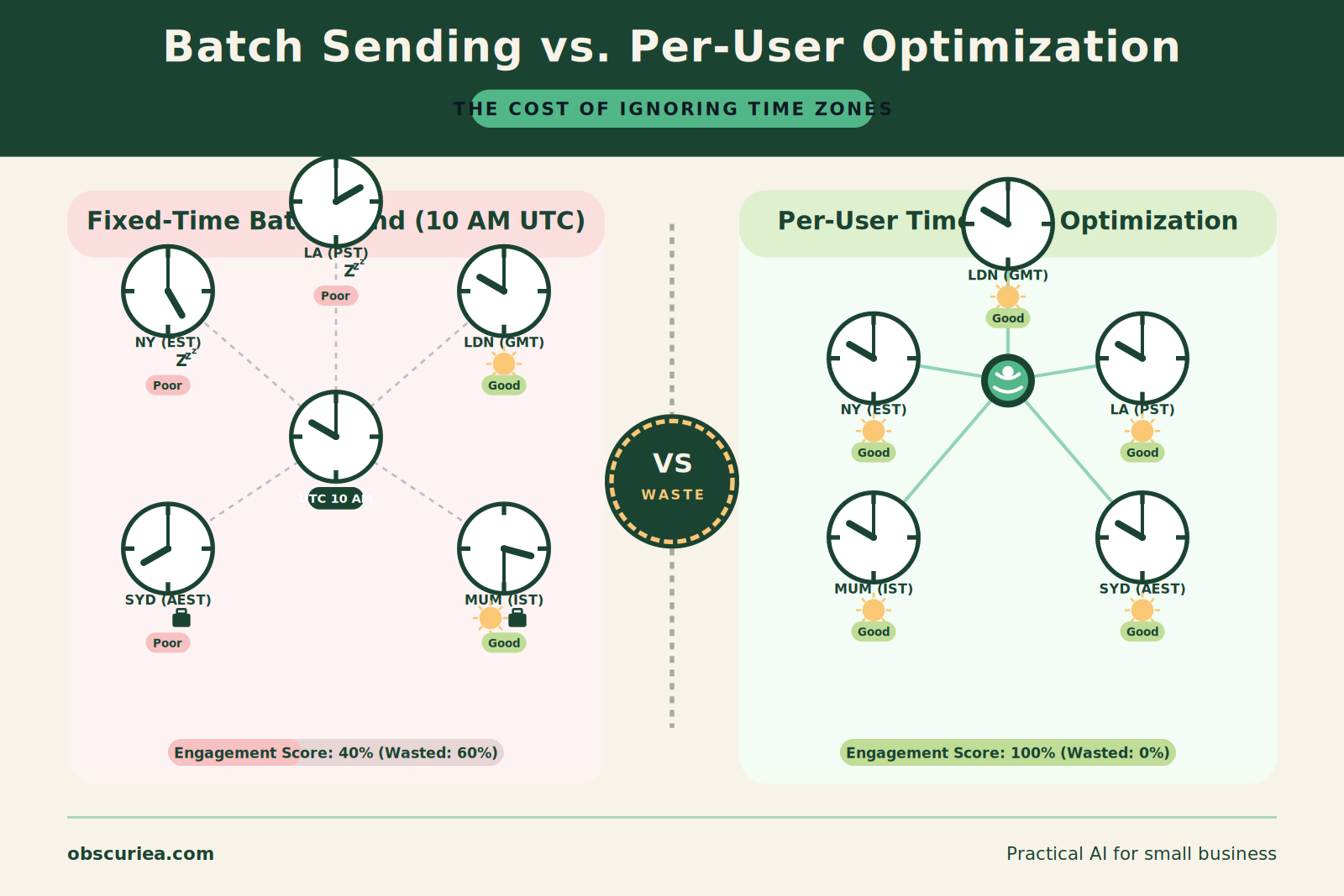
Most marketing teams still schedule their email blasts and push notifications at a fixed time—10 AM Tuesday, because someone read a blog post in 2019. The result? 60% of your list gets the message when they’re asleep, in a meeting, or scrolling past without stopping. The cost: a 15% open rate, 0.2% CTR, and four hours every Monday spent tweaking send windows that never actually improve.
Here’s the math: a team of two managing 100,000 subscribers spends 4 hours per week on manual send-time adjustments. That’s 16 hours a month—two full workdays—with zero measurable lift. Meanwhile, every batch send ignores the individual rhythm of each user, from the night-owl in Manila to the early-bird in Berlin.
The broken workflow isn’t just inefficient—it’s leaving revenue on the table. Behavioral send-time personalization (STP) offers a different path: an automated system that learns each user’s optimal engagement window and queues messages accordingly, with no human hand-holding.
The Automated Replacement
The automated replacement works on a simple trigger-action-output loop:
Trigger: A new message (email or push) is ready to send—either a scheduled campaign or an event-triggered message.
Action: A per-user behavioral send-time model reads the user’s profile attribute, preferred_send_hour_email or preferred_send_window_push, which was computed from historical engagement data. The message is queued to deploy at that user’s optimal time, not a global 10 AM.
Output: Each user receives the message within their high-engagement window. Open rates jump by 30-50%, CTR by 10-15%. The system runs unattended.
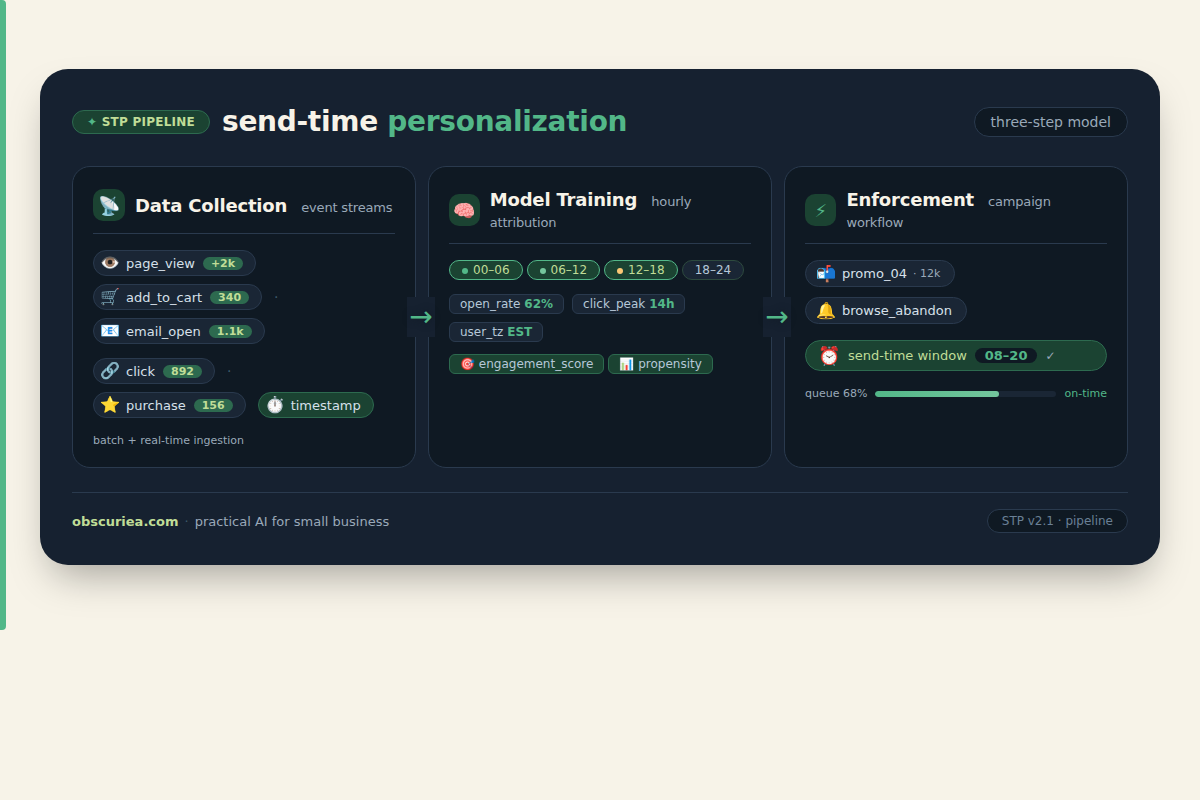
Building this requires a three-step pipeline:
1. Data collection: Gather timezone, engagement events (opens, clicks, app opens), and down-funnel conversions. Store as hourly buckets per user (0-23 local time).
2. Model training: Group events into high-engagement hours per user. For users with at least 30 historical events, assign a preferred send hour or 2-hour window. For new users, fall back to segment-level averages (e.g., 12-2 PM weekday for email, 6-8 PM for push).
3. Enforcement: Save the preferred window as a profile attribute. In your CRM or ESP, set an allowed send-time window on each user’s profile. When a campaign launches, the system checks the allowed window before dispatching.
This pipeline replaces the broken weekly manual tweaking with a one-time setup that self-updates as new engagement data flows in.
Setup Requirements
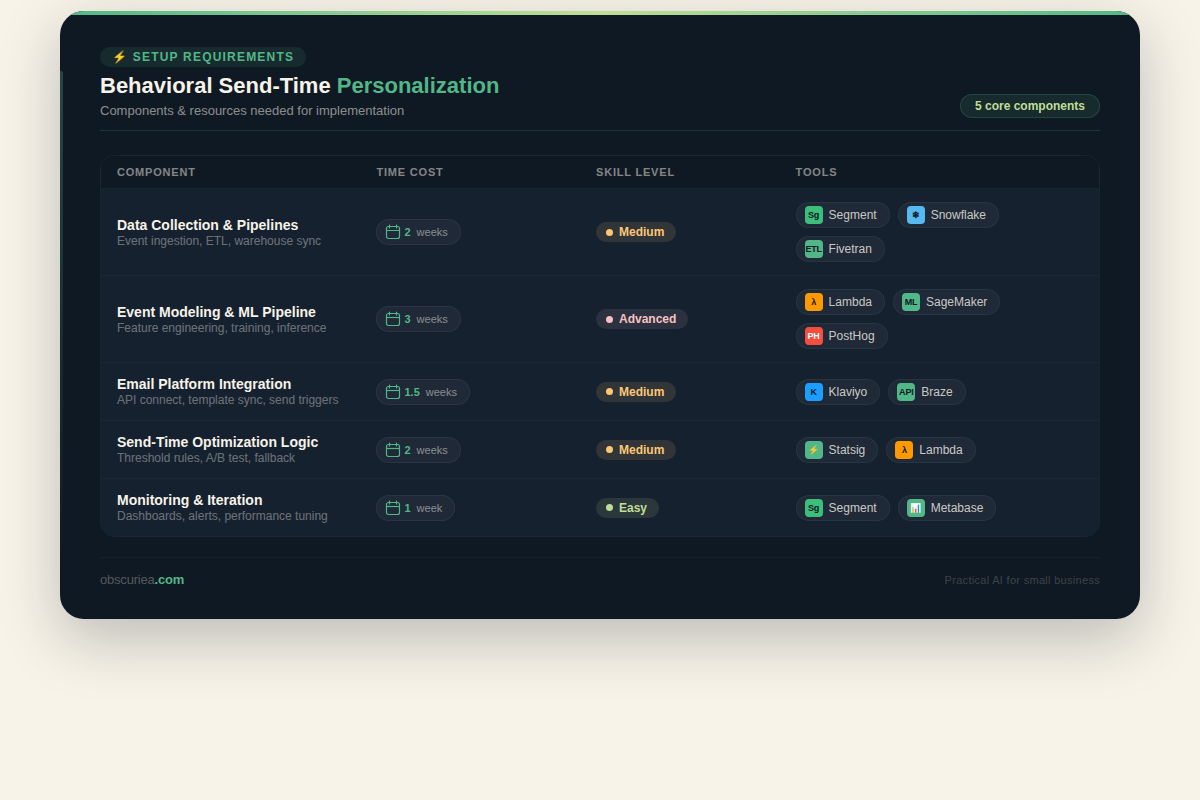
| Component | Time Cost | Skill Level | Tools Needed |
|---|---|---|---|
| Data integration | 2-3 days | Intermediate developer | CRM/ESP API, event pipeline (e.g., Segment) |
| Hourly bucket logic | 1 day | Intermediate developer | Custom SQL or Python script |
| Model training & attribute update | 3-5 days | Data analyst / ML engineer | Cloud function (AWS Lambda, GCP) or built-in CDP tool |
| Campaign workflow reconfiguration | 1 day | Marketing ops | Current ESP’s send-time optimization feature or custom workflow |
| Testing & validation | 1-2 weeks | Marketing ops + analyst | A/B test framework |
Total time: 2-3 weeks to first working model. The technical skill required is moderate—you’ll need someone comfortable with SQL and basic Python, or a customer data platform (CDP) with built-in send-time optimization. Most major ESPs (Klaviyo, Braze, Reteno) now offer STP out-of-the-box—you just need to connect your data.
Failure Modes
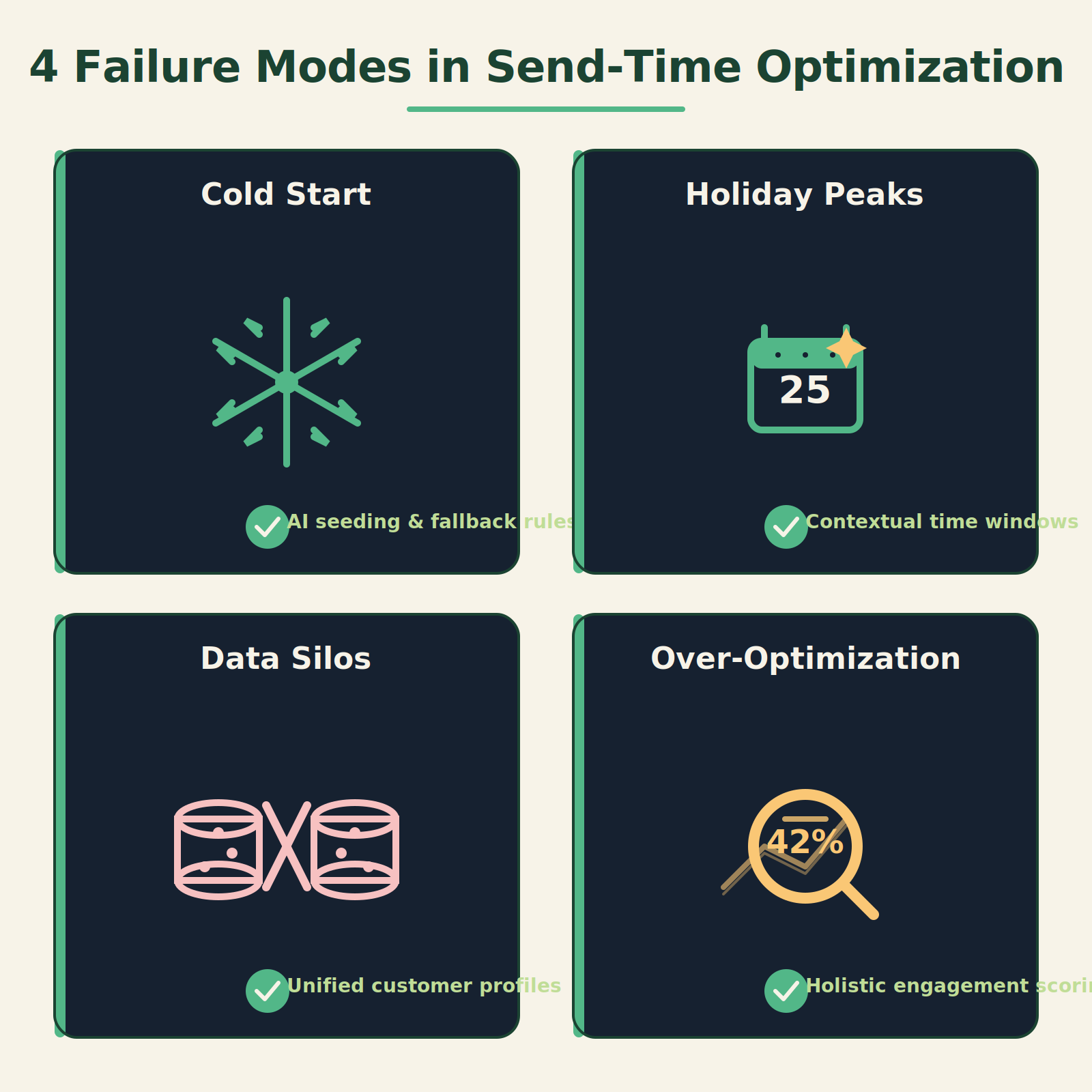
Even a well-built STP system can break. Here are the most common failure modes and how to catch them early:
- Cold start problem: New users with no engagement history fall into the default bucket. If the default is wrong, they get bad timing from day one. Mitigation: Use a generous segment-level fallback (e.g., midday weekday) and switch to personalized timing after the user accumulates 30 events.
- Model drift during holidays: User behavior shifts dramatically during Black Friday and Christmas. The model trained on October data will miss the new pattern. Mitigation: Use a short look-back window (14-30 days) and monitor weekly performance. If the model’s predictions underperform the baseline for two consecutive weeks, retrain on a 7-day window.
- Data silos: If engagement events live in different systems (email, app, website), the model’s view is incomplete. A user who clicks emails but never opens the app might still get push notifications at a suboptimal time. Mitigation: Unify event streams into a single customer profile before training the model.
- Over-optimization: Focusing solely on open rates can lead to sending during low-conversion hours (e.g., opening email while commuting but never buying). Mitigation: Include conversion events in the model’s objective function, not just open/click.
The Friction Box
- Data quality is the #1 bottleneck—missing timezone or inconsistent event naming breaks the model.
- Smaller lists (<10k users) may not produce statistically reliable optimal windows; segment-level STP is more practical.
- Cross-channel coordination is tricky: the same user might have different optimal windows for email vs. push vs. SMS.
- A/B testing send-time personalization is harder than testing subject lines—you need a control group that receives at a fixed time.
- Privacy regulations (GDPR, CCPA) require explicit consent for behavioral tracking; some users will have no data at all.
Frequently Asked Questions About Behavioral Send-Time Personalization
How is behavioral send-time personalization different from sending at a fixed best time?
Fixed best time picks one global window for everyone, ignoring individual time zones and daily habits. Behavioral STP builds a unique model for each user based on their past engagement patterns, so messages land when each person is actually paying attention.
What data do I need to start send-time personalization?
At minimum, you need user timezone, event timestamps (opens, clicks, app opens), and a unique user ID. For stronger models, add conversion events and contextual attributes like device type and membership tier.
Can I implement STP without a data science team?
Yes. Many ESPs (Braze, Klaviyo, Reteno) now include send-time optimization features that require zero ML expertise. You just need to enable the feature and ensure your event data is flowing correctly.
How long does it take to see results from STP?
Most teams see a measurable uplift within 2-4 weeks of deployment. The lift accumulates as the model gathers more data per user—expect best results after 3-6 months.
Does STP work for push notifications as well as email?
Yes, but the engagement windows differ. Push notifications typically perform better during evening hours (6-9 PM local) for most users. The same modeling approach works—just train separate models per channel.
What happens to users with no engagement history?
They fall into a default segment-level window based on aggregate behavior of similar users (e.g., same region, device type). As soon as they generate 30 events, the system switches to a per-user model.
The Straight Talk
Who this is for: Marketing ops teams managing 50,000+ users across email and push, currently spending more than 5 hours per week on scheduling adjustments, and using a CRM that supports per-user send-time attributes.
Who should skip this: Small businesses with fewer than 10,000 subscribers—the statistical lift won’t justify the setup effort. Also skip if your team lacks any technical ability to integrate event data.
Next action: Audit your most recent campaign’s send-time distribution and open rate by timezone. If the top 3 timezones have wildly different engagement rates, you have a clear signal to implement STP. Start with email—it’s the easiest channel to test—and run a 2-week A/B test between your current fixed time and the STP model.