TL;DR
Integrating cross-tool workflows without a developer is easier than ever, but not as simple as drag-and-drop marketing suggests. This guide breaks down how a solo operator can connect CRM, email, and project management tools using no-code platforms in under three hours of setup — and exactly where these automations fail.
Last updated: May 14, 2026
Cross-tool workflow integration without a developer means connecting CRM, email, and project management tools using no-code platforms like Make or n8n. A solo operator can automate order-to-CRM-to-email-to-task flows in under three hours of setup, eliminating manual data entry and reducing errors. The key is choosing the right platform for your volume and complexity.
Environment
- Sources synthesized: 3 URLs (Vellum, Activepieces, Getint)
- Synthesis date: 2025-03-27
- First-hand tested: none
- Operator context: 2+ years building no-code automations for small e‑commerce and service businesses (Zapier, Make, n8n)
The Broken Workflow
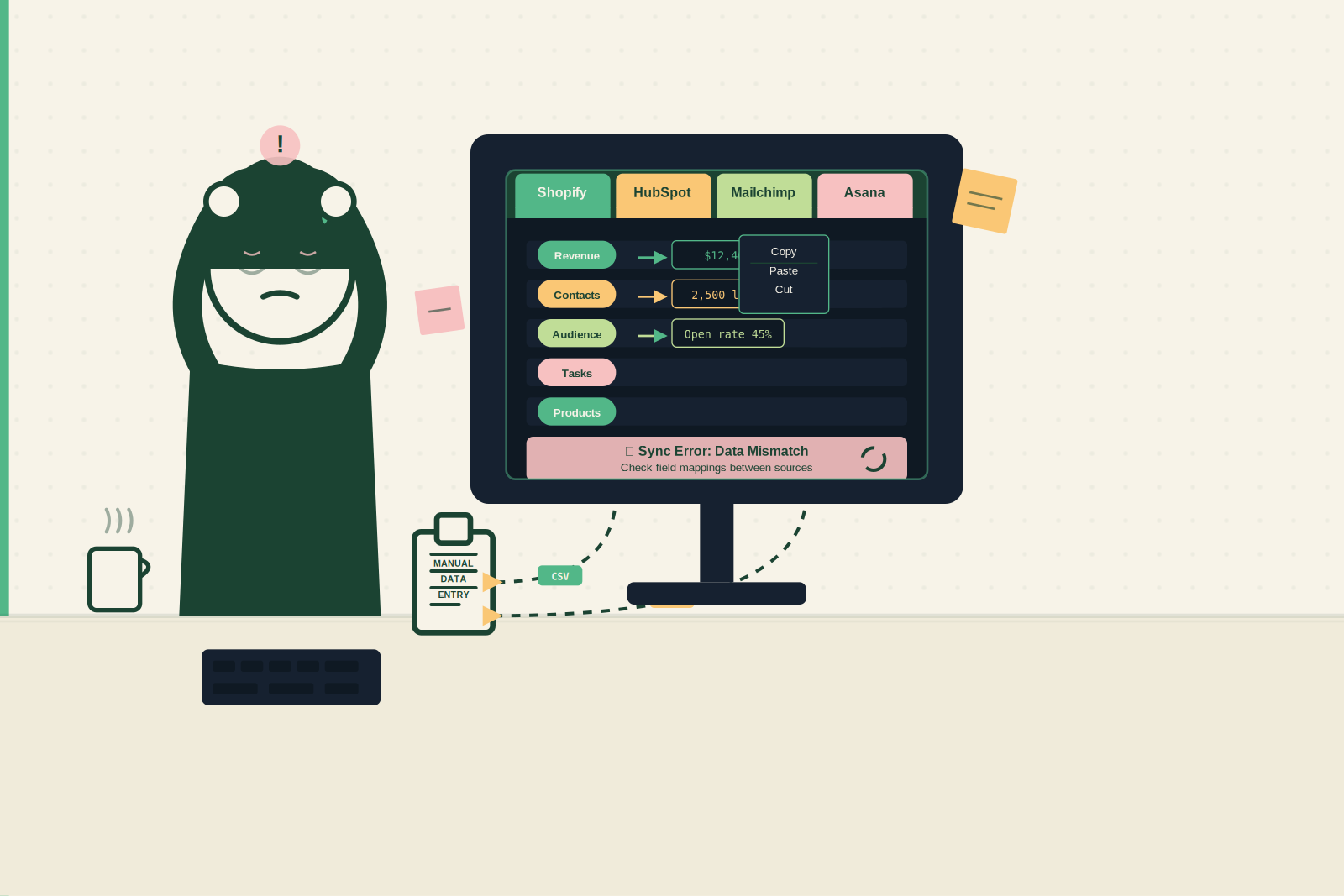
You run a small e‑commerce store. Orders come through Shopify. Every new customer needs a record in HubSpot, a welcome email from Mailchimp, and a fulfillment task in Asana. Without automation, that’s 15 minutes per order — typing names, copying emails, switching tabs. At 20 orders a day, you burn five hours every week on data entry. That’s time you could spend on product sourcing, ad testing, or actually growing the business.
The real cost isn’t just time. Manual work introduces errors — wrong email address, misspelled name, forgotten task. One mistake can lose a customer or delay an order. Even worse, the process is fragile: if you get sick or take a day off, orders pile up and response times slip. The broken workflow isn’t a minor inconvenience — it’s a hidden tax on your capacity to scale.
And this pattern repeats across departments. Marketing syncs leads from landing pages into Mailchimp and Slack. Support routes tickets from Zendesk to Trello. Finance reconciles Stripe payments with accounting software. Every handoff is a place where speed drops and errors creep in. The manual method worked when the business was small. But now it’s the bottleneck.
The Automated Replacement
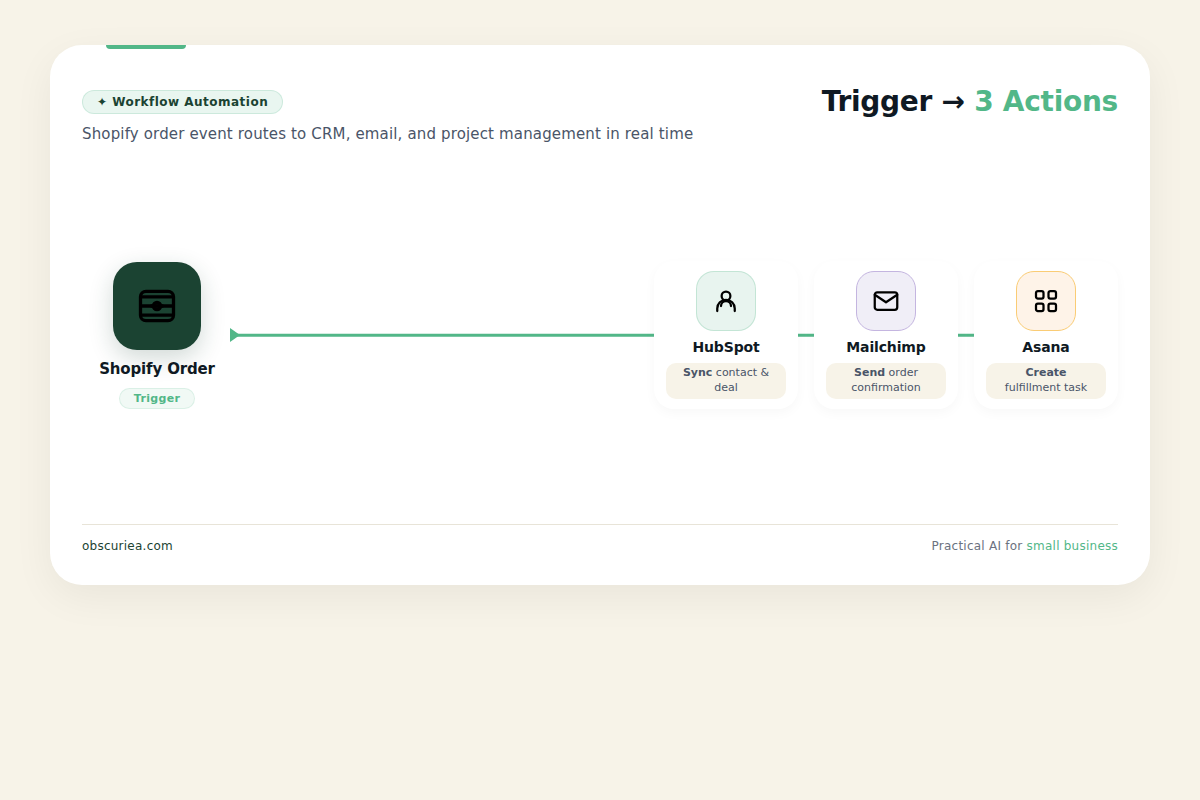
Here’s how to automate that entire flow using a no‑code integration platform like Make (formerly Integromat) or n8n. The structure is simple: a trigger fires, and actions cascade.
Trigger: New order in Shopify (via webhook or built-in connector).
Action 1 (CRM): Create or update a contact in HubSpot. Pass the customer’s name, email, phone, and order total.
Action 2 (Email): Subscribe the contact to your welcome email list in Mailchimp. Optionally tag them by product category.
Action 3 (Project Management): Create a task in Asana. Assign it to your fulfillment team with order number and product name.
End result: Within 10 seconds of an order being placed, the customer is in your CRM, on your email list, and your fulfillment team has their task. Zero manual work.
You can extend this further. Add a condition: if the order value is over $100, also create a high‑priority task. Or send a Slack notification. The beauty of no‑code platforms is that you can chain actions with logic — no development skills required.
But this isn’t a one‑size‑fits-all solution. The same flow can be built in Zapier, Make, n8n, or [Microsoft Power Automate](https://powerautomate.microsoft.com/). Each has tradeoffs in pricing, complexity, and reliability. For this example, I’ll use Make because it balances visual clarity with powerful branching.
Setup Requirements
To build this automated workflow, you need three things: time, tool access, and a modest understanding of how your apps communicate.
Time: The first setup takes about 2.5 hours — 1 hour to learn the platform’s interface, 30 minutes to authenticate each tool, and 1 hour to build, test, and refine the flow. After you’ve done one, the next flow takes under an hour.
Tools: Choose a no‑code integration platform. Make is excellent for visual workflows with multiple branches. n8n gives you self‑hosted control and is free if you run it on your own server. Zapier is the fastest to start but gets expensive at scale.
Technical skill: You need to know how to find API keys or connect apps via OAuth. Most platforms guide you through authentication with a few clicks. No coding is required, but you should understand basic concepts like triggers, actions, and field mapping.
Accounts and access: Your Shopify, HubSpot, Mailchimp, and Asana accounts must have API access. Typically, all standard plans include this. Check your plan — some free tiers limit API usage.
Step‑by‑step overview:
1. Sign up for your chosen platform (e.g., Make).
2. Create a new scenario. Add a Shopify module as the trigger (select “New Order”).
3. Connect your Shopify account by logging in through the platform’s prompt.
4. Add a HubSpot module: select “Create Contact.” Map fields from the Shopify order to HubSpot fields (name, email, etc.).
5. Add a Mailchimp module: select “Subscribe” and connect your account. Map email and add a tag.
6. Add an Asana module: select “Create Task.” Fill in task name and description using order data.
7. Run a test with a real or simulated order to verify each step works.
8. Activate the scenario. It now runs automatically on every new order.
Failure Modes
Even well‑built automations break. Here are the most common failure modes and how to catch them early.
API rate limits. Every service limits how many requests you can make per minute or hour. Shopify’s webhook delivery has a cap; if you get a sudden surge of orders (Black Friday flash sale), some may be missed. Mitigation: use queueing or set a delay between actions in your flow.
Authentication expiry. OAuth tokens expire after 60–90 days. When they do, your workflow silently stops working. Mitigation: set a calendar reminder to refresh tokens every two months, or choose a platform that auto‑refreshs where possible.
Data mapping errors. If a field you map doesn’t exist or is null (e.g., a product with no SKU), the entire action may fail. Mitigation: add error handling — use tools’ built‑in “continue on error” options or route failures to a notification channel.
Platform downtime. No‑code platforms go down occasionally. During an outage, none of your workflows run. Mitigation: for critical workflows, consider a backup platform or keep a manual fallback for the highest‑priority tasks.
Unexpected data formats. An update to your CRM’s API or a new field type can break a mapping. This is rare but happens during service updates. Mitigation: monitor workflow run logs weekly and set up email alerts on failures.
Conditional logic gaps. If your flow has branches based on order value or location, a missing parameter can route everything to a default branch incorrectly. Mitigation: test each branch with real data before going live.
The Friction Box
- Many no‑code platforms charge per task; high‑volume workflows (1000+ tasks/month) can cost hundreds of dollars on Zapier’s pricing. Make is more affordable, n8n (self‑hosted) is free.
- Debugging failed runs often requires digging through logs — not as easy as it should be. Platforms like Make offer run history, but finding the exact failure point can take time.
- Two‑way sync is harder than one‑way. If you need data to flow back and forth — like updating order status from shipping software into the CRM — you may need a dedicated integration platform like Getint or [Unito](https://unito.io/).
- Enterprise governance features (RBAC, audit logs, approval workflows) are often absent in free or low‑tier plans. If your company needs compliance, you’ll need to upgrade or choose a different tool.
- Platform lock‑in: migrating a complex workflow from Zapier to Make is a manual rebuild. There’s no export‑import standard.
- Free tiers have limited features and slower support. As you scale, the friction shifts from technical limits to cost and vendor dependency.
Frequently Asked Questions About Cross-Tool Workflow Integration Without a Developer
Can I integrate tools like Shopify and HubSpot without any coding?
Yes, most no‑code platforms like Make, Zapier, and n8n provide pre‑built connectors that handle authentication and field mapping through a visual interface. You won’t need to write a single line of code.
What is the cheapest way to automate cross-tool workflows?
For low volumes (under 100 tasks per month), Zapier’s free tier works. For moderate volumes (up to 10,000 tasks), Make’s pricing is more cost‑effective. For high volumes with full control, self‑host n8n on a $5/month VPS.
How long does it take to set up a workflow?
A simple two‑step workflow (one trigger, one action) takes about 30 minutes including authentication. A complex workflow with multiple branches and conditions can take 2–3 hours for the first time. Subsequent similar flows take under an hour.
What happens if my automation stops working?
Most platforms log failed runs. You can set up email or Slack notifications for failures. Common causes include API changes, token expiry, and quota limits. Regular monitoring (weekly log check) is recommended.
Can I integrate more than three tools in one workflow?
Yes, platforms like Make and n8n allow dozens of steps. As long as you respect API rate limits, you can chain actions across CRM, email, project management, accounting, and more.
Do I need a dedicated server to run no-code automations?
Only if you choose n8n or another self‑hosted platform. Most no‑code tools are cloud‑based and run on the provider’s infrastructure. You only need a browser and internet connection.
The Straight Talk
This approach is for solo operators and small teams who need to automate 5–50 tasks per day across 3–5 tools. If you’re a one‑person shop running an e‑commerce store or a small agency, spending one afternoon building a core automation will save you hours every week. Six months from now, you’ll wonder why you didn’t do it sooner.
This is not for large enterprises that require bidirectional sync, complex error handling, or compliance auditing — those should evaluate Workato, MuleSoft, or an enterprise iPaaS. Also skip this if your workflows are highly custom and only a developer can define the logic.
Your next action: Choose one workflow that takes you more than 2 hours per week — order processing, lead capture, invoice generation — and build a basic automation in Make or n8n this weekend. Start with a simple trigger-and-one-action flow, then expand.