Dynamic Landing Page Copy Generation for Every Campaign
TL;DR: Dynamic landing page copy generation at scale requires a structured workflow that balances automation with human quality control. This article breaks down the production process—from briefing to deployment—and shows where AI saves time and where it falls short. If you’re managing multiple campaigns, this pipeline will cut your copy production time by half while maintaining consistency.
Environment:
– Framework: Production (Content Creation)
– Sources synthesized: 3 URLs (Unbounce article, Involve.me article, LandingRabbit article)
– Synthesis date: 2025-04-04
– First-hand tested: Hands-on experience in landing page copywriting for multiple campaigns; no specific tools like Unbounce or Landingi directly tested.
– Operator context: Small team content production for B2B SaaS, managing 10-20 ad groups per campaign.
The Production Problem
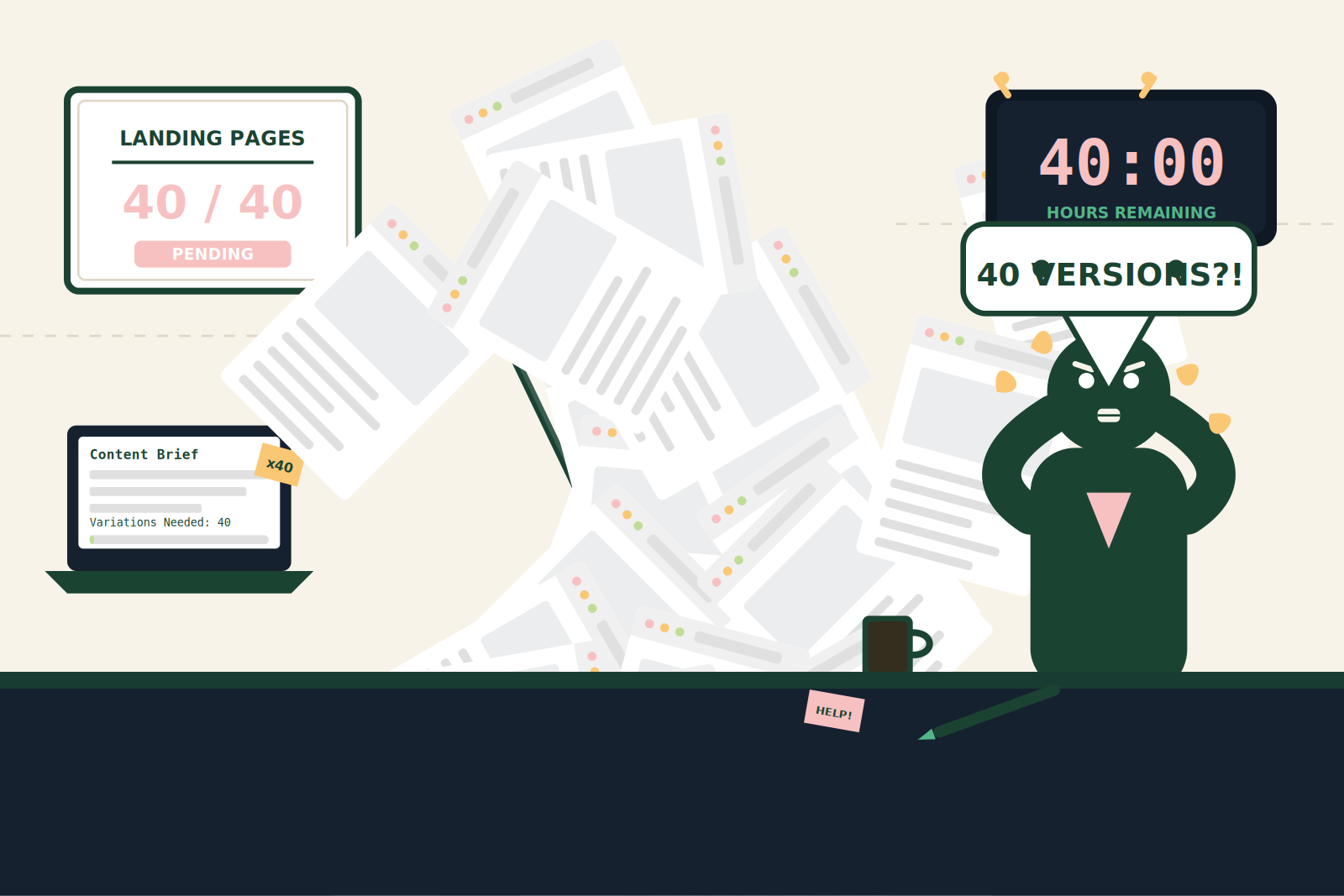
Every campaign manager knows the drill: a new Google Ads campaign goes live, and suddenly you need a landing page that matches each ad group’s keyword cluster. With 10 ad groups and 5 variations each, that’s 50 distinct landing pages. Writing 50 unique headlines, body texts, and CTAs by hand is a time sink that kills productivity. The real bottleneck? Not the writing—it’s the orchestration. The back-and-forth between copywriter, designer, and marketer to align messaging with keywords, while keeping the brand voice intact, turns a two-hour job into a two-week nightmare.
For a typical SaaS client launch, I’ve seen teams burn over 40 hours just on copy variations. And that’s before A/B testing begins. The problem isn’t that AI tools can’t generate copy—it’s that the production process isn’t designed for scale. Dynamic landing pages promise a solution, but only if your content creation workflow can feed the personalization engine without creating chaos.
The Pipeline for Dynamic Copy Generation
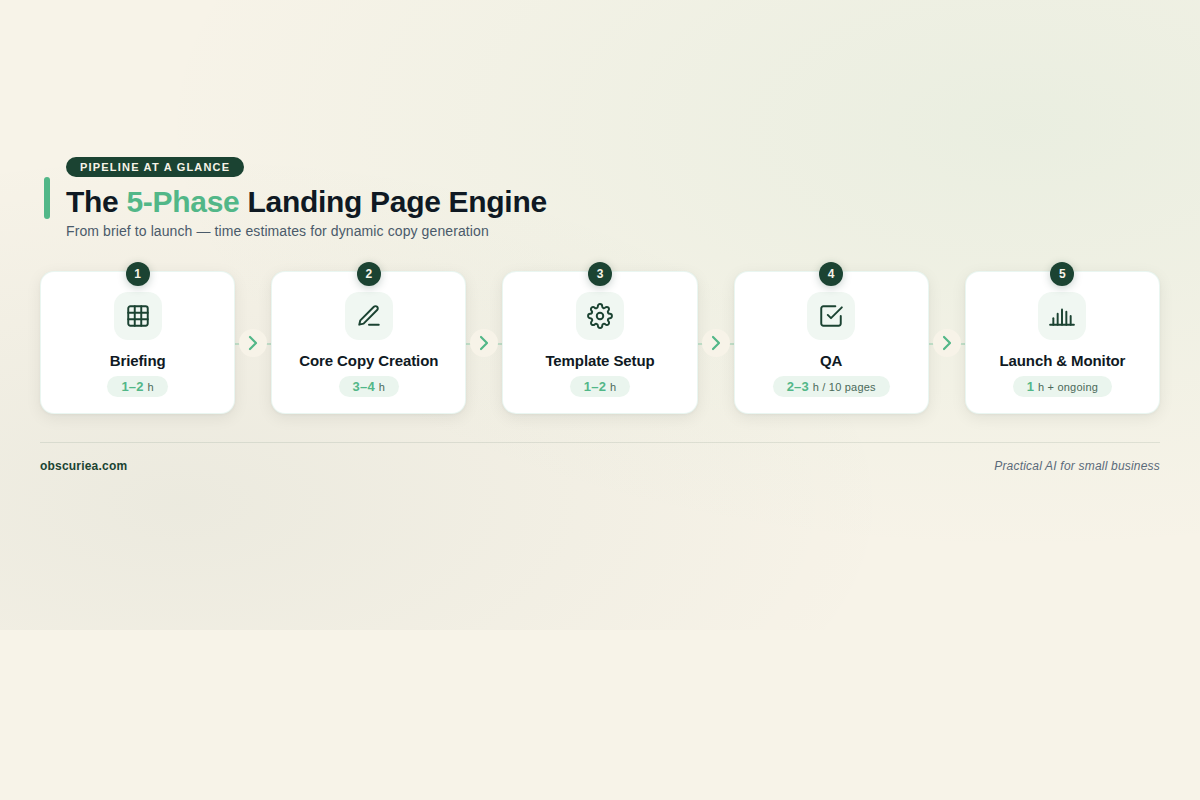
Here’s a systematic workflow that turns a single brief into multiple personalized landing page variants, with time allocations for each phase. This process assumes you’re using a dynamic landing page tool like Unbounce or Landingi, but the principles apply to any platform.
Phase 1: Briefing and Keyword Mapping (1–2 hours)
Start by consolidating all target keywords into a spreadsheet. Group them by intent and audience segment. For each group, write a short content brief that specifies the value proposition, tone, and any mandatory elements like logos or disclaimers. This phase is non-negotiable; skipping it leads to copy that feels generic or mismatched.
Phase 2: Core Copy Creation (3–4 hours)
Write the master copy for each landing page template. This includes the headline, subheadline, key benefits, and primary CTA. Aim for modular paragraphs that can be swapped in and out based on keyword triggers. For example, write a generic introduction and two to three variations that insert specific phrases dynamically. Use AI tools like [Jasper](https://www.jasper.ai) or [ChatGPT](https://chat.openai.com) to generate first drafts of variations—allocate 30 minutes to review and refine. The human editing here is critical: maintain brand voice, check for keyword stuffing, and ensure the copy flows naturally when any permutation is assembled.
Phase 3: Template Setup in Landing Page Builder (1–2 hours)
Using a tool like Unbounce, Landingi, or a custom built system, set up the dynamic text replacement fields. This step often falls on the developer or marketer, but the copywriter should verify that each variant renders correctly. Allocate 2–3 hours for the first page; subsequent pages take less.
Phase 4: Quality Assurance (2–3 hours per 10 pages)
Run through every possible permutation manually. Check for broken sentences when dynamic text is longer or shorter than expected. Ensure CTAs remain compelling and relevant across segments. This is where most teams fail—they trust the automation and end up with copy that says “Personalize Your Experience” when the user just searched for “affordable CRM for real estate agents.” QA catches these mismatches.
Phase 5: Launch and Monitor (1 hour initial, ongoing)
Once live, monitor performance metrics like bounce rate, conversion rate, and time on page. Schedule a weekly review to tweak underperforming variants. The dynamic nature means you can iterate quickly without rebuilding the whole page.
Total estimated setup time for a campaign with 5 ad groups and 3 variants each: roughly 15–20 hours. That’s half the time of a traditional page-per-keyword approach.
Tool Integration for Speed
To accelerate Phase 2, consider using purpose-built AI copywriting tools that can generate variations in bulk. For instance, tools like [Copy.ai](https://www.copy.ai) or Jasper can produce 10 headline variants from a single brief in under a minute. But remember: bulk generation requires bulk editing. Plan for a 2:1 ratio of editing time to generation time. The faster the AI spits out text, the more careful you need to be about maintaining tone and relevance.
The Human Layer
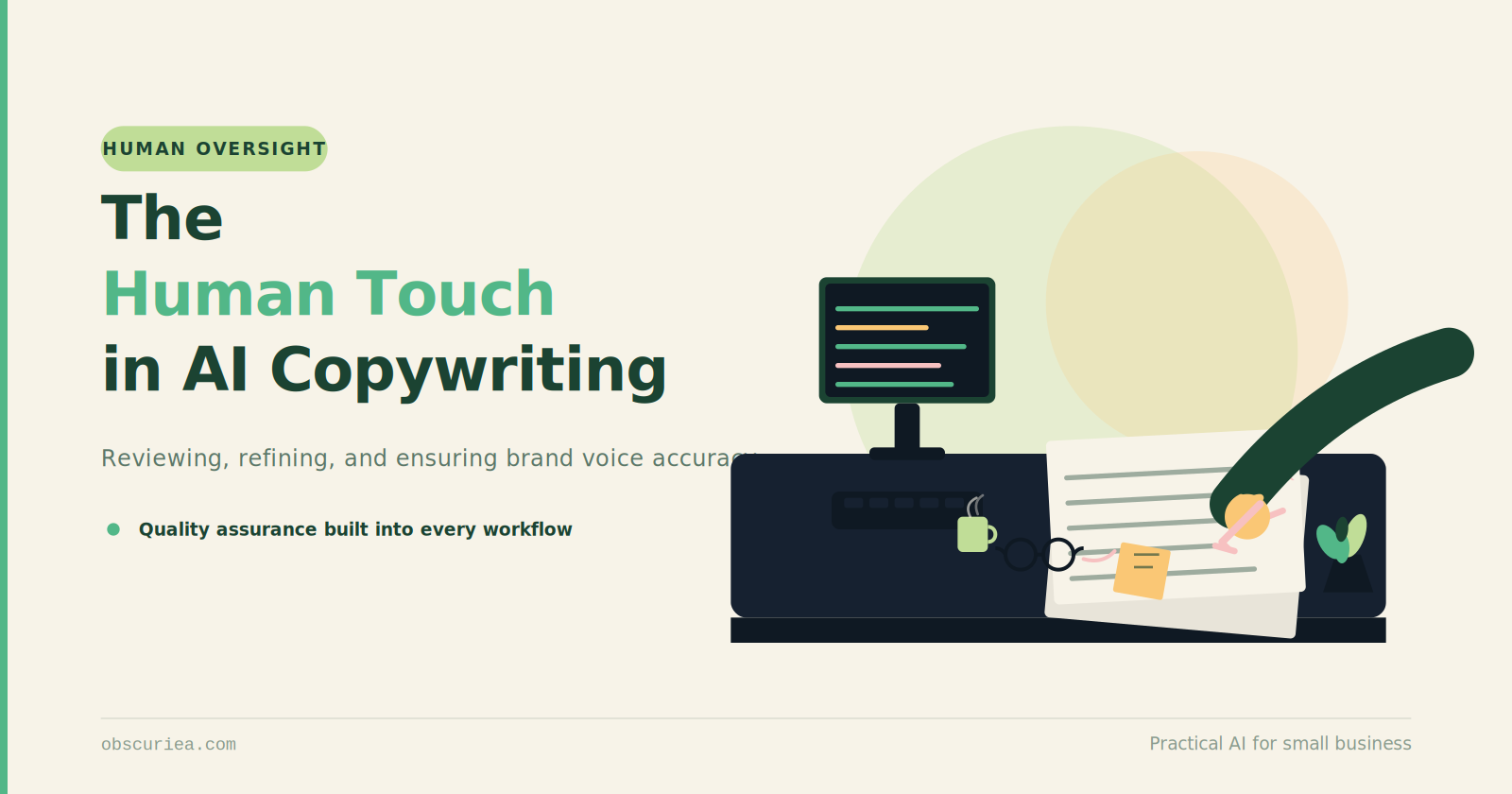
AI and dynamic tools can automate the insertion and variation generation, but they cannot replace the judgment of a human editor. The most common mistake I see is relying on AI to produce the final copy without review. AI-generated text often lacks the nuance of a specific audience: it might be technically correct but emotionally flat. The human layer ensures that each version of the landing page feels intentional, not like a Mad Libs experiment.
Specifically, a human is needed for:
– Voice consistency: Ensure all variations sound like the same brand, not like different authors.
– Emotional resonance: A dynamic CTA that says “Book Now” might work for one segment but “Get Started Free” for another. AI can’t always gauge which emotional trigger fits.
– Edge case handling: When a visitor arrives from an untagged source or the dynamic replacement fails, the default copy must still be compelling. Humans draft the fallback and test it.
– Legal and compliance: Certain industries (health, finance) require strict language. A human must verify that dynamic insertions don’t violate compliance rules.
If you skip the human layer, you risk delivering a mechanical experience that savvy visitors will recognize as ‘spray and pray’ personalization. That will hurt trust and conversion.
Also, for teams running retargeting campaigns, the human layer becomes doubly important. A returning visitor who sees slightly mismatched copy because a parameter changed may disengage. Humans are best placed to design the logic for visitor lifecycle transitions within dynamic pages.
The Friction Box
- Content production time: Even with dynamic tools, the upfront copy creation and QA can be 15–20 hours. Underestimating this leads to rushed, sloppy copy.
- Tool learning curve: Platforms like Unbounce and Landingi have a learning curve for dynamic text replacement. It’s not as plug-and-play as advertised.
- Maintenance burden: Over time, ad groups change, keywords shift, and dynamic pages need updating. This is an ongoing cost.
- Over-personalization: Too many variations can confuse the team and the analytics. You could end up with pages so tailored they lose general appeal.
- Measuring success: With many variants, it’s hard to run statistically significant A/B tests. Beware of false positives.
Frequently Asked Questions About Dynamic Landing Page Copy Generation
How do I maintain brand voice when using dynamic text replacement?
Start with a comprehensive brand style guide that defines tone, vocabulary, and sentence structure for each audience segment. Use the guide as a checklist during Phase 2 copy creation and Phase 4 QA. Dynamic text should not alter the brand’s core messaging—only the specific details like location or offer. A human editor should review each dynamic value to ensure it doesn’t introduce slang or phrasing that conflicts with the brand.
What’s the best way to handle fallback content when personalization fails?
Every dynamic element should have a carefully crafted default value. This default should be generic enough to make sense for any visitor but still engaging. For example, instead of “Learn to code in [City]”, use “Learn to code Online” as a fallback. Test the fallback as part of your QA by simulating visitors with missing parameters.
Can dynamic landing pages hurt my SEO?
Yes, if implemented poorly. Google warns against cloaking (showing different content to bots vs. users) and duplicate content if multiple URLs serve nearly identical pages. To avoid SEO issues, keep a single URL for each dynamic page and use JavaScript-based changes that don’t alter the underlying HTML for crawlers. Alternatively, ensure that dynamic content is only used for user-facing elements like headlines and doesn’t affect the page’s primary text indexable by search engines. [Google’s guidelines](https://developers.google.com/search/docs/advanced/guidelines/dynamic-content) discourage swapping large portions of content based on user agent.
How many variations should I create per ad group?
Start with two to three variations per ad group. Enough to cover the main keyword intents without overwhelming your QA process. As you gather data, you can prune or expand. Over-segmentation leads to maintenance headaches and diluted analytics. Focus on high-volume keywords first.
How often should I update my dynamic landing pages?
Review your dynamic pages monthly. Evaluate performance data for each variant and replace underperforming copy with new options. Also update whenever your ad campaigns add or remove keywords. A quarterly full audit of the dynamic setup is recommended to ensure all fallbacks and triggers still align with current campaign structure.
What’s the cost of setting up dynamic pages compared to static ones?
The initial setup cost is higher—both in tool subscription (e.g., Unbounce plans start at around $99/month with dynamic functionality) and in labor (15–20 hours vs. 5–8 hours for a static page). However, dynamic pages eliminate the need to build separate pages for each keyword, reducing long-term maintenance costs. For campaigns with 10+ ad groups, dynamic pages typically break even in 2–3 months.
The Straight Talk
This workflow is for marketing teams running 5–20 active PPC campaigns who want to scale their landing page output without hiring an army of copywriters. It works best if you have at least one person dedicated to copy optimization and a clear set of brand guidelines.
Skip this if you run a single campaign with a broad audience—dynamic pages may be overkill. Also, if your team lacks the discipline to run a proper QA process, you’re better off with a few high-quality static pages.
Next action: Review your current campaign count and keyword clusters. If it’s more than 5, start building your content brief spreadsheet today. Test one ad group with dynamic copy and compare conversion rates to your static baseline.
Internal links
For more on the process, see our guide on Content Production Workflows with AI. If you’re new to landing pages, check out Landing Page Best Practices for Beginners.