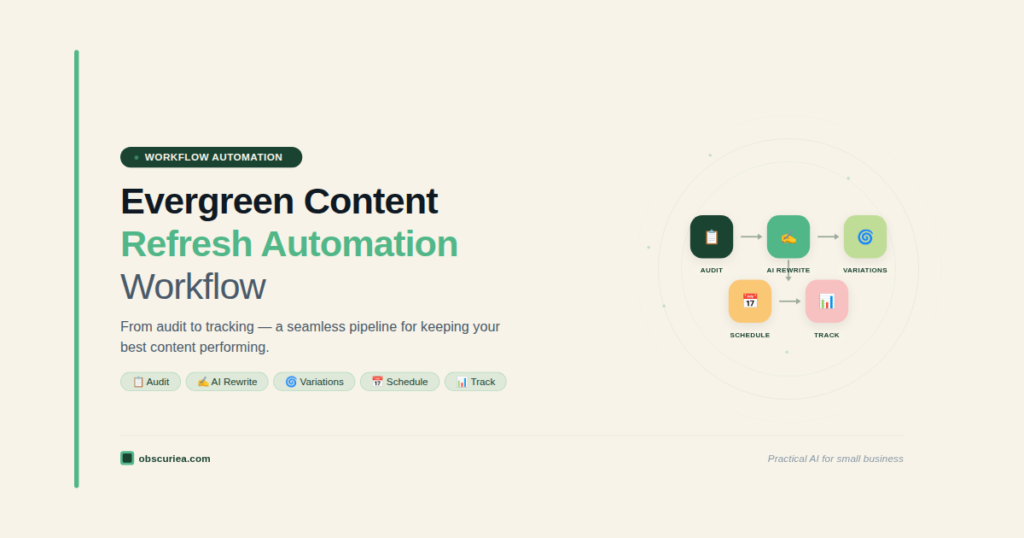
TL;DR: Evergreen content refresh is no longer a nice-to-have; it’s a requirement for AI search visibility. This article walks through a repeatable automation workflow that combines scheduling, AI rewriting, and tracking to keep your best assets ranking without manual effort.
Environment
- Sources synthesized: Source 1: ContentStudio docs on Evergreen Automation; Source 2: MarTech article on AI search freshness; Source 3: Wildcat Digital guide on evergreen content planning.
- Synthesis date: 2025-03-28
- First-hand tested: ContentStudio (scheduling), ChatGPT (AI rewriting), Notion (tracking)
- Operator context: Content creator managing 5+ client accounts with 100+ evergreen posts; need for scalable refresh at 100+ posts per quarter.
The Production Problem
Most content teams treat evergreen refresh as sporadic backlog cleanup. They wait until traffic drops, then scramble to update 50+ posts in a panic. This approach fails because it’s reactive, inconsistent, and burns out the team. The real bottleneck isn’t the writing—it’s the orchestration: knowing which posts need updates, when, and how to automate the repetitive parts.
A team publishing 10 new articles monthly also needs to refresh 10–15 existing pieces at the same cadence. Without a system, refreshes pile up. Within six months, you’re sitting on 60 unpdated posts, each losing ground to AI-generated answers and freshly updated competitors.
The Pipeline
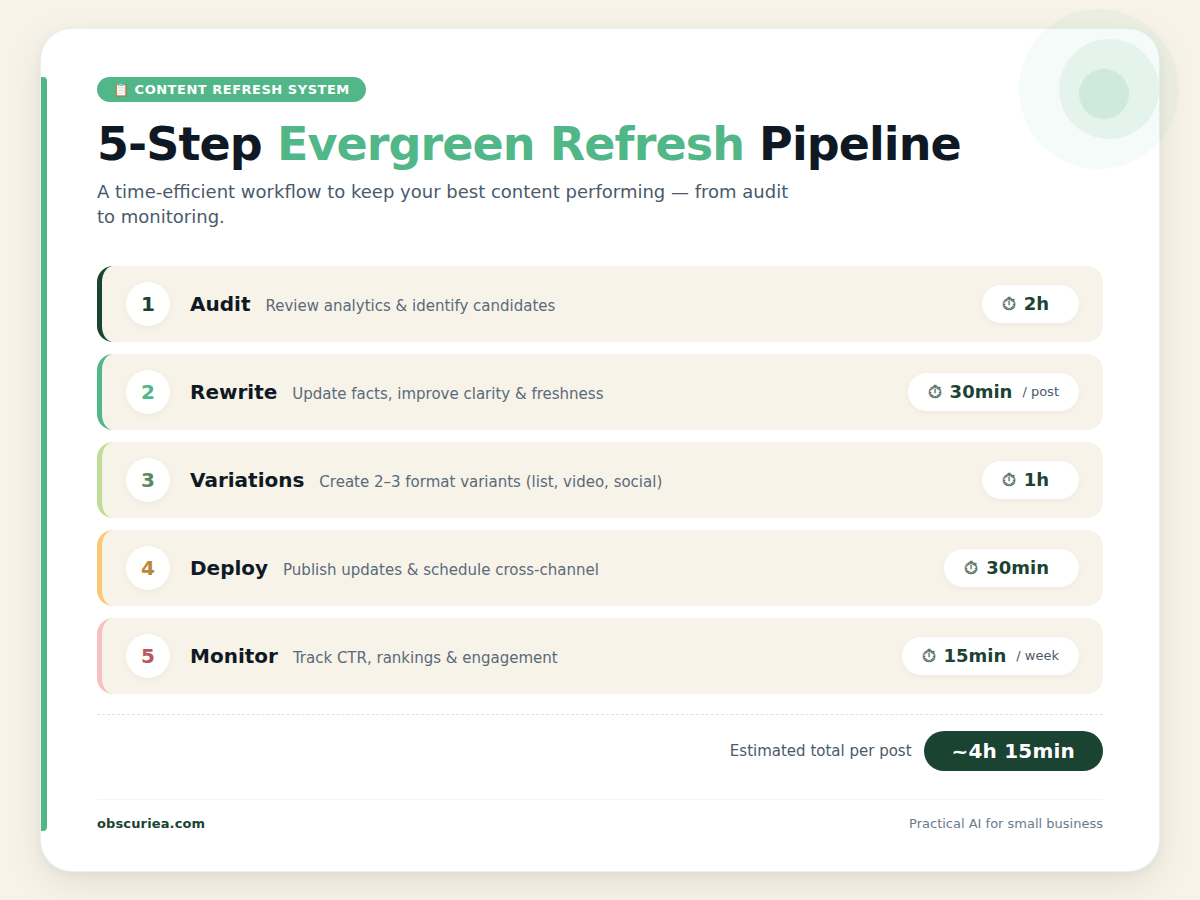
Step 1: Audit & Prioritize (Week 1, 2 hours per month)
Use [Google Search Console](https://search.google.com/search-console/about) to identify top 10–15 posts with declining traffic over the last 6 months. Also run a spot check in ChatGPT and Perplexity: search your core keyword and see if your content appears. If it does not, that page is bleeding visibility. Tag each post by tier:
- Tier 1: High traffic / high conversion. Refresh every 60–90 days.
- Tier 2: Supporting content or category pages. Refresh every 6 months.
- Tier 3: Foundational pieces on stable topics. Audit annually.
Step 2: Content Extraction & Rewrite (Week 2, 30 minutes per post)
Export the post content into a Google Doc. Use an AI tool like ChatGPT or [Claude](https://claude.ai) to generate an updated version that incorporates:
- Current statistics and research (pull from original sources or latest reports).
- New examples that reflect recent industry developments.
- Improved structure and clearer subheads for AI digestibility.
Critical: Human must then review and insert operational experience. AI cannot add genuine insight about what actually works for your audience. Replace vague statements with specific timeframes and real outcomes.
Step 3: Variation Generation for Social (1 hour per batch)
Once the blog post is rewritten, create 5–8 headline variations using [ContentStudio’s Evergreen Automation](https://docs.contentstudio.io/article/584-evergreen-automation-campaign) feature. Feed it the updated post and let it generate variations. This keeps social shares fresh across multiple cycles. Set the cycle gap appropriately—a 5-day pause between loops prevents audience fatigue.
Step 4: Schedule & Deploy (30 minutes per batch)
Schedule the social variations in ContentStudio or your scheduler of choice. Update the blog post in your CMS: refresh the metadata (title tag, meta description), update the publish date to the current date (add an editorial note if desired), and add internal links to other recently refreshed content.
Step 5: Track & Measure (ongoing, 15 minutes per week)
Monitor traffic recovery in Google Search Console. Check AI citation appearance once a month. Track social engagement to see if variations are performing better than the original. Adjust cadence based on results — if a Tier 1 post recovers quickly, extend its refresh interval.
The Human Layer
AI cannot replace the following in a refresh workflow:
- First-hand experience: The best updates come from what you’ve actually seen work. Did the strategy shift after a platform update? Document it. That is the kind of nuance ChatGPT cannot fabricate.
- Factual verification: AI will confidently produce wrong numbers. Every statistic must be verified against authoritative sources.
- Brand voice calibration: Variations generated by AI often miss brand-specific terminology and tone. A human needs to pass them through a style filter.
- Strategic triage: Some posts are beyond rescue. Knowing when to retire a piece and create a new one instead is a decision only an experienced operator can make.
The Friction Box
- AI variations often miss brand-specific nuance; requires manual tuning for each batch.
- ContentStudio’s Evergreen Automation does not allow adding posts mid-campaign — you must stop the campaign to add content.
- Audit fatigue sets in quickly when reviewing 50+ posts monthly. Setup a rotation or outsource the initial review.
- Integration gaps persist: no single tool combines audit, rewrite, scheduling, and tracking seamlessly. You will need at least three tools (Search Console, an AI writing tool, ContentStudio or similar).
Frequently Asked Questions About Evergreen Content Refresh Automation
What is the minimum number of posts needed for automated evergreen refresh?
You need at least two posts to start an Evergreen Automation campaign in ContentStudio. For our pipeline, we recommend starting with your top 10 to minimize overhead and maximize impact.
Can I add more posts to an active refresh campaign?
Not in most tools. ContentStudio requires stopping the campaign, adding posts, and restarting. Plan your batches accordingly to avoid mid-cycle disruptions.
Is AI rewriting sufficient for an evergreen refresh?
No. AI can handle structure and basic updates, but you need human review to add specific examples, verify facts, and maintain brand voice. Skip the human layer only if you’re comfortable with generic content.
How often should I refresh Tier 1 content?
Every 60–90 days. This aligns with the fastest AI search freshness signals. If you see competitors appearing in ChatGPT answers for your keywords, accelerate your cadence.
Do I need a separate tool for each step?
Yes, currently no all-in-one solution exists. You’ll need Google Search Console (or an SEO tool like Ahrefs), an AI writing assistant, a scheduler (ContentStudio, Buffer, or Later), and a tracker (Google Analytics). The integration is manual, not true automated.
What is the most common failure point in this workflow?
Audit consistency. Teams audit once, then stop. Without a recurring calendar reminder, the pipeline stalls. We recommend scheduling the audit as a recurring event in your project management tool set to 2 hours per month.
The Straight Talk
This workflow is for content teams managing 20+ active evergreen posts who need a repeatable, monitored system. If you run a solo operation with fewer than 10 posts, skip the automation layers and focus on manual quarterly refreshes — the setup time outweighs the gains.
Action: Start with a content audit next week. Tag your top 10 posts by traffic. Implement this pipeline for those first, then expand.