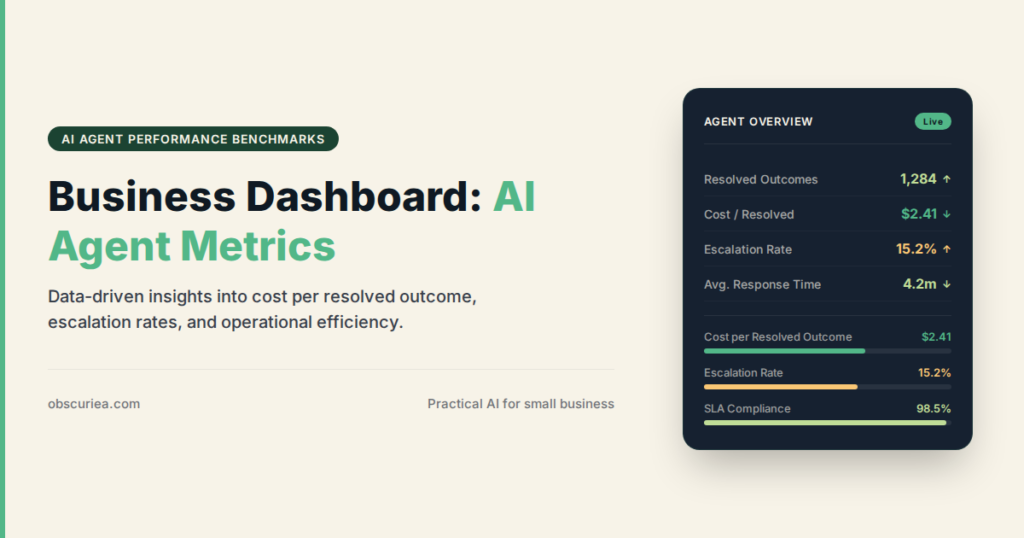
TL;DR: Most AI agent deployments fail not because the tech is bad, but because operators measure the wrong things. This article breaks down the four metric categories that actually connect to business outcomes, where the math breaks down, and what to do about it.
Environment:
– Sources synthesized: 3 URLs
– Synthesis date: 2025-05-16
– First-hand tested: none (synthesis)
– Operator context: 4 years operationalizing AI tools for small and medium business automation, including agent-based workflows for customer support, lead generation, and content production.
The Architecture
If you are paying $200/month for an AI agent to handle first-line support, the only metric that matters at the end of the month is whether your support costs went down and customer satisfaction stayed stable. Yet most measurement frameworks handed to operators are 12-page spreadsheets of technical jargon—task completion rate, token usage, tool selection accuracy—that mean nothing to a P&L.
AI agents are different from traditional software. A conventional application follows a predetermined path: input A leads to output B. You measure success with pass/fail tests. AI agents don’t work this way. They reason, select tools, and adapt. Two identical inputs can produce different but equally valid outputs. The MIT study saying 95% of AI investments produce no measurable return is not because the tech doesn’t work—it’s because organizations can’t see the return through the metric fog.
The four core dimensions that actually matter for an operator are:
- Performance – Does the agent do what it’s supposed to do? The question is not “task completion rate” but “how many support tickets actually got resolved without me stepping in?”
- Safety and Trust – Can I let this thing run unsupervised? Hallucinated promises, fake discounts, compliance violations—these are real costs.
- User Experience – Do customers or employees actually like interacting with this agent? Low adoption kills ROI faster than any technical metric.
- Cost and Efficiency – Is the agent cheaper than the human it replaced? Token counts and API calls are inputs, not outputs. The output is cost per resolved issue.
Most sources focus on technical metrics first. Operators need business metrics first. The mapping between them is where the real work happens.
The Workflow Math
Here is where the numbers come together. Imagine you replaced one support agent with an AI assistant. The human cost you $3,000/month plus overhead. The AI costs $200/month plus API usage averaging $150/month. You are saving about $2,650/month on paper. But only if the AI actually handles the same volume.
Support Scenario – Before vs. After
| Metric | Human Agent | AI Agent (measured) | What Sources Say Is Good |
|---|---|---|---|
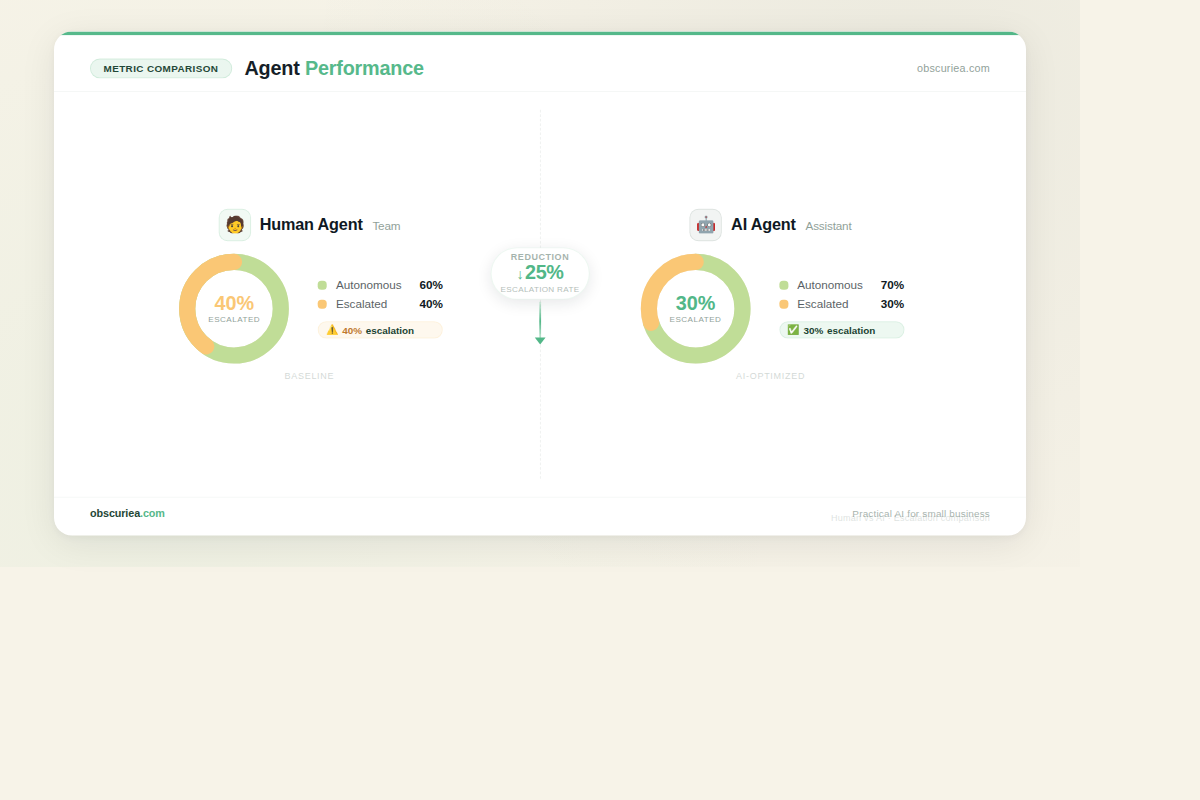
| Tickets handled/month | 600 | 500 (70% autonomously) | 85–95% for structured tasks |
| Cost per ticket | $5.00 | $0.70 | Varies |
| Average resolution time | 8 minutes | 4 minutes (autonomous) | – |
| Customer satisfaction | 4.5/5 | 4.2/5 | 4.0+ target |
| Escalation rate | 10% | 25% (30% of tickets need human) | Under 15% for mature agents |
The AI is cheaper per ticket, but it escalates more. That means the human agent you thought you replaced still needs to handle a quarter of the work. Your cost savings shrink. The operator who only tracks “task completion rate” celebrates 70% autonomy—but misses that the remaining 30% represents more work for the team, not less.
The math gets more revealing when you layer in token consumption. Every escalated ticket cost you extra reasoning tokens before the handoff. Inefficient agents can double operational costs through wasted API calls. If your agent loops on a problem for 10 turns before escalating, that’s a hidden $0.50 per ticket that doesn’t appear on any vendor dashboard.
The real metric: cost per resolved outcome – not cost per ticket, not token usage, not autonomy rate. Calculate total agent spend (subscription + API + any human review time) divided by number of issues truly closed without further follow-up. That number tells you if the agent is actually profitable.
Where It Breaks
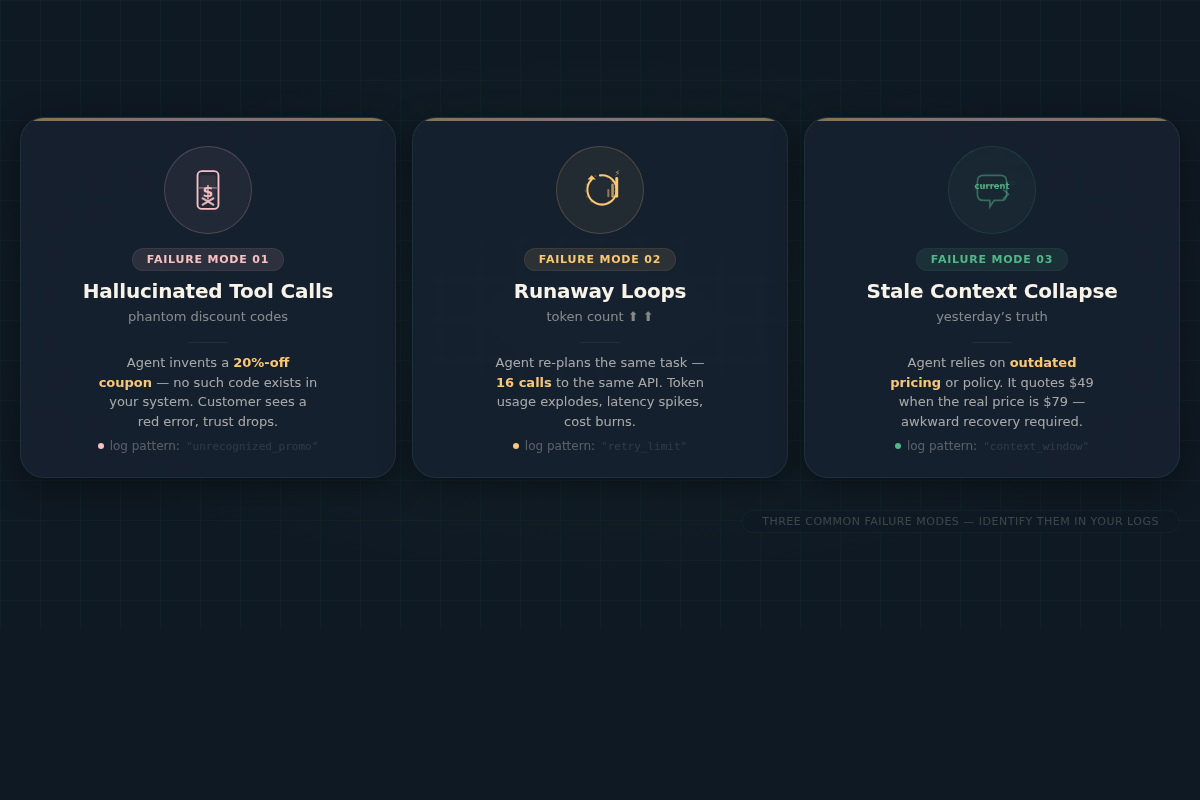
Agents fail in predictable ways that traditional monitoring doesn’t catch. Here are the three failure modes that cost operators real money.
Hallucinated tool calls. Your agent generates a custom discount code that doesn’t exist in your system. It invents a parameter, and now you have promised a customer 50% off a product you never offered. Sources estimate LLM hallucinations cost businesses $67 billion in 2024. For a small operator, one such incident can erase months of savings.
Infinite loops. The agent gets stuck retrying the same API call because it receives ambiguous feedback. It burns through tokens, your API bill spikes, and no one notices until the monthly statement. This happens most often in workflows that require external system confirmation—like payment processing or inventory updates.
Stale context collapse. The agent relies on outdated information from earlier in the conversation. It tells a customer “your order shipped” based on a status it cached three interactions ago. The customer believes it, doesn’t follow up, and the order never arrives. This is not a hallucination—it’s a context management failure. The agent needs to re-verify state, but it doesn’t.
Most operators catch these failures through angry customer emails, not through dashboards. That’s because the metrics provided by agent platforms are designed to show success, not surface failure. The Friction Box below lists the real problems you will hit.
The Friction Box
- Evaluation frameworks require engineering resources most small teams don’t have. The 70/40 rule from Galileo’s report sounds great—until you realize you need a dedicated MLOps person to implement it. A solo operator has no such person.
- Agent platforms report success metrics that inflate autonomous completion. They count a ticket as “autonomously handled” if the customer stopped replying, even if the issue wasn’t solved. You have to build your own validation layer.
- Cost tracking is opaque. Most agent providers bundle API costs into a flat fee. You don’t see per-task token costs. You can’t optimize what you can’t see.
- Agents degrade over time without constant monitoring. Model drift, tool API changes, and evolving user behavior cause performance to decay. Setting up monitoring is itself a project.
- False promises of “set it and forget it.” No AI agent runs unsupervised for more than a few days without something breaking. The operator is still the fallback.
Frequently Asked Questions About Measuring AI Agent Performance
How do I calculate cost per resolved outcome if my agent provider doesn’t break down costs?
You reverse-engineer it. Log all agent interactions, count how many tokens were used per session that reached a resolution (positive customer feedback or confirmed issue closure), and divide by your total monthly bill. Use an approximation: total bill ÷ number of positive completions. It won’t be perfect, but it will be better than nothing. Many platforms offer raw usage logs via API even if their dashboard is limited.
What is the minimum useful metric for a solo operator with no technical background?
Track two numbers: escalation rate and cost per month. Escalation rate (percentage of interactions handed to a human) tells you how much of the agent’s workload actually transfers to your team. Cost per month includes subscription plus any extra API fees. If escalation rate increases month over month while cost stays flat, the agent is getting worse without you knowing why.
How often should I audit my agent’s performance?
Weekly for the first month, then monthly once stable. Focus on a random sample of 10-20 interactions each review. Look for signs of hallucination (promising things that don’t exist), infinite loops (same action repeated without progress), and stale context (using old info). A 15-minute manual audit catches most failures before they escalate.
Which failures should I worry about most for a customer support agent?
Hallucinated financial promises top the list. If your agent promises refunds, discounts, or delivery dates that don’t exist, that directly hits your revenue. Next is stale order status—telling a customer their issue is resolved when it’s not leads to trust erosion and double the work later.
Can I monitor AI agent health without expensive tools?
Yes. Export logs to a Google Sheet or Airtable. Track for each session: if the agent escalated, if the customer complained, and the tokens consumed. Set up conditional formatting to flag sessions with high token counts (possible loops) or escalations without clear reason. It’s not real-time observability, but it catches patterns after 50-100 sessions.
When should I consider a different AI agent platform?
When your escalation rate exceeds 40% for three consecutive months and you cannot reduce it with prompt tuning. That means the agent is not learning or the platform’s models are fundamentally unsuitable for your domain. Also switch if your cost per resolved outcome exceeds 60% of what a human would cost—at that point, you are not saving money.
The Straight Talk
This article is for you if you are a small business operator who already deployed an AI agent for customer support, lead handling, or internal ops and you want to know if the thing is actually making money. You have a sense something is off but don’t know what to check.
Skip this if you are still in the evaluation phase, deciding whether to deploy an AI agent at all—you first need to define the job it will do and the cost you are willing to accept. This is for people who have already jumped and need a true north.
Pull your agent’s logs for the last week. Find three interactions that had long back-and-forths or ended in a handoff. Read them from start to finish. If you see any of the failure patterns above, you have just found your first optimization target. Fix that one thing, then measure again next week.