TL;DR: Most brands treat the checkout as the finish line — then wonder why buyers vanish. An automated post-purchase sequence built on trigger-action logic turns one-time buyers into repeat advocates without adding a single manual email to your week. The trade-off: setup takes 4–6 hours and requires honest segmentation data. Skip the segmentation and your automated “advocate factory” becomes a spam machine.
Environment:
– Sources synthesized: 3 URLs (Academy of Continuing Education, Forsta, Retail Dive)
– Synthesis date: 2025-04-08
– First-hand tested: Klaviyo, ActiveCampaign, Shopify flows (adjacent e-commerce automation work)
– Operator context: 3 years building automated post-purchase sequences for Indonesian e-commerce brands using Midtrans, WhatsApp Business API, and dual-language (EN/ID) flows
The Broken Workflow
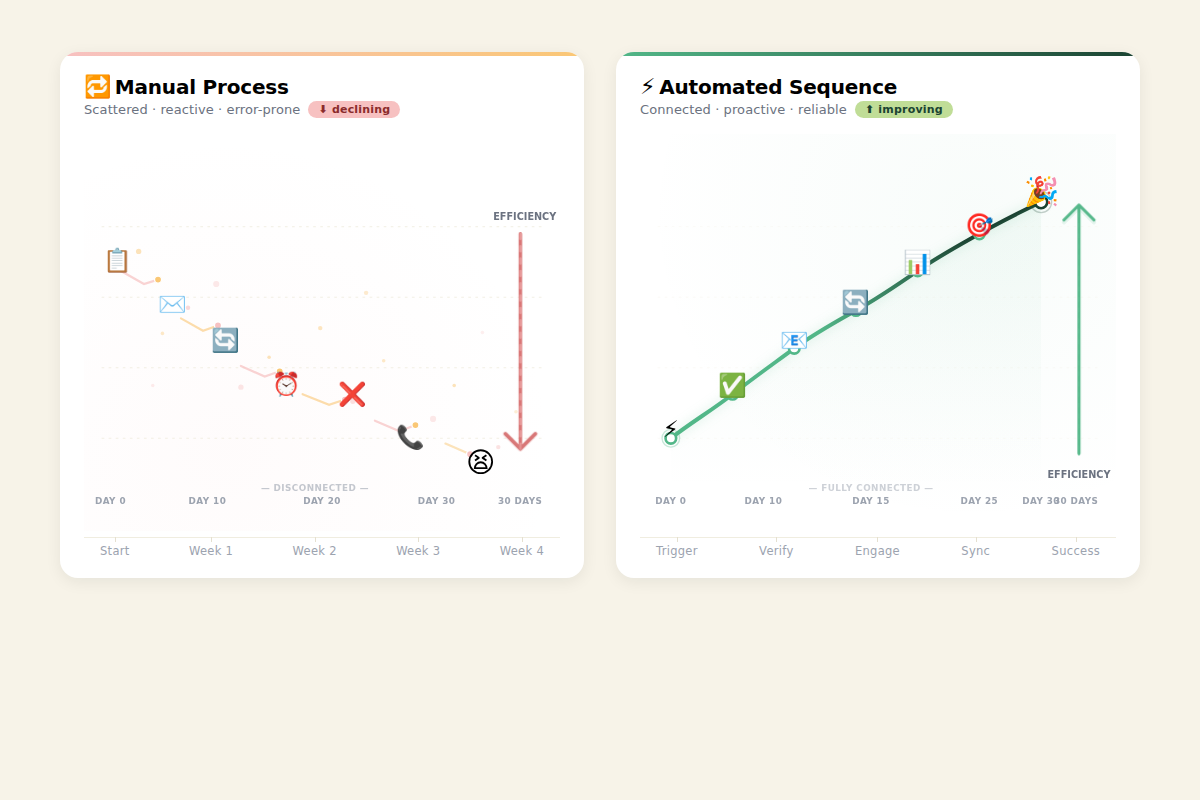
The typical post-purchase process looks like this: customer buys → generic “Thank you” email → 3-day silence → another generic email about upsells → radio silence until the next abandoned cart campaign. Repeat purchases happen despite the brand, not because of it.
The cost is measurable. Source 1 points to the 80/20 rule: 80% of future revenue comes from 20% of existing customers. Source 2 cites a Radial/eMarketer study showing 79% of consumers may not buy again after a poor post‑purchase experience. Source 3 mentions 85% of consumers won’t return after a poor delivery experience. These numbers are independent but converge on the same point: the post-purchase gap bleeds revenue.
But the real failure isn’t just abandoned revenue — it’s abandoned advocacy. Every buyer who unboxes, uses, and loves your product is a potential referral engine. The manual workflow — support team sending individual check-ins, marketing drafting one-off emails, no central trigger system — fails at scale. At 50 orders/month it’s manageable. At 500 orders/month it’s chaos. At 5,000 orders/month it’s impossible without automation.
The Automated Replacement
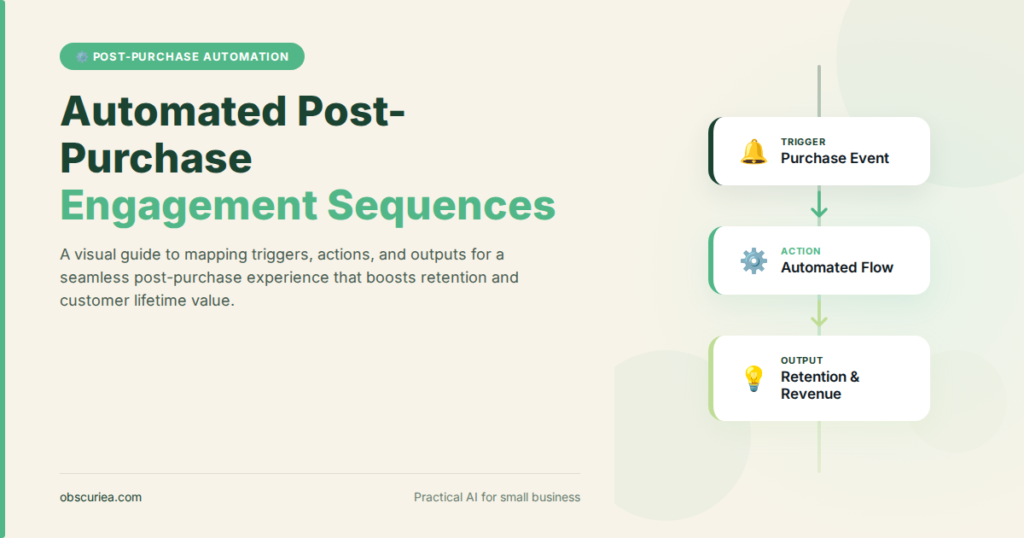
The core of an automated post-purchase engagement sequence is a trigger-action-output chain. Here’s the architecture:
Trigger Events
- Order placed → Start order confirmation + delivery tracking flow
- Order delivered (via carrier API or 3PL webhook) → Start onboarding/usage flow
- Day 7 post-delivery → Start value-enhancement flow (tips, community invite)
- Day 14 post-delivery → Start review request + referral ask
- Day 30 post-delivery → Start repurchase cadence or cross-sell
- Support ticket opened / return initiated → Switch to retention flow (pause advocacy cadence)
Action Chains
Each trigger fires a sequence of actions across channels:
Immediate (order confirmation):
– Action 1: Send transactional email with delivery estimate and personal note (e.g., “We know you’ll love the [product name] — here’s what to expect”)
– Action 2: If SMS opt-in, send same-day tracking update via WhatsApp/SMS
– Action 3: Add customer to “new buyer” segment in CRM
Delivery day:
– Action 1: SMS notification: “Your order has arrived!” with unboxing tip or video
– Action 2: Email with setup guide and first-use checklist
– Action 3: If high-value product, trigger personal phone call from support within 48 hours (human touchpoint)
Day 7 (value validation):
– Action 1: Email with advanced usage tips or hidden features
– Action 2: Invite to private community / WhatsApp group for power users
– Action 3: Trigger conditional logic: if user clicked a link in previous email, send more specific follow-up; if not, send re-engagement message
Day 14 (advocacy ask):
– Action 1: Request product review with photo → offer small discount on next purchase
– Action 2: Introduce referral program — both parties get 10% off
– Action 3: If review submitted, move to “advocate” segment; if not, add to “nurture” segment for future re-engagement
Day 30 (repurchase):
– Action 1: Personalized cross-sell based on purchase history
– Action 2: Bundle offer or subscription upsell (e.g., consumables or refills)
– Action 3: Check if customer engaged with any post-purchase content — if yes, send loyalty status upgrade; if no, send “We miss you” with one last offer before weaning off
Output Metrics
- Repeat purchase rate (baseline vs. automated sequence)
- Net Promoter Score (NPS) at Day 14
- Referral conversion rate
- Support ticket volume during first 30 days
Setup Requirements
The time cost before the payoff is real. Expect:
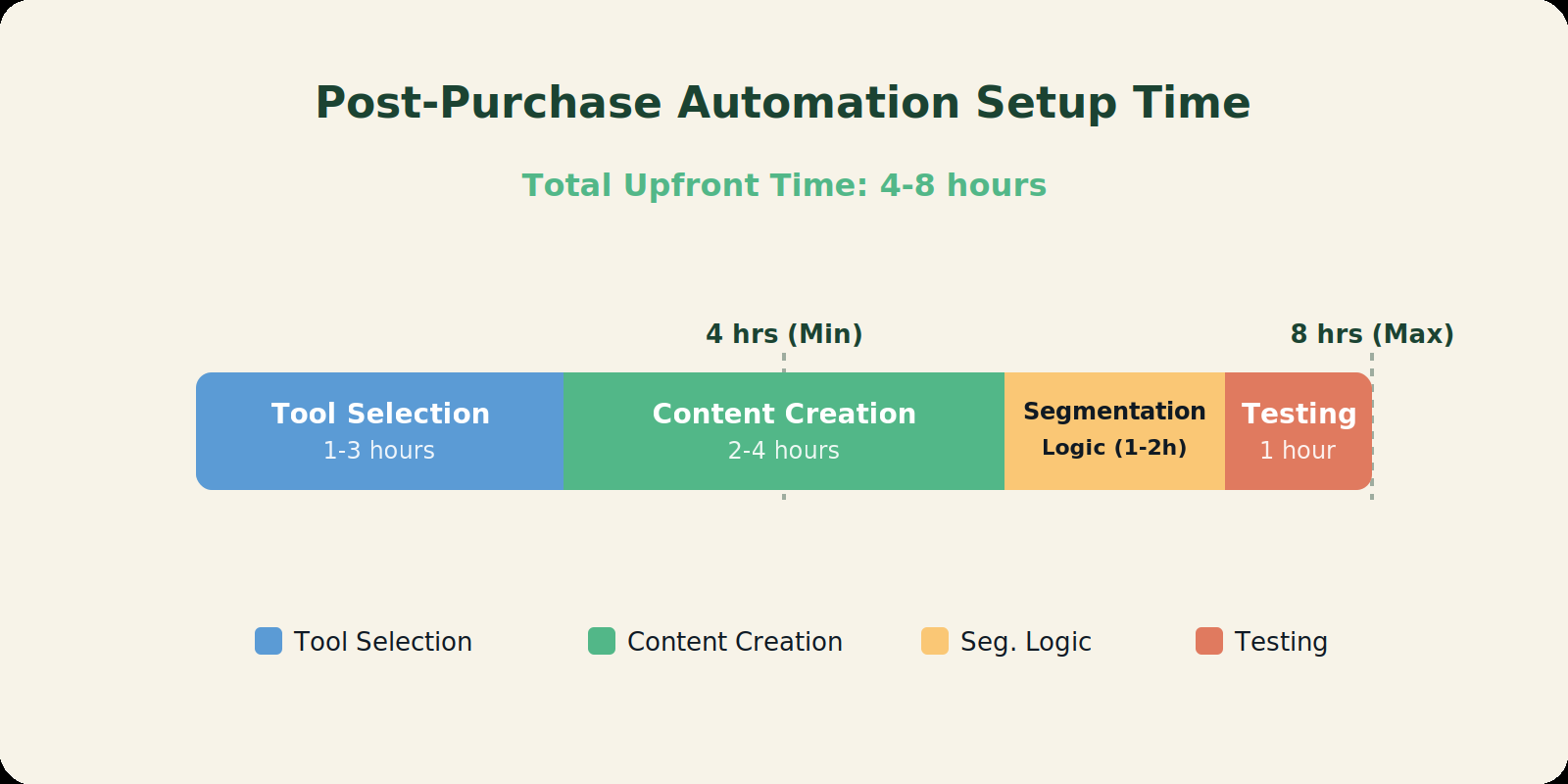
– Tool selection and integration: 1–3 hours. Choose an email marketing platform (Klaviyo, ActiveCampaign, Mailchimp) that supports webhooks and conditional triggers. Connect to your e-commerce platform (Shopify, WooCommerce, Midtrans). If using WhatsApp for SMS, integrate via Twilio or a local provider.
– Sequence design and content creation: 2–4 hours. Write emails, SMS templates, and conditional branches. Map the flow diagram — use a tool like Draw.io or the platform’s native builder.
– Segmentation logic: 1–2 hours. Define customer segments: new vs. repeat, low vs. high value, product category. Test the triggers against real order data.
– Testing and debugging: 1 hour. Send test orders through the flow, check that triggers fire at correct intervals, verify unsubscribe and opt-in handling.
Total upfront: 4–8 hours. The payoff begins around month 2, when the sequence is fully running and you start seeing repeat purchases from the automated cadence. At 1,000 orders/month, if the sequence increases repeat purchase rate by just 5%, that’s 50 extra orders at zero marginal labor cost.
Failure Modes
Every automated workflow has failure points. Here are the ones that break post-purchase sequences most often:
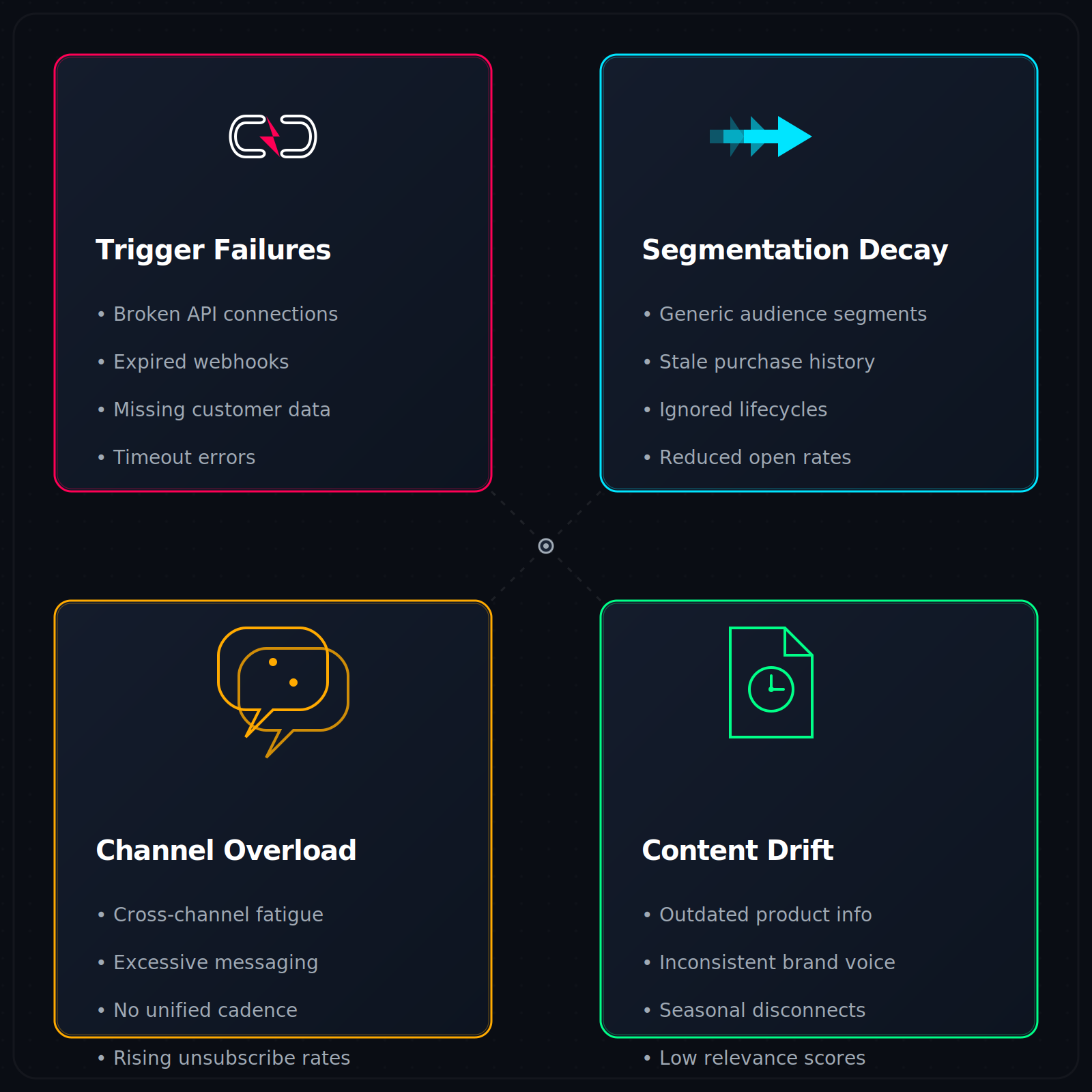
Trigger Sourcing Failures
- Wrong trigger source. Using the shop platform’s order status instead of the carrier’s delivery confirmation means the “delivery” trigger fires before the customer actually unboxes. Result: onboarding content lands too early, customer ignores it.
- Duplicate triggers. If both the shop and the 3PL emit a “delivery” event, the customer gets two identical messages. Solution: deduplicate via CRM webhook with an idempotency key.
Segmentation Decay
- Static segments. New buyers who immediately engage with content should shift to “fast follower” track. If segments are updated only weekly, the sequence stays generic for days. Use real-time segment updates where possible.
- Missing negative signals. A customer who opens the unboxing email but never clicks should not receive the same “did you try this?” email as a non-opener. Build engagement score thresholds.
Channel Overload
- Too many touchpoints. The classic mistake: email + SMS + WhatsApp + push notification all for the same event. The customer feels surveilled, not valued. Rule: one primary channel per trigger, one secondary channel for urgent updates (delivery delays).
- Ignoring local channel preference. In Indonesia, WhatsApp is the primary communication channel — email has 20% open rates, WhatsApp has 90%. Build the sequence around the dominant channel for your market.
Content Drift
- Pre-written emails go stale. A product tip written 3 months ago may reference a feature that no longer exists or a pricing that changed. Schedule quarterly content audits for all automated sequences.
- Personalization that backfires. Saying “Welcome back, John” in an email that arrives 5 minutes after John’s order is fine. Saying it 3 days later to someone who returned the product is infuriating. Tie personalization to real-time purchase data, not user profile age.
The Friction Box
- Manual setup of trigger-to-carrier webhook integration (not plug-and-play for most e-commerce platforms outside Shopify)
- Real-time segmentation requires paid tier in most email tools (Klaviyo’s active segmentation only available on Premium plans)
- WhatsApp Business API requires pre-approved templates and may take 2–5 days for Meta review
- Double opt-in for SMS in some regions (e.g., EU) kills sequence momentum if not handled correctly
- Customers with ad blockers may not fire tracking pixels, breaking engagement-based triggers
- Seasonality can skew trigger timing — a sequence that works in October breaks in December due to extended delivery windows
Frequently Asked Questions About Post-Purchase Engagement Sequences
What tools can I use to automate post-purchase engagement?
Klaviyo and ActiveCampaign are the most popular for e-commerce. Both support Shopify, WooCommerce, and custom API integrations. ForWhatsApp flows, combine your email tool with Twilio or a local provider. Mailchimp’s standard plan limits automation triggers; Klaviyo is usually the better choice for trigger-action sequences.
How many emails should a post-purchase sequence have?
Between 4 and 8 touchpoints spread over 30 days is typical. Fewer than 4 doesn’t build enough relationship; more than 8 risks overwhelming the customer. The key is spacing: one touchpoint every 3–5 days after delivery, not daily.
How do I measure the success of a post-purchase sequence?
Track repeat purchase rate (percentage of customers who buy again within 90 days), NPS at Day 14, referral conversion rate, and support ticket volume. A successful sequence should increase repeat purchase rate by at least 10% within 3 months.
Can I automate post-purchase engagement for physical products and digital products?
Yes, but the triggers differ. Physical products rely on delivery confirmation; digital products can use download completion as the trigger. The sequence should be shorter for digital (7–14 days) since there’s no shipping delay.
What happens if a customer returns a product during the sequence?
Pause all advocacy and upselling triggers immediately. Switch to a return handling flow that focuses on resolving the issue, offering a replacement or refund, and potentially a re-engagement sequence after the return is completed. Do not send referral requests to someone who just returned an item.
How often should I update my automated sequences?
Review every 90 days. Check that product tips are still accurate, pricing is current, and triggers still fire correctly. If you add new products or change fulfillment partners, update the corresponding sequences right away.
The Straight Talk
This is for e-commerce operators doing 100+ orders per month who want to turn order flow into repeat revenue without hiring a full-time retention specialist. If you’re doing under 50 orders/month, manual follow-up with a spreadsheet and calendar reminders is faster to set up than this automation. If you’re above 500 orders/month and still relying on manual emails, you’re burning money daily.
Start today: pick one trigger — the delivery confirmation — and build the first two actions (SMS + onboarding email). Run it for two weeks, measure the open and click rates, then add the next trigger. You don’t need the full 8-hour setup in one sitting. Build the sequence one block at a time.