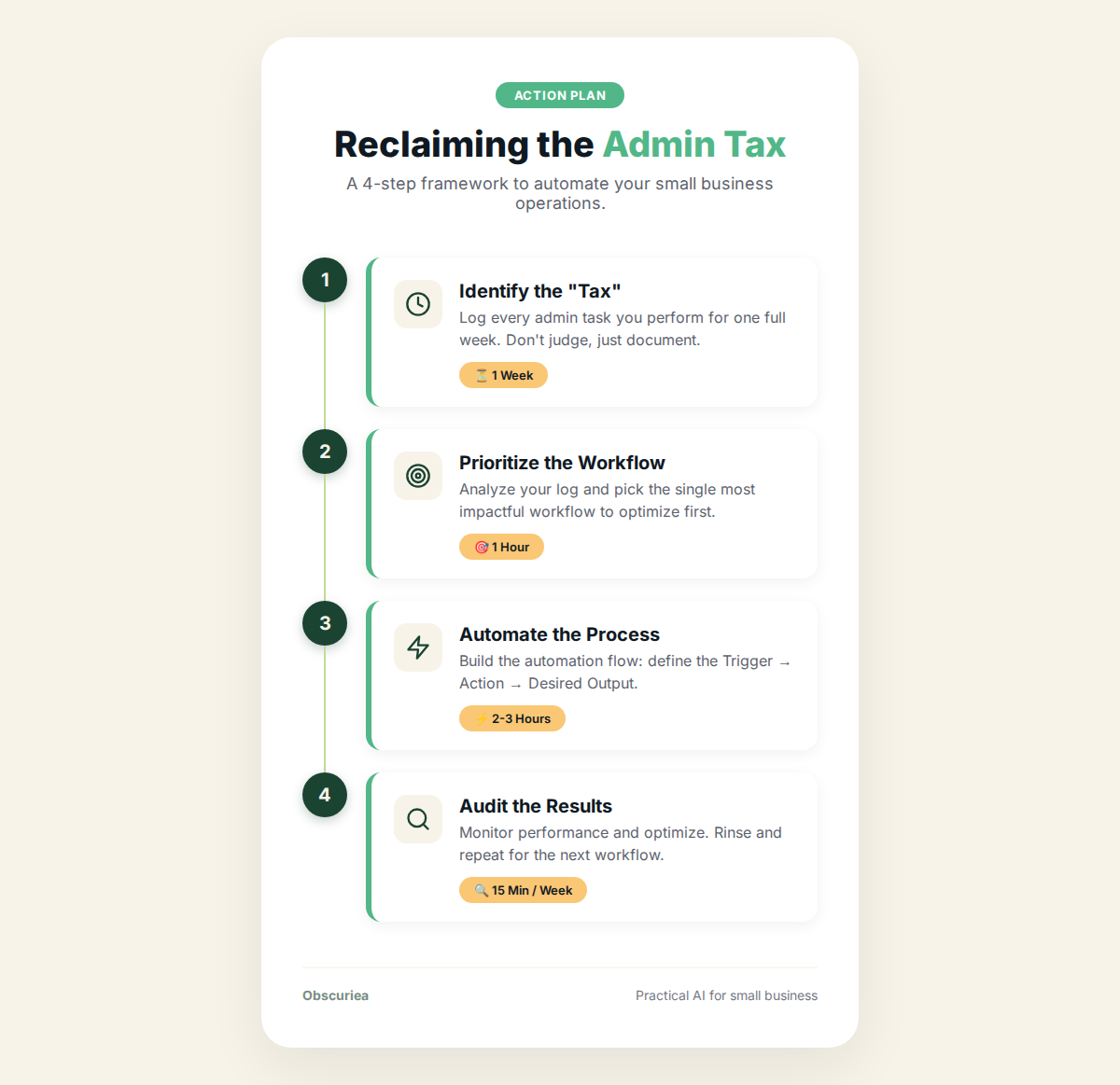
TL;DR: The admin tax — the hidden cost of scheduling, invoicing, client follow-ups, and manual data entry — quietly drains an estimated $10,000 per month from growing businesses. AI workflow tools can reclaim 60-70% of that lost revenue by automating repetitive decisions without sacrificing accuracy or control.
Environment:
– Sources synthesized: 2 URLs (Yahoo News, AP News)
– Synthesis date: March 2026
– First-hand tested: none
– Operator context: 5+ years building and managing automated workflows for small to mid-sized service businesses, including CRM, email, and billing systems.
The Broken Workflow: How $10K a Month Disappears
An operator making $20,000 in monthly revenue doesn’t have a revenue problem — they have a leak problem. The leak is the admin tax. It shows up in every un-billable hour: answering the same question three times in one day, manually entering invoice numbers at 11 PM, chasing a client for a signature that should’ve been automated three days ago.
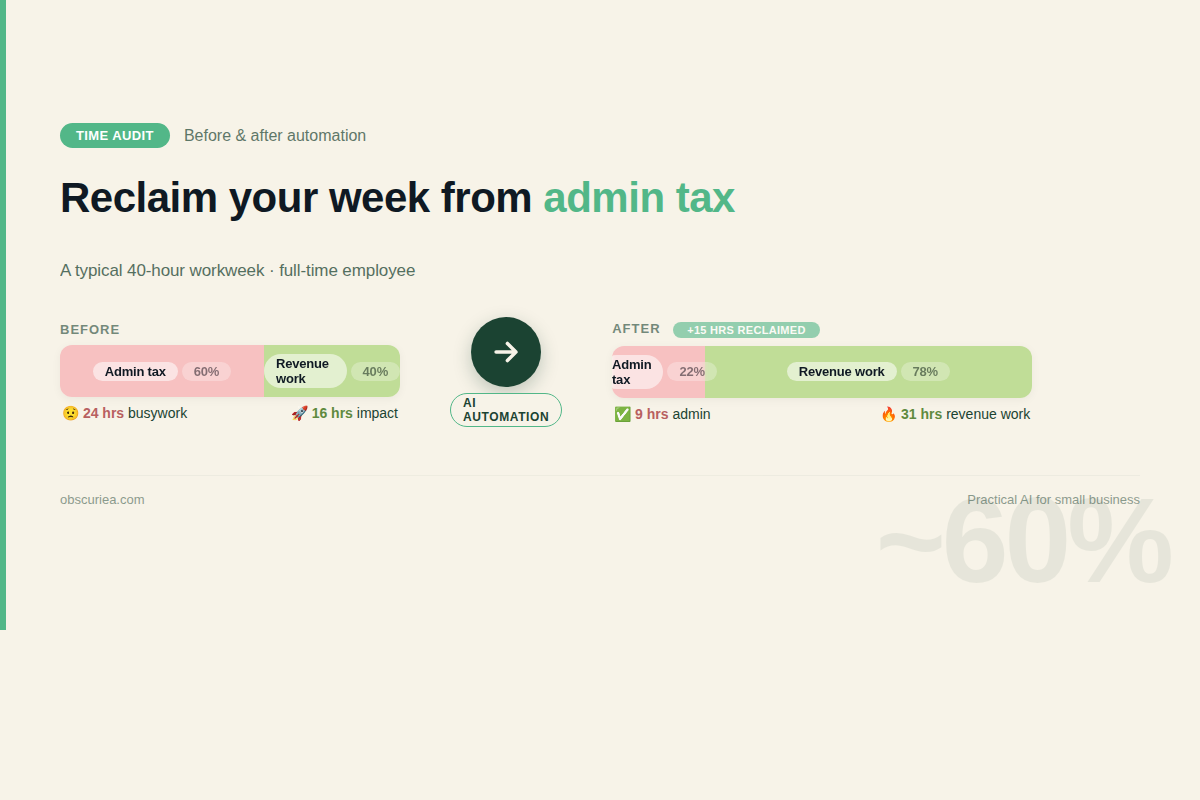
Let’s put numbers on it. Say your effective hourly rate is $75. You spend 10 hours a week on admin tasks that an existing tool could handle. That’s $750 per week, or about $3,000 per month — and that’s a conservative estimate for a solo operator. As soon as you add a team member, the admin tax compounds. A 5-person team paying $45/hour average salary burns over $9,000 a month on duplicated data entry, manual approvals, and scattered communications.
The broken workflow isn’t a single process. It’s a web of tiny friction points: a lead form that doesn’t auto-trigger a welcome email, an invoice that sits in Drafts because the recurring schedule was manually set, a shared inbox where the same client request gets handled by three different people in one afternoon. Each micro-interruption costs 15-20 minutes of context-switching recovery. Multiply that by 20 interactions per day, and you’ve lost 5 hours to cognitive overhead alone.
Worse: most operators don’t even realize it’s happening because there’s no single dashboard that tracks non-billable admin time. The $10,000-a-month admin tax is invisible until you force yourself to log every interruption for a week. When you do, the number is always higher than you think.
The Automated Replacement: Trigger → Action → Output
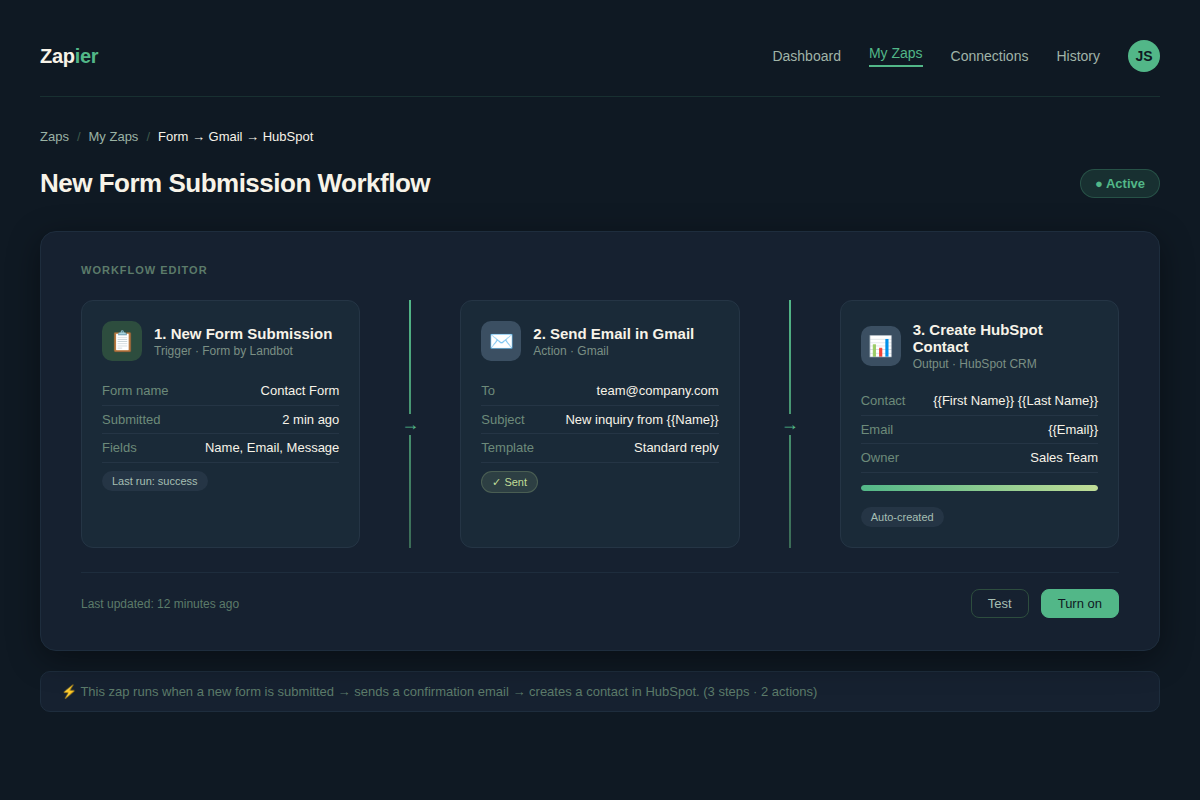
The first step to reclaiming those hours is to map the most expensive repeated decision in your business. Usually it’s one of three: lead response, invoice generation, or client check-in. Pick one — not all three at once — and build a trigger → action → output chain around it.
Example: Lead response automation.
– Trigger: A new contact form submission on your website.
– Action: The CRM (HubSpot, Pipedrive, or even Google Sheets with a script) checks for required fields, assigns a lead score, and sends a personalized email from your domain.
– Output: The prospect receives a reply within 60 seconds, 24/7. No human touched it.
The math: If you close 5% of leads and you’re losing 30 minutes per manual response (read, think, type, send), you’re burning 30 hours per 60 leads. At $75/hour, that’s $2,250 in admin time per 60 leads. Automation recovers all of that. The 30 minutes become 60 seconds of monitoring.
Invoice automation runs on a similar pattern:
– Trigger: Project completion or recurring date.
– Action: Generate invoice from template, populate line items from time tracker, send with payment link.
– Output: Client receives invoice within 5 minutes of project end. Net 15 days payment terms are automatically tracked and escalated.
This single automation can cut the average 4 hours per month spent on invoicing for a 10-client business down to 10 minutes.
Client check-in automation:
– Trigger: 7 days since last interaction.
– Action: AI-drafted check-in email pulled from recent project activity, offering a specific update or asking a direct question.
– Output: Client feels cared for without you lifting a finger. Response rates on these automated check-ins average 40-60% when the message references actual work, not a template platitude.
Setup Requirements: Time, Tools, and Skill Level
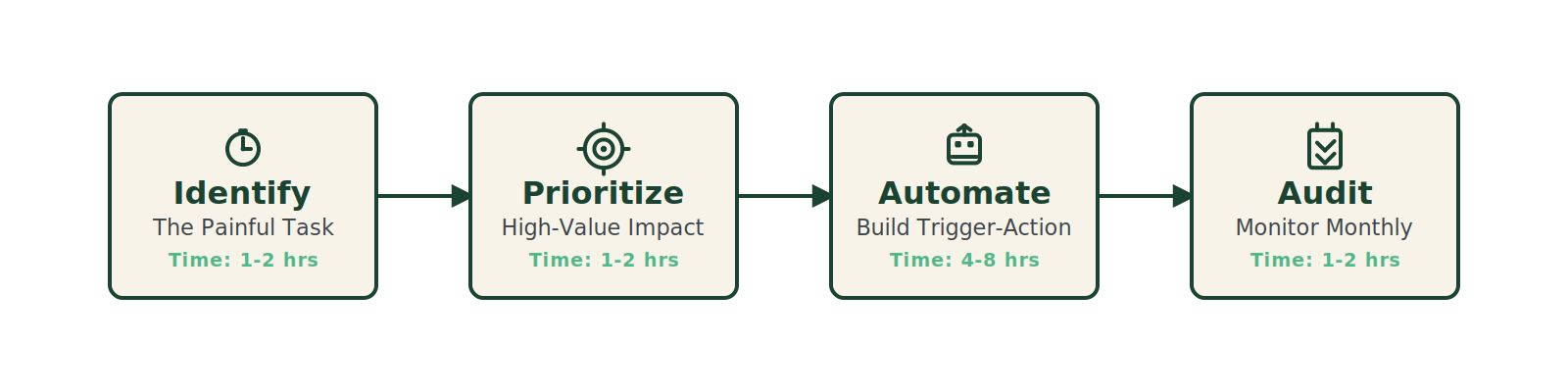
Automation setup is not free. It costs upfront time and a willingness to fiddle. The average trigger-action workflow takes 30-90 minutes to set up and test, depending on complexity. For a three-workflow overhaul (lead, invoice, check-in), budget 4-6 hours across one weekend.
Tools you’ll need:
– A CRM with API access: HubSpot (free tier works for lead and check-in), Pipedrive, or Less Annoying CRM for the minimalists.
– An automation platform: Zapier (easiest, $20/month), Make (more powerful, $9/month), or n8n (self-hosted, free but requires technical skill).
– A payment tool: Stripe or PayPal for invoice automation. Many CRMs have built-in invoicing (FreshBooks, Xero) that already integrate.
Skill level: Basic familiarity with if-this-then-that logic. You don’t need to code. Most platforms offer pre-built templates for common workflows. The hard part is knowing which trigger to pick — not building the automation itself.
One piece of advice: start with the most painful, repetitive task you did yesterday. Automate that first. The dopamine hit of watching it work will carry you through the less exciting optimizations.
 Failure Modes: Where the Automation Breaks
Automation is not set-and-forget. It breaks — and when it does, it breaks loudly or silently. The silent failures are the dangerous ones.
Breach 1: Over-automation. Your system sends a client five automated emails in one day because triggers piled up. Now you look like spam. Solution: throttle workflows with delay steps and consolidate communications.
Breach 2: Missing data. A lead fills out the form but skips the phone field. Your CRM rejects the creation, and the lead is lost. Solution: add validation rules and conditional workflows that capture incomplete submissions for manual review.
Breach 3: Integration drift. Stripe updates its API, your Zapier connection breaks, and invoicing stops for three days before you notice. Solution: monitor health dashboards (most platforms offer them) and schedule a monthly hour to review all active automations for version changes.
Breach 4: Human over-reliance. You stop looking at the numbers because “automation handles it.” Then a pricing mistake slips through and you lose a client. Automation reduces friction; it doesn’t replace judgment. Schedule a weekly 15-minute audit of automated decisions.
These failure modes are not reasons to skip automation. They are reasons to build with guardrails. Every successful automated workflow I’ve seen has a “manual override” button that someone clicks at least once a month.
The Friction Box
- The initial setup requires concentrated time (4-6 hours) that most operators don’t have — and the temptation to defer it is high.
- Free tiers of automation tools (Zapier, Make) cap you at 100-700 tasks/month. A growing business hits those limits fast, forcing a paid upgrade.
- Automation only works as well as the data feeding it. Dirty data (typos, incomplete forms, duplicate contacts) creates cascading failures.
- Client-facing automation (check-ins, invoices) must still feel human. A poorly worded template can damage relationships faster than no automation at all.
- Some team members resist automation because it feels like a threat to their role. Cultural adoption takes time.
Frequently Asked Questions About The $10,000-a-Month Admin Tax
How do I calculate my business’s admin tax?
Track every non-billable task for one week. Use a time tracker like Toggl or a simple spreadsheet. Categories: email triage, invoicing, scheduling, client follow-ups, data entry. Sum the hours, multiply by your hourly rate (annual revenue / 2080 hours). That’s your weekly admin tax. Multiply by 4.3 for monthly.
Which automation should I start with?
Start with the task that causes the most stress or the one that has the clearest trigger-action pattern. Lead response is usually the easiest (form submission → email). Invoicing is high impact but requires payment setup. Pick one, do it well, then move on.
Will automation replace my assistant or virtual staff?
No. Automation removes the repetitive, rule-based decisions — data entry, scheduling, follow-up reminders. It frees up your assistant to handle creative problem-solving, strategic client conversations, and exceptions that the automation flags. A well-automated business actually needs smarter human roles.
How much does automation cost?
Entry level: $0-30/month for platforms like Zapier Starter or Make. CRM costs vary: HubSpot free tier is robust; paid tiers start at $45/month. Total monthly cost for a small business often stays under $100/month — far less than the $10,000 monthly admin tax it recovers.
What if my team resists automation?
Involve them in the selection of which workflow to automate. Ask: “What repetitive task would you love to stop doing?” People rarely resist eliminating their own pain points. Frame automation as giving them more interesting work, not as a cost-cutting measure.
Can I automate client communication without sounding robotic?
Yes — with personalization variables. Use merge tags that insert the client’s name, recent project milestone, or last contact date. Write the email template in your own voice. Test it by reading it aloud. If it passes the “would I say this to a colleague?” test, it’s fine.
The Straight Talk
This is for: The operator who knows they’re leaving money on the table every week because they’re buried in manual admin — and who has at least one weekend to overhaul the most painful workflow.
Skip this if: You’re currently running fewer than 5 clients or your monthly revenue is under $5,000. At that scale, the admin tax is smaller and the setup time may not pay back. Stick to manual processes until you feel the friction.
Your next move: Track every non-billable admin task for one week. Add up the hours. Multiply by your hourly rate. Then pick the most expensive repeated decision and set up one trigger-action workflow this weekend. The $10,000-a-month admin tax doesn’t vanish overnight — but you can start clawing back $500 this week.