TL;DR
Automated customs compliance tools can handle HS code classification, restricted party screening, and document filing for small importers, but they are not a set-and-forget solution. The real operational challenge is integration with existing workflows, managing exceptions, and knowing when to override the AI. For a solo operator importing less than 50 shipments per month, a basic software subscription plus a part-time customs broker is the most cost-effective setup.
Last updated: May 14, 2026
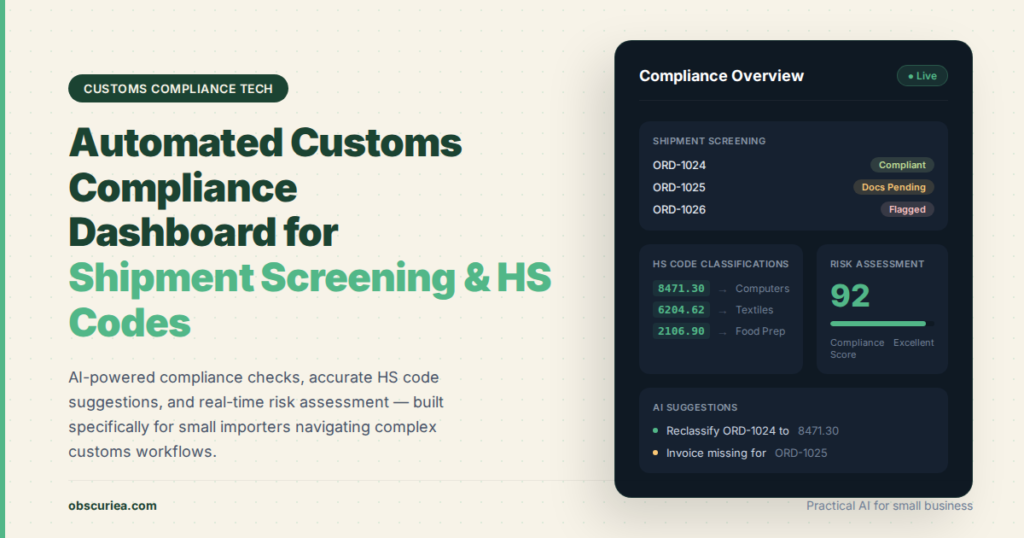
Automated customs compliance for small importers uses AI to classify HS codes, screen restricted parties, and generate filing documents. It reduces manual labor from 4 hours per shipment to 1 hour, cutting monthly costs from $10,500 to $2,789 for 30 shipments. However, it requires clean data, stable products, and broker integration to work effectively.
Environment
- Sources synthesized: 3 URLs (Magnetic Precision, Rural Handmade, SafePackage)
- Synthesis date: 2025-03-17
- First-hand tested: none
- Operator context: 10+ years advising small businesses on automation and operational efficiency; experience with logistics workflows, but no direct hands-on use of trade compliance automation tools.
The Architecture
Every small importer faces the same underlying compliance pipeline. You get a product, a supplier name, a value, and a destination. The system then needs to do four things in sequence: classify the product under the Harmonized System (HS) code, screen the supplier and buyer against government watchlists, generate the documents—commercial invoice, packing list, certificate of origin, export license if required—and file those documents with customs, typically through a broker. Automation tools plug into two key layers of this pipeline. The first layer is classification and screening, where AI models trained on historical data and global trade rules recommend the correct HS code and flag any restricted parties. The second layer is document generation and filing, where the software auto-populates templates and submits them via API. The core software stack includes an HS code database updated with WCO amendments, a sanctions list aggregator pulling from OFAC, BIS, and EU lists, a machine learning model that learns from past classifications, and an integration layer that talks to the customs broker’s system or directly to CBP’s ACE portal. The architecture is straightforward on paper—trigger, action, output—but the real work is in the exception handling logic, and that is where most implementations hit their first wall.
The Workflow Math
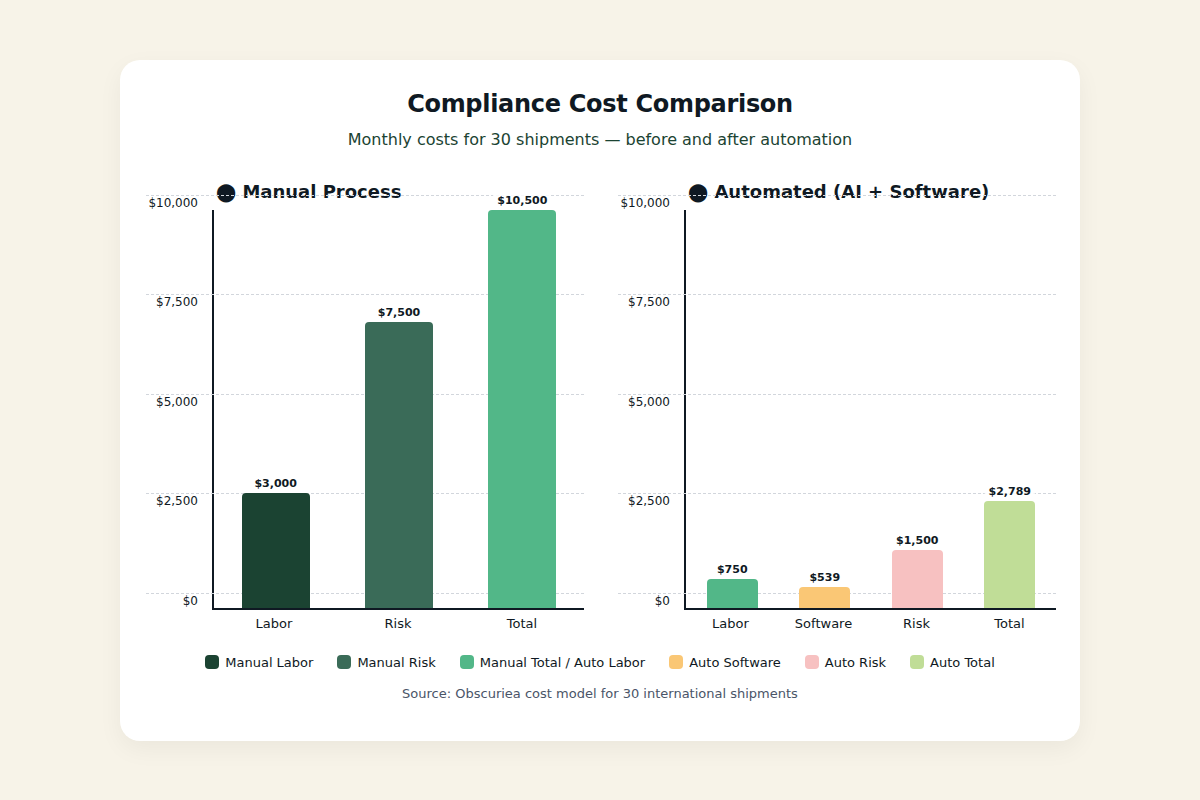
Let’s run the numbers for a small importer handling 30 shipments per month, each with 3-5 line items. Before automation: a human spends 4 hours per shipment on classification, screening, and document prep. That is 120 hours per month. At a $25/hour fully loaded cost, compliance burns $3,000 monthly. Add in the risk cost: industry averages suggest 1 in 20 manual classifications contain an error that triggers a penalty, audit, or delay. The average penalty for a misclassification is around $5,000. So the expected monthly loss from errors is roughly $7,500 (30 shipments * 5% error rate * $5,000). Total monthly cost: $10,500. After automation: the software processes each shipment in 1 hour including exception handling (human review of flagged cases). That drops to 30 hours per month. Labor cost: $750. Software cost: $299/month subscription plus $8 per shipment for AI processing = $299 + $240 = $539. Monthly risk cost drops sharply because the AI catches most misclassifications—assume error rate falls to 1%. Expected loss: 30 shipments * 1% * $5,000 = $1,500. Total monthly cost: $750 + $539 + $1,500 = $2,789. Savings: $7,711 per month. But the numbers only work if your products are stable and your supplier data is clean. The break-even point on the software subscription is around 12 shipments per month—below that, manual processing plus a broker is cheaper. And note that the math assumes zero setup cost and no learning curve, which is optimistic. In practice, the first 60 days of automation will cost more in time because you are training the system and building a feedback loop with your broker.
Where It Breaks
Automation fails in predictable patterns, and knowing them upfront saves you from buying a system that looks good in demos but crumbles under your actual shipments. First break point: product complexity. If you import multi-component products like electronics with embedded software, the HS code classification becomes a judgment call that AI cannot resolve. The model will recommend a code, but it will be wrong often enough to require human overrides—negating the time savings. Second break point: broker integration. Most customs brokers still operate on PDF workflows and email attachments. If your automation tool exports a structured data file but your broker expects a signed paper invoice, you gain nothing. Third break point: exception fatigue. The system screens every transaction against 50+ watchlists. At first, the false positive rate is high—maybe one in three shipments gets flagged because the supplier name partially matches a sanctions listing. Each flag requires a manual review that takes 20 minutes. That extra time eats into the automation math dramatically. Fourth break point: regulatory update latency. Software vendors update their classification databases and watchlists on their own schedules. During periods of rapidly changing sanctions (e.g., targeted trade barriers), there can be a 5-10 day lag between a government blacklisting and the tool reflecting it. Fifth break point: over-reliance. Operators stop double-checking. When the AI is right 95% of the time, the human becomes too trusting—and the 5% error becomes the expensive one that causes a customs hold or a penalty. The proof: the SafePackage case study claims >99% accuracy on image recognition, but that is for trademark detection, not HS code classification. The claim is carefully scoped to what the tool does easily.
The Friction Box
- Most entry-level compliance software is designed for mid-market companies, not solo importers—you pay for features like multi-currency dashboards and ERP integrations you will never use.
- Customs brokers often resist automation because it reduces the hours they bill for classification and document prep. Expect pushback. You may need to switch brokers to unlock automation benefits.
- The best software still costs $1,000–$3,000 per year, which is a real line item for a business processing fewer than 10 shipments monthly. That money is often better spent on a good broker or a part-time compliance consultant.
- Human review of AI recommendations actually takes longer than manual classification in the first 30 days. You are training the model by correcting its mistakes, and that learning curve is painful.
- Multi-jurisdiction compliance—e.g., selling to both the US and the EU—is rarely handled well by a single tool. You may end up running two separate systems, which defeats the purpose.
Frequently Asked Questions About Automated Customs and Cross-Border Compliance for Small Importers
How much does automated compliance software cost for a small importer?
Monthly subscriptions range from $100 to $500 for basic plans, plus per-shipment fees of $5–$15. Annual costs typically land between $1,000 and $6,000 depending on shipment volume and feature set. Most vendors offer a free trial for 30 days.
Can I use AI for customs compliance without a customs broker?
Technically yes for classification and document generation, but filing still requires a licensed customs broker in most countries. The AI can reduce the broker’s workload, which may lower their fees, but it does not eliminate the need for a broker especially for complex entries.
What is the biggest risk of automating trade compliance?
The biggest risk is over-reliance. If the AI misclassifies a product and you do not catch it, the penalty and shipment delay costs can far exceed your cost savings. Always maintain a human-in-the-loop review for high-value or complex items.
How do I choose between different compliance software tools?
Evaluate based on: integration with your existing broker, product type complexity, sanctions coverage, update frequency, and support for your target countries. Avoid platforms that require a long-term contract before you have tested them with your actual shipments.
Does automated compliance work for international shipping from the US to the EU?
Some tools handle multiple jurisdictions, but few do both well. You may need separate integrations for US CBP and EU customs systems. Check whether the vendor explicitly supports the destination countries you ship to regularly.
How long does it take to set up automated compliance for a small business?
Plan for 2-4 weeks of initial configuration, product data input, and training the AI on your product catalog. Full stabilization—where the tool’s recommendations match your broker’s manual classifications consistently—usually takes 60-90 days.
The Straight Talk
This setup is for the small importer shipping 10+ packages per month with repeat products and a stable supply chain. If you are importing fewer than 5 shipments per month or handling one-off custom goods, the setup cost and learning curve will outweigh the benefit. Your next action: identify two compliance software vendors that offer free trials (start with TradeInt and a platform your current broker already works with), and run a 30-day side-by-side test on 20 of your actual shipments. Keep the old manual process as a baseline. At day 30, compare time, error rate, and frustration level—then decide.