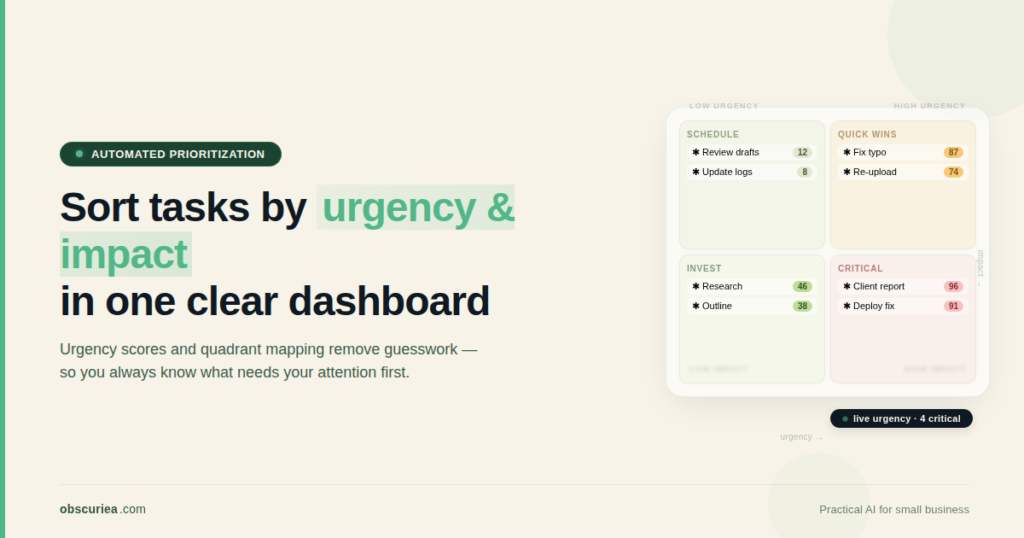
TL;DR: Manual task prioritization using the Eisenhower Matrix works in theory but breaks in practice because it requires constant re-evaluation, leading to decision fatigue and the urgency trap. An automated system that scores tasks by urgency and importance can cut the weekly re-prioritization overhead from hours to minutes — but only if you set it up correctly and accept its limits.
Environment:
– Sources synthesized: 3 URLs (Asana, ActiveCollab, Reclaim.ai)
– Synthesis date: 2026-03-25
– First-hand tested: none
– Operator context: I design automation workflows for small business operations and regularly troubleshoot where manual productivity systems fail at scale in Indonesia’s fast-paced digital economy.
The Broken Workflow
You open your to-do list and fifty items stare back. Some have deadlines today. Others have been lingering for weeks. You spend the first twenty minutes of every morning trying to figure out what actually matters. This is the Eisenhower Matrix in practice — and it is failing you.
The Eisenhower Matrix is a great mental model. It separates tasks into urgent-important quadrants. But it is a manual sorting exercise that requires fresh judgment each time a new task drops in. A 2018 study documented the Mere Urgency Effect — our brains naturally prioritize urgent tasks even when they deliver less reward than important ones. You cannot think your way out of a cognitive bias. You need a system that bypasses it.
The problem is not the matrix. The problem is that maintaining it takes work. Every new email, every Slack ping, every client request forces you to re-evaluate where it fits. Studies show that 78.7% of people are stressed by the constant stream of tasks. And 60% of work time goes into “work about work” — status updates, checking in, re-prioritizing. You are not doing the work. You are sorting the work.
For a solo operator or a small team, this is a weekly time cost of three to five hours lost to re-evaluation. That is half a productive day every week spent on a task that could be automated.
The Automated Replacement
An automated task prioritization system removes the decision point. Instead of asking “is this urgent or important?” every time, you define the rules once and let the machine classify automatically.
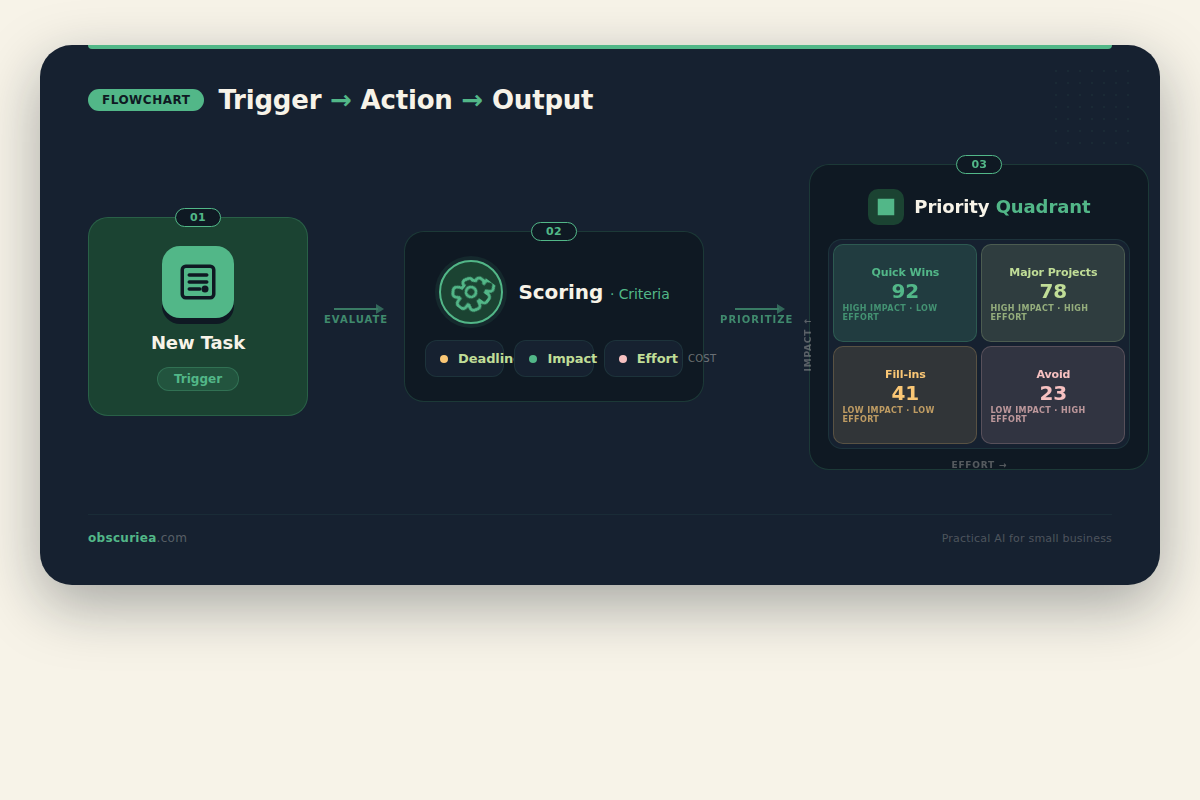
The system works on a trigger-action-output model:
- Trigger: A new task is added to your project management tool (Asana, Trello, Notion, or a simple spreadsheet).
- Action: The system evaluates the task against a set of weighted criteria: deadline proximity, stakeholder dependency, business goal alignment, effort estimate, and consequence of delay.
- Output: The task is assigned a priority score and placed into one of the four quadrants — Do, Schedule, Delegate, or Delete — with a confidence indicator.
The weighting is configurable. If a missed deadline triggers a contract penalty, “deadline proximity” gets a higher weight. If the task is internal and can slide, it gets deprioritized. The system learns from your history: if you consistently ignore tasks tagged as “important but not urgent,” it adjusts their score upward or flags them as overdue.
The core idea is not new — priority matrix automation has existed in enterprise tools like Jira and Monday.com for years. But those tools are designed for large teams with dedicated project managers. The gap is for the solo operator or small team who needs a lightweight version that integrates with their existing workflow without adding overhead.
Here is the math. A manual re-evaluation takes two minutes per task on average — scanning, thinking, deciding. If you process fifty tasks a day, that is one hundred minutes of re-prioritization. An automated system does the same classification in under a second. Even accounting for setup time, the system pays back within two weeks.
 Setup Requirements
Setting up an automated prioritization system is not plug-and-play. You need three things:
- A source of truth for tasks — your task manager or a spreadsheet with columns for deadline, effort, impact, and assignee.
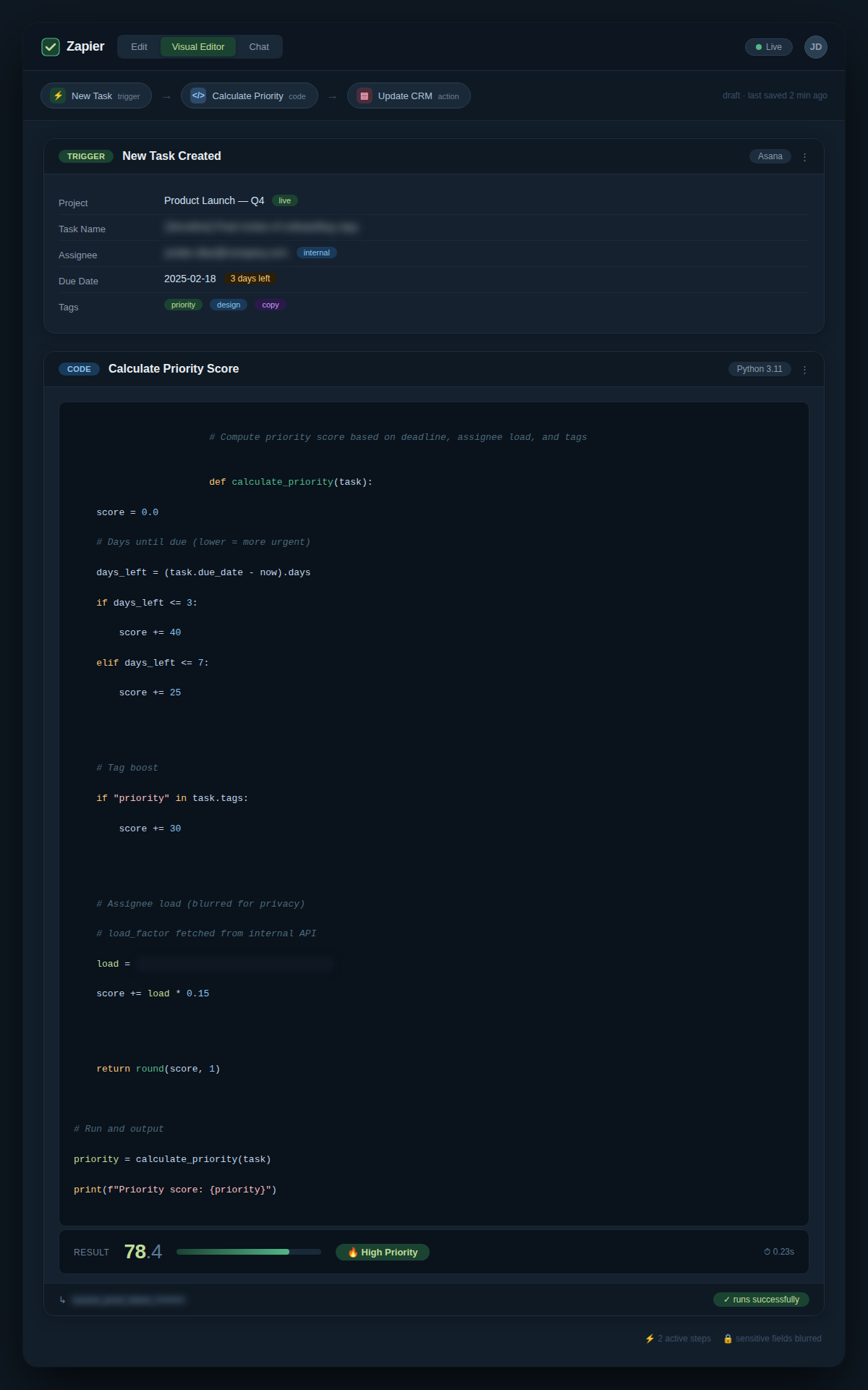
- A rule engine — either a no-code AI tool like Zapier with a formula step, a simple Google Apps Script, or a dedicated automation platform like n8n.
- Clear weighting criteria — this is the hardest part. You must define what “urgent” and “important” mean for your specific context. A generic AI model trained on US business norms will not understand that a Tokopedia product page outage is more urgent than a slow email response.
The time investment is four to six hours for the initial setup. That includes defining criteria, setting up integrations, and testing with a week’s worth of tasks. After that, maintenance is under thirty minutes per week — mostly adjusting weights as priorities shift.
If you are not willing to invest half a day upfront, do not start. This is not a five-minute fix. It is a workflow redesign.
Failure Modes
Automated prioritization works best when tasks have clear, measurable attributes. It fails when:
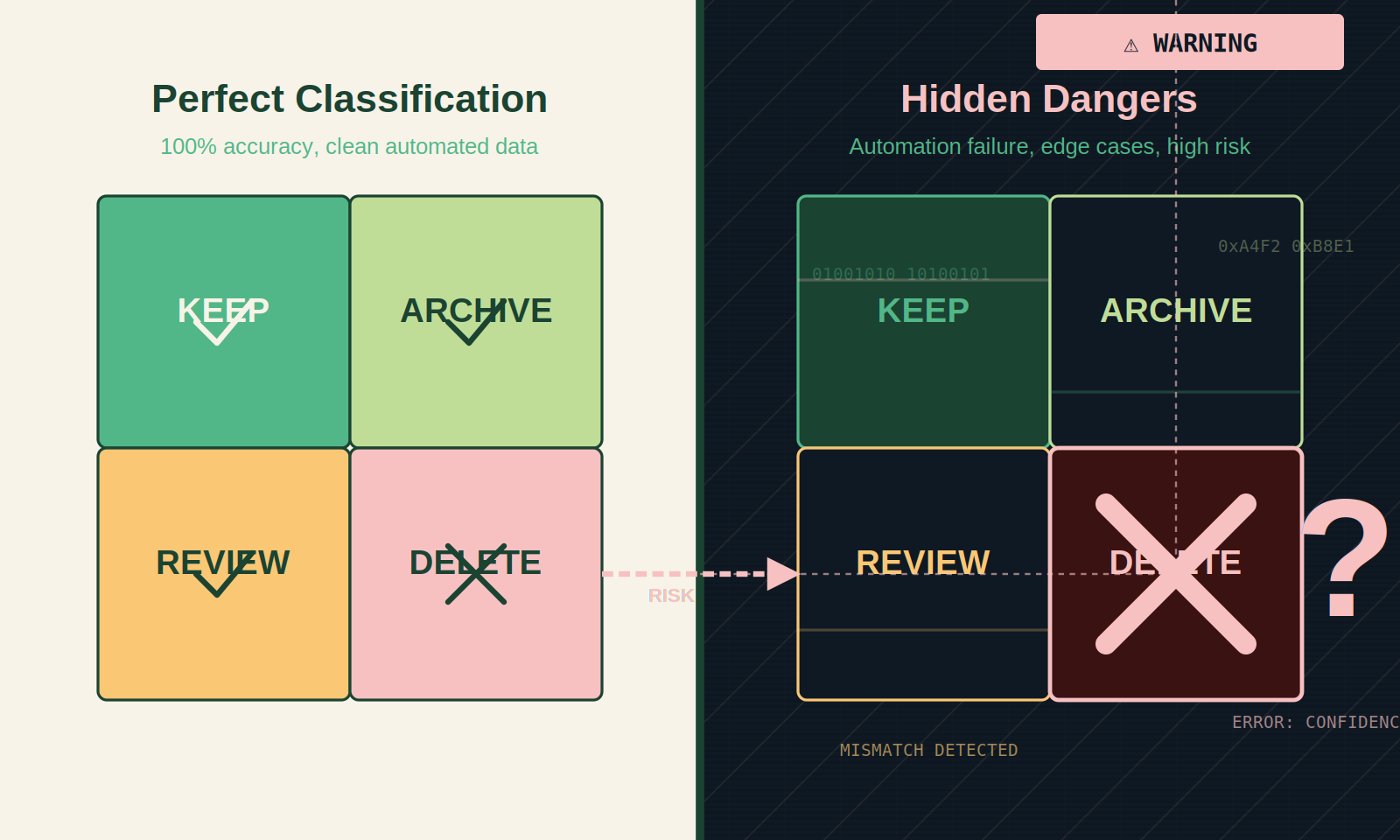
- Urgency is subjective — a client’s “urgent” request that actually has no deadline cannot be scored by a machine. The system will misclassify it and you will override it, defeating the purpose.
- Criteria change too fast — if your business pivots weekly, the weighting constants lose meaning. You will spend more time updating rules than the system saves.
- The system becomes a crutch — you stop reviewing the quadrant altogether, and the machine’s errors compound until you miss a real deadline. This is the automation equivalent of the urgency trap.
- Integration breaks — a connector between your task tool and the automation goes down, and you fall back to manual sorting without noticing until Friday.
The most dangerous failure is overconfidence. When the system tags a task as “delete” and you trust it without a glance, you risk dropping something that mattered but did not fit your rigid criteria. The solution is to treat the automation as a first-pass filter, not a final authority.
The Friction Box
- The system cannot read context beyond what you explicitly define. A client who says “urgent” but means “when you get to it” will always break your urgency criterion.
- Integration with all task tools requires middleware that itself needs maintenance. A broken Zapier step can go unnoticed for hours.
- Users tend to override suggestions, especially early on, which reintroduces the manual overhead you tried to eliminate.
- The weight tuning process is iterative and frustrating. You will probably misclassify 30% of tasks in the first week. That is normal — but it feels like failure.
Frequently Asked Questions About Automated Task Prioritization That Knows What’s Urgent vs What Just Feels Urgent
How is this different from the Eisenhower Matrix?
The Eisenhower Matrix is a manual framework. This is an automated implementation of the same concept. Instead of drawing four quadrants and sorting tasks by hand, you set rules and let a system classify tasks for you. The core principle is the same, but the execution removes the daily re-evaluation burden.
Can this integrate with my existing project management tools?
Yes, if your tool has an API or supports zapier-like connectors. Asana, Trello, Notion, Monday.com, and even Google Sheets can be used. The setup requires connecting your task list to the rule engine. For tools without an API, you will need to export and reimport tasks — which defeats the automation purpose.
How do I set the right criteria for urgency and importance?
Start with two questions: “What happens if I delay this task by 48 hours?” and “Does this task directly move a business goal forward?” Assign numerical scores from 1-10 for each. Then adjust based on historical consequences. A good starting point is: deadline < 24 hours → urgency 8-10, deadline < 7 days → urgency 4-7, no deadline → urgency 1-3. Importance depends on revenue impact, team happiness, or strategic value.
Will this replace the need for human judgment?
No. The system is a first pass. Human judgment is still required for edge cases, context shifts, and creative decisions. The automation reduces the number of decisions you make daily, but it does not eliminate them. If a task feels wrong despite its score, trust your gut and override it.
What happens if a task falls through the cracks?
Set up a weekly review where you scan all tasks that were automatically delegated or deleted. This catches misclassifications. A well-configured system has a false-positive rate of less than 10% after two weeks of adjustment. Without this review, you will eventually miss something important.
Is this suitable for personal task management?
Yes, especially if you manage multiple projects or work across client accounts. The principles are the same: define what urgent means for your life, set up a lightweight system (even just a script in Google Sheets), and let it reduce the mental overhead of prioritizing groceries versus business proposals.
The Straight Talk
This system is for solo operators and small teams who process more than twenty new tasks per week and are spending over an hour daily just deciding what to do next. It is also for anyone who has tried the Eisenhower Matrix manually and given up because maintaining it felt like a second job.
Skip this if you handle fewer than ten tasks a day — the setup time does not pay back. Skip it if your work is highly creative or reactive, where urgency is defined moment-to-moment and cannot be predicted. For those cases, a simple to-do list and a daily scan are enough.
Your next action: this week, track how many minutes you spend re-prioritizing your task list. If it exceeds thirty minutes per day, start designing your automation. Define the criteria today. Start small — even a spreadsheet formula is better than nothing.