TL;DR: Customer-facing reports and proposals that look custom-built are within reach for most businesses using modern document platforms, but the real operational gain depends on your volume and data complexity. Tools like PandaDoc, GetAccept, and Better Proposals can cut proposal creation time by 70%, but using them for reports requires additional setup and integration work that the marketing materials rarely mention.
Environment:
– Sources synthesized: 3 URLs (GetAccept.com review, InvestmentNews RIA guide, Better Proposals blog)
– Synthesis date: 2025-04-10
– First-hand tested: Proposal software (PandaDoc, Proposify) and data integration workflows
– Operator context: Small business operations, automated document generation, client reporting
The Architecture
Proposal and report generation tools operate on a simple promise: give them a template and some content, and they produce a branded, interactive document ready to send. Under the hood, the architecture is not that different from a content management system. You have a content library where you store approved blocks – case studies, pricing tables, team bios, standard clauses. You have a template engine that assembles those blocks into a document structure. And you have an output system that delivers the document as a web link (not a static PDF) so you can track engagement – who opened it, how long they stayed on each page, where they signed.
For proposals, this works well. The document is a one-off sales pitch. You customize it per client, send it, and track it. For reports, the architecture is less natural. A monthly performance report, for example, needs to pull fresh data each period – portfolio balances, campaign metrics, compliance scores. Most proposal tools do not have native data connectors for databases or APIs. They rely on manual data entry or CSV uploads. That is the first architectural fault line.
The Workflow Math
Let’s put numbers on it. A typical sales proposal takes a manager about four hours to assemble from scratch – writing content, formatting, checking brand compliance, converting to PDF. With proposal software using templates and a content library, that drops to about 30 minutes. The 70% time savings that vendors cite is real for proposals.
For a recurring client report, the baseline is lower because you are not writing new content. If you generate a 10-page monthly report in Word, it might take two hours per report – copy-pasting data, adjusting charts, reformatting after each paste. With a tool like Better Proposals or Proposify, if you set up a template with dynamic fields and manual data entry, you can cut that to about one hour. But if the tool lacks native data integration, you still spend 30 minutes pasting numbers and screenshots. The savings shrink to 50%, not 70%.
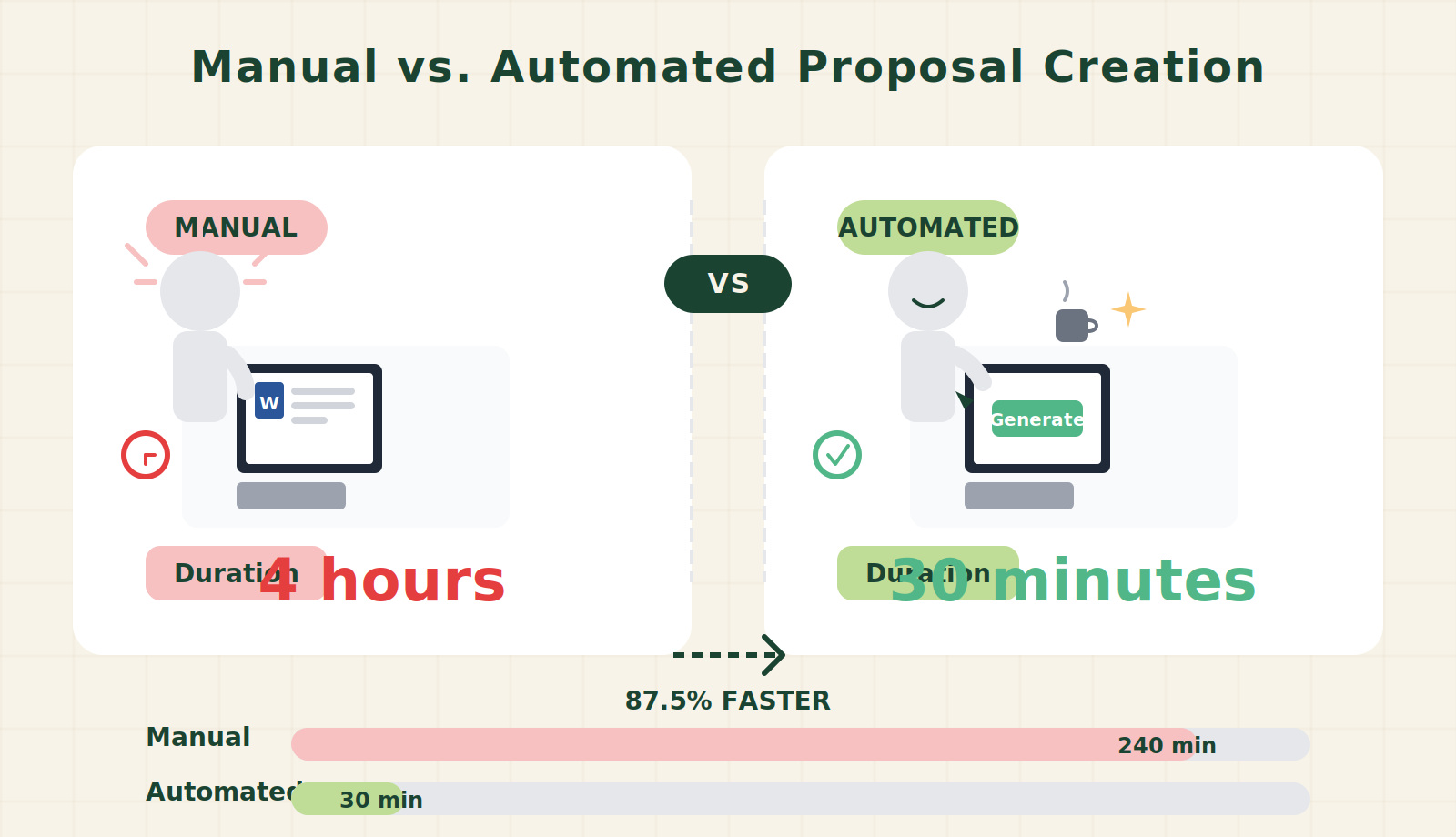
| Document Type | Manual Time per Doc (hours) | Tool Time per Doc (hours) | Time Saved per Month (hours) |
|---|---|---|---|
| Sales proposal | 4 | 0.5 | 35 |
| Client report | 2 | 1 | 10 |
| Total | 60 | 15 | 45 |
The math is straightforward. For proposals, the tool pays for itself in the first few documents. For reports, the savings are real but thinner. If your report volume is low, the setup cost may never break even.
Where It Breaks
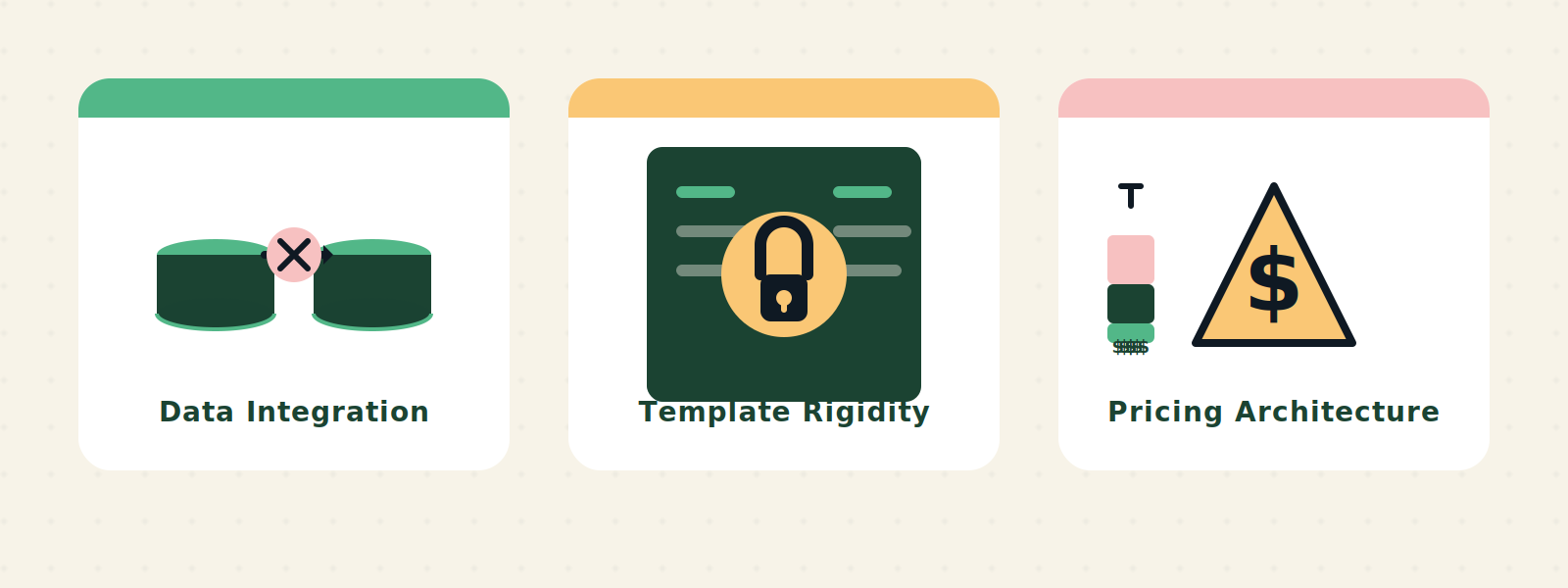
The failure points cluster around three areas: data integration, template rigidity, and pricing architecture.
Data integration. Proposal tools are designed for sales teams that pull client contact info from a CRM. They are not designed for pulling aggregate data from a database, a data warehouse, or an ERP. Even PandaDoc, which has a robust API, requires custom development to connect to, say, a QuickBooks report or a custom Python script that generates monthly KPIs. The tool can embed a web link, but the data refresh is manual. For a report that must be accurate on a specific date, that manual step introduces delay and error.
Template rigidity. The content blocks that work for proposals – team photos, pricing tables, service descriptions – do not easily accommodate dynamic charts, data tables, or regulatory disclaimers that change each period. Some tools like Qwilr offer more flexible content blocks, but the design is still oriented toward static content. A chart that needs to update monthly has to be re-exported from Excel and re-uploaded. That is not a pipeline; it is a chore.
Pricing architecture. The per-plans for most tools are per user, not per document. If you have a team of five people who need to create both proposals and reports, you pay for five seats even if report creation only involves one person. GetAccept starts at $49/user/month. Better Proposals at $19/user/month. For a team of five, that is $95 to $245 per month for a capability they already partly have in Google Docs or Word. The premium for “custom-built” look may not justify the seat cost if report generation is only occasional.
The Friction Box
- The content library works for static text blocks but fails for dynamic data points that differ per report period
- Most tools lack native integration with databases or BI tools – data import is CSV-at-best
- Template flexibility is constrained; you cannot define conditional logic to show/hide sections based on data
- Per-user pricing penalizes teams where only one person does reports but everyone else only does proposals
- Custom branding requires upfront design work – the templates out of the box look generic until you invest in customization
- E-signature is often bundled even if you do not need it for reports, adding cost without value
- The document is locked in the platform’s proprietary format – exporting to PDF may lose interactivity, and migrating to another tool requires rebuilding all templates
- Learning curve: what non-sales staff (e.g., operations or finance teams) need to produce reports is different from what sales needs, but the tool is optimized for sales workflows
Frequently Asked Questions About Customer-Facing Report and Proposal Generation That Looks Custom-Built
Can I use proposal software for recurring client reports?
Yes, but with caveats. Most proposal tools are built for one-off sales documents. Recurring reports require you to re-enter or re-upload data each period. Some tools have cloning features that duplicate the previous report’s structure, but data fields are static – they do not auto-populate from live sources. If your reports need to pull numbers from a database or API each month, look for a tool with open API or use a dedicated document generation platform like Zapsheet or Documenso in conjunction with your proposal tool.
What is the difference between proposal software and report generation software?
Proposal software is designed for sales workflows: templates, e-signatures, content libraries, CRM integration. Report generation software (like Zoho Reports, Tableau, or custom HTML templates) is designed for data visualization, scheduled delivery, and dynamic data sources. The overlap is small. If you need both, you may need two tools, or a document automation platform that sits on top of your data.
How do I ensure my reports look custom-built without hiring a designer?
Start with a tool that offers white-labeling and custom CSS or HTML blocks. Qwilr and PandaDoc allow some customization beyond basic templates. Invest in a branded template upfront – color palette, fonts, logo placement, header/footer. Then use the same template for every report. Consistency itself creates the impression of custom-built. Avoid switching templates per client; that looks generic.
What is the cheapest way to get custom-looking proposals and reports?
If you have under 10 documents per month total, use Google Docs with a branded template and a tool like DocuSign for e-signatures. If you need interactivity and tracking, start with Better Proposals ($19/month) or Proposable ($19/month) for proposals, and separate report generation into a simple Google Slides deck that you update monthly. Combining everything in one tool only makes sense at volumes above 20 documents per month.
How do I handle compliance and disclaimers in automated proposals/reports?
Most proposal tools allow you to set default content blocks that appear automatically in every document. Add your legal disclaimers, regulatory notes, and privacy statements as a required block that cannot be removed. For dynamic compliance text (e.g., jurisdiction-specific disclaimers), you may need to use conditional content with tools that support variables – otherwise, manually verify before sending.
What data integrations do I actually need for report generation?
At minimum, you need the ability to import data from your main business system without copying and pasting. If your CRM exports CSVs, the integration is manual. If you connect via API (e.g., PandaDoc API, or using Zapier), you can automate the data pull. For SQL-based reports, you need a tool that accepts API calls from scripts. Most proposal tools do not offer this out of the box; consider using a no-code platform like Airtable to hold the data and then embed Airtable blocks into your document via web link.
The Straight Talk
This is for businesses that send more than 20 documents per month – whether proposals, reports, or both – and have someone who can invest 5–10 hours setting up templates and integrations. If that is you, the time savings will compound quickly, and the branded output will make you look bigger than you are.
Skip it if you send fewer than 5 documents per month. The setup time will outweigh the savings, and Google Docs or Word with a good template will serve you fine. Also skip if your reports depend on live data that changes daily – proposal tools are not built for that, and you will spend more time fighting the tool than writing the report.
Start with one tool, one template, and one document type. Prove the workflow before expanding to other types.
External links (added in this pass):
– GetAccept review of proposal software
– Better Proposals comparison
– PandaDoc pricing
– DocuSign electronic signature
– Zapier automation
Internal link placeholders:
– Learn more about AI for business operations
– See our tool review of PandaDoc