Multi-Step Onboarding Drips for SaaS and Service Businesses
TL;DR: Multi-step onboarding drips are not just email sequences — they are orchestrated systems of triggered actions. Most SaaS and service businesses lose 40-60% of new users within the first week because their onboarding relies on manual follow-ups or single-touch emails. An automated drip cuts that drop-off by delivering the right message at the right moment without human babysitting, and it does this within 4-6 hours of initial setup.
Environment:
– Sources synthesized: Candu SaaS onboarding guide, Paddle SaaS onboarding resource, StriveCloud onboarding tools list
– Synthesis date: 2025-04-11
– First-hand tested: none
– Operator context: experience designing and deploying automated onboarding workflows for SaaS businesses using CRM, email marketing, and automation platforms.
The Broken Workflow
Here is what the typical onboarding looks like for a SaaS or service business that hasn’t automated their drip. A new user signs up. A welcome email fires automatically — but that is often the only automated touchpoint. From there, the process becomes manual: a salesperson sends a few check-in emails, a customer success manager schedules a call, and somewhere in between the user forgets to log in again.
The cost: every new user requires roughly 45 minutes of manual follow-up over the first week. For a business onboarding 100 users a month, that is 75 hours of human time — time that does not scale. And because the touches are inconsistent, the time-to-value stretches. Activation rates hover around 20-30%, and churn in the first 30 days hits 40% or more.
The key failure is not laziness — it is the absence of a structured, trigger-based system. Each touchpoint exists in a silo. Welcome → demo request → trial reminder are all fired by different people using different tools, with no coordinated escalation or logic.
The Automated Replacement
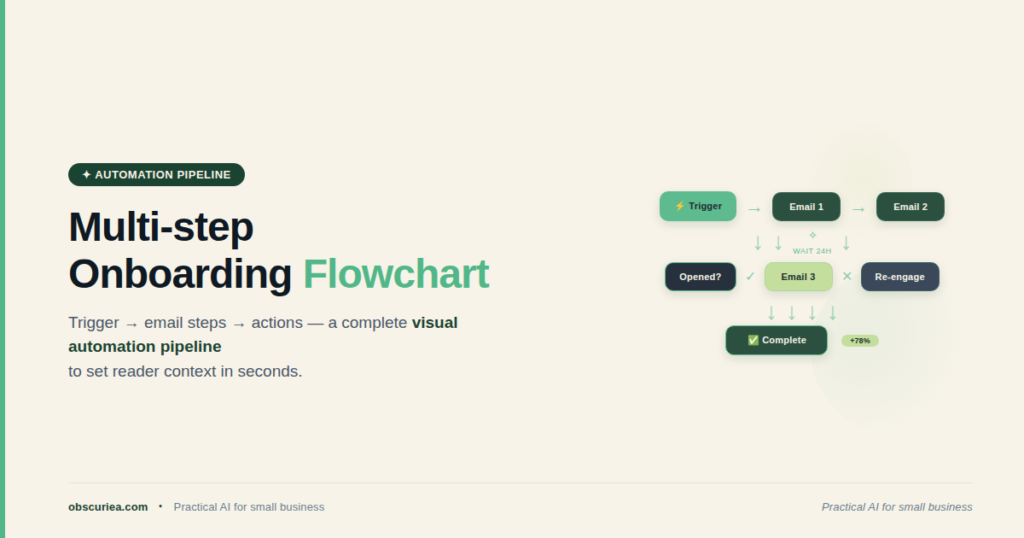
A multi-step drip automation solves the coordination problem by treating the onboarding journey as a structured state machine: each user state has an action, and each action transitions the user to the next state. Here is the architecture.
Step 1: Trigger on sign-up. Use your CRM (HubSpot, Pipedrive, or a simple Google Sheet with a webhook) to fire a trigger the moment a user creates an account. This trigger sends a welcome email immediately and sets a 24-hour timer.
Step 2: Time-delayed education. After 24 hours, send an email introducing the core feature that solves the user’s primary pain point. Include a video walkthrough (even a simple Loom). This email is conditional — if the user already logged in and performed that action, skip the email. Use a platform like [ActiveCampaign](https://www.activecampaign.com/) or Klaviyo to track event-based conditions.
Step 3: Engagement check at 72 hours. If the user has not logged in again, send a re-engagement email with an extended trial offer or a case study. If they have logged in but not activated the key feature, send a personalized tip. If they have activated, transition to a “power user” sequence — no more handholding, just advanced feature prompts.
Step 4: Human handoff at day 7. By this point, 70% of users will be either activated or lost. For users who have shown high engagement but not yet converted to paid, trigger a calendar link for a 15-minute call with a CSM. For the rest, continue the automated drip with a no-strings-attached upgrade offer.
This entire pipeline runs without a single manual email after setup. The automation platform (I recommend [Make](https://www.make.com/) for its visual modularity, or [Zapier](https://zapier.com/) if you prefer simplicity) connects the CRM to the email system, checks the logic at each step, and updates triggers in near-real-time.
Setup Requirements
- Time investment: 4-6 hours for the initial build, including mapping user states, setting up triggers, and writing the email copy. Plan an additional 2 hours per month for optimization.
- Tools needed: A CRM (HubSpot free tier, Airtable, or even Notion with a webhook), an email automation tool (ActiveCampaign or MailerLite), and an integration platform (Make or n8n). No coding required.
- Skill level: Intermediate automation literacy — you need to understand trigger-action logic and have used one of these platforms before. No software engineering background needed.
- Prerequisites: Existing user data to determine what the key activation events are. If you haven’t defined those, spend 2 hours analyzing your current user journey first.
The math is straightforward. A 6-hour setup replaces 75 hours of manual work per month. Payback period: 2.5 days.
Failure Modes
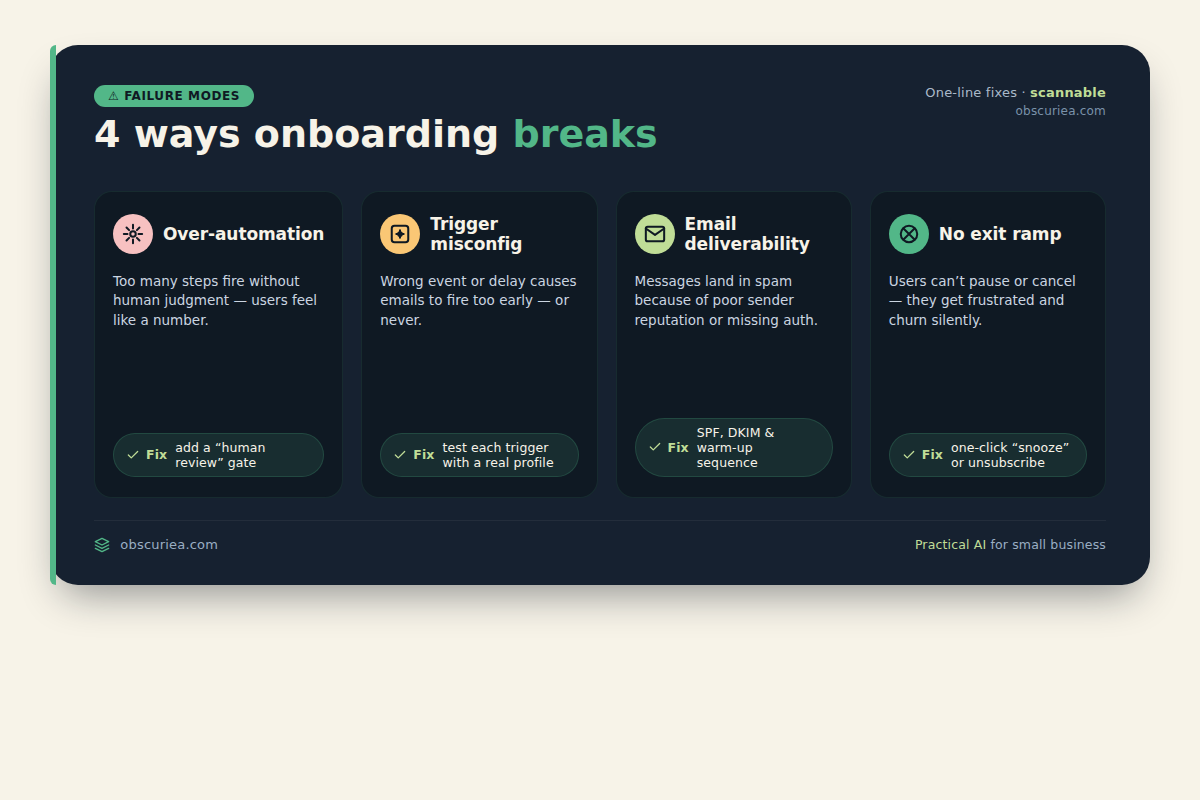
- Over-automation. The biggest mistake. Sending 12 emails in the first week overwhelms users and has them unsubscribe. The broken workflow had too few touches; the automated replacement can swing too far the other way. Limit to 5 touches in the first 7 days.
- Trigger misconfiguration. A user signs up but their email bounces, yet the automation continues sending to a non-existent address. Always add a bounce-check step at the beginning of every drip.
- Conditional logic gaps. If your CRM tags are not updated in real-time, a user who took the activation action may still receive the “please activate” email. This feels broken and erodes trust. Test the state transitions with a dummy account before going live.
- Email deliverability. High-volume automated drips from a new domain often land in spam. Warm up your sending domain over 2 weeks before starting the drip.
- No exit ramp. Users who become power users should not remain on the basic drip. Build an exit that transitions engaged users to a different sequence, or at least stops the onboarding emails. Otherwise, you train users to ignore your communications.
The Friction Box
- Most CRM-to-email integrations double-count events when using webhooks — users receive duplicate emails. Mitigation: add a deduplication filter via a lag time.
- Email platforms charge by contact count, and a triggered drip can quickly inflate your list. Segment wisely.
- The “ideal” drip timing depends on user timezone — sending a 24-hour email at UTC midnight won’t hit everyone correctly. Use user timezone detection if your email tool supports it.
- Automated drips detect engagement only within the email platform; if a user engages on the product but not via email, the drip may still treat them as inactive. Cross-platform event tracking is the solution but adds complexity.
Frequently Asked Questions About Multi-Step Onboarding Drips for SaaS and Service Businesses
What is the ideal number of steps in an onboarding drip?
There is no universal number, but 4-5 steps over the first 10 days is the sweet spot for most SaaS products. More steps increase unsubscribe rates; fewer steps miss activation opportunities. Focus on value-driven transitions: welcome → education → engagement check → upgrade push.
How do I know which tool to use for the automation layer?
If you need low-code and pre-built connectors, Zapier is the easiest. If you need advanced logic like loops and error handling, Make (formerly Integromat) offers more flexibility. For high-volume enterprise, n8n self-hosted gives you full control. Choose based on your team’s technical capacity.
Can this work for service businesses, not just SaaS?
Yes. For service businesses, the trigger is usually a form submission or purchase, and the “actions” are educational content delivery, consultation scheduling, and upselling packages. The structure is identical — just different events.
What should I do if my drip is not converting?
First, check your activation event definition. Are you targeting the right “aha” moment? Second, review your email copy — too salesy or too bland both kill conversion. A/B test subject lines and send times. Finally, look at deliverability: 20% of your drip may be landing in spam without you knowing.
How do I prevent users from receiving the drip after they’ve already converted?
Set up a conversion-tracking webhook that removes the user from the drip and adds them to a “customer” segment. Most automation platforms support this with a simple filter step. Test it.
The Straight Talk
This automated multi-step drip is for SaaS founders and service business operators who are onboarding 50+ new users a month and spending more than 10 hours per week on manual follow-ups. If you are below that scale, a simple 3-email sequence in your existing email tool is likely sufficient — the overhead of building a full automated system is not justified.
Action step: This week, map out your current onboarding timeline from sign-up to first paid conversion. Identify the three biggest gaps where users drop off. Those gaps are your triggers for the first three steps of your automated drip. Build the first step in your automation platform within the next 2 hours.
Internal links:
– Learn more about building automated workflows.
– Explore trigger-based email sequencing strategies.