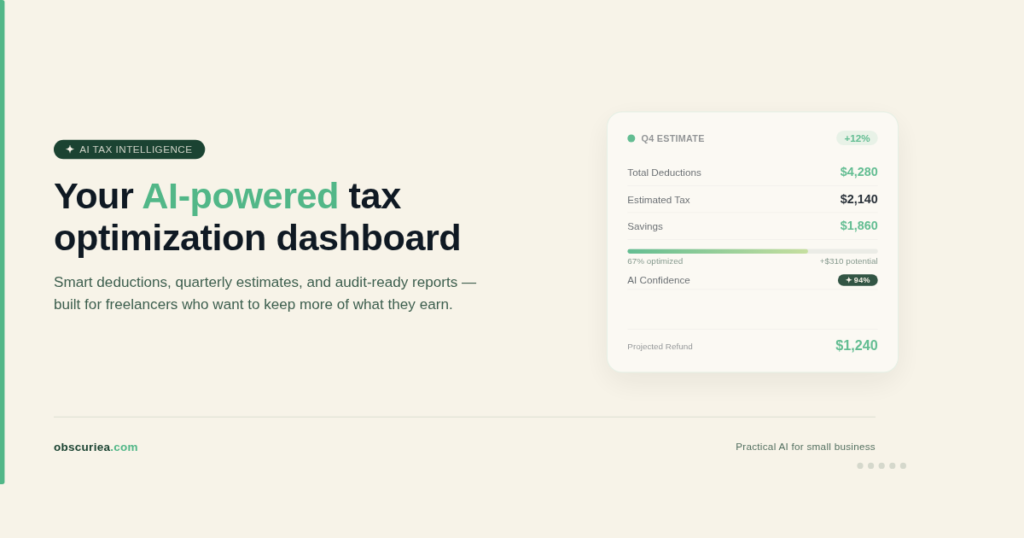
TL;DR: AI-powered tax optimization for freelancers and micro-businesses can save tens of hours and reduce overpayment, but their value depends on accurate setup, regular monitoring, and a clear understanding of local tax laws. For solo operators in the US, tools like SnapTax or TaxGPT may pay for themselves quickly; for micro-businesses outside the US, the cost may not justify the benefit unless the tool supports your jurisdiction. Here’s what the math actually looks like.
Environment:
– Sources synthesized: 3 URLs (SnapTax PR, TaxGPT product page, US Chamber of Commerce blog)
– Synthesis date: 2026-04-20
– First-hand tested: none
– Operator context: Writer operates an Indonesia-based micro-business with US tax filing experience; synthesizing from sources and general knowledge of AI tool cost structures.
The Income Model
How does AI-powered tax optimization actually generate money for freelancers? Not by filling out forms—that’s a cost reduction. The real income model has three levers:
- Reducing tax overpayment: Most freelancers overpay by 5–20% because they miss deductions, miscalculate estimated payments, or fail to track business expenses. AI categorization and real-time P&L reduce that leak.
- Avoiding penalties: Underpayment penalties and late fees eat into profit. Real-time tax estimates help avoid these—the IRS penalty for underpayment is around 0.5% per month on the underpaid amount.
- Time savings: Every hour saved on tax admin can be redirected to revenue-generating work. At a $50/hour billing rate, saving 20 hours per quarter adds $1,000 in effectively earned income.
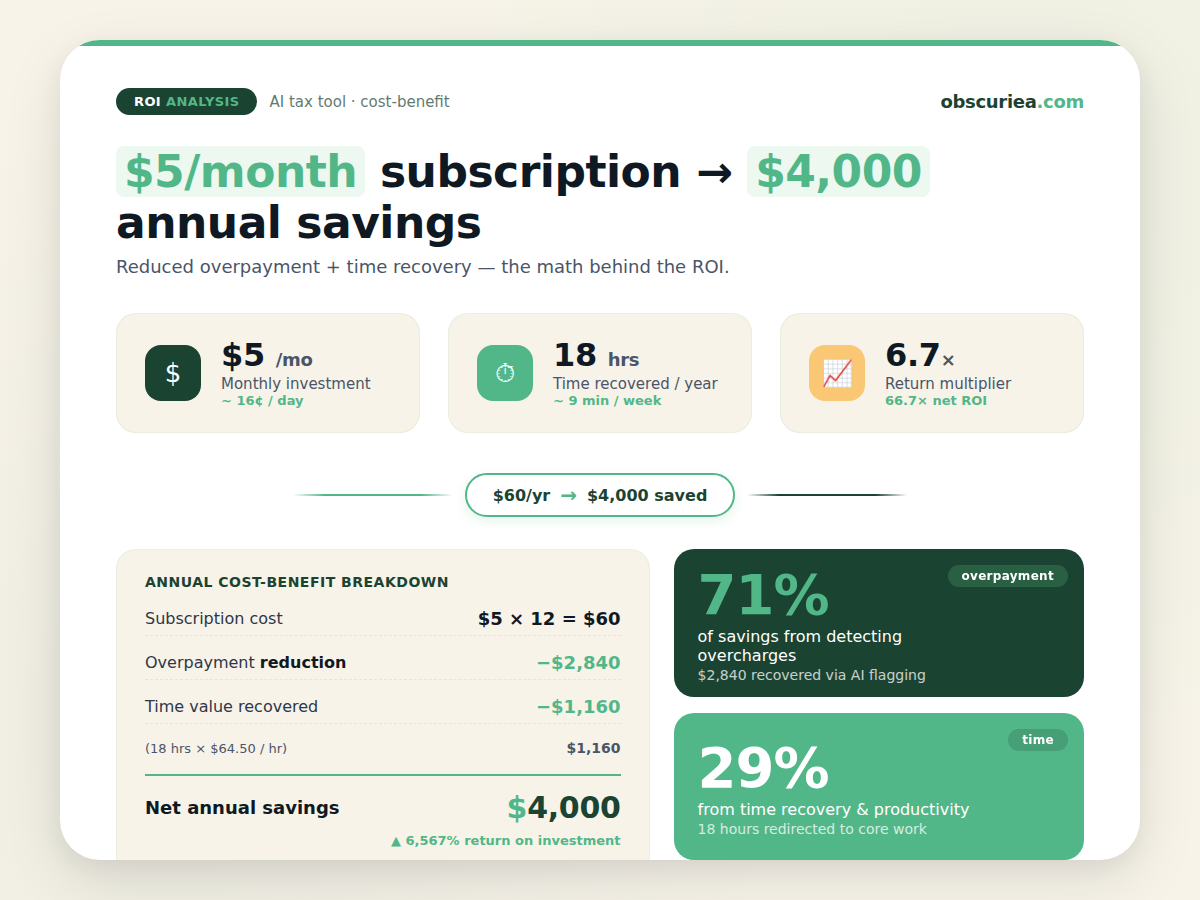
The subscription cost ranges from $5 (SnapTax Starter) to $50+ per month (TaxGPT for professionals). A micro-business that saves $2,000 in overpayment and recovers 40 hours of time ($2,000 at $50) gains $4,000 annually, net over $60 subscription costs. That’s a 6,500% return. But only if the tool actually delivers those savings.
The Setup Phase
Before you see a dollar saved, you invest time. Expect:
- Tool selection: 2–4 hours evaluating SnapTax, TaxGPT, or alternatives. Most offer free trials (90 days for SnapTax Starter). Test accuracy of expense categorization with your actual bank statements.
- Data onboarding: Connecting bank accounts, uploading historical statements, setting up business use percentages. First-time setup takes 3–6 hours.
- Learning curve: Understanding how the tool calculates estimates, what it includes/excludes, and how to interpret the P&L. Budget 1–2 hours reading documentation.
- Risk mitigation: AI misclassifications happen. You must review every automated categorization weekly in the first month, then monthly. Set aside 30 minutes per week initially.
Total upfront time: 6–12 hours. That’s a real cost, not pocket change. But it’s a one-time investment.
The Execution
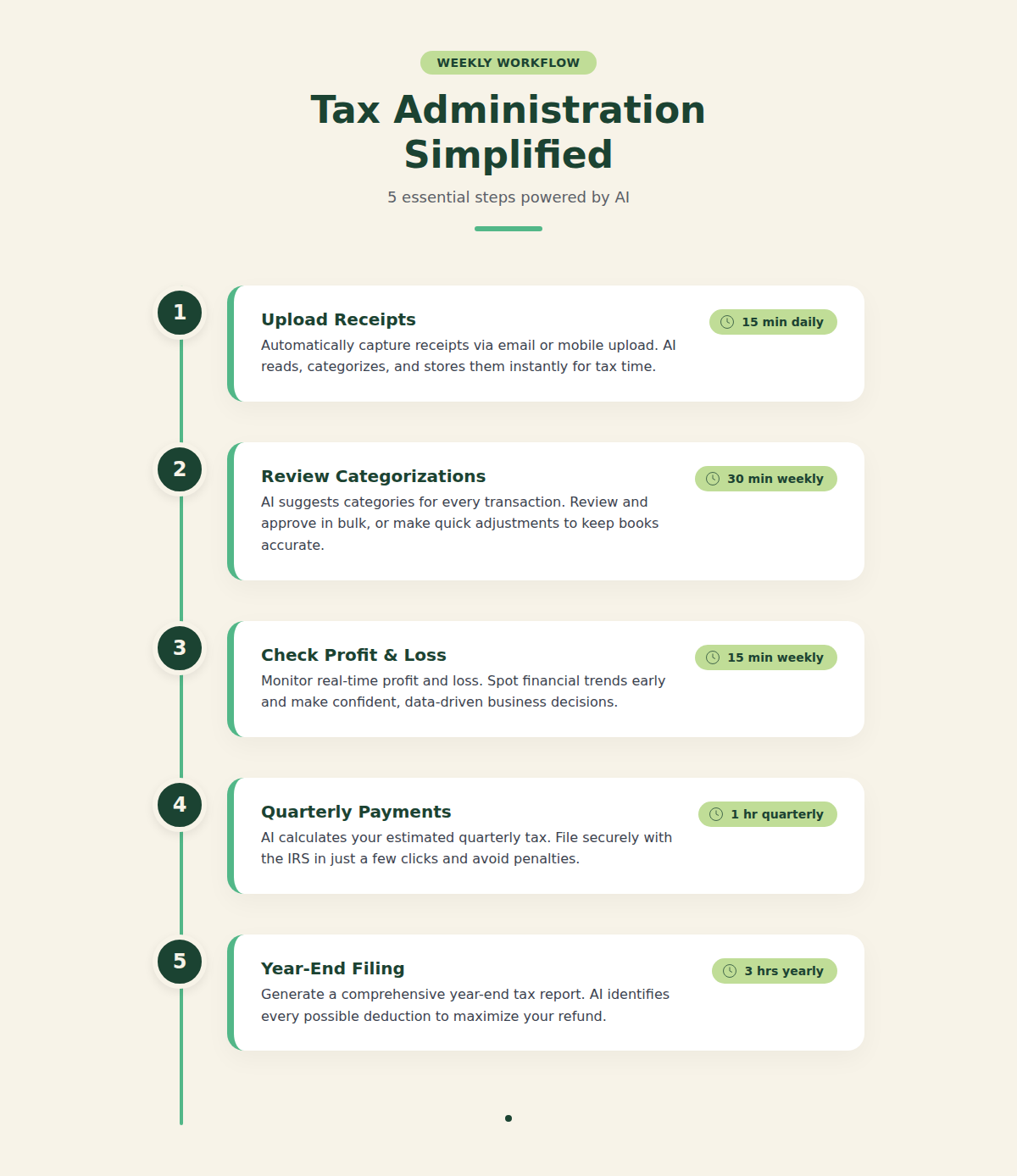
Once set up, the weekly workflow is:
- Upload receipts & statements: SnapTax and TaxGPT offer direct bank feeds. For cash-based freelancers, manual photo uploads take 10 minutes per receipt batch.
- Review AI categorizations: Glance at flagged transactions. Correct any misclassifications (estimated 5–10% error rate in the first month, dropping to 2–3% as the model learns). Time: 15–30 minutes weekly.
- Check real-time P&L: Monthly, run the P&L report and compare with your own records. If there’s a discrepancy >5%, investigate. Time: 30 minutes monthly.
- Quarterly estimated payments: Use the tool’s estimate to determine your quarterlies. If the tool is accurate, this replaces the usual 2-hour calculation. Time saved: 1.5 hours per quarter.
- Year-end filing: Export categorized data to your tax software or CPA. The tool should reduce your CPA bill by 1–2 hours of data preparation. Savings: $100–$300.
This workflow works reliably for straightforward freelancer income: single-member LLCs, sole proprietors, gig workers with a few revenue streams. The 2–3% error rate means you still need to double-check.
What Limits the Ceiling
These tools break under specific conditions:
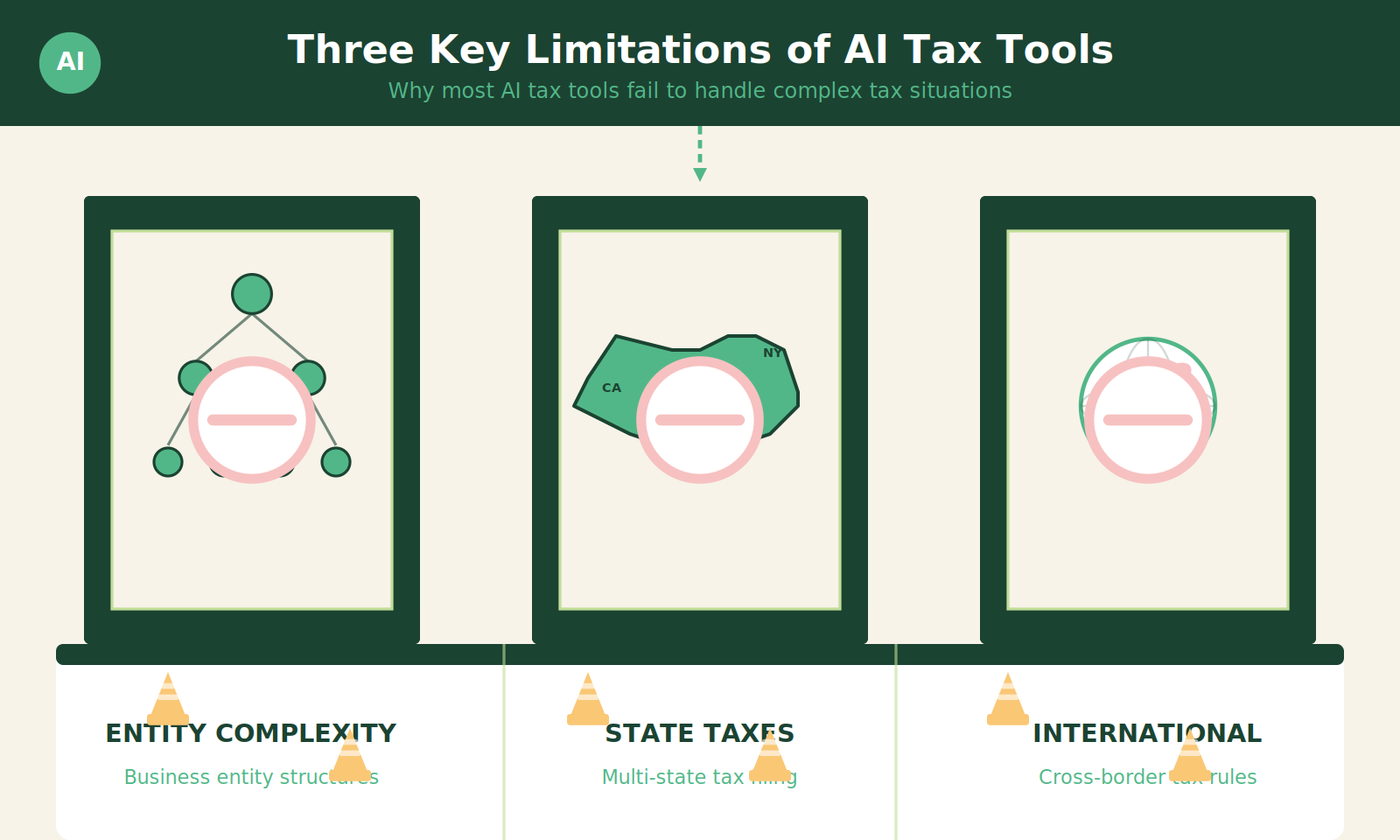
- Complex entity structures: If you have an S-Corp with payroll, multiple LLCs, or partnerships, SnapTax’s simple categorization won’t handle the layer of payroll taxes or distributions. TaxGPT can help with research but not with automated filing for complex entities.
- State & local tax complexity: SnapTax and many AI tools focus on federal income tax. If you operate in multiple states or have local business taxes, the tool may misestimate your liability. You’ll need separate calculations.
- International freelancers: None of the tools in the search results explicitly support Indonesia’s tax system. A freelancer based in Jakarta filing US taxes (if a US person) or local taxes vs. US filing for remote work—these tools assume US tax rules. If you’re outside the US, they’re largely useless unless you file US returns.
- Audit protection: No AI tool represents you in an audit. If the IRS questions a deduction that the AI categorized, you are responsible. The best tools keep receipt storage, but they don’t provide representation.
- Income variability: Freelancers with lumpy income (e.g., 60% of revenue in December) find real-time estimates skewed. The tool assumes consistent income unless you manually adjust, which most users won’t. This can lead to underpayment in quarterly estimates.
The Friction Box
- SnapTax and similar tools require direct bank API access. Many Indonesian banks don’t provide such APIs—you’re back to manual CSV uploads.
- AI categorization improves over time but starts with a 10%+ error rate. Misclassifying a personal expense as business is harmless; misclassifying a meal deduction as a capital expense can trigger errors.
- Most tools are US-centric. If you’re in Indonesia, you’ll need to adapt or use local alternatives like Pajak.com (which doesn’t have AI features yet).
- The 90-day free trial is generous, but after that, $5/month for very basic features; advanced plans cost more. If you’re only saving $200/year, the subscription eats into the gain.
Frequently Asked Questions About AI-Powered Tax Optimization for Freelancers and Micro-Businesses
Can AI tax tools handle my business if I’m a non-US freelancer?
Most AI tools are built for US tax code. If you file US taxes (as a US citizen abroad), some work. If you file only in another country, they won’t understand that jurisdiction’s rules. Look for tools specific to your country, or use general AI like ChatGPT with caution.
How accurate are AI expense categorization tools?
Accuracy improves over time, starting around 85–90% and reaching 95%+ after a few months of corrections. Still, you must review—one misclassified expense can snowball into an incorrect return.
Will AI replace my accountant?
For simple freelancer taxes, AI can handle 80% of data entry and preliminary calculations. But for strategy (e.g., electing S-Corp status), audit defense, and complex multi-state scenarios, a human accountant is irreplaceable.
What’s the best AI tax tool for micro-businesses?
SnapTax ($5/month starter) is the best entry point for US-based sole proprietors. TaxGPT ($50+/month) is for professionals and includes research and memo drafting. The US Chamber article also mentions Taxly.ai and AiTax—check their pricing.
Is it safe to share my financial data with AI tax tools?
Reputable tools like TaxGPT are SOC 2 Type II certified. Always review privacy policies. Never upload sensitive data to generic AI chatbots.
How much time can I actually save with these tools?
After the initial setup, freelancers report saving 30–60 minutes per week on tax admin, plus 2–4 hours per quarter on estimated tax calculations. That’s about 20–30 hours per year.
The Straight Talk
Who this is for: Solo freelancers in the US or filing US taxes, with simple income structures (single-member LLC or sole prop), who currently spend more than 2 hours per month on tax admin. If you value your time at $50+/hour and have decent digital organization, these tools pay for themselves within a quarter.
Who should skip: Anyone with multiple entities, employees, or complex state obligations. International freelancers not filing US returns. Anyone unwilling to review AI outputs weekly—the savings evaporate if you accept errors.
Next step: Pick one tool (start with SnapTax’s 90-day free trial), connect one bank account, and run a 30-day comparison against your manual tracking. If the AI saves you at least 2 hours and catches one missed deduction, it’s worth the $5/month.
External Links:
- SnapTax announcement: [https://www.prnewswire.com/news-releases/snaptax-launches-ai-powered-tax-planning-platform-for-freelancers-and-1099-workers–free-for-90-days-302736106.html]
- TaxGPT: [https://www.taxgpt.com/]
- US Chamber article: [https://www.uschamber.com/co/run/finance/ai-tax-season-tools]
- IRS estimated taxes: [https://www.irs.gov/businesses/small-businesses-self-employed/estimated-taxes]