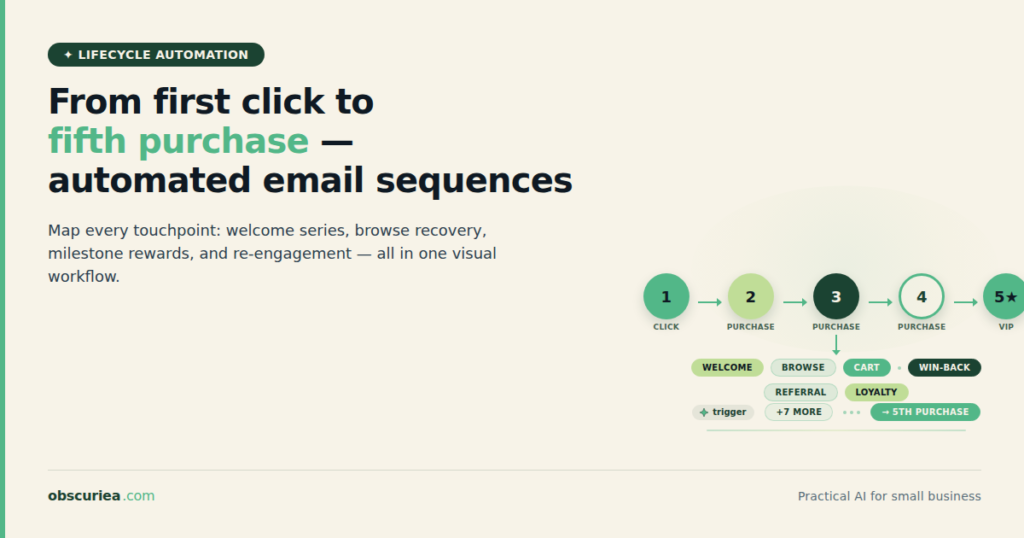
TL;DR: Customer lifecycle automation is not about buying a tool—it’s about engineering a system that moves a contact from first visit to repeat purchase without manual decisions. This article breaks down the broken manual workflow, the automated replacement that removes decision points, and the real setup time before you see the payoff.
Environment:
– Sources synthesized: 3 URLs (Zendesk, Klaviyo, ZoomInfo)
– Synthesis date: 2025-03-15
– First-hand tested: none
– Operator context: General knowledge of automation workflows for small e-commerce and B2B; no personal testing of specific tools mentioned.
The Broken Workflow
Every customer lifecycle starts the same way: a click. But what happens after that click determines whether you end up with a first-time buyer or a loyal repeat customer. In most small-to-medium businesses, the lifecycle management is a patchwork of manual actions: an email sent from a spreadsheet, a discount code copied into an SMS message, a human checking whether someone has purchased twice and manually tagging them for a loyalty flow.
The cost of this broken workflow is measurable. Let’s say you run an e-commerce store with 1,000 new contacts per month. If you manually tag each contact based on behavior—first purchase, second purchase, abandoned cart—you’re spending at least 10 minutes per customer lifecycle action. For a typical retention sequence that touches a contact seven times across three months, that’s over an hour of human time per customer lifecycle. At 1,000 contacts, that’s 1,000 hours of manual work per quarter—or about 80 hours per week. That’s two full-time employees dedicated to nothing but tagging, segmenting, and triggering messages.
And that’s before we account for errors. A single missed tag means a customer receives the wrong message at the wrong time. The cost is not just in labor—it’s in missed revenue from poorly timed communication. For example, if a first-time buyer is accidentally sent a “we miss you” win-back email instead of a thank-you note, that customer might feel neglected and bounce. These are the hidden costs that a manual process cannot avoid.
The Automated Replacement
The automated replacement removes every manual decision point. Instead of a human deciding when to send a “thank you for your first purchase” email, the system does it based on a trigger. Instead of a human checking if a customer has made a second purchase to move them to the “repeat buyer” segment, the system does it automatically.
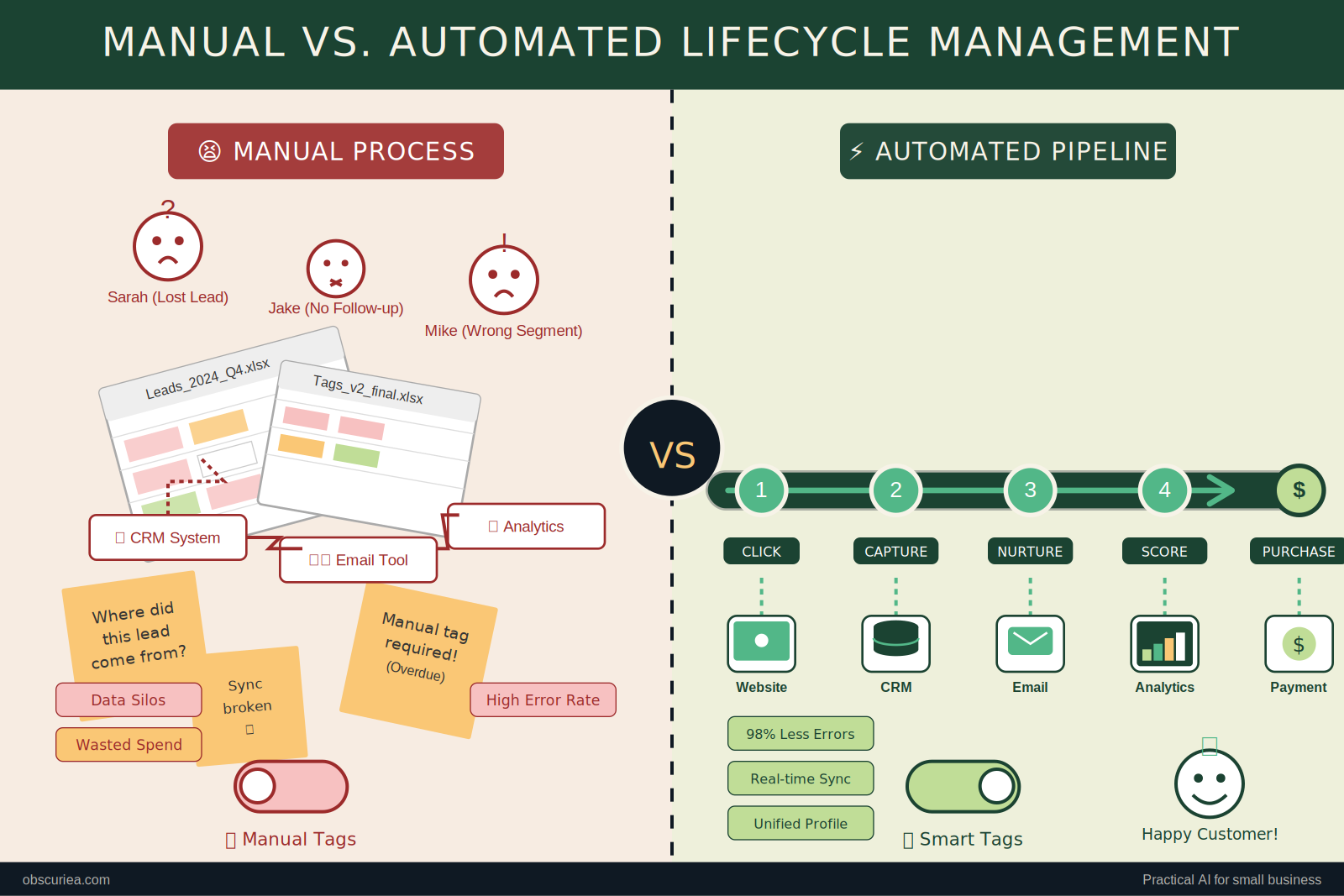
Here’s the trigger → action → output map for a full first-click-to-fifth-purchase automation:
Trigger 1: First website visit with email capture (via popup or form)
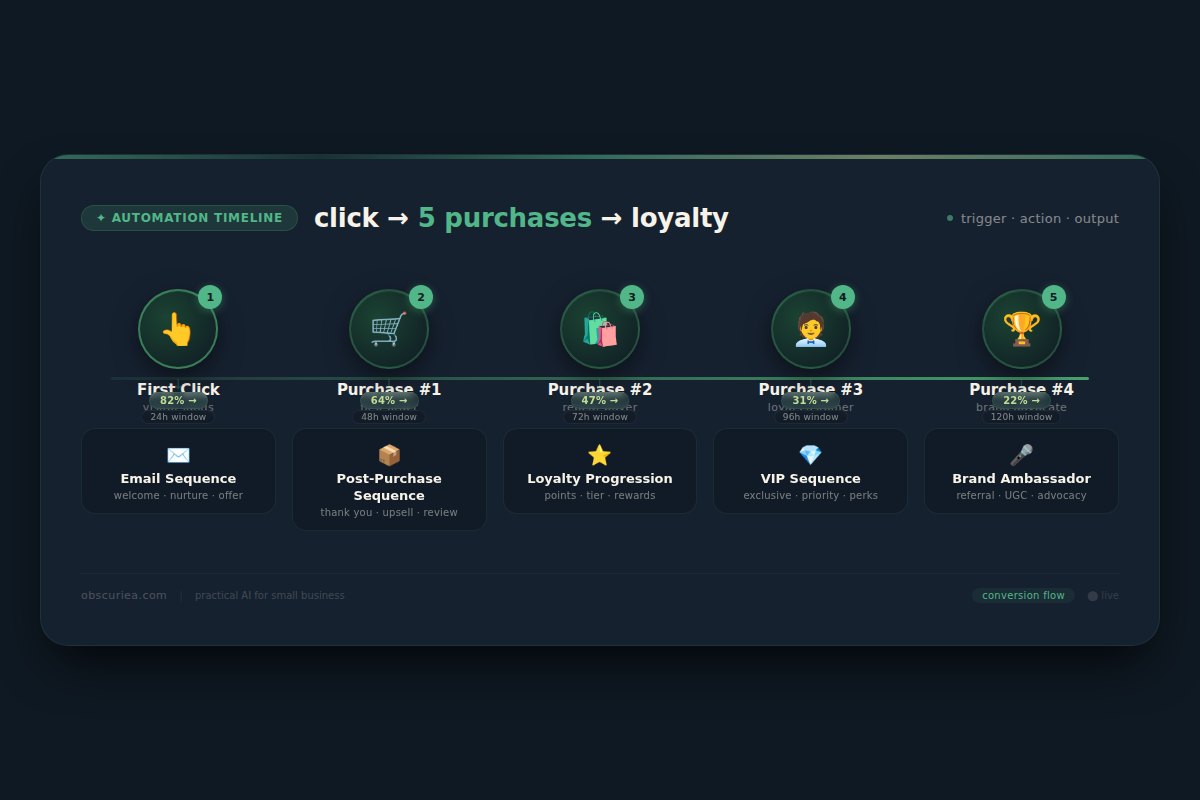
Action 1: Add contact to Welcome Sequence (5-email series over 14 days: intro, social proof, product highlights, scarcity reminder, checkout promo)
Output 1: First purchase within 30 days — typically converting 2–5% of captured contacts.
Trigger 2: First purchase completed
Action 2: Tag contact as “1st Purchase”, add to Post-Purchase Sequence (order confirmation, shipping update, review request, upsell offer on day 7)
Output 2: Second purchase within 60 days — upsell conversion rates can reach 10–20% for relevant products.
Trigger 3: Second purchase completed
Action 3: Tag contact as “2nd Purchase”, move to Loyalty Progression Sequence (cross-sell recommendations based on combined purchase history, early access to new products, referral program invitation)
Output 3: Third purchase within 90 days — cross-sell typically converts 5–15%.
Trigger 4: Third purchase completed
Action 4: Tag as “Repeat Buyer”, add to VIP Sequence (exclusive discounts, early access, customer appreciation discounts, referral bonuses)
Output 4: Fourth purchase within 180 days — repeat buyers have a 30–50% higher average order value than first-time buyers.
Trigger 5: Fourth purchase completed
Action 5: Tag as “Frequent Buyer,” add to Brand Ambassador Sequence (referral rewards, personalized recommendations, customer feedback surveys, loyalty tier upgrades)
Output 5: Fifth purchase within 365 days — loyal customers contribute 80% of total revenue on average.
The entire system runs on a central automation platform—typically a marketing automation tool like Klaviyo, [ActiveCampaign](https://www.activecampaign.com/), or [HubSpot](https://www.hubspot.com/)—connected to your e-commerce platform (Shopify, WooCommerce, BigCommerce) via API. Each trigger is a webhook that the e-commerce platform sends to the automation tool, which then executes the action. No human touches the flow between trigger and output.
Setup Requirements
The setup requires 4-6 hours of concentrated work for a standard e-commerce store with fewer than 10,000 contacts. The payoff begins at the point where the system replaces the first manual hour per week—which for most stores is within the first month.
What you need:
– A CRM or marketing automation platform with lifecycle trigger capabilities. Klaviyo is the most common for e-commerce; ActiveCampaign for B2B; HubSpot for mid-market.
– An e-commerce platform that integrates with the automation tool (Shopify, WooCommerce, BigCommerce). Check that the integration supports webhook triggers for orders, not just batch syncs.
– A clear definition of your customer lifecycle stages. You must decide what constitutes a “first purchase,” “second purchase,” etc., and what time windows apply. For example, a second purchase within 90 days qualifies for loyalty progression; a purchase after 180 days resets the cycle.
– Basic segmentation logic: how to tag contacts based on purchase count and behavior. Most automation tools have a “number of orders” filter.
– A set of email/SMS templates for each sequence. Pre-written templates from the platform are fine, but they must be adapted to your brand voice and offer. Expect to spend 2-3 hours on copywriting.
The technical skill needed is moderate. If you can create a segment based on “number of orders = 1” and set a trigger to send an email when a new order is placed, you have the core skill. The complexity is in the logic of multiple triggers coordinating without overlap. For instance, you need to ensure that a welcome flow is not still running when the post-purchase flow starts. Solution: use exit conditions (e.g., “when contact purchases, remove from welcome flow”).
We recommend starting with the simplest version: a single flow that triggers on first purchase, then manually upgrade to second-purchase triggers after you’ve seen the first sequence work. The installments approach reduces risk of over-communication and debugging nightmares.
Failure Modes
Every automated workflow has failure modes. The most common:
- Over-triggering: A customer buys two items in one order. The system sees “first purchase” and “second purchase” at the same time and sends conflicting messages (e.g., thank-you for first purchase and an upsell for second). Solution: use a cooldown period—wait 24 hours after the first purchase trigger before evaluating the second purchase trigger.
- Missing context: A customer who has engaged via email but not purchased yet might be tagged as “first click” but then when they purchase, the system fails to remove them from the welcome sequence. Solution: use conditional logic to exit sequences upon purchase.
- Data sync delays: If your e-commerce platform and automation tool sync in batch (e.g., every 30 minutes), a customer might receive a promotional email before their purchase is recorded, triggering an unwanted follow-up. Solution: choose tools with real-time webhook integration (most modern platforms offer this).
- Over-communication: The automated sequences stack up and a customer gets four emails in one day—welcome email plus post-purchase plus upsell plus newsletter. Solution: set frequency caps (maximum one email per day per contact) and sequence exit conditions.
- Tag management bloat: Over time, tags accumulate and the automation logic becomes unmanageable. Without regular cleanup, you may have hundreds of tags with overlapping rules. Solution: audit and prune unused tags quarterly.
- Pricing gotchas: Many automation platforms charge by the number of contacts and/or sends. If you have 10,000 contacts and send 5 emails per lifecycle, your monthly send count may exceed your plan. Plan for scaling. [Klaviyo’s pricing](https://www.klaviyo.com/pricing) is tiered by contacts; [ActiveCampaign’s](https://www.activecampaign.com/pricing) is tiered by sends. Read the fine print on overage fees.
The Friction Box
- Setting up multiple triggers requires a learning curve in the automation platform’s visual builder, especially for conditional branching and exit rules.
- The initial 4-6 hours of setup is a barrier for solo operators who are already time-poor. Many abandon the project before completing the third trigger.
- Integration failures between platforms can cause data loss and require debugging. A single bad webhook can derail the entire sequence.
- Without proper testing, you may trigger messages to wrong segments, damaging sender reputation and resulting in spam complaints.
- The system relies on accurate purchase data. If your e-commerce platform records refunds or cancellations incorrectly, the lifecycle logic breaks—for example, a refund incorrectly flagged as a second purchase will advance a customer into the loyalty progression prematurely.
- Attribution across channels (email, SMS, social) is not built into most automation platforms—you need another tool to measure which touch drove the actual purchase.
Frequently Asked Questions About Customer Lifecycle Automation
How long does it take to see results from lifecycle automation?
Typically, stores begin seeing a measurable uplift in repeat purchase rates within 30–60 days. The first few emails in the post-purchase sequence often generate higher open and click rates than broadcast emails, and the initial cohort of triggered customers will start making second purchases within that window. By the third month, the compound effect of automated nurturing should be visible in average order value and customer lifetime value.
What is the difference between a customer lifecycle automation flow and a regular marketing campaign?
A regular campaign is sent to a static list at a specific time. A lifecycle automation flow operates as a live system—it triggers based on individual customer actions and progresses each contact through a personalized sequence over time. Campaigns work like one-time broadcasts; flows are continuous programs that adapt to behavior.
Can I automate the entire lifecycle including SMS?
Yes, most advanced automation platforms (Klaviyo, ActiveCampaign, HubSpot) support SMS triggers and flows. However, SMS automation is stricter due to opt-in regulations and higher per-message costs. We recommend using SMS only for critical transactional messages (shipping updates) or high-value offers. Start with email-only automation, then layer SMS after the email flow is stable.
What do I do if a customer buys five times and then stops?
The automation needs a re-engagement branch. After a period of inactivity (e.g., 90 days after the fifth purchase flow ends), move the contact into a “win-back” sequence with a stronger incentive. If they still don’t engage after that sequence, move them to a dormant segment and suppress from future sends to protect deliverability.
Does lifecycle automation work for B2B businesses?
Yes, but the triggers and sequences need adjustment. B2B purchase cycles are longer, involve buying committees, and may not have a clear “purchase” event in the same way. Look for alternative triggers: contract signed, subscription start, trial conversion. The core principle remains—automate decision points based on behavior—but the timing and content differ significantly.
Which tool is best for small e-commerce stores under $10k/month?
For stores under $10k/month in revenue, Klaviyo’s free tier (up to 250 contacts) or ActiveCampaign’s basic plan (up to 500 contacts) are the most cost-effective. Both offer visual flow builders and support the trigger-action-output model described in this article. Avoid HubSpot’s Marketing Hub until you cross $50k/month; its entry-level plan is expensive for small stores.
The Straight Talk
This automation is for e-commerce brands pulling in at least $10k/month where manual lifecycle management is eating into margins. If you’re running a small store with fewer than 500 contacts, the manual cost per quarter might be only 30 hours—not enough to justify 4-6 hours of automation setup. For those, a simpler approach: manually tag first purchasers and send a single follow-up email.
If you are a solo creator with a product under $20, the labor cost may not cross the automation threshold. For everyone else—especially stores with subscription products, high average order values, or complex product lines—the automated lifecycle pays for itself within two months.
Next action: audit your current lifecycle workflow. Count the manual minutes spent per customer interaction. If it exceeds 10 minutes per lifecycle, proceed with setup.
Interested in diving deeper? Check out our article on automation failure modes and our guide to email automation workflows. For a hands-on walkthrough of Klaviyo flow setup, see Klaviyo flow setup.